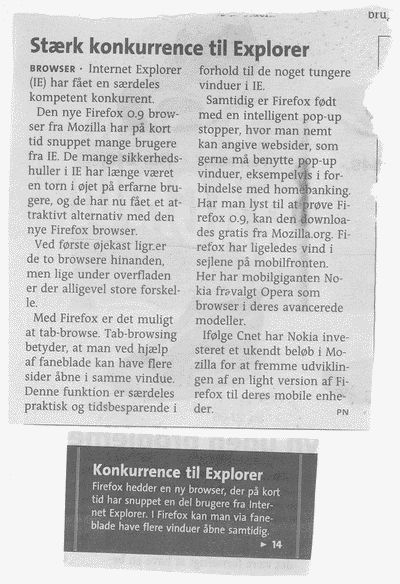
Mozilla Entries
Read about the development of the open source web browser Mozilla. News, developer info, articles, links etc.
Bringing SIMD to JavaScript
In an exciting collaboration with Mozilla and Google, Intel is bringing SIMD to JavaScript. This makes it possible to develop new classes of compute-intensive applications such as games and media processing—all in JavaScript—without the need to rely on any native plugins or non-portable native code. SIMD.JS can run anywhere JavaScript runs. It will, however, run a lot faster and more power efficiently on the platforms that support SIMD. This includes both the client platforms (browsers and hybrid mobile HTML5 apps) as well as servers that run JavaScript, for example through the Node.js V8 engine.
Next-generation video codec coming to Mozilla
Open codec pioneer Monty Montgomery, leaves Red Hat, joins Mozilla to work on n open next-generation video codec. Monty Montgomery is the mastermind behind Ogg Vorbis and Ogg Theora.
More info here:
http://gigaom.com/2013/10/15/monty-montgomery-joins-mozilla-for-daala/
HTML5 Flash Player (Shumway ) landed
Today Shumway landed in the Firefox codebase. Shumway is a way to support playing Flash (SWF files) without the Adobe Flash Player.
The Adobe Flash Player has been plagued with bugs so being to play Flash without the normal player is a big step forward for security.
Shumway is an HTML5 technology experiment that explores building a faithful and efficient renderer for the SWF file format without native code assistance.
Shumway is community-driven and supported by Mozilla. Our goal is to create a general-purpose, web standards-based platform for parsing and rendering SWFs. Integration with Firefox is a possibility if the experiment proves successful.
Parallel JavaScript
Intel Labs has a new project out Parallel Extensions for JavaScript, code named River Trail. River Trail brings the processing power of Intel’s multi-core CPUs and their vector extensions to web applications. With River Trail it will finally be possible to stay in the browser even for more compute intensive applications like photo editing.
Read more here
Addon development is back
For a long time I simply just didn't have the time to do development on my addons.
I've created 6 addons and some are fairly popular.
Linky which is the most popular one just passed 620.000 downloads and has more than 35.000 active daily users. Linky enables you to quickly open multiple links. You can also download, validate, copy and bookmark multiple links. All in one click.
Launchy which enables you to open links in other applications has around 23.000 daily users and more than 380.000 total downloads.
Closy, Reliby, Validaty and Slashy all weighs in at around 2.500 active daily users.
The main purpose of this blog post is to tell everybody that the development is back in business. I've been able to find time to develop the addons again, adding new features and fixing old bugs.
I also would like to thanks everybody who donated money so that I can continue the development. Thanks! You can also donate!
I released a new version of all of the addons except Slashy. It's quite amazing to see the high number of Linky users if you take into consideration that the prior version was released in March 2006!
Firefox on Playstation 3?
There's a rumor out that Sony is looking into bringing Firefox to the PS3 platform:
"We recently received a tip from a source very close to Sony who says that they have been in talks with Mozilla lately about possibly porting firefox over to the PS3. That said, our source made sure to point out that they were unsure if any deal had actually been reached at this point, but it is great news none the less considering the complaints Sony has been getting about the lack of reliability with their current built in PS3 web browser."
about:memory landed
I'm here at EU MozCamp 2009 in wonderful Prague, and just saw that the about:memory feature landed on trunk.
I had the chance to talk to Vladimir Vukicevic, how implemented the infrastructure for it, and he told him that this is just an initial landing. The about:memory is not yet finished and it can and will be improved in loads of way.
The final/ultimate implementation will include data for how much memory JavaScript, images, etc takes up.
Can this be done? Links in same tab, links from external apps in new tab
I'm trying to figure out a way to achieve this:
1) I want links to open in the same tab. So if I click on a link that has target=_blank or target=_new in my Mozilla Firefox I want them to open in the same tab. Popups I want to open in a new window.
2) I want links from external applications to open in a new tab but same window. So if I click on a link in my mail program I want a new tab to open with the link so that I don't loose data on the current tab.
HOW HOW HOW do I do that?
If I set "browser.link.open_newwindow" to 1 which means "Open links, that would normally open in a new window, in the current tab/window." it fixes problem 1 but not problem 2
Thunderbird can now auto config your account
A couple of days ago the first big part of the auto detection of mail accounts landed in Thunderbird. I've blogged about the feature before.
This means that you no longer have to enter all of the technical information to add an account. Just enter your name, email and password and Thunderbird will try to auto detect the rest.
Really really cool. Unfortunately it doesn't support Google Apps :(
Click on the image to see the full screenshot:
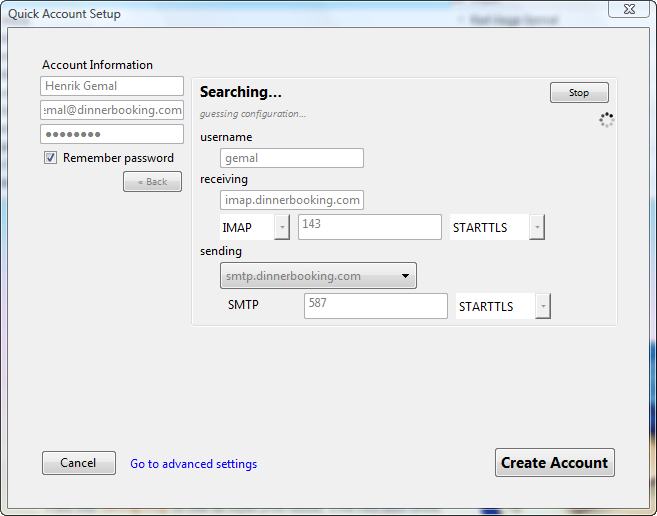
All of my domains, both personal and at work, are using Google Apps. But the new auto detection cant detect my setup. Damn. It sounded so cool.
My domain at work is dinnerbooking.com which is hosted by Google Apps. The IMAP is at imap.gmail.com, but Thunderbird doesn't find that since it doesn't do any DNS lookup.
Hopefully this get fixed later...
Open Source software in the public sector
Last Thursday the "Videnscenter for Software" held a conference on "Open Source software in the public sector." And Mozilla was represented at the conference.
I've heard about the conference and learned that you could ask for a free pass for the conference. Instead of only getting the free pass, I also got the opportunity for Mozilla to have a booth at the conference.
So Mozilla shared a booth with Ubuntu and OpenOffice.org. I organized to get some merchandise from Mozilla Europe (big thanx!), so we got both posters, badges etc.
I also had my laptop running some Mozilla Firefox promotion videos, which is so much better than just normal slides. The videos I used are the ones from http://www.mozilla.com/en-US/firefox/video/. Hopefully there's gonna be more of these videos.
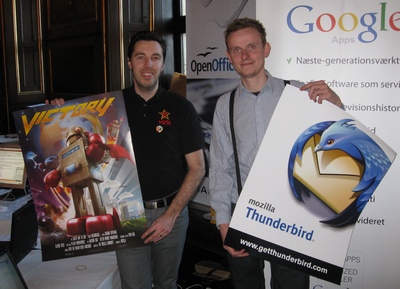
We, Hansen from Mozilla Denmark, and I, attracted a lot of attention. Most people already knew Mozilla Firefox and a lot of them actually ran it at home.
At the conference we also meet up with Christian Sejersen from Mobile Firefox. He brought along a Nokia N810 device with the latest Fennec beta on it. Walking around showing the mobile version of Mozilla Firefox also attracted a lot of interest.
By the way. Now I'm also an official part of Mozilla Denmark. A couple of years ago, I thought I was Mozilla Denmark :)
The Mozilla Firefox marked share in Denmark is very low. Denmark is Microsoft territory. So perhaps events like this can be a way to change that.
JPEG decoding will be 15% faster on x86_64
Just a quick note about a cool improvement that is gonna hit x86_64 builds of Mozilla Firefox soon:
"Currently, JPEG SSE2 code is only Windows x86. I will add it for x86_64 platform. After adding it, JPEG decoding is 15% faster."
More information in bug 475225
7 untold secrets about me
 The seven, perhaps unknown, things about Henrik Gemal.
I was tagged by Fabien Cazenave who started to learn XUL by tweaking my Launchy extension. Cool!
So here are the rules to this:
1. Link to your original tagger(s) and list these rules in your post.
2. Share seven facts about yourself in the post.
3. Tag seven people at the end of your post by leaving their names and the links to their blogs.
4. Let them know they’ve been tagged.
Here we go:
1: I've been charged with importing pornography into India
When I worked in India I was contacted by a Danish company that sold CD-ROMs (back in the days) and they asked me if I wanted to help them get into the Indian marked. No problem. Send me some CD's and I see what I can do. Unfortunately there were some porn CDs among the CDs they sent. Don't know if I can return to India...
2: I was the top Bugzilla bug reporter
When Bugzilla was at 100.000 bugs Asa Dotzler pulled some data out of Bugzilla. We were 10 people that filled over 700 bugs each and I was at the top with 1764 bugs and Seth Spitzer was second. Read the article.
3: I played a lot of AD&D when I was younger
I loved playing Advanced Dungeon & Dragons. Still dream about creating another adventure and play again.
4: I played soccer for almost 20 years
We were once at the Danish national championship and became number 7. We also had a cool sponsor so I meet a lot of the top soccer people from the 90' like Ruud Gullit, Frank Rijkaard and most of the Danish stars like Preben Elkjær, Frank Arnesen and Morten Olsen.
5: I lived in India for more than a year working for a Indian advertising company
 What an experience! Quite amazing. I saw things that you can only dream about. Everything for dead poor people and filty rich people like I never seen before. Read my Indian story.
6: I have visited 35 countries or 15% of all countries
I love traveling. My wife and I did a lot of backpack traveling before we got our first child. Backpacked around in Thailand, Laos, Peru and Bolivia. See my map.
7: I have a road named after me
 In the town of Kirkeby on Fyen in Denmark there is a road called Gemalvej. My ancestors come from around there. We traced the name Gemal back to around 1600. In Danish Gemal means spouse/partner/wife/husband.
I tag:
- Asa Dotzler
- Christian Sejersen
- Allan Beaufour
- William Quiviger
Early adopter of Mozilla Firefox
 My son Mads is a early adopter of Mozilla Firefox.
The other day he got a Firefox tattoo on his left arm and was very proud of it. Showing it to everybody. And yes, it's washable.
So now whenever he sees a Mozilla Firefox logo he points to it. So when he sits next to my computer he has to point out all the time that he can see a Firefox logo.
Perhaps I can teach him to cry when he sees a Internet Explorer logo?
Mozilla Foundation non-profit no more?
According to Techcrunch Mozilla Foundation is being audited by the IRS and its non-profit status is in question:
On the audit of the Foundation there has not been any formal notification of issues. There has been inquiry regarding its tax exemption. Management believes that it is conducting its operations in accordance with its original application for exemption and for which it received the advance ruling as a public benefit corporation.
Update:
Mike Beltzner wrote to me saying that the article is full of inaccuracies.
The Mozilla Corporation is not registered as a non-profit entity, pays taxes, receives revenues, etc. The Mozilla Foundation is a non-profit organization, and its status is not under question. Google does not provide funds to Mozilla as "charity"; it's a negotiated revenue deal, and they make more money off of the traffic generated than they pay to Mozilla. It's easy to forget that, but this is not a charity issue; it's an "affinity" revenue sharing deal.
Best Firefox wallpapers
 This page has some of the best and coolest Firefox wallpapers that I've seen.
BrowserSpy moved
My Spying tool called BrowserSpy moved to it's own website. BrowserSpy.dk is the place where you can see just how much information your browser reveals about you and your system.
Geolocation
For those using nightly builds or the new Geode addon can try my Geolocation test where your location will be shown.
What sites have I visited?
Using a known CSS "feature" BrowserSpy can tell Mozilla users if they have visited a specific website. You can try it yourself. Also see the relevant bug report.
Intercept HTTP traffic from Firefox extensions
Up till now it hasn't been possible for Firefox extensions to intercept HTTP traffic.
But with the landing of a fix in bug 430155 - new nsHttpChannel interface to allow examination of HTTP data before it is passed to the channel's creator. it's now possible.
The fix is gonna be in Firefox 3.1 and perhaps also in Firefox 3.0.3.
A new version of Firebug that uses this new feature is also in the making.
Firefox can become Google Chrome
Due to the power of extensibility in Mozilla Firefox, it's relatively easy for Firefox to clone most of Google Chrome features. Actually most of the cool feature of Google Chrome is already in Mozilla Firefox.
So check out the article on how to:
Enable Chrome's Best Features in Firefox
Also check out the speed test between Firefox, Chrome and Internet Explorer:
Beta Browser Speed Tests: Which Is Fastest?
There's also a comparison between Google Chrome and Internet Explorer 8
Lab test: Google Chrome vs. Internet Explorer 8
Google extends Mozilla agreement into 2011
Mozilla has renewed its agreement with Google that was set to expire in November, extending it into 2011. In 2006, over 85% of Mozilla's revenue came from its partnership with Google.
IE or Firefox? Make your choice
Should be an easy choice:

Auto-detection of email setup coming to Thunderbird
Setting up email accounts has always been a hassle in all email programs. But Thunderbird is adding the ability to auto detect the email configuration.
It works by the user entering his/hers email address. Then Thunderbird automatically tries to figure mail server name, type (IMAP or POP3) and connection type (TLS, SSL, plain).
The feature is slowly getting reviewed and will then get checked into the Thunderbird codebase.
You can read much more about the feature in the bug report.
The patch will likely also include the ability for ISPs and others to provide a XML file to specify how to setup an account using their service.
Read about the feature:
In the wiki
In the bug report
Mozilla Firefox on Nokia N95
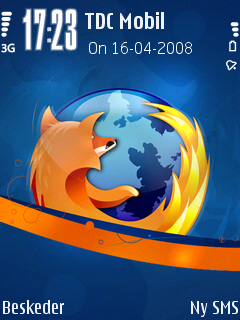 There is a lot of work going on to get Mozilla Firefox to run on mobile devices and the developers has already come a long way.
Unfortunately Mobile Firefox isn't available on Nokia N95 yet. The picture you see is just a theme for the phone. So it's just a themed icon for the built-in WebKit browser.
Mozilla Firefox for Mobile phones are currently known as codename Fennec. It's available for the Nokia N810 mobile phone. The Nokia N810 is a Linux based tablet.
Hopefully Mozilla Firefox will be available for the Symbian OS, which most Nokia phones uses. Symbian usage is really big in Europe, while Windows Mobile usage is high in the US.
Christian Sejersen earlier this year on the FOSDEM event said that the Symbian people were looking into porting Mozilla to the Symbian platform. Hopefully we'll get an update soon on this.
Harry Li from the Mozilla community is currently trying to port NSPR to the Symbian OS and is almost finished. Check out the bug report.
Easy to kill Firefox in Process Explorer
Given the fact that Firefox uses a lot of Private Bytes in Windows also makes it very easy to locate it when you have to kill it with fx Process Explorer. Just look at the top.
I use Process Explorer as the main tool to watch which processes are running and sometime to kill programs. What is does is:
Find out what files, registry keys and other objects processes have open, which DLLs they have loaded, and more. This uniquely powerful utility will even show you who owns each process.
And sometimes I have to kill Firefox the hard way. Finding it in the process list is always very easy. It's always at the top if sorted by Private Bytes usage.
So dont says that Firefox memory usage isn't a good thing :)
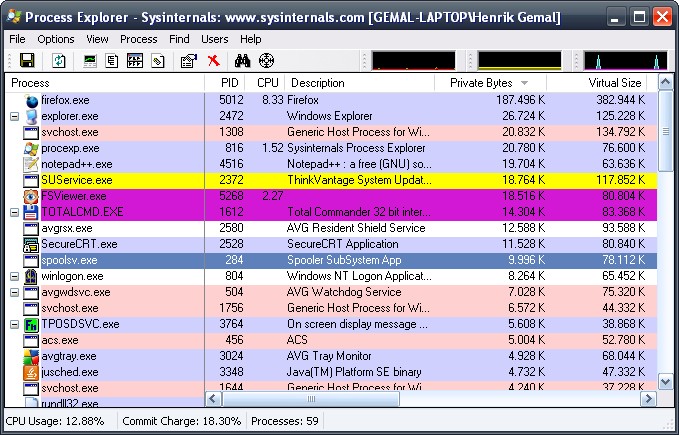
So what are these Private Bytes? From article:
This is memory allocated to the process that cannot be shared by other processes. It is probably the most useful single figure when you want to know "How much memory does my app use?" It still needs qualification. As we’ve seen, the Private Bytes may not all be in physical memory. If they are swapped to disk, and the user isn’t actively using the application, then they aren’t having much impact on other applications.
da vinci and gemal.dk
My boss at work called me into his office the other day and said that my site was listed on the official Firefox 3 download site. Not sure what he meant he showed me.
If you go to the official European download site for the Danish Firefox 3 there are shown some screenshots of Firefox 3 in action.
One of them are showing the new super cool location bar search feature. The user types "da vinci" and results from the history are shown. And on the screenshot my site gemal.dk is shown at the top on a search for "da vinci". Super!
I once wrote an article regarding the Da Vinci Code or Da Vinci Mysteriet in danish and it's that article that shows up.
The image can been see here:

Still a long way to go: Firefox 20% marked share
According to the latest browser version market share from Net Applications Firefox still have a long way to go:
IE 7.0       46.45%

IE 6.0       26.38%

Firefox 2.0  16.13%

Safari 3.1    4.28%

Firefox 3.0   2.31%

Safari 3.0    1.15%
even adding together the Firefox 2 and 3 it doesn't even match the old IE 6. Sad but true. At least according to these stats.
But they also write:
The release of Firefox 3.0 on June 17th was followed by rapid usage share gains, topping 4% worldwide. In the first hour after the effective release of the product, Firefox 3.0 gained 1% of worldwide share. Firefox 3.0 share gains came mostly from users upgrading from Firefox 2.0, while its overall usage share by grew about .4%, primarily at the expense of Internet Explorer.
Firefox 3: Best in memory test
He just concludes what I already knew:
Firefox 3.0 browser uses memory much more efficiently than its rivals, according to an independent tester who wrote a memory-monitoring utility to track usage by Firefox, Internet Explorer (IE), Flock, Opera and Safari. In a lengthy post to his Web site, .Net developer Sam Allen spelled out the data he collected from the "Memory Watcher" application he wrote specifically to track Web browser memory use.Read the full article
The danish media also as a translated version of the news item:
Firefox 3.0 bruger hukommelsen mest effektivt
Google Gears now supports Firefox 3
Gears, Google's project to make Web browsers a better foundation for elaborate online applications, now supports Firefox 3, the company plans to announce soon. "Gears for Firefox 3, as of today, is available for all users," said Aaron Boodman, a Google programmer working on the Gears project, in an interview Tuesday. "We hope to announce it either today or tomorrow."
Firefox 3 beta 5 will have improved connection parallelism
Mozilla Firefox 3 beta 5 will, when it comes out, have some improvements in connection parallelism.
Just like IE8 increase from 2 concurrent connections per host to 6, Mozilla Firefox will also increase it to 6. The about:config entry for this is "network.http.max-persistent-connections-per-server".
Furthermore the max number of HTTP connections will be increase from 24 to 30. The about:config entry for this is "network.http.max-connections".
The number of HTTP connections that can be established per host will go up from 8 to 15. The about:config entry for this is "network.http.max-connections-per-server".
If you using Firefox from behind a proxy then the max number of concurrent connections will be increased from 4 to 8. The about:config entry for this is "network.http.max-persistent-connections-per-proxy".
All in all this will make Firefox 3 beta 5 even faster. These changes are needed since, according to Mozilla developers:
Sites are demanding more connections due to JS traffic, and we're using up more of the total connection limit with suggest requests, antimalware, extension traffic, etc.
Read the bug report about the connection changes
Read about the IE8 Connection Parallelism
For the technical people these are the new defaults:
pref("network.http.max-connections", 30);
pref("network.http.max-connections-per-server", 15);
pref("network.http.max-persistent-connections-per-server", 6);
pref("network.http.max-persistent-connections-per-proxy", 8);
Fasterfox which is a Add-on that has performance and network tweaks for Firefox uses these settings:
user_pref("network.http.max-connections", 40);
user_pref("network.http.max-connections-per-server", 16);
user_pref("network.http.max-persistent-connections-per-proxy", 12);
user_pref("network.http.max-persistent-connections-per-server", 6);
but these settings are not recommended since they, as Mike Shaver puts it, would get us (Firefox) banned from the internet.
Forget Facebook. The Web's platform is Firefox
"John Lilly, CEO of Mozilla, argues that the Firefox platform is actually more robust and easier to use than "rival" platforms like Facebook, iPhone, etc. Unlike these others, Firefox is a true community platform, reflecting the tastes, requirements, and whims of a broad array of users. It plays host to a wide array of third-party plug-ins. But the community angle doesn't end with plug-ins. 40 percent of the Firefox code wasn't written by Mozilla. This has stayed constant as Mozilla has grown. This is exceptionally impressive when you consider that Firefox is 6 million lines of code."
Free porn with Firefox
This is the actual headline from the largest online newspapers Ekstra Bladet in Denmark. See the full article here.
The online newspaper Ekstra Bladet had a poll about the Mozilla usage. 57% answered that they used Mozilla Firefox. The true Firefox usage at ekstrabladet.dk is much lower. The statistics shows that only 10% of the visitors are using Firefox. Denmark is Microsoft country.
But back to the free porn. One of the comments in the poll was that Firefox is much better at surfing porn. "I use Firefox as a backup browser and for surfing porn. This way I dont get busted". I think he (or she) must refer to the built-in privacy cleaner that Firefox has.
Other users are commenting about the popup blocker and the ability to remove banner ads. "This makes pages load faster and it's nice to get rid of Flash movies when my mouse cursor moves across the page."
Welcome Humans!
A new about: entry has just been checked in. This time it's about:robots.
So if you're running nightly builds of Mozilla Firefox you can type "about:robots" and see this page:
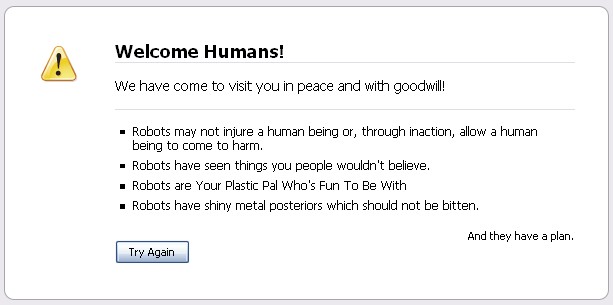
For more information about this page and why it's there, turn to bug 417302.
Other known about: pages are:
about:mozilla
about:cache
about:config
about:plugins
about:buildconfig
about:credits
plus others. You can see all of them by reading the code here
Firefox 3 with Profile-Guided Optimization = Speeding ticket
The latest nightly builds of Mozilla Firefox 3 is now being build with Profile Guided Optimization (PGO). So what does this mean? That Firefox 3 is getter even faster. A lot of work has been done in making Firefox the fastest browser on the earth. And now with PGO we just got around 11% faster in JavaScript tests.
Unofficial we are now the fastest browser on the earth and more than 30% faster in JavaScript tests than the latest Opera Beta (9.5.9807)
Hopefully the next Firefox 3 beta will be build with PGO.
So what is Profile Guided Optimization?
When building (compiling) Firefox, a set of tests are run and the data from these tests are used to optimize the compiled code. The data from the tests enables the compiler to aggressively optimize code in Firefox. The data represents how the program is likely to perform in a production environment. Basically, it runs the Firefox code to see what functions get used the most and optimizes the final code around that data.
Profile-guided optimization is a relatively new feature in both GCC and Visual C++ that improves the quality of generated code.
IE already doing this
IE7 was build with Profile-Guided Optimizations and gained a 8% performance improvement with no additional code change.
For more information about Profile-Guided Optimizations:
- Profile-Guided Optimizations in Microsoft Visual C++
- Building with Profile-Guided Optimization
Thanx! Mozilla at Fosdem 2008
A truly amazing weekend. I attended Fosdem 2008. I basically spend all the time at the Mozilla room meeting with a lot of interesting people.
Some of the most interesting talks were the talks about:
Mozilla Prism
Mozilla Prism is an application that lets users split web applications out of their browser and run them directly on their desktop. Prism will either be built directly into Firefox 3 or available as an extension. This is a really exiting product from Mozilla Labs.
Mozilla Mobile
Firefox will be available on the mobile phone. This time it's for real. A dedicated team is now focused on developing a version of Firefox that will run on a mobile phone. Some features from the normal desktop version of Firefox might be stripped, but the mobile version will have both XUL, extensions and all the other important stuff. MathML might be stripped, but this has to be decided later on.
The mobile adventure is a very important. Just think about the last 10 times that you checked your mobile phone. I bet that only 1 or 2 times out of 10 it was actually to call someone and to answer a call. The other times it was properly to check email, browse, GPS or some other thing that didn't involve the traditional phone usage. Firefox Mobile might be able to do all of these tasks.
A lot of people might start talking about how to distribute Firefox Mobile and if/and how Mozilla should strike deals with handset manufactures. This is important, but I think it's more important to focus on actually making the product. So let's get a product first!
Read more about the mobile Mozilla Firefox
Mozilla Support
The support channel for Firefox consist of a knowledge base, a forum and live chat. It's an important part of the community since it both helps the users with their Firefox problems but also helps the developers to focus on specific areas where the users are experiencing problems. Eventually the support site (in some way/layout) is going to replace the built in help. That's the one you get when pressing F1.
Firefox 3 will also include (from what I was told) a utility that pops up when you cant get access to the internet. Some kind of connection wizard. This was one of the biggest problems when upgrading from Firefox 1.x to Firefox 2.
Other cool stuff
Another cool presentation was the Songbird presentation. Songbird is a desktop media player build on top of Mozilla. It has a web page API and some of the coolest icons and graphics on the web.
Both the Songbird player and the TomTom Home are both built on top of the Mozilla trunk. A year ago this would be highly risky. This has all changed and now the trunk is really stable.
All in all being at Fosdem has been a great experience and I hope that I can get even more involved in the Mozilla project.
DOM Inspector not shipping in Firefox 3
DOM Inspector is not going to ship as a optional component in Firefox 3. Currently it's available in the installer as a optional component. This will not be the case in Firefox 3.
The reasons for this are very good:
- it forced users to select custom install just to get the DOM Inspector
- it forced users to install Firefox again just to get the DOM Inspector if they didn't choose it on the first install
Instead it will be made available as an extension on addons.mozilla.org. See bug 271812 for more information.
Personally I think it's the right decision. I just hope that it will be available very soon on addons.mozilla.org
Firefox 3 gets a new Java Plug-in
Firefox 3 is going to include support for the new Java SE 6 runtime environment.
This is a new implementation of the Java Plug-In that features increased reliability, ability to specify large heap sizes, ability to select a specific JRE version to execute a particular applet, and support for signed applets on Windows Vista.
The New Plug-in is designed to work with:
- Internet Explorer 6 and 7 on Windows XP and Windows Vista
- Firefox 3 on Windows XP, Windows Vista, Solaris and Linux
Note: The new Plug-in does not work with Firefox 2, and no support is planned for this browser with the New Plug-in.
The new Java plugin is still in beta. You can download it at Java SE 6 Update N Early Access Program
Read more about the new Java Plug-in
Get even more information by reading the release notes
From bug 406040:
For several months a new implementation of the Java Plug-In has been under development which uses the NPAPI and NPRuntime plugin and scripting mechanisms rather than the archaic OJI. This work has been done in close cooperation with Mozilla.org and several browser-side changes were needed in order to enable a non-OJI Java Plug-In. This work was done in the Firefox 3 train, so the new plug-in currently works only on Firefox 3.
Fosdem 2008. I'll be there
For the first time I will be attending Fosdem. Fosdem 2008 will take place in Brussels, Belgium on 23/24 February, 2008.
FOSDEM '08 is a free and non-commercial event organized by the community, for the community. Its goal is to provide Free and Open Source developers a place to meet.
Mostly I think I'll hang around the Mozilla Developer Room.
Perhaps I'll join the Firefox 3 Extension Developer's Workshop and get my extensions updated. I hope I can find the time. A lot of people are requesting this.
Well. See you all there!
JPEG decoding speedup
Two important patches just got checked into the trunk of Mozilla. Both improve the JPEG decoding procedure. Since a lot of the images on the web are JPEG, this is very important improvement for the overall performance of the browser. Speed improvements are always welcome.
Read more here:
- Speed up JPEG decoding by 30% by skipping buffer
- Speed up JPEG decoding by another 10%
It seems that the two patches overall improved the JPEG decoding with 17% improvement on Windows.
I think that the two patches will get included in Mozilla Firefox 3.
Mozillas røde ræv indtager Danmark
Sidste søndag var Christian Sejersen interviewet til Søndagsavisen.
En fin artikel som handler om at Mozilla nu åbner en ny udviklingsenhed, der skal fokusere på at udvikle Mozilla Firefox til mobiltelefonen.
Du har læse hele interviewet her:
- I PDF format
- I JPEG format
I følge Christian selv så fik de (Søndagsavisen) forbløffende meget rigtigt ud af artiklen.
Husk også at spille Casino hos InterCasino.
Firefox on the motherboard
Today ASUS launched a new motherboard called P5E3 Deluxe/WiFi-AP@n, which includes the ASUS Express Gate technology.
ASUS Express Gate enables you to surf the internet in 5-second-boot time without entering Windows. And the surf is done with Mozilla Firefox.
With a fast bootup speed of only 5 seconds, the ASUS Express Gate offers an optional Linux OS bootup that allows you to enjoy instant access to commonly used functions like accessing the Internet, VoIP, and Web emailing without entering the OS.
Read more
The big news is that the motherboard ships with an embedded Linux and webbrowser. And the webbrowser is Mozilla Firefox.
The web browser loaded up on this Linux environment is called the "SplashTop Browser", but it's really nothing more than a stripped down version of Mozilla Firefox.
The SplashTop Browser is a cut-down version of Mozilla Firefox 2.0.
How to keep up to date with the Mozilla development
I, like most other people, don't have that much time trying to keep up to date with what's going on in the Mozilla project.
Here's my quick list of tools and sites that I use to, on a daily basis, keep up to date with the Mozilla development.
Assigned bugs changed within the last 24 hours
The link will show you the assigned bugs that has changed within the last 24 hours. This will give you a quick overview of what bugs that could possible land (be checked into the Mozilla code) very soon. It's the quickest way to see what's being worked on right now.
Checkins in the last 24 hours
The shows the actual checkins that has happened in the last 24 hours. Here you can see what actually landed in the Mozilla code. Most of the stuff shown here will be available in the next version of Firefox (or Thunderbird)
Blogs in the Mozilla community
Another great way to monitor the Mozilla community is to read the different blogs from the Mozilla contributers. Planet Mozilla and my own Blogupdates are great ways to quickly get an overview of all the blogs.
Other ways.
Here are listed a couple of other ways. I dont use them myself, but they might be useful:
- Recent changes to Mozilla Developer Center
- Recent changes to Mozilla Wiki
Page Zoom and new Google safebrowsing protocol
Just a quick post about some of the most important checkins during the last couple of hours:
Page Zoom
Backend support for page zoom has been added. The patch does not include any UI. The page zoom functionality can also be accessed from extensions.
New google safebrowsing protocol
Implement support for the new Google safebrowsing protocol. The new protocol includes much better performance. Read about the new protocol.
Better IO support for use in JavaScript
Make it much easier for both extensions and JavaScript in general to use IO operations. Read about ScriptableIO
Thunderbird moves out
According to Mitchell Baker, Chief Lizard Wrangler, Mozilla is gonna be separated from the Mozilla Foundation in some way.
We have concluded that we should find a new, separate organizational setting for Thunderbird; one that allows the Thunderbird community to determine its own destiny.
Mozilla is currently only focused on Firefox:
Thunderbird effort is dwarfed by the enormous energy and community focused on the web, Firefox and the ecosystem around it. As a result, Mozilla doesn't focus on Thunderbird as much as we do browsing and Firefox and we don't expect this to change in the foreseeable future.
Read more:
- The blog entry: Email Call to Action
- The Future of Thunderbird
- The Future of Mail
Reordering of newsgroups is now fixed after 5 years
A fix for bug 150274 has just been checked in. The bug is about the ability to reorder newsgroups in Mozilla Thunderbird and Mozilla SeaMonkey by using drag and drop.
The bug report was filed on June 8, 2002 which is more than 5 years ago and had 35 votes.
The patch was produced by Markus Hossner which also is the creator of the MessageID-Finder extension.
MySpell replaced with HunSpell
The current spellchecker in all Mozilla products are based on MySpell. But MySpell hasn't been developed for a long time and has been replaced by HunSpell. OpenOffice.org which also used the MySpell spelling engine, switched to using HunSpell with it's 2.0.2 version.
Now Mozilla is very close to making the switch to HunSpell. The HunSpell spelling engine has been checked into Mozilla. This means better much spelling features. Read the bug report for more information.
6% speedup due to fixed image cache bug
Sometimes performance gains comes from the most amazing places. A fix to a bug in the calculation of the cache size of an image has resulted in a 6% performance win on Linux and a 4% performance win on Mac. If I read the bug report correct, then the gain is only in a Cairo builds of Mozilla Firefox (what eventually becomes Firefox 3).
Cycle collector helps finding leaks in Firefox
To help find memory leaks in Mozilla Firefox the Mozilla developers has the last couple of weeks landed the so called XPCOM cycle collector. This tool thats built into Mozilla helps to avoid memory leaks that can make Firefox take up too much memory and make it slower. It periodically checks the Firefox memory usage and tries to free any unused memory. More and more areas of the Firefox code will support this feature and hopefully we'll have a Firefox 3 that will use less memory.
But memory garbage collection, which the XPCOM cycle collector does, is hard, so dont expect miracles. Bugzilla reports that there's 237 open memory leak bugs
So how does it work. From the XPCOM cycle collector webpage:
The cycle collector spends most of its time accumulating (and forgetting about) pointers to XPCOM objects that might be involved in garbage cycles. Periodically the collector wakes up and examines any suspicious pointers that have been sitting in its buffer for a while. If the collector finds a group of objects that all refer back to one another, and establishes that the objects' reference counts are all accounted for by internal pointers within the group, it considers that group cyclical garbage, which it then attempts to free.
Read much more about the XPCOM cycle collector.
Read the meta bug about the collector.
Dont believe performance tests. Firefox faster than Safari
Apple release the Windows version of thier browser Safari yesterday and the community welcomes them on the Windows platform with a bunch of security bugs found after only two hours of the release. Hard to believe since according to Apple:
"Now you can enjoy worry-free web browsing on any computer. Apple engineers designed Safari to be secure from day one."
My own experience with Safari is really bad. I installed it with no problems but when I started it, I got the browser but cant see any text all. Both all the text in the browser window and in the menus are gone. The File and Edit menus are just empty and the browser cant show text but only images.
Apple also release some performance tests that shows that Safari is the fastest web browser around. Again according to Apple:
"Safari loads pages up to 2 times faster than Internet Explorer 7 and up to 1.6 times faster than Firefox 2."
But now has Wired News Benchmarks has shown that Safari 3 is slower than IE 7 and Firefox. And Wired News has some good news:
"The verdict? Firefox may be getting bloated, but it's still the fastest Windows browser, particularly for running Google web applications."
Extensions I use - part 5
Yet again it's time for an updated list of the extensions I use for Mozilla Firefox. I did some cleanup of the installed extensions so I only have those extensions installed that I actually use. This also helps on performance.
All of the extensions (except one) listed below works in nightly trunk builds of Mozilla Firefox. The only extension that I needed to do some code change to, is the del.icio.us bookmarks extension. Since the landing of the Places code the extension stopped working. So I had to do some minor code change so that it worked.
My Firefox extensions- AutoAuth Automatically submits saved HTTP authentication credentials.
- Autofill Forms Fill out web forms automatically
- ChromaTabs Colors browser tabs based on contents.
- Closy Provides you different Close tabs functionality fx Close all blank tabs and Close all duplicate tabs
- Console² The next generation error console.
- Copy URL + Copies to clipboard the document's URL along with the title or the selected text.
- Dansk ordbog - Danish Dictionary
- del.icio.us Bookmarks Access your bookmarks wherever you go and keep them organized no matter how many you have.
- DOM Inspector Inspects the structure and properties of a window and its contents.
- Fullerscreen Really full screen...
- FxIF View EXIF data in image properties
- InfoLister Lists installed extensions and themes
- InspectThis Inspect the current element with the DOM Inspector.
- JSView View the source code of external stylesheets and javascripts.
- LastTab Allows tab navigation in a most recently used manner.
- Launchy Open links and mailto's with external applications like Internet Explorer, Netscape, Opera, Outlook etc
- Link Widgets A site-navigation tool
- Linkification Converts text links into genuine, clickable links.
- Linky Open/download/validate links and pictures in tabs or windows
- Live HTTP Headers View HTTP headers of a page and while browsing.
- MR Tech Local Install Local Install power tools for all users. (en-US)
- Nightly Tester Tools Useful tools for the nightly tester.
- Print Hint Helps you to quickly find printer-friendly versions of webpages
- ProxyButton ProxyButton creates a toolbar button to quickly turn proxy on and off.
- Reliby Reload all your Live Bookmarks
- Resizable Form Fields Resize HTML form fields, including textareas, select boxes, text fields, and iframes.
- Slashy Fixes Windows backslash file separators in links and images
- Talkback Sends information about program crashes to Mozilla.
- TDC CMS Extension for TDC CMS (Company Internal extension)
- Update Notifier Notifies you when updates are available for your extensions and themes.
- Validaty One Click Validator. Provides you a button to validate a page using a validator like validator.w3.org
- View Dependencies Adds a tab listing dependencies and their sizes in the Page Info window.
- Web Developer Adds a menu and a toolbar with various web developer tools.
- wmlbrowser Display WML (Wireless Markup Language) content.
Notes:
Some of the new extensions are AutoAuth which removes HTTP auth dialog boxes. I've also found a super replacement for AutoFill which was an extension I used for filling out forms. The new one is called Autofill Forms and it's really really nice. New is also Resizable Form Fields which helps you on pages where input boxes are way to small.
New Page Info window
As part of Google Summer of Code in 2006 student Florian Queze set out to enhance Page Info window. Yesterday the code for the new Page Info window landed on the trunk. This means that if will be part of Firefox 3 when it comes out.
The Page Info window is the window you get when you right-click on a page and select View Page Info.
First you can see the old Page Info window. Then you can see the new ones.
You can read about the project and see the progress of the project.
For those who are interested in more info read the bug report.
Get Joost!
 I've got two Joost tokens left. So if you would like to test Joost, send me an email at spam at gemal dot dk and I'll invite you. But only if you're fast! Remeber to thank me :)
Update: All invites are gone!
What is Joost?
Joost is a new way of watching TV on the internet, which uses new and established technologies to provide the best of both the internet and TV worlds. We're in the process of making it as TV-like as we can, with programmes, channels and adverts. You can also see some things that we think will enhance the TV experience: searching for programmes and channels, for example, as well as social features like chat. There are many more new features to come!
Read and write support for Google Calendar checked in
A very nice checkin has just hit the Mozilla source code. Support for read and write of Google Calendar. So now both Lightning and Sunbird has support for Google Calendar. Please note that the support currently is minimal but it's being worked on. It's being build as an extension.
And no, I dont know where to get this extension. I dont think it's getting build right now. So you have to wait for more information.
The Venice Project and IE8
Not that The Venice Project is about to use IE8 or something.... :)
Exclusive: Inside The Venice Project, Built On Mozilla
The Venice Project1 is not just another online video start-up. The Luxembourg-based company is the latest co-production of the two-person hit factory of Niklas Zennstrom2 and Janus Friis3. The founders of Kazaa and Skype4 are hoping that The Venice Project will upend the television experience just as their earlier efforts turned the music and phone businesses on their respective heads.
Read the article
Firefox 3 Plans and IE8 Speculation - Browsers Heading Apart Again
Also in the works is Microsoft's IE8. According to ActiveWin.com, a Microsoft official at CES told them that work has already begun for IE 8 and it may be released as a final product "within 18-24 months". IE8 will apparently "compete even more directly with Firefox". Looking ahead, it's obvious that IE will continue to hook into the advanced functionality that Vista offers.
Read the article
The Venice Project is using Mozilla technology
The much hyped "Venice Project" which is:
The Venice Project is code name for new venture of Niklas Zennström and Janus Friis (founders of Skype). The pair plans to develop software for distributing TV shows and other forms of video over the Web using peer-to-peer technology. Working under the code name "The Venice Project," Zennstrom and Friis have assembled teams of top software developers in about a half-dozen cities around the world, including New York, London, and Leiden. The teams are currently in negotiations with TV networks, although it's not clear whether any agreements have been reached.
is using Mozilla open source technology. The P2P client which will deliver the TV, will be based on XULRunner and will be available on the same platforms as XULRunner supports Windows, Mac and Linux. Super cool to see that a post dotcom company with a huge potential like The Venice Project is using Mozilla technology. Way to go Mozilla people and community! Also credit to another Mozilla Dane in the project Allan Beaufour Larsen.
Browser face-off: Firefox versus IE
There are some nice features in IE7 that might halt the steady flight to Firefox. Quick page zooms and enhanced web page programming support fit well, while Microsoft's antiphishing looks more thorough. However, Firefox 2.0 remains ahead of its rival in many areas. Upgrading from Internet Explorer 6.0 will mean finding your way around a new interface, so IE enthusiasts would find it a good opportunity to convert to Firefox.
That's the verdict that will appear in the January 2007 issue of PC Advisor.
Firefox 2.0 Trumps IE7 In Phish-Fighting
The other day I reported (in Danish) that Firefox won over IE7 in a test of free anti-phishing solutions. Now software testing firm SmartWare has released a report that shows that the phishing filter in Firefox is soo much better than the one in IE7.
Summary
- Firefox 2 Phishing Protection is more effective than the Microsoft Phishing Filter in Internet Explorer 7.
- Firefox 2 offers users a choice between local and remote protection modes.
- Firefox 2 Phishing Protection uses local mode by default, which protects user privacy.
- Even in local mode, Firefox 2 Phishing Protection is significantly more effective than the Microsoft Phishing Filter in Internet Explorer 7, operating in either mode.
Read more about the test
Back to the numbers: The testers found that with IE7's auto-check turned off, the browser blocked less than two percent of all phishing sites thrown at it. With the phone-home option turned on, IE blocked 66 percent of the scam sites. In its default configuration, Firefox 2.0 blocked close to 79 percent of all phishing sites during the test period; with the "Ask Google" option enabled, Mozilla's browser blocked nearly 82 percent of all scam pages.
Read more and the report itself.
Also read about the built-in Phishing Protection in Firefox 2
Adobe and Mozilla Foundation to Open Source Flash Player Scripting Engine
I just saw that a thing called Tamarin (AVM2 open source) Flash9_DotReleases_Branch initial revision was checked into the Mozilla CVS repository. And shortly after the following press release was available:
Adobe and the Mozilla Foundation today announced that Adobe has contributed source code for the ActionScript Virtual Machine, the powerful standards-based scripting language engine in Adobe Flash Player, to the Mozilla Foundation. Mozilla will host a new open source project, called Tamarin, to accelerate the development of this standards-based approach for creating rich and engaging Web applications.
Once again Mozilla Foundation leads the way in the open source world.
This is a major milestone in bringing together the broader HTML and Flash development communities around a common language, and empowering the creation of even more innovative applications in the Web 2.0 world
Read the press release or read about the Tamarin project.
Mozilla Firefox party igen en succes
Firefox 2 get together i København 2006 var en stor succes. Vi fejrede således frigivelsen af verdens bedste browser, nemlig Mozilla Firefox version 2. Det blev som de andre gange fejret på Ølbaren i København. Vi har jo fejret både version 1.5 og version 1.0.
 Ølbaren har blevet behørigt udstyret med Firefox plakater og en hulens masse A4 posters med gode argumenter hvorfor man skal skifte til Firefox. Måske det forkerte sted at reklamere, da stort set alle i Ølbaren den aften brugte Firefox. Måske der var et par enkelte uskyldige personer i Ølbaren den aften, som ikke var kommet for at fejre Firefox 2.
I år med TV dækning
Aften var af en anden årsag også historisk da vores party kom i TV. Eller rettere Net TV. Comon havde læst om vores party og havde kontaktet mig om de ikke måtte komme og lave et interview. Selvfølgelig måtte de det. Så nu er vores Firefox 2 party foreviget på Net TV. Så sus over til Comon og se giraffen.
Du kan se et par billeder fra aftenen her.
Stor tak til alle jer der mødte op og fik en øl og en snak med venner, kollegaer og Firefox entusiaster.
Du kan læse meget mere om Mozilla Firefox version 2 og alle dens herligheder her.
Firefox 2.0 bedst i CSIS test af gratis anti-phishing løsninger
Det nye phishing filter, som er inkluderet i Mozilla Firefox 2.0 løber med æren af at være den løsning der fanger flest phishing forsøg i denne test. På en anden plads finder vi Netcraft Antiphishing Toolbar, forfulgt af en delt tredjeplads mellem Microsoft Internet Explorer 7’s phishing filter og Earthlinks Scamblocker.
CSIS har kørt de forskellige gratis anti-phishing løsninger igennem en test for at afgøre hvilken af løsningerne der er bedst til at advare om phishing sider. Både den nye Microsoft Internet Explorer 7.0 og Firefox 2.0, som sidder på overvældende majoritet af browsermarkedet, parate med et indbygget phishing filter til deres populære browsere. Phishing problemet er kommet for at blive. Den traditionelle form for phishing, som vi hidtil har hørt mest til, hvor helt almindelige brugere via e-mail lokkes til en forfalsket hjemmeside og her opkræves brugernavn og password, kreditkort oplysninger eller lignende, får i fremtiden hårdere betingelser. En stribe producenter er klar med gratis løsninger til slutbrugerne - nogle direkte integreret i browseren - som kan medvirke til at forhindre og synliggøre når brugeren lander på en ondsindet phishing side, eller generelt surfer forbi en side der kan opfattes som mistænkelig.
Testresultatet kan af testen kan hentes her:
http://www.csis.dk/Media/test-aptools.pdf
Firefox 2 get together i København 2006

Så er tiden igen inde til at vi skal have lidt Firefox komsammen. I anledning af at Firefox 2 meget snart bliver frigivet, skal vi da lige mødes og have en kop øl. Alle er velkomne! Ligesom sidste år er det Ølbaren i København der lægger hus til.
Datoen for vores lille komsammen er sat til tirsdag den 31 oktober 2006 kl 17 på Ølbaren. Skynd dig at reservere dato, og send rygtet videre i systemet.
Er DU parat? Smid en kommetar eller send en mail til <spam snabel-a gemal prik dk>
OpenOffice bundles Mozilla
Future versions of OpenOffice.org will come bundled with Mozilla's Thunderbird email client and Lightning calendar application. The open source office suite is also planning to revamp its system for building and installing extensions by the end of the month by introducing an extensions system like that of Mozilla's Firefox browser. The process of developing, selecing and managing extensions will be standardised and simplified, according to Charles H. Schulz, the lead of OpenOffice.org's Native Language Confederation.
DTrace meets JavaScript
Brendon Chase writes:
There are a few good JavaScript debuggers out there and a few are integrated with popular IDEs but a new project, code-named Helper Monkey, led by Sun Microsystem's employee, Brendan Gregg, caught my eye. Project Helper Monkey brings the power of DTrace, a tracing framework originally created by Sun for Solaris to JavaScript. Gregg says he is doing this by utilising user statically defined tracing interface(USDT) probes to the Spider Monkey JavaScript engine, used by Mozilla-based browsers. According to Gregg he has added probe calls to "observe JavaScript function calls, object creation, and the destruction(garbage collection, and script execution. I've also written several DTrace scripts to report probe activity".
Talkback to be replaced by Airbag
Mozilla not moving to Subversion (yet)
J. Paul Reed Build/Release Engineer at the Mozilla Corporation writes:
Is the Mozilla Project switching to Subversion? There have been many discussions in the past few months about the version control system that the Mozilla project entrusts its code to. It's safe to say there's a desire from most of the community to thank CVS for taking good care of our source code - for the most part - and move into the 21st century. Obviously, such a move is a big deal, and impacts the very core of the Mozilla Project: our source code. It's not a decision to be made lightly, or by a limited subset of people. It's a project-wide discussion. The first part of these discussions has already taken place, and a set of Project's requirements for a version control system has emerged. As they wiki page notes, some of these requirements are in conflict, so they represent a utopian ideal of version control systems. But no decision has been made on which version control system to switch to, nor have any concrete plans (schedules, etc.) even been considered.
Read more
Also read the Version Control System Requirements for Mozilla
Using launchy.xml to start Firefox Portable from Thunderbird Portable and vice versa
I got a email the other day asking if it is possible by using my Mozilla addon Launchy to start the Firefox Portable with within the Thunderbird Portable. So when you use Thunderbird Portable and right click on a link you can choose Firefox Portable. And when you from within Firefox Portable right click on a mailto link can choose Thunderbird Portable. And the answer is yes.
Lets say you installed Firefox Portable and Thunderbird Portable on your USB stick. Firefox Portable is installed so that the full path to the executable is something like USB_DRIVE_LETTER:\FirefoxPortable\FirefoxPortable.exe and the full path to the Thunderbird Portable executable is USB_DRIVE_LETTER:\ThunderbirdPortable\ThunderbirdPortable.exe.
The solution is to use the launchy.xml and and the %GeckoDrive% variable. The launchy.xml file is used by Launchy to add additional applications, besides those autodetected, to the right click option. The %GeckoDrive% variable always holds the drive letter from which the Gecko application was started. So if Firefox Portable was started from the drive letter Z the %GeckoDrive% variable is set to "Z:". Not that %GeckoDrive% also includes the semicolon after the drive letter.
The gives us the possibility to create a launchy.xml file that looks like this:
<?xml version="1.0" encoding="UTF-8"?>
<configurations xmlns="http://launchy.mozdev.org/configurations">
<application>
<label>Firefox Portable</label>
<type>1</type>
<command>%GeckoDrive%\FirefoxPortable\FirefoxPortable.exe</command>
</application>
<application>
<label>Thunderbird Portable</label>
<type>2</type>
<command>%GeckoDrive%\ThunderbirdPortable\ThunderbirdPortable.exe</command>
</application>
</configurations>
To get it working you have to place the above text in file called launchy.xml in these two directories:
USB_DRIVE_LETTER:\ThunderbirdPortable\Data\profile\chrome\
USB_DRIVE_LETTER:\FirefoxPortable\Data\profile\chrome\
This way the next time you start your Firefox Portable or Thunderbird Portable the right click Launchy option will show you the Portable options.
Firefox Crop Circle project
 Does the sudden appearance of a Firefox crop circle imply which browser extraterrestrials prefer? We don't know, but it was still fun to make! Constructed by local Firefox fans and the same team that created the Firefox mural from cornstarch and kool-aid and launched the Firefox weather balloon, the Firefox Crop Circle project shows that we have so much passion for Firefox that we want it to be visible from space! Planned in under two weeks and completed in under 24 hours, the crop circle had a final diameter of 220 feet. We constructed the circle in an oat field near Amity, Oregon, where it was completely invisible from the road but unmistakable from the sky. Our team consisted of 12 people, mainly OSU students, and we carefully stomped down oats from 3:30pm Friday afternoon until 2:30am, putting on the finishing touches between 7:30am and 11:00am Saturday, August 12.
RealNetworks Mates With Mozilla
I hate Real Player but if it can increase the Firefox marked share then ok. Actually I used to like the player until it got bloated with all kinds of weird applications and functions.
RealNetworks said Wednesday that it has agreed to a multiyear agreement to offer Mozilla's Firefox Web browser with downloads of its RealPlayer, Rhapsody and RealArcade software programs. Real said it has also agreed to extend and expand a similar agreement with Google under which it will offer the search engine's Toolbar and Desktop programs with Real software. RealNetworks partnership with Mozilla comes as Firefox continues to notch steady gains in the U.S. Web browser market at the expense of Microsoft and its dominant Internet Explorer browser. According to Net Applications, Firefox's share of the browser market stood at 11.3% at the end of July, up from 9.6% at the end of 2005 and 4.6% at the end of 2004.
Google Code and Mozilla
Google Summer of Code has released the list of the current Mozilla projects being worked on:
- Mozilla and D-BUS Integration
- implementation of APNG
- Rewrite of Cairo's 2D Rendering Library
- Develop a set of js libraries for common TB tasks
- Enhanced Page Info window
- CZilla Translator - tool with user-friendly interface that manages translation of Firefox, Thunderbird and their extensions
- XUL editor plugin for Eclipse
- Application for ZipWriter
- Thunderbird spam filter testing and improvements
- Giving webdevelopers a better JavaScript debugging experience
- Improvements to the Camino tabbed browsing experience
NSpluginwrapper: A cross-architecture browser plugin tool
NSpluginwrapper is a cross-architecture tool designed to let Firefox users on AMD64 and PowerPC Linux use i386-only, binary Web browser plugins - such as those frequently provided by closed source, commercial interests. Following a protracted delay after its initial, binary-only release back in May, NSpluginwrapper is now available with source code. NSpluginwrapper works with plugins conforming to the Netscape 4 Plugin Application Programming Interface (NPAPI). As its name implies, NPAPI was initially developed in the pre-Mozilla days at Netscape, but today it lives on both in Mozilla-derived browsers such as Firefox, and in a number of independent applications, such as the Opera browser and KDE's Konqueror. NPAPI specifies about 15 data structures and 20 methods that the plugin must expose to the browser, and 16 methods that the browser must expose to the plugin.
Read more
Product management activities for Firefox 3
Sherman Dickman writes:
Since the product management role is a relatively new one at Mozilla, I thought it would be useful to outline some of the most important functions that a PM should perform, particularly within the context of product planning. Many of these will be conducted in parallel with the Gecko 1.9 engineering planning efforts currently underway. The end PM deliverable for Firefox 3 will be a MRD that can be referenced by all, but the real value for the Mozilla community will be derived from the MRD development process itself.
Some of activities that are listed are:
- Identifying market and technology trends
- Product vision and strategy
- Key feature requirements
- Why should anyone use our product over another product? Do the benefits outweigh the tradeoffs that a user must endure when switching? If yes, why don't more people use our product?
- Which of our technology assets are clearly superior to the competition? How do we keep them from being easily copied or duplicated?
Read the posting in the mozilla.dev.apps.firefox (using news.mozilla.org).
Google Browser Sync extension for Firefox
A long time ago I reported that the Firefox team at Google was working on server side stored state. And now we have the proof:
Google Browser Sync for Firefox is an extension that continuously synchronizes your browser settings – including bookmarks, history, persistent cookies, and saved passwords – across your computers. It also allows you to restore open tabs and windows across different machines and browser sessions. Google Browser Sync is completely automated. The settings you select at startup are automatically synchronized across each of the computers on which you install Browser Sync. You won't even need to log in every time you start the browser. You can change which browser components are being synced – or even stop the syncing process entirely – using the settings panel in the upper-right corner of the page. The settings panel also gives you access to your PIN.
Read more and install
Mozilla Says IE 7 Won't Beat Firefox Security
One of the chief selling points (if a free browser can have a selling point) of Mozilla Corporation's Firefox browser has been its reputation of being more secure than Internet Explorer. Preaching to a choir of open-sourcers at the Red Hat Summit, the company said it expects to maintain that advantage. Firefox has won the hearts of between 10-20 percent of the web browser market, stealing away a large chunk of Microsoft's IE monopoly. According to Secunia, those converts are well deserved. The security firm reports that while IE 6 still has 21 unpatched vulnerabilities, Firefox only has three.
Read more
Mozilla Confident of Security Lead over Microsoft
Mozilla Corporation is confident that its Firefox browser will maintain its security lead over Microsoft's forthcoming Internet Explorer 7. "In the long run, [Firefox] will always be more secure [than Internet Explorer] because we have transparency and we have external contributors," Christopher Blizzard, a board member for the Mozilla Corporation, said during a session at the Red Hat Summit in Nashville.
Read more and more
Validaty - New Firefox extension that gives you one click validation of pages
Validaty is a Mozilla extension for Firefox, Flock and Netscape 8 that provides you with One Click Validation functionality. Validate a page using the W3C Markup Validation Service with a click of a button. The validation is done without opening a new page or tab. You click click the Validaty icon in your toolbar and the page is validated for you and the icons shows the status of the validation. The W3C Markup Validation Service is a free service that checks web documents in formats like HTML and XHTML for conformance to W3C Recommendations and other standards.
When you click the Validaty button

on your toolbar the Validaty button turns into either
 or
or 
depending on if the current page validates. No need to open a new tab or anything. If the page doesn't validate you're giving the option to see the validation report.
The default validator used is w3 but you can change this using the options.
You access the Validaty icon by adding the Validaty button to your toolbar. You do this by right-clicking on your toolbar and drag the Validaty icon to the toolbar.
So go ahead and install Validaty!
Mozilla: we'll pay developers where we can
Mozilla Foundation has said it is committed to rewarding the community that helps develop its software. Mozilla's suite, which includes the Firefox Web browser, is partly developed by unpaid programmers, often working in their spare time. Mozilla on Wednesday said it could not afford to pay all of its voluntary contributors, but instead may contribute by providing hardware to some developers. "Sometimes [volunteers] struggle on bad machines, or stay up all hours looking for someone with a Linux machine to test a program. Maybe we can provide machines," said Mitchell Baker, Mozilla Corporation chief executive and a member of the Mozilla Foundation board of directors, in an interview with ZDNet UK.
Read more
Despite its success, however, Mozilla's fans are becoming increasingly -concerned that the organisation is moving away from its altruistic roots and becoming a fully fledged money-making operation. The company makes no secret of the fact that it turns a profit. Firefox uses Google as its preferred search engine partner. When a user carries out a search via the browser's built-in search facility, about 80 per cent of the advertising revenue from any associated hits goes back to Mozilla.
Read more
Internet Explorer in Windows Vista turns into IE7+
With the release of Windows Vista Beta 2, I want to announce that we will be naming the version of IE7 in Windows Vista “Internet Explorer 7+”. While all versions of IE7 are built from the same code base, there are some important differences in IE7+, most significantly the addition of Windows Vista-only features like Protected Mode, Parental Controls, and improved Network Diagnostics. These features take advantage of big changes in Windows Vista and weren’t practical to bring downlevel. The IE7+ naming gives us an easy way to refer to this version.
- IE7+ running on Windows Vista: Mozilla/4.0 (compatible; MSIE 7.0; Windows NT 6.0)
- IE7 running on Windows XP: Mozilla/4.0 (compatible; MSIE 7.0; Windows NT 5.1)
Mozilla and Coverity
Some of you might have noticed that on some of the checkins that are made recently the word coverity has been mentioned.
Coverity is a bug finding system that is capable of detecting defects and security vulnerabilities in the source code. Coverity detects at compile time bugs that will crash the system at runtime. Examples include memory leaks, use after frees, and illegal pointer accesses. Coverity also pinpoints security vulnerabilities in your source code that hackers can exploit. This eliminates serious problems such as denial of service, data/memory corruption and escalation of privileges in the earliest stage of development. Example vulnerabilities detected include buffer overruns, integer overflows, format string errors and SQL injections attacks and many more.
In collaboration with Stanford University, Coverity is scanning the Mozilla source code. This is great news for the Mozilla project. We're getting a free audit of the source code. This will improve the quality of the code and hopefully fix some of the bugs that still exists in the Mozilla source code.
The status of the Coverity scan as of today is:
- 232 total bugs
- 116 open bugs
- 99 fixed bugs
New version of Reliby (Reload all Live Bookmarks) released
 Reliby is a Mozilla extension that provides you with Reload all Live Bookmarks functionality. You can access it using by adding a button to your toolbar. Live bookmarks are RSS feeds inside your browser.
Version 1.1.0 of Reliby has been released and it now supports Places. Places is one of the big new features that will make it into Firefox 2.0. It will replace the History and Bookmarks features - the former keeping a log of pages you have visited in the past, and the latter being pages that the user has bookmarked for whatever reason, either because they are pages that the user visits regularly (favourite pages) or something interesting that the user would like to look at later. Places uses SQLite.
Firefox versus Internet Explorer in a Corporate Network
Two years ago I blogged about a similar subject. I discussed the advantages of Internet Explorer (IE) over Mozilla and other web browsers in a corporate environment. I concluded that IE is by far the better choice. Recently we deployed about 250 new computers and so I considered this question again. Now, Firefox is the main rival of IE. The decision was not so easy this time, but IE won again in the end. I am using Firefox myself for a quite while and I really like this web browser. However, when it comes to the question of switching to a new web browser in a corporate network, other arguments have to be considered.
Conclusion:
The advantages of the IE are mainly founded in its tight integration with Windows. Firefox has to run on other operating systems, too. Hence, all features should work on all systems not only on Windows boxes. That's why I'm not expecting too many improvements in this field in the near future. Although projects like Firefox ADM show that better integration is doable and that some Open Source programmers recognized this problem. All in all, I'm still a Firefox fan, but wouldn't recommend it for corporate use in larger networks. There are exceptions of course: If all your desktops use Linux or Mac OS. But if you have Windows desktops, the only reason I could think of, is that you really need a certain feature of Firefox which you is not available in IE.
Mozilla plans to fund developer community
The Mozilla Foundation is planning to use some of its millions of dollars in revenues to fund active members of its developer community, the organization said Tuesday. The foundation made $5.8 million in 2004 and is thought to have made tens of millions of dollars last year, predominantly from partnerships with search companies, such as Google and Yahoo. Though much of its money has gone toward increasing its head count, some has been used to bulk up its reserve fund. Mitchell Baker, the chief executive of the Mozilla Corporation, the commercial subsidiary of the Mozilla Foundation, said Mozilla plans to put some of its excess revenues back into the community. "The Mozilla Group--the foundation and the corporation--has a set of employees that provide a critical mass where things can happen, but it is only a piece of the project. There are vast numbers of things that happen outside our employee base," she said. "We have a commitment that while we have funds beyond our operating levels, some of it should to go to community members. We want to do that in a way that promotes the community."
Mozilla information - The newsgroups at news.mozilla.org has loads of it
A lot of people have asked for more information about Mozilla. Both developer information but also information about how the entire Mozilla thing works. Both in terms of products but also with decisions. A lot of interesting stuff and discussions are now happying at the newsgroups at news.mozilla.org
Some of the interesting stuff found there are amongst other Brett Wilson talking about changes to the URL autocomplete box that he like to make. Ben Goodger also made a lot of postings where he tries to explain where Firefox 2 and even Firefox 3 is going and most importantly why the changes are needed. Here you can get a lot of answers about the whole development of Mozilla Firefox. It's really interesting read.
There's also the mentioning of Microsummaries which are:
Microsummaries are regularly-updated succinct compilations of the most important information on web pages. They are compact enough to fit in the space available to a bookmark label, provide more useful information about pages than static page titles, are regularly updated as new information becomes available, and are linked to the pages they summarize.
Check it out and read more about it
Be sure to read/subscribe to both the general and firefox newsgroups. So head over to the newsgroups and start reading.
Firefox team at Google is working on server side stored state
From the now removed PowerPoint file of the Google Analyst Day:
Store 100% of User Data. With infinite storage, we can house all user files, including: emails, web history, pictures, bookmarks, etc and make it accessible from anywhere (any device, any platform, etc). We already have efforts in this direction in terms of GDrive, GDS, Lighthouse, but all of them face bandwidth and storage constraints today. For example: Firefox team is working on server side stored state but they want to store only URLs rather than complete web pages for storage reasons. This theme will help us make the client less important (thin client, thick server model) which suits our strength vis-a-vis Microsoft and is also of great value to the user. As we move toward the "Store 100%" reality, the online copy of your data will become your Golden Copy and your local-machine copy serves more like a cache. An important implication of this theme is that we can make your online copy more secure than it would be on your own machine. Another important implication of this theme is that storing 100% of a user's data makes each piece of data more valuable because it can be access across applications.
So apparently Google is working on some kind extension that will make it possible to store bookmarks on the server side. Neat!
You can read the comments from the removed PPT file here
Data collection service added to Firefox
Darin Fisher just landed the data collection service on the trunk of the Mozilla code.
The data collection service is used to gather browser metrics. This provides a way to learn more about how users use the Mozilla Firefox browser. Often times, we end up making guesses about usage patterns or typical system constraints. The data collection service can collect data from live instances of Firefox and analyze that to improve the product. This service is disabled by default in release builds. Users will be given the choice to enable this feature "to help make Firefox better" or something along those lines. The collected data is uploaded a collection server periodically and local copy flushed.
Read more about Browser Metrics at the wiki or in the bug report.
Google Safe Browsing anti-phishing extension to land on trunk
Googles Safe Browsing anti-phishing extension released by Google on labs.google.com in December 2005, is going to be landed on the trunk Mozilla code for consideration as the base for an anti-phishing feature in Firefox. It'll be a global extension, off by default.
This is just one of the many results from the Mozilla people working at Google and it shows Google's interest in making Mozilla Firefox the best and most secure browser available.
Read more about Safe Browsning and the design documentation. You can also check out the bug report itself.
User interface in Firefox 2 is going to change
The default chrome of Firefox has not been altered since the launch of Firefox 1.0. It would be presumptuous to assume that the way in which users interact with their browsers has gone unchanged between that time and our planned 3Q2006 release date for Fx2, and even more presumptuous for us to assume that we got things 100% right with Firefox 1.0. Ben's been thinking about this for a while, and he and Joe and I got together today to take a good hard look at the browser window with the following goals:
- remove UI elements that aren't useful to majority of users
- increase usability of elements that are useful
- increase focus on web content
Reliby - Reload all Live Bookmarks extension
My latest extension Reliby was made because of a request from a colleague of mine. Mr KimBlim had the problem that when he starts Firefox while being offline and then connects, his live bookmarks didn't load because of being offline at start. So he needed an extension to force reload of all his live bookmarks and Reliby was born.
Reliby is short for Reload all Live Bookmarks. The y is added to conform with my other extensions like Linky, Launchy, Slashy and Closy
In Firefox, Live Bookmarks are automatically updated every 30 minutes. That's alright for most times, but sometimes it's nice to force reload them.
And Reliby does just that. It reloads all of your Live Bookmarks with a push of a button.
Reliby can be accessed by adding a button to your toolbar or by using Bookmarks > Reload Live Bookmarks
Note: Reliby does not work with Live Bookmarks in Places since the API is completely changed.
Inside Look: Internet Explorer 7, Beta 2
WindowsDevCenter.com have taken a inside look at Internet Explorer 7 Beta 2. It looks a bit like Firefox but it has some nice features that I like to see in Firefox.
 Last year, I wrote a preview of IE 7 Beta 1 when Microsoft released Windows Vista Beta 1. Since then, six months have passed and the IE 7 team has released the second beta of IE 7. This IE 7 Beta 2 Preview is the first public beta designed for IT pros and developers, and it especially targets Windows XP SP2 users. IT pros and developers can use this beta preview to test their toolbars and ActiveX controls. But what about end users? In this article, I will update you on the features in IE 7 Beta 2 and what has changed since the last beta preview. Overall, I am happy with the new Beta 2 of IE 7. I have been using it for the past few days and it works quite well (it has crashed on me only once). Give it a spin and see if it works well for you.
New installation system for Firefox 2
Robert Strong and Benjamin Smedberg are working on a new installation system for Firefox 2 which will be significantly less complex and easier to maintain than the current XPInstall-based system. This install system will produce both a full installer and a stub installer. Both the full and stub installers will be QAed and treated as "official" builds. The proposal is to make the stub installer the default download available from mozilla.com. The stub installer has the added advantage that it can ship a single stub installer for all languages and select the correct locale files to download at runtime. Of course the full installer would still be available, and especially useful for system administrators and others who want to make an installer available locally.
TDC udvikler speciel sikkerhedskomponent til Digital Signatur i Firefox
I flere tilfælde har brugere af Firefox ikke udført installationen af Digital Signatur korrekt, og derfor udvikler TDC i samarbejde med Videnskabsministeriet nu en speciel sikkerhedskomponent til Firefox. Digital Signatur fungerer glimrende sammen med den gratis browser, hvis brugerne vel at mærke følger TDC's vejledninger og får indstillet en sikker aktiveringskode i Firefox.
Nogle af de nye brugere af Firefox har haft vanskeligt ved at følge vejledningerne for opsætning af personlig aktiveringskode for signaturen. I de tilfælde er sikkerheden ikke optimal, og med tanke på det stigende antal brugere af Firefox-browseren har vi besluttet at udvikle en sikkerhedskomponent specielt til Firefox, siger Morten Storm Petersen, der er TDC-ansvarlig for Digital Signatur. Komponenten, kaldet PKCS#11, ventes færdig om nogle måneder.
Indtil da kan Firefox-brugere selv kontrollere, om deres personlige aktiveringskode er sat rigtigt op. Det kan gøres på digitalsignatur.dk, hvor man går ind på en af de tjenester, som understøtter Digital Signatur-login. Alt er ok, hvis man bliver bedt om at indtaste aktiveringskoden. Alternativt kan man følge TDC's vejledning til installation af signaturen.
Microsoft Exec Talks IE7, RSS
Following a decision to release a standalone version of IE7, browser development at Microsoft has come fast and furious. BetaNews this week sat down with Gary Schare, Director of IE Product Management, to discuss the changes coming in IE7, Firefox's growth, and how Microsoft will bring RSS to the mainstream. When BetaNews last spoke to Schare in late 2004, he explained why Microsoft had no plans to add features like tabbed browsing directly into Internet Explorer or update its CSS support. After much feedback, things changed in early 2005. With a standalone IE7 now feature-complete, Schare delves into the reasoning and gives us a look at what to expect when the browser is released later this year.
Read interview
Firefox 2.0 To Stress Tab, Bookmark, Extension Changes
"IE 7 is a pretty good catch-up," said Mike Schroepfer, Mozilla's vice president of engineering. "But it does some funny things with tabs and the UI that I don't understand why they did it.". Firefox 2.0's development roadmap lists the main feature updates and additions, and their priorities. Among those at the top are redesigns of the browser's bookmark and history system, security enhancements to extensions, the popular plug-ins, search engine improvements, and changes to the tab-based user interface.
Read more
Check out Firefox 2 features
Firefox Finds Cracking the Corporate Market to Be a Challenge
The Boeing Co. has been discreetly providing feedback to the Mozilla Foundation for the past year or so on features that might encourage enterprise adoption of the open-source Firefox browser. At the top of the list has been a tool kit to help IT departments distribute Firefox with custom configurations to end users. The Chicago-based aerospace company had good reason to express interest in such a tool. Last August, Boeing made Firefox one of its corporate Web browser standards alongside Microsoft Corp.'s Internet Explorer (IE) and a version of Netscape Navigator that is being sunsetted. Although Boeing hasn't deployed Firefox wide-scale and couldn't provide an estimate of the browser's usage within the company, the corporate standard decision sets it apart from most of its peers.
Read more
Launchy, Linky, Slashy users please read
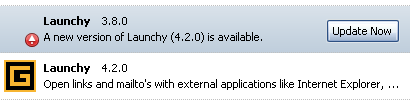 Due to a GUID change in recent versions of Launchy, Linky and Slashy extension you might end up with two versions of the extension installed. Please check your Extension Manager and uninstall the oldest version of the duplicate extension.
The result of the duplicate extension is that you're prompted that the extension has been update over and over again. Just uninstall the old version of the extension.
Netscape Browser 8.1 released
Netscape release version 8.1 of their browser yesterday. New things in the release is amongst other Anti-Spyware Protection, Built-in RSS reader, Undo tab close.
Firefox joins top ten global brands
The open source browser Firefox has been rated alongside Google, Apple and Starbucks as one of the most powerful brands in the world in 2005, according to a study published on Monday. Brandchannel.com, a Web site for marketing professionals run by global branding consultancy Interbrand, asked over 2500 readers during November and December which brands had the most impact on them that year. Firefox was voted as the eighth most influential brand worldwide in 2005 - the first time that a piece of open source software has featured in the top 10 list in the five years that the survey has been carried out.
Read more
See result
Ping attribute takes some fire
Darin Fisher implemented a new ping feature and some users hate it.
I'm sure this may raise some eye-brows among privacy conscious folks, but please know that this change is being considered with the utmost regard for user privacy. The point of this feature is to enable link tracking mechanisms commonly employed on the web to get out of the critical path and thereby reduce the time required for users to see the page they clicked on. Many websites will employ redirects to have all link clicks on their site first go back to them so they can know what you are doing and then redirect your browser to the site you thought you were going to. The net result is that you end up waiting for the redirect to occur before your browser even begins to load the site that you want to go to. This can have a significant impact on page load performance.
You can test your browser for the ping feature here. Only nightly builds of Mozilla Firefox has the feature.
Firefox 1.5.0.1 Will Rock on Mac OS X
Firefox 1.5 was a major milestone on all platforms, but it was not quite what it could have been on Mac OS X. We just didn't have the resources to test for and fix bugs fast enough when release time rolled around. However, not delaying the release was a decision that I was happy with because it was the right thing to do, even if it meant less-than-great Mac OS X support. Firefox 1.5 was still a major upgrade in terms of Mac OS X support, and nothing to be ashamed of. Once Firefox 1.5 was out the door, we got the time we needed to test for and fix some of the major bugs in Firefox 1.5 for Mac OS X. Mozilla's release drivers were great about helping us get the results of that effort into the upcoming Firefox 1.5.0.1 release, and I'm writing this blog post to let you know that Firefox 1.5.0.1 is going to be everything Firefox 1.5 could have been on Mac OS X. You should definitely download it as soon as it comes out.
Read more
More Mac news : Firefox for Intel Macs planned for March
Thinking about Firefox security
What would happen if Mozilla's Firefox suddenly became the browser that everyone was running? What would happen if it was as big a target for hackers and for virus and spyware authors as Internet Explorer is now. How would Firefox's reputation for security hold up? One has to wonder how secure a default Firefox installation is, and if there are things that can be done to make a Firefox deployment more secure?
Read more
Firefox at Critical Mass?
The year 2005 was a banner year for open source Web browser Firefox, a fact underscored by recent market share numbers released by site tracker NetApplications. The company saw the number of Firefox users inch tantalizingly close to the 10 percent figure (9.57 percent, to be exact) in December 2005, a nearly 1 percent jump from November 2005. Microsoft's Internet Explorer (IE) still dominates the browser world at roughly 85 percent of the market. But that figure is a drop from NetApplication's November 2005 statistics, which put IE at 86 percent of the market. Mac-based Safari inched up from 2.78 percent in November 2005 to 3.07 percent the next month; Opera experienced a negligible gain from .53 percent to .55 percent in the same time frame. Netscape dropped from 1.25 percent of the market to 1.24. All other browsers collectively saw a gain from .43 percent to .53 percent. The numbers show that, while there are a number of browsers available today for end users, it's likely going to come down to a two-horse race between IE and Firefox.
Read more
Is it Firefox or is it IE7?
Microsoft Explorer 7.0 looks and feels like Firefox. We were indeed very shocked when we managed to see and feel the beta of Explorer 7.0. The key thing is tab browsing that looks and feels like you are using Firefox. Even the search button at the left hand side looks and fells like this free browser. Just as in Firefox you can ad search engines. There are some extra features as its easier to block the nasty sites and the RSS button is more accusable. Of course you can bookmark tabs as well.
Read more
1 In 10 Now Use Mozilla's Firefox
Mozilla Corp.'s Firefox browser finished the year with a flourish, a Web measurement firm said Wednesday, and came within half a point of the 10 percent market share that many analysts have set as the bar to long-term success against Microsoft's leading Internet Explorer. According to the latest numbers from Aliso Viejo, Calif.-based NetApplications, Firefox wrapped up 2005 with 9.6 percent of the browser market, a gain of almost a full point over November.
Read more and more
AllPeers promises to transform Firefox into a media sharing powerhouse
AllPeers is a free extension which combines the strength of Firefox and the efficiency of BitTorrent to transform your favorite browser into a media sharing powerhouse. Regain control! You decide which media files you want to share with whom and to maximise your privacy, communications are encrypted.
Read more
Read the blog
FastStone promoting Firefox
Got a nice surprise today when I installed the new beta of FastStone Image Viewer which is the image viewer that I use. After installing it, it launched my web browser with this page. It's a "thank you for using FastStone page" but it also features a "you should use Firefox" notice. Way cool to see my favorite image viewer promoting Firefox.
Microsoft Employees Rage As Internet Explorer Ship Sinks
No way to build a market: No more Mac users. No more Dell users in the UK. HP's shipping Netscape. Internet Explorer 7 is the ultimate "me too" knock off. And nobody's madder than Microsoft employees and fans. Microsoft employee Rory Blyth: I think IE is horribly behind the times. When every other browser on the planet that's worth a damn supports tabbed browsing, it's just crappy that I still have to have different copies of IE open to have multiple sites open at once. As of right now, my favorite browser on the planet is Apple's Safari.
Read more
Firefox 1.5 Stability Problems? Readers And Mozilla Respond
Firefox users wrote to us detailing their problems with the browser, and we asked Mozilla for some answers. Before we get too far down that path, however, let's put things in perspective. More than 60 percent of the people who responded to our request for personal experiences with Firefox 1.5 reported they had no problems whatsoever with the browser software. And there is absolutely no statistically valid way to draw any hard conclusions about how many people are having stability issues with Firefox 1.5 based on this small sample size. At a rough guess, the number of people experiencing serious problems is probably well under 10 percent of all the people who have downloaded and installed Firefox 1.5.
Read more
New Firefox extensions from Google - Anti Phishing and Blogger Comments
Yesterday Google released 2 new Firefox extensions.
Google Safe Browsing
 Google Safe Browsing is an extension to Firefox that alerts you if a web page that you visit appears to be asking for your personal or financial information under false pretences. This type of attack, known as phishing or spoofing, is becoming more sophisticated, widespread and dangerous. That's why it's important to browse safely with Google Safe Browsing. By combining advanced algorithms with reports about misleading pages from a number of sources, Safe Browsing is often able to automatically warn you when you encounter a page that's trying to trick you into disclosing personal information.
It seems that Google Safe Browsing for Firefox is only available for download for users within the US.. But that can be fixed.
Blogger Web Comments
Blogger Web Comments for Firefox is an extension that makes it easy to see what bloggers are saying about a page you're viewing in Firefox and even make your own blog post about it, all without leaving the page you're on.
Google to acquire Opera?
I have heard rumors of a possible acquisition of Opera by a bigger company. Now again I hear (and read) rumors of a possible deal between Google and Opera which would see the search engine giant taking over the Opera Web Browser company. This makes sense. Google has been lending a helping hand to Firefox. However, it does not control how Firefox is developed. They can of course launch their own Google Browser (or the GBrowser) on the Mozilla's rendering engine, but they have not till now. Opera of course makes a lot of sense considering it is a small company and is very heavily under development.
Read more
Firefox Scholar aka SmartFox
SmartFox will enable users, with a single click, to grab a citation to a book, journal article, archival document, or museum object and store it in their browser. The Center for History and New Media is building an open-source package of tools for libraries and museums that will work right in the web browser, where most research is now done. We are calling the project SmartFox: The Scholar's Web Browser, and it will enable the rich use of library and museum web collections with no cost - either in dollars, or probably more importantly, in secondary technical costs related to their web servers--to institutions. This set of tools will be downloadable and installable on any of the major open-source browsers related to the increasingly popular Firefox web browser: Firefox itself, Mozilla, and the latest versions of Netscape and the AOL browser (all based on the Firefox code base).
Read more
New SeaMonkey Logo
 The new artwork centers around an abstract figure resembling a "Sea Monkey", colored in a light, cyan/blue color, standing out from a dark blue circle with a wave pattern in the middle. This design, created by Alex Butin, not only looks professional and polished, but also fits perfectly as an icon on a modern computer desktop and is easily recognizable even in small sizes. Additionally, the look matches the rest of the mozilla.org family (Firefox, Thunderbird, Camino, Sunbird) quite well. And while the soft shapes and color shades create a very polished impression, the waves and the figure make people feel the new dynamic the internet suite application has gained through the new project.
The SeaMonkey project is a community effort to deliver production-quality releases of code derived from the application formerly known as "Mozilla Application Suite".
Yahoo is default search engine on Firefox 1.5 in Asia
In China, Korea, Japan, and Taiwan, the default homepage and search engine in Mozilla's Firefox browser will be provided by Yahoo instead of Google.
Read more
Mozilla Firefox 1.5 released

Mozilla Firefox 1.5 has been released. The award-winning Web browser is better than ever. Browse the Web with confidence - Firefox protects you from viruses, spyware and pop-ups. Enjoy improvements to performance, ease of use and privacy. It's easy to import your favorites and settings and get started. Download Firefox now and get the most out of the Web
Read more
Mozilla Firefox 1.5 på dansk: Windows, Mac OS X, Linux i386
Firefox 2.0 and Identity 2.0 and Firefox accelerating development cycle
Identity is part of Firefox 2.0 plan as described by Dan Farber of ZDNet in Firefox accelerating development cycle.
To advance that agenda, the Mozilla team, with more than 40 full-time employees, is going to be more aggressive in delivering new Firefox functionality than it has been in the past. Beard told me Mozilla will move to a more rapid product delivery model, in keeping with the pace the herd of Web 2.0 companies, as well as Microsoft's newfound faster "twitch" cycles. Rapid response to any critical issues. Security and stability updates every six to eight weeks. Major releases every six to nine months - Firefox 1.5 at the end of November, version 2.0 by mid-2006 and 3.0 in early 2007. Release of the Gecko rendering and layout engine every 12 to 15 months
Read more at ZDNet and at identity20
Browser developers team up on security
Browser developers including Mozilla, Microsoft and Opera are seeking to create a standard method of providing surfers with more information about the trustworthiness of a website. Several developers met in Toronto last week to discuss ways to collaborate, although the talks are still at an early stage. The initiative aims to use the information provided in digital security certificates to help users identify phishing websites, which try to fool individuals into giving up sensitive information such as passwords and credit card numbers.
Read more
Better Website Identification and Extended Validation Certificates in IE7 and Other Browsers
Today I want to tell you about both our established plan to highlight secure sites in IE7 but also to tell you about some early thinking in the industry about creating stronger standards for identity on the internet. IE7 will join other browsers like Firefox, Opera and Konqueror in making the experience for secure (HTTPS) sites more visible by moving the lock icon into the address bar. We think the address bar is also important for users to see in pop-up windows. A missing address bar creates a chance for a fraudster to forge an address of their own. To help thwart that, IE7 will show the address bar on all internet windows to help users see where they are. IE7 will also help users avoid fraudulent sites if users choose to use the Phishing Filter to check a site for known phishing activity.
Read more
From the browser developers:
- Mozilla - CAs, certificates, and the SSL/TLS UI
- Opera - A Truce in the Browser Wars: Toronto Ideas Create Common Ground
- Konqueror - Web Browser Developers Work Together on Security
Firefox 1.5 release party blev til pre-release komsammen
I går var jo en historisk dag. Historisk på flere måder. Det var jo i går at der blev afholdt release komsammen for Mozilla Firefox 1.5 på Øbaren i København.
For det første er det vel første gang at der er blevet afholdt en release komsammen for noget som endnu ikke er udkommet. Jeg var ellers blevet lovet af højt-på-strå folk fra Mozilla.org at Mozilla Firefox 1.5 ville komme før Thanksgiving, som i år er i dag, nemlig den 24. november 2005. Men vi må altså vente et par dage endnu før Mozilla Firefox 1.5 bliver frigivet.
For det andet så er(bliver) Mozilla Firefox 1.5 historisk. Mozilla Firefox 1.5 bliver hurtigere, sikrere, bedre og mindre. I 1.5 er der bla automatisk opdatering af programmet, hurtigere frem og tilbage funktionalitet, meget bedre udvidelsesmodul håndtering, bedre sikring mod popups, helt nyt indstillinger vindue, osv osv. Læs mere om alle de mange forbedringer her.
Komsammen havde fået samlet en stor mængde af de danske kendisser. Blandt de fremmødte prominente gæster var bla Mr Kim Blim himself, Thomas Kenne aka Mr Medion, Andreas Hansen aka Mr CMS, Thomas Andersen aka Mr Captcha, Anders Hal aka Mr TV, Jakob Gertz aka Mr Danish Poker Solution, Ulrik Hindø aka Mr Brazil, Mr Morten.dk, Jan aka Mr Øl, Jesper Stocholm.
More cool checkins
Three new super cool features has just landed. But remember it's not gonna be included in Mozilla Firefox/Thunderbird 1.5.
- Allow external source viewer/editor
A lot of people have been requsting this. Finally it has landed.
- Improve the alert notification for new mail
Now the subject and message text is shown in the new message alert. Check the screenshot
- Add a way to generate UUIDs
Would be nice if xpcom provided a way to programmatically generate UUIDs
Windows Genuine Advantage supports Firefox
Lucky Mozilla Firefox on Windows users....
Microsoft Genuine Windows Validation process now works in Firefox and other Mozilla browsers. Firefox users can manually install the Windows Genuine Advantage validation Firefox plug-in available on Microsoft's website to complete the Windows validation process.
Microsoft vs. Google and Firefox
By most measures, Firefox has had a pretty good year. The upstart browser celebrated its first birthday this week, less than a month after marking its 100 millionth download. Devoted followers have trumpeted its 8.65 percent market share, mostly at the expense of Microsoft's Internet Explorer. The response from the Windows empire has been largely a collective yawn. That could change quickly, however, given that Google seems to be sidling up to Firefox, a relationship that could bring back some bad memories for Microsoft veterans.
Read more
Nice checkins for the weekend
Once again a couple of nice checkins happened this week. Here I'll mentioned the ones that I find the most interesting:
I like cleanup bugs. The Mozilla code has a lot of areas that needs cleaning up, so I really like developers who take the time to cleanup the code instead of just adding new code.
- Reduce content creation redundancy in nsHTMLContentSink
- XPTI_GetInterfaceInfoManager is a bad signature, and we should just use do_GetService anyway
Faster, faster, faster. Besides cleaning code I also like developers that check in code that simple put: makes Mozilla go faster.
Provide table-driven QI mechanism
This proves a significant codesize win on all platforms. The performance tests I was able to do are a little bit more ambiguous: Linux was a definite win (close to 8% speedup on a contrived looping testcase)
New unseen features are also very nice. This once will make a lot of users really happy. Folder Pane Popup over folders with unseen messages. A screenshot of the feature can be seen here.
Last but not least, making Mozilla more flexible is good. Add a reusable autocomplete result type that doesn't depend on Mork
Mozilla Product Strategy Proposal
This post sets out a proposed product and platform strategy developed over the last few weeks by Mozilla project staff and drivers that aims to enable innovative web experiences for consumers, accelerate the time-to-market for user-facing innovation, and improve the security and stability of our products.
Read more
Changed to tabs coming
Ben Goodger and the guys at Google have been doing some usability work on how people are using tabs. And the conclusion is that people are having some problems with them. Therefore Ben plans to make some changes to the way tabs works in Firefox amounts others "Put close buttons on the tabs", "Implement a simple heuristic for z-index handling", "consolidate the preferences for links sent from external applications".
Read more
I wonder why Google are so interested in doing usability studies for tab browsing in Mozilla Firefox?
Utility functions for extensions in toolkit
Basically, my plan is to create a set of generic toolkit files to act as wrappers for commonly used functions, in order to facilitate simpler and more future-proof app and extension code.
Read more
This is want I've been requesting for a long long time. Instead of extensions developers create their own functions to load and save prefs, create URLs etc these basic functions will be included in the tookit. The toolkit is a base which both Mozilla Firefox and Mozilla Thunderbird share.
There are some libraries that already provide function like this. Most known is the JSLib. But since JSLib is an extension it's not very practical. JSLib cant be include inside an extension due to namespace clash. I personally gave up on JSLib in my Launchy extension.
So as a Mozilla extension developer I'm looking forward to having these utility functions available.
Changes to Mozilla web sites
Following on from the Foundation/Corporation split and in preparation for the Firefox 1.5 release, we'd like to significantly reorganize our web content over the next few weeks. The big picture is that we want to move to separate sites for the end user (mozilla.com), Foundation (mozillafoundation.org) and developer (mozilla.org) audiences. Much of this plan is a continuation of what we've been doing to better organize our web site presence and to focus our content for specific users. Addons, SpreadFirefox, and Devmo are good examples of where we've made progress in the last year in better targeting our various audiences. mozilla.com and mozillafoundation.org are next in line.
Read more about the proposed changes
More cairo merging
Vladimir has the latest about how the merging of the Cairo code is going. Read about the progress. Also read this entry which has some screenshots.
Mobility Email
Mobility Email is a powerful new way to use email. At the core of Mobility Email is Mozilla Thunderbird, the popular open source email client. It's loaded with extensions to provide OpenPGP encryption and signing, access to Hotmail, Yahoo!, Lycos and MailDotCom email accounts, and a simple way to quickly access your contacts. The best thing about Mobility Email is that you can take it anywhere with you on an iPod Shuffle (or any other USB device). Simply plug your USB key into any Windows computer in the world and you can start Mobility Email. With no installing or configuration you can use all your email and all your contacts.
Read more
Mozilla Firefox 1.5 party i København
Nu da vores sidste Mozilla Firefox 1.0 release party var en kæmpe succes, skulle vi så ikke få taget os sammen til at fejre frigivelsen af Mozilla Firefox 1.5 når den nu kommer om en måneds tid? Det eneste du skal gøre er at møde op!
Er DU parat? Smid en kommetar eller send en mail til <spam snabel-a gemal prik dk>
Party'et, eller måske nærmere release komsammen'en, løber af stablen Onsdag den 23 november 2005 fra kl 16. Dvs et år og 4 dage efter Firefox 1.0 blev fejret. Du er mere end velkommen til at sende denne invitation videre i systemet, således vi får samlet så mange som muligt.
Release party'et for Mozilla Firefox 1.5 vil, ligesom sidst, blive fejret på Ølbaren i København. Du kan iøvrigt se billeder fra det sidste release party her
Du vil her have mulighed for at møde nogle af de mange andre som bruger Mozilla Firefox og måske også et par af dem der er med til at udvikle Mozilla.
Firefox-One takes back the sky
The Oregon State Linux Users Group, with the help of the Oregon Space Grant Consortium (OSGC), launched a balloon satellite to celebrate 100 million Firefox downloads. The balloon carried a Firefox banner up to 100,000 feet before exploding and parachuting back to earth. This was our successful attempt at topping the 50 million download stunt.
Read more
Watch the pictures
One thing I really miss in Mozilla Firefox/Thunderbird
Most of the things I miss in the "official" Mozilla Firefox/Thunderbird I have been able to get through the use of extensions. Extension rocks!
But one of the things I really miss is Roaming Profile.
A roaming profile is a collection of user settings which can be seamlessly shared between different machines or applications, or different instances of the same application. This can be useful for users who wish to work in a familiar environment regardless of the specific machine or application they make use of, and who have personal data to which they always wish to have access.
I use Mozilla Firefox and Mozilla Thunderbird both at work and at home. So I like my work and home profile to be in sync. So postings in newsgroups isn't marked as new just because I connect from home if I already read the postings at work. And websites aren't marked as visited at work if I already visited them at home. And my bookmarks are the same, etc.
Currently my solution to this problem is very basic. Just before I leave work I copy the files I need to a remote server. And before I start Mozilla Firefox at home I copy the files from the remote server and vica versa.
Roaming profiles are currently available in Mozilla SeaMonkey but it hasn't been ported to Mozilla Firefox yet. The backend for roaming profiles are there (I think) but the UI isn't working on Mozilla Firefox. Perhaps the roaming profile should be made as an extension.
My profile directory is weighing in at 13 Mb
Not that diskspace matters. It's so cheap, but anyways. The size of my profile directory is now over 13 Mb. This is of course without my cache directory which I moved outside of my profile directory using the browser.cache.disk.parent_directory pref.
For what the directories and files inside of your profile directory are used for, please turn to this page.
For the directories inside my profile directory:
- bookmarkbackups is 4 Mb
- extensions is 1.5 Mb. I have 21 extensions installed.
- searchplugins is 2 Kb
- chrome is 280 bytes
For the files inside my profile directory:
- history.dat is 4.5 Mb. I'm saving 60 days of history
- formhistory.dat is 850 Kb
- bookmarks.html and bookmarks.bak are 800 Kb
- hostperm.1 is 155 Kb
- compreg.dat is 140 Kb
- xpti.dat is 87 Kb
- cookies.txt is 86Kb
- cert8.db is 65 Kb
- signons.txt is 55 Kb
- localstore.rdf is 43 Kb
- extensions.rdf is 36 Kb
- prefs.js is 29 Kb
- mimeTypes.rdf is 26 Kb
- key3.db is 24 Kb
- secmod.db is 16 Kb
- extensions.ini is 2 Kb
- extensions-startup.manifest is 2 Kb
- extensions.cache is 2 Kb
- search.rdf is 670 bytes
- downloads.rdf is 410 bytes
- compatibility.ini is 130 bytes
Netscape 8.0.4 out
Netscape on Wednesday released a new version of Netscape 8 to bring the Web browser up to date on security patches with the underlying Firefox software. Netscape 8.0.4 includes the fixes that have been made in the Firefox browser, according to the update's release notes. That means it has all patches through Firefox version 1.0.7, which was made available by Mozilla last month.
Read more
They also seem to have launched getnetscape.com
Flock social web browser version 0.5 has landed
 A public release of the Flock social web browser is imminent. It's coming. Are you hyped? Are you even following the breadcrumb trail back to the Flock base? We covered Flock in early September: Flock - Social Formation Browsing. A fitting title for the browser - built atop the solid Mozilla engine - being vigorously coded by Flockr's running on nothing but blue. I was fortunate enough to try the 0.2 release. Since then, a 0.5 release is migrating across the net.
Read more
Firefox and Thunderbird gets SupportSoft service automation technology
SupportSoft, Inc., a provider of Real-Time Service Management software, and Mozilla Corp., have teamed up to add features to the Mozilla products and thus aim to enhance end-user experience. The patented SupportSoft SupportTriggers functionality has been included in Mozilla's product offerings to provide the estimated 45 million individuals that use the Firefox browser and the Mozilla Thunderbird email client with a better and more reliable user experience, claim both the companies. SupportTriggers provides support organizations, software development teams and service providers with the ability to embed automated technical support capability directly into a business application or service, without changing the source code. Both the products will incorporate the SupportTriggers technology, which is designed to automatically respond at the time application problems occur and then, offers to proactively report the problem to Mozilla.
Read more and more
Mozdev Shop Open For Business
Brian King writes:
I'm happy to announce that the Mozdev shop is open for business. I wrote a couple of weeks back how we were using the Spreadshirt service. There is a N.American shop and a European shop, but we'll try to accomodate people outside those zones soon. Currrently we have only 4 designs, but will be adding more as we go. Let us know your ideas and preferences for designs. The shops have a good choice of merchandise, including t-shirts, mugs, mouse pads, bags, and more. And you can design your own styles and colours! All proceeds from the shop will be going directly back into mozdev.org to maintain and improve the site for the Mozilla community.
Visit the shop
Firefox Tweak Guide
The Firefox Tweak Guide has been updated once again so that all the tweaks in the guide are also compatible with Firefox 1.5 Beta.
Whether you're a first-time user or a veteran, this Firefox Tweak Guide brings together all the major tips, tricks and tweaks for Firefox. From the basic to the advanced, the following 11 pages of information are sure to enhance your Firefox experience. Most of all you can rest assured that the guide is not written by a raving Firefox fanboy - it's a true objective TweakGuides tweak guide, and not a gushing ad for a free web browser.
GoogleOffice / GoogleBrowser / GoogleCalendar / GoogleSomething
Now that Google and Sun has formed an alliance with Sun people are talking about what Google is up to. Actually they have been talking about that for ages. But the alliance adds to all the conspiracy talks about Google.
But it would be very strange if Google wasn't doing anything Gecko related, since they now employ 6 Mozilla/Gecko people including Ben Goodger, Brian Ryner, Darin Fisher, Mike Pinkerton and Ian Hickson. Perhaps we'll see a XUL version of Gmail? Or the most talked about Gbrowser? Or a XUL Gcalendar?
So what's the deal between Sun and Google all about?
Currently this is was they said:
The two companies announced simply that they would collaborate on work on Sun's OpenOffice.org, Java and OpenSolaris, and Google's Toolbar. Sun will, in the immediate future, make Google's toolbar a standard part of the package when users download Sun's Java Runtime Environment from the server seller's Web site.
There's plenty to read about the new alliance:
- Google and Sun deal: That's it?
- GoogleOffice: A Microsoft Office killer?
- Google-Sun pact brainchild of Sun engineer
- The Google Office I'd Go For
- Domains Registered to Google Inc.
Netscape to Ship on New HP Computers
AOL subsidiary Netscape has signed the first non-IE browser distribution deal with a major PC manufacturer since the late 90s. Starting early next year, Hewlett-Packard will ship Netscape 8 on all new PCs and laptops, with customized tabs leading to HP and Compaq Web destinations. However, Internet Explorer will remain an option for HP customers. During initial setup, an option will be presented to select Netscape as the system's default browser. Icons to launch Netscape will be placed on the Windows desktop and Start Menu. "Netscape 8.0 was designed to give consumers a choice, and we are delighted that consumers who buy new HP and Compaq consumer PCs will be able to choose the Netscape browser for a safer and highly compatible browsing experience," said Jeremy Liew, General Manager of Netscape.
Read more
Opera tunes up to overtake Firefox
Opera is looking to mobilise its existing community of users in order to overtake Firefox as the number two browser on the desktop. Last week, Opera decided to give away an ad-free version of its browser for the first time. Jon von Tetzchner, chief exec of Opera Software, said that by removing the inclusion of banner ads from the free version of its browser the company had removed the biggest reason users might have for avoiding its software. The Norwegian software developer claims 2.4m downloads of the ad-free version of the browser since 20 September, when Opera made the big move. von Tetzchner disputes figures from web analytics firms which put Opera's browser market share down at around 2-3 per cent or lower while Firefox has a market share of around 8.8 per cent. These figures can be misleading because users can change Opera to present itself as Internet Explorer to gain access to sites that fail to follow web standards.
Read article
Checkin of the week
A small collection of some of the most important checkins that has happend during the last week:
Extension manager should use xpinstall crypto hashes
This bug makes it possible for extension developers to add hashes to theirs update.rdf files to protect against mirror network hacks. Basically in your update.rdf file you add a entry like this one <em:updateHash>sha256:3e2fad5911cd757bf8a01f155c3c00db558266d9ed4cb3ba6a59b8d6d3b106b8</em:updateHash>
This is the hash value of the XPI file provide in the update.rdf file. You can specify sha256, md5 and others. Check this patch for more info. More information about this can be found in this and this bug. If you try to update Slashy using the latest nightly build you will be using this feature.
Remove UI for 'Load Images for the originating web site only' pref
Seems like this options confused more people than it helped
Microsoft copying XUL? Avalon Everywhere? Cross-platform Microsoft?
Another interesting announcement here at PDC is that Microsoft is creating a subset of their cool, fancy pants UI layer (formerly code-named Avalon, now WPF) on other platforms, including the Mac! In fact, one of the demos involved showing vector graphics rendered in Safari using a Microsoft plug-in. This subset, called WPF/E, will be powered by XAML (their XML dialect for representing the UI) and JavaScript. Sound familiar? Yes, that's right -- Microsoft also announced a Dashboard clone for Windows Vista. Microsoft will never port .NET to other major operating systems, but to have a subset of Avalon available on other platforms is a bit of a curveball. In fact, in light of Firefox and Safari's upcoming support of SVG and Canvas (and in the future, 3D functionality), this move makes sense; Microsoft wants to provide their own proprietary solution to cut off this new cross-platform initiative. Also, Microsoft's Ajax framework, Atlas, will target WPF/E. The WPF/E subset of Avalon will include all of the Avalon features (vector graphics, animations, etc.) less 3D, some of their XPS features (XPS == Microsoft PDF clone), and hardware acceleration. In a WPF/E session, someone asked if Microsoft's WPF/E plug-in will be available in Firefox; the speaker dodged the question ("We hope such support will emerge..."). My first reaction to WPF/E is frankly disappointment that they wouldn't just embrace SVG, though what I've seen of 2D XAML makes it look a while lot like SVG with different attribute names and various other differences. I wonder if XSLT will do the trick there... Lack of many of the Avalon features in WPF/E, notably hardware acceleration, really makes it seem that the strategy is to make apps work on other platforms, but make them work poorly compared to Windows -- motivating users to switch to a Windows platform.
Read more and more
Best way to get location from inside a extension
Somehow I cant believe I'm asking this question, since it should be documented and used in almost every extension but there seems to be an almost endless way to get the URL of the current document. So my question is:
What's the recommended way from chrome of getting the URL of the current document being displayed in a window?
My requirements are that the answer works in both the current Mozilla SeaMonkey and Mozilla Firefox. If a page consists of frames or iframes it must return the top URL.
A couple of possible answers:
- document.location.href
- window.document.location
- window.top.content.document.location
- window.location.href
- document.url
- getBrowser().mCurrentBrowser.currentURI.spec
- gBrowser().mCurrentBrowser.currentURI.spec
- content.location
- ?
Can you come up with the ultimate JavaScript code that does this?
Update:
What if I need to scan through all the links on the current loaded document when I right click on a page?
Extensions I use - part 4
It's time for a updated list of my previous posting here. These are the extensions I use, not just the ones I have installed.
Firefox Extensions- Console2 - replaces the JavaScript Console with what could be the next generation Error Console
- Copy URL+ - Copies to clipboard the document's URL along with the title or the selected text
- CuteMenus - Adds icons to menus and popups
- Inspect Element - Inspect an element with the DOM Inspector
- InfoLister - Lists installed extensions and themes
- Linky - Open/download/validate links and pictures in tabs or windows
- Live HTTP headers - View HTTP headers of a page and while browsing
- LastTab - Allows tab navigation in a most recently used manner.
- Linkification - Converts text links into genuine, clickable links.
- Location Navigator - Tools used to navigate up/down through the numeric portion of a location
- Link Toolbar - A site-navigation toolbar
- Launchy - Open links and mailto's with external applications like Internet Explorer, Netscape, Opera, Outlook etc
- OpenBook - Allows for customization of the Add Bookmark dialog
- ProxyButton - ProxyButton creates a toolbar button to quickly turn proxy on and off
- RestartFirefox - Restart Firefox with a quick access File - Menu item
- Slashy - Fixes Windows backslash file separators in links and images
- SessionSaver - Magically restores your last browsing session
- Web Developer - Adds a menu and a toolbar with various web developer tools
Firefox faces challenges as it matures
When Version 1.0 of Firefox was released last November (see "Mozilla launches Firefox 1.0 browser"), it caused a sensation as a seemingly more secure and more feature-rich alternative to Microsoft Corp.'s ubiquitous Internet Explorer, which for years had held a market share north of 90% -- and which Microsoft had barely bothered to improve. Since then, Firefox has achieved what no other browser had accomplished in years: It attained a significant market share at IE's expense. Firefox now holds a market share of between 7% and 9%, according to various market research estimates. But as Firefox nears its first birthday, its maker, the Mozilla Foundation, faces significant challenges, analysts said. These include quickly discovering and fixing security vulnerabilities, competing against an upcoming IE upgrade and broadening Firefox's user base beyond its core of technically savvy users. The stream of Firefox security vulnerabilities uncovered in recent months is par for the course for a young software product (see "Symantec report sparks safe-browser debate"). But it may disappoint users who switched to Firefox expecting it to be immune to security holes.
Read the article
Mozilla hits back at browser security claim
Mozilla is in much better shape than Microsoft when it comes to fixing security problems, claims the organisation
Mozilla has reacted to a Symantec report issued on Monday which said serious vulnerabilities were being found in Mozilla's browsers faster than in Microsoft's Internet Explorer. The study was conducted over the first six months of 2005. Tristan Nitot, president of Mozilla Europe, hit back by claiming on Monday that when a vulnerability is found Mozilla's "ability to react, find a solution and put it into the user's hands is better than Microsoft." Nitot said that Mozilla's reaction time was faster than Microsoft's. "If you look at our ability to respond, we are in much better shape. On 6 September an IDN buffer issue was reported to Mozilla. On 8 September it was publicly disclosed. We ask our developers not to mention any problems until we have a fix for them, but for some reason he went public. On 9 September we had a configuration change that disabled the IDN problem, that users could implement manually, or they could use a patch. Within ten days we had a newer version that was fixed completely."
Read article
Opera is free
Opera Eliminates Ad Banner and Licensing Fee
Opera Software today permanently removed the ad banner and licensing fee from its award-winning Web browser. The ad-free, full-featured Opera browser is now available for download - completely free of charge. "Today we invite the entire Internet community to use Opera and experience Web browsing as it should be," said Jon S. von Tetzchner, CEO, Opera Software. "Removing the ad banner and licensing fee will encourage many new users to discover the speed, security and unmatched usability of the Opera browser." Opera was previously available free of charge with an ad banner. Users had the option of paying a licensing fee to remove the ad banner and receive premium support.
Read the press release
Minimo Support for PPC Devices
Doug has an interesting write up on Minimo support for PPC devices.
We make every effort to produce working builds of Minimo for your Windows CE PPC 2003 device. However, there are some devices that we just can't get to work properly. It may be that I don't have a device like yours to test against. Or it may be that there is some memory map problem which I will describe. The core of the problem is that on this device we run out of address space for some reason. Minimo (including support libraries) today is a bit over 10mb of code, data, text. Each process on Windows CE is allowed 32MB of address space to use. So what gives? My guess is that XIP ROM-based DLLs are laid down breaking up the address space so there isn't a contiguous range where we can load our code.
Doug hopes that bringing the memory usage down in Minimo will not only help Minimo users but also Firefox users:
There are two independent solutions. First we will further reduce the size of Minimo were possible. This will be an ongoing task and one that I hope will benefit not only all minimo users, but also all FireFox users too. I do not expect we will get there over night.
Microsoft looks to spread authentication technology to Firefox
Looking to ease the way customers manage their digital identities, Microsoft has begun working to integrate its InfoCard authentication technology with Internet Explorer and is in discussions with the Firefox and Safari browser developers to have them include the technology on their platforms. According to Microsoft officials, InfoCard integration could show up in Internet Explorer 7.0 even though InfoCard is currently not on the feature list. The goal is to improve security and privacy on the Internet using the InfoCard model, which puts users in control of their personal identity information and would eliminate the need for user names and passwords to sign into a Web site. "We are still working on if there is enough time to get this done" for Internet Explorer 7, says Michael Stephenson, Microsoft's group product manager for Windows Server. "We expect many different applications, smart apps, Web apps and browsers, to use InfoCard. Our own browser will take advantage of it."
Read article
Mike Shaver writes about this and has written about this before.
Win32 backend renderer revisited
Currently the backend rendering engine in Mozilla Firefox on Windows is using GDI+. People have been talking about replacing GDI+ with Cairo as the rendering engine. Cairo is a free software graphics library with multiple backends, that provides a vector-based device-independent API for software developers.
Until now the main problem has been performance. Cairo was not as fast as GDI+. But this might seem to have change with the latest release of Cairo. Tim Rowley (tor) has made some new benchmarks which indicates that a switch to Cairo might happen soon.
Tor writes:
Things look quite a bit better than last time, enough that it's tempting to switch from GDI+ to Cairo for Firefox 1.5. It would make all the platforms behave the same, remove the support issue of people without the GDI+ library (anyone pre-WinXP), and fix some rendering issues that can't be addressed otherwise, like the reflect/repeat modes of radial gradients.
Linky and Launchy for latest Firefox and Thunderbird releases
Killer Buzz Flocks to New Browser
Perhaps the world does not need another web browser -- but it may want Bart Decrem's. Decrem and a small cadre of programmers in Palo Alto, California, have spent this summer quietly readying Flock, an open-source browser, for an early October beta launch. Several members of the team, including Decrem, hail from the Mozilla Foundation, which produced the Firefox browser upon which Flock is built. Flock advertises itself as a "social browser," meaning that the application plays nicely with popular web services like Flickr, Technorati and del.icio.us. Flock also features widely compliant WYSIWYG, drag-and-drop blogging tools. The browser even promises to detect and authenticate all those user accounts automatically. It's a clear attempt to be the browser of choice for the Web 2.0 user.
Read blog posting
Flock has landed. We're introducing the world's most innovative social browsing experience. We call it the two-way web. Over the next few weeks, we'll be seeding invites to a few lucky folks.
Visit flock.com
Flock screenshots
http://flickr.com/photos/25419820@N00/42757004
http://flickr.com/photos/25419820@N00/42473857
Microsofts browser slide continues
A little bit about the Firefox marked share.
For the 10th consecutive month, the popularity of Microsoft'' Internet Explorer Web browser has declined. Netscape's browser showed the strongest growth in market share in August, rising 33% to a 2.02% share, according to NetApplications, a Web-site analysis company.
Read article
Firefox still holds clout on Internet
Despite the first hack-attack reported against it, Firefox, the nifty little open-source Internet browser, continues to hold sway around the world, taking users away from Microsoft's Internet Explorer, a new survey has shown. According to NetApplications, a website analysis company, Firefox, which is offered through Mozilla Corp., had a market share of 8.27 per cent in August, up from 8.07 per cent in July. On the other hand, the Internet Explorer, continued its slide in the market, dropping to 86.31 per cent from 87.2 per cent.
Read article
Firefox, Netscape, and Safari all gained market share at Internet Explorer's expense
IE lost market share as Firefox, Apple Computer Inc.'s Safari; and America Online Inc.'s Netscape gained. Safari rose to 2.2 percent from 2.13 percent in July, while Netscape posted the biggest gain to 2.02 percent from 1.5 percent. "Firefox isn't the only interesting story in August, with Safari and Netscape on the rise, Internet Explorer faced an offensive on three separate fronts," Phil Vizzaccaro, chief executive of NetApplications, said in a statement.
Read article
MSDN Opens Up to Firefox and Opera
MSDN announced last week that it had tweaked its subscriber download site in order to make it compatible with both Firefox and Opera. There are some issues, such as extra work needed in installing the File Transfer Manager, however developers are working on a new version of the FTM that should correct final problems.
Read more
Why Firefox Could Improve Your Life on the Internet
So what's all the excitement about? Well, for one, Firefox is a very nice browser. It's fast loading with a clean look. It's easy to use and comes with some very nice features. The one you'll notice right away is tabbed browsing. That is the ability to have a single browser window hold multiple sites that you access by clicking tabs instead of having multiple windows open at the same time. If you haven't tried tabbed browsing you should download Firefox just to see how nice it is and wonder how you lived without it.
Read article
What's new in Firefox 1.5 Beta 1
This page lists the improvements in Gecko 1.8 branch builds (as of September 2, 2005) over Deer Park Alpha 2. One of these builds will soon become "Firefox 1.5 Beta 1", which is scheduled to be released September 8. Firefox 1.5 Beta 1 includes several key security improvements: splitting windows into inner and outer objects, enabling XPCNativeWrappers by default for extensions, and improving the application update system to make it easier for users to keep Firefox up to date. Several security holes have been fixed as well.
Read the Unofficial Firefox 1.5 Beta 1 changelog
Mozilla as a Development Platform: An Interview with Axel Hecht
Axel Hecht is a member of Mozilla Europe's board of directors, and a major contributor to the Mozilla project, working on XSLT and RDF, among other things. At O'Reilly's European Open Source Convention (October 17-20), Dr. Hecht will be talking about Mozilla as a development platform. O'Reilly Network interviewed Dr. Hecht to find out if the long-held dream of Mozilla as a development platform was about to come true.
Read the interview
Mozilla Forms Corporate Subsidiary - Mozilla Corp.
The nonprofit Mozilla Foundation that organizes the development of the Firefox Web browser said Wednesday it has formed a corporate subsidiary not to make money but to better focus its activities. "The Mozilla Corp. is not a typical commercial entity," Mitchell Baker said. "Rather it is dedicated to the public benefit goal at the heart of the Mozilla project, which is to keep the Internet open and available to everyone. With this reorganization, the Mozilla Foundation will look much more like the Apache Foundation than it currently does.". Mozilla Corp. will work mainly on developing and delivering free software products such as the Firefox browser and Thunderbird e-mail program. The foundation will manage the projects, set policies and organize relationships among developers.
Mozilla Firefox and Skype integration
It looks like Mozilla Firefox is gonna get yet another high profile extension. This time it's Skype. While we have no official announcement Nvu developer Daniel Glazman kind of announced the Skyfox extension in his blog today. Who wants a basic Skype integration into Firefox? was all that Daniel Glazman had to say.
Skype is a little program for making free calls over the internet to anyone else who also has Skype. It's free and easy to download and use, and works with most computers.
Mozilla Firefox 1.1 scraped; will be 1.5
Mozilla foundation has decided to increase the version number of the next major release to 1.5 from 1.1, reflecting the sheer number of bug fixes and features that have been worked into the next version of the browser.
We are planning for a Firefox 2.0 and 3.0, but will divide the planned work over (at this point) three major Milestones, 1.5 (September 2005), 2.0 (unscheduled) and 3.0 (unscheduled). All major development work will be done on the Mozilla trunk, and these releases will coincide with Gecko version revs.
UMO (a.k.a. addons.mozilla.org) getting up to speed again
My last blog about UMO was not very positive.
But now it seems that UMO is getting somewhere. Scott Kveton writes:
I wanted to pass along the information that Rafael Ebron is going to be heading up the development of UMO (a.k.a. addons.mozilla.org) effective immediately. Rafael brings with him experience from the Netscape SmartUpdate project as well as being a full-time Mozilla Foundation staff member. He is going to be an excellent leader of this project.
Read blog entry
Looking for zip versions of releases of Mozilla Firefox
I never really understood why Mozilla Foundation stopped making zip versions of releases. Using the installer changes my Windows registry and I don't want that! Can I use the installer without it touching my Windows registry at all?
I use the releases to test my extensions with and now I need a zip version of Mozilla Firefox 1.0.4 in both en-US and da-DK. Can anybody directory me to a place where I can download these releases? I'm talking about Windows versions only.
IDN punycode display by top level domain
According to Gerv's blog:
Mozilla Foundation products now only display IDNs in a whitelist of TLDs, which have policies stating what characters are permitted, and procedures for making sure that no homographic domains are registered to two different entities.
More information in the bug report and in this document.
Mozilla Firefox bookmarks in for a rewrite
This is great great news! Perhaps I can add a Launchy overlay to the bookmarks after the rewrite. Today it seems impossible due to the mess of the bookmark code.
Sometime in the next few months, I plan to completely redo bookmarks in Firefox. The current bookmark code is an antique, and not a well-cared-for one. The first order of business is to come up with a list of things that we'd like to be able to do with bookmarks, and then to create a data API that can support all these things in a fairly generic fashion. Gone is RDF; it serves no purpose other than template generation (and code obfuscation) in the current code, and the template generation will be handled nicely in the future with Neil's new-world templating.
It seems like the new bookmark code will be using the super cool Unified Storage (mozStorage) which is a database like storage feature that is going to be used in Gecko 1.9 aka Mozilla 2.0.
There's also been talk about moving both the cache and the cookie data into mozStorage.
Read the blog entry
From the wiki: Bookmarks Data API and Bookmarks Use Cases
Mozilla Update (UMO) going nowhere?
I had big hopes for the next generation of Mozilla Update but apparently I have to wait a long time for it to happen. I've almost given up updating umo with my own extensions because of the bad GUI. Alan Starr blogs about UMO 2.0
Read his blog entry
Nvu 1.0 released!
Daniel writes that Nvu 1.0 has been released!
Nvu is a complete Web Authoring System for Linux Desktop users as well as Microsoft Windows and Macintosh users to rival programs like FrontPage and Dreamweaver. Nvu is based on Gecko , the layout engine inside Mozilla ; it's a super-fast, very reliable, standards conformant engine maintained on a daily basis by a wide community of developers. Its remarkable support of XML, CSS and JavaScript offers the best authoring platform on the market. Its architecture based on XUL makes it the most extensible editing tool ever.

Big thanks to Daniel Glazman from Disruptive Innovations for bringing us Nvu!
Only 5.88% Mozilla Firefox users in Denmark
According to this browser statistic from Adtech, Denmark is behind the other European countries when it comes to adopting the Mozilla Firefox users. Only 5.88% of the internet users of Denmark use Mozilla Firefox. This is very disappointing! Other studies show some of the same. In Danish
So if you live in Denmark, why don't you promote Mozilla Firefox even more at your work, school, home, parents, friends, etc.
Review: Outlook Express, Thunderbird, Eudora
No money for e-mail software? You've got three free - and effective - choices: Outlook Express, Thunderbird, or Eudora. If you have Windows, you already have Outlook Express. Don't want it? Well, for no cost or obligation to send money later, you have the option to download Thunderbird from the Mozilla Foundation or a free version of Eudora from Qualcomm. Which of these three you end up using will depend on what you want from an e-mail client.
Conclusion
Outlook Express offers the bare necessities, but if you want to move beyond that, you're going to want to choose either Thunderbird or Eudora. Thunderbird's strongest point is its expandability through user-supplied extensions that you can download. It's also the only application that includes a spam filter, and will be attractive to open-source advocates. However, if you're looking for a strong, full-featured program, don't mind a reasonable learning curve, and can live with the ads, then the Sponsored mode of Eudora is your choice.
Read article
Support for Mac OS X 10.1 Officially Dropped
Support for Mac OS X 10.1.x has been dropped. Current CVS code (including the forthcoming Firefox 1.1) will not run correctly if at all on 10.1.x for any Mozilla.org products. See bug 298430 for details. Don't spam that bug with complaints please - its done. This is a great move as far as I'm concerned.
Read blog posting
Gratis foredrag om udvidelsessystemet i Mozilla Firefox
Hvordan laver jeg min egen extension i Mozilla Firefox? Hvis du har stillet dig selv det spørgsmål, så har du nu, ganske gratis, muligheden for at få svaret.
På tirsdag den 21. juni 2005 kl. 19.00 holder jeg et foredrag omkring udvidelsessystemet i Mozilla Firefox. Jeg vil gennemgå opsætning af udviklingsmiljø, hvordan man bruger overlays, indstillinger i dine extensions, test samt kigge på nogle af de typiske problemer.
Program og anden information om mødet kan findes på http://wiki.sslug.dk/Firefox-udvidelse
Det gratis foredrag afholdes på:
Symbion
Fruebjergvej 3
2100 København Ø
Lokale M4
Slides fra foredraget samt mit extension toolkit kan downloades her
Firefox may face trademark issues
The Debian development community is currently hotly debating whether the Mozilla Foundation's strict trademarks policy violates Debian's social contract. However, in a twist, it appears Mozilla has not received approval for the Firefox trademarks yet, and the Firefox name may already be taken in the UK and Germany. The foundation has not applied for the Thunderbird trademark anywhere yet.
Read article
Integrate Firefox with other tools = Launchy the veritable Swiss Army knife
My extension Launchy is mentioned in this article.
The Launchy extension is a veritable Swiss Army knife when it comes to integrating Firefox with other programs. It provides you with a new context menu for pages, links, and images, giving you the ability to open these items in any of dozens of recognized external programs. On Windows, these programs are all discovered automatically, but you can customize the list and even add your own on any operating system. Launchy is an ideal way to handle all kinds of integration points that are otherwise unavailable in Firefox. For instance, if you want to edit the current Web page, you can use the Launchy context menu to send the page source to Mozilla Composer or NVu. If you're on a page with an extremely large image, you can send it to Photoshop for better viewing or editing with a single click.
If you're moving over to Firefox from Mozilla, you've surely noticed how Firefox is built to be a sleeker, faster browsing engine. It accomplishes this in part by shedding all of its counterparts from the Mozilla Suite, including an email/news client, composer, and chat client. But that doesn't mean this functionality is no longer available. With a few extensions -- or with no work at all -- you can make Firefox integrate with your email client as though it were still part of a suite. You don't have to stop there, either; at least one valuable extension gives you the power to connect Firefox with virtually any program on your system.
Read article
Firefox now represents one-third of dealnews.com total traffic
dealnews.com, Inc., a leader in web-based shopping, announced that it is now optimizing its site to better address its growing Mozilla/Firefox client base. While dealnews' site traffic doubled in the past year, its percentage of Mozilla Firefox 1.0 web browser users has increased fourfold and now represents one-third of its total traffic. Firefox, which is produced by the Mozilla Foundation, is a free web browser that has been widely praised for its stability and innovative tabbed browsing feature. John Allen, Dealnews' Director of Marketing, said, "By nature, our site tends to attract a more technically sophisticated audience. Over the past year, we have seen unprecedented acceptance of the Firefox browser among our readers. While overall our site traffic has increased 100 percent in the past 12 months, Microsoft Internet Explorer traffic has only grown 50 percent. Firefox traffic has increased 400 percent. Fully 35 percent of our traffic in May was from Firefox or a Mozilla-compatible client. We feel this is significant trend and have taken steps to ensure our site is fully optimized for use with this web browser."
Read full article
Basics of new filter actions like auto reply, forward, bounce checked in
David Bienvenu has done it again. This time with a supernice checkin that many people have requested. New filter actions: Auto reply, forward, bounce
You can now using a message filter forward your email to another account and use a auto reply. The auto reply feature is implemented using message templates. So first you create a message template. Then you create a message filter and use the template as reply template. Way cool.
I use server side filters but some people might not have access to server side filters and now Mozilla Thunderbird support very strong client side filters.
Screenshot of new filter action:

Important extension checkins
Some really nice fixed for extensions developers has just been checked into Mozilla Firefox 1.1:
Ability to restrict to compatible operating systems
If your extension only works on Windows you can now have this in your install.rdf file:
<em:targetPlatform>Linux_gcc2</em:targetPlatform>
<em:targetPlatform>Linux_gcc3</em:targetPlatform>
<em:targetPlatform>WINNT_msvc</em:targetPlatform>
<em:targetPlatform>OS2</em:targetPlatform>
Allow extensions to ship searchplugins
Search plugins are currently located in the searchplugins directory which is a sub directory of the Mozilla Firefox program folder. So if you wanted to add a search plugin you had to add it there. So if you removed Mozilla Firefox and reinstalled all your user installed search plugins would be lost. But now extensions can contain search plugins. They should be placed in <extensionguid>/searchplugins.
No way of installing platform specific XPCOM components (dll/so) based on user OS.
You can now specify in your install.rdf file which files should be installed on which OS'es. Nice for people who are distributing XPCOM components as parts of their extensions.
Playboy is official mirror site for Firefox and Thunderbird
I kind of thought this is a bit cool/funny:
Instead of visiting some dry, boring Web site to download your favorite open source software, why not put some spice in your life and get it from Playboy? mirrors.playboy.com is even an official mirror site for Firefox and Thunderbird, says Playboy Unix administrator Tim Yocum. He wanted to give something back to the community from which his company has drawn so deeply.
Read article
Checkins of the week
I don't really use this but a lot of people have asked for this feature so here it is. Mozilla Firefox, in nightly builds and eventually in Mozilla Firefox 1.1, will support drag-and-drop reordering of tabs. The patch just landed today so the we, the users of nightly builds, will be seeing this feature tomorrow or the day after.
Another really cool and important checkin is the landing of the groundwork for the new Software Update Service. The new Software Update Service will support binary patching and I think it's based on bsdiff and bspatch. This will allow Mozilla Firefox and Mozilla Thunderbird to be updated with security patches without having to download an entire new version. It will be possible to apply patches. Great work from Ben Goodger, Benjamin Smedberg and Darin Fisher. Screenshot here
Mozilla Suite aka Mozilla Application Suite aka Mozilla 1.x is changing name to SeaMonkey
Mozilla Suite, to some also known as Mozilla 1.x or Mozilla Application Suite, is gonna be renamed to SeaMonkey. The work to rebrand the installer is almost done. Note that it's spelled SeaMonkey and not Seamonkey. And it's not Mozilla SeaMonkey. It's just SeaMonkey.
"Mozilla Mail" is gonna be named "SeaMonkey Mail" and even the executable is gonna be renamed from mozilla.exe to seamonkey.exe.
It doesn't come as a big surprise. The Bugzilla re-organization a couple of months back created just such a name. But incorrectly spelled it Seamonkey. Oh no, are we gonna see another product misspelling chaos. Just like we're seeing with Firefox by some spelled FireFox? Just look at this page. We have both "Sea Monkey" and "Seamonkey"
The Mozilla Foundation has earlier announced that there won't be any more official releases of the Mozilla Application Suite now named SeaMonkey, but they will provide infrastructure for community members who wish to continue development. SeaMonkey survival will need a new team that cares about that product and that will take over the lead for its development. Read more about SeaMonkey.
And for those of you who ask "what is a seamonkey?" Well here's one.
Update: Please read this update
New roadmap coming
A blog entry at Brendan Eich's blog details the new Mozilla roadmap. There's some interesting things coming especially in terms for the graphics engine in Mozilla.
Read the blog post and understand where Mozilla is taking you in the near future
Canvas demo for Mozilla Firefox Deer Park Alpha 1
As some of you know Mozilla Firefox 1.1 is gonna have support for the <canvas> tag. The canvas element represents a resolution-dependent bitmap canvas, which can be used for rendering graphs, game graphics, or other visual images on the fly. If you're running a nightly build of Mozilla Firefox or the Deer Park Alpha 1 you should check out this cool demo.
Firefox about to get IE on its knees
It looks like Firefox is unstoppable. In spite of the vulnerabilities discovered lately, the open-source browser continues to rise in the top of the user's preferences. According to W3schools, a site known amongst web developers, Firefox reached a market share of 25%, while Internet Explorer plummeted to 64.8%. If we take into consideration the entire browsing solutions suite, Mozilla Foundation now owns a market share of almost 30%. A study of the Secunia security company shows that regardless of all the security bugs recently discovered, the users haven't lost their faith in the "Internet's sly fox", but quite the opposite, the speed at which the open-source developers took care of these problems was highly appreciated. In November 2004, Internet Explorer had a market share of 95%, in January this year it had dropped to 84.1%, and now, according to the w3schools website, the "almighty" browser's share of the market reached 64.8%.
Read article
Now that the web developers (the primary users of W3schools) are using Mozilla Firefox we still have a big task ahead of use in getting the normal users to use Mozilla Firefox. People who dont care about security or understands it. People who dont care about W3C standards but just wants web sites to work. People who are not among the 60 millon which the Firefox Counter is now at.
Waiting for the next release of Mozilla Update
I was trying to update the Launchy entry at Mozilla Update but I kind of gave up. Getting these very unuserfriendly error messages:
Error! The MaxAppVer for Firefox of 1.1 in install.rdf is invalid.
Error! The MinAppVer for Netscape of 0.1 in install.rdf is invalid.
Error! The MinAppVer for Nvu of 0.1 in install.rdf is invalid.
Error! The MaxAppVer for Nvu of 1.0 in install.rdf is invalid.
Why cant it at least tell what the valid choices are? Damn programmers! When will there be a new and better release of Mozilla Update?
Face it: There is no safe Web browser
Netscape's turn from wonderful to woeful last week set a new Internet speed record for embarrassment. Hours after the once-proud Web browser's Version 8 upgrade hit the streets, it limped back into the garage for an overhaul. Turns out the new browser had old parts from a rival browser, Firefox, and those parts were faulty. The flaws allowed dishonest types to sneak into computers through online connections and snatch user passwords and other personal information. We've all heard reports of browser security trouble before; they're as frequent as rain clouds over St. Louis in summer. But somewhere close to the problem's description usually are the words "Microsoft" and "Internet Explorer." That's what made the Netscape-Firefox mess-up so significant: This time, Microsoft's once and future rivals for the online market were the ones encountering trouble, not its own quirky Web tool. After all, Netscape and Firefox had pinned their reputations on being more secure than Internet Explorer, the dominant browser since 1998.
Read more
IE7 Tabbed Browsing Implementation
A developer on the IE team writes about IE7 tabbed browsing implementation. His role was to re-architect IE to support tabbed browsing. This work began last year and includes building a new frame (top-level window and chrome), sorting out how to host and switch between multiple instances of the browser, and managing communication between the various internal components.
Read the blog posting
What's the difference between XAML and XUL
Gervase Markham has a nice blog post where he describes the difference between two XML user interface languages. XAML from Microsoft and XUL from Mozilla. The three big differences are: Portability, Localization, Licensing.
Read the blog posting
Fans Flock to Firefox Flicks
First they reinvented the browser, now they're rewriting the rules of advertising -- Firefox's guerrilla marketing has gone straight to video, and it's taking over the web. The collaboratively written application has hit more than 50 million downloads, spurred primarily by word-of-mouth advertising. Minus the deep pockets of archrival Microsoft, the Mozilla Foundation relies on an army of volunteer marketers to spread the word -- users so loyal they devise their own DIY promotion ideas, from painting sidewalks with the browser's logo to e-mailing sales pitches to the White House. The latest tactic for the 100,000 members of the Spread Firefox movement is to make commercials. Funnyfox, three humorous video clips showing web surfers using the browser for the first time, is the slickest contribution to date. Designed to be e-mailed to friends, the videos -- one of which shows a user's head falling off -- have proved so popular that extra servers had to be set up to cope with the load.
Read article
New Extension Developer Features in Deer Park Alpha 1
Extensions developers look no further. Be sure to check New Extension Developer Features in Deer Park Alpha 1.
I fx like to see someone develop an extensions that allows setting priority for HTTP connections. Another really really nice thing is the Toolkit chrome registry change. Bye bye chrome.rdf/overlayinfo cache! Another important change is the New Scriptable Windows Registry Interface which I have to update Launchy to use
Firefox Developer Rips Netscape
Ben Goodger, a former top Mozilla Foundation developer who now works at Google -- albeit still at least part time on Firefox -- used his blog to blast Netscape. Goodger posted a link on his blog to a demonstration of exploit code that the original Netscape 8 was vulnerable to when it first rolled out early Thursday. "If security is important to you, this demonstration should show that browsers that are redistributions of the official Mozilla releases are never going to give you security updates as quickly as Mozilla will itself for its supported products," Goodger wrote.
Read article
Another article that quickly concludes Mozilla Foundation to ban Firefox derivative browsers?
But before anybody jumps to stupid conclusions please read what Christopher A. Aillon writes on his blog:
I was able to release patched versions for RHEL[234] within 20 minutes of the official release (builds were done previously, we were doing QA on them, etc.), Fedora[23] within two hours, and rawhide shortly thereafter
Microsoft Needs More than Tabbed Browsing for Internet Explorer
Microsoft's Internet Explorer Product Unit Manager Dean Hachamovitch recently confirmed in his weblog that Internet Explorer 7.0 would have tabbed browsing integration, a feature that's also available in Mozilla's Firefox browser. One of the many reasons Firefox has become popular is due to tabbed browsing. It was a different concept that let users open numerous windows in a single parent window. It's useful, it's popular, and it works. But I don't see how this is a major feature in need of promotion. While Hachamovitch didn't intentionally promote it himself, he did confirm it as if this is the next thing in browsers.
Read article
Firefox best in six web browsers compared
Rapidly forcing IE from desktop dominance is Mozilla Firefox. This open-source browser receives our highest rating, in part because it includes tabbed browsing and RSS feeds, is very easy to use, and is well supported with a variety of third-party plug-ins. Firefox's popularity has recently helped unearth a few vulnerabilities, but we've been impressed with the speed and forthrightness with which Mozilla has patched its browser. In short, we just don't feel as vulnerable surfing the Web with Firefox.
Read why Mozilla Firefox wins over Internet Explorer 6, Netscape 8, Deepnet Explorer, Safari and Opera 8
Client Customization Kit for Mozilla Firefox
A lot of people, inclucing myself have, long wanted a way to customize parts of Mozilla Firefox. The old Netscape 6 browser had a Client Customization Kit that was designed for ISPs and others who want to distribute a branded version of Netscape 6. Using the Netscape 6 Client Customization Kit you could easily configure popular customizations such as animated logos, default homepage, bookmarks, and installer settings. You can see screenshots of the Netscape 6 CCK here.
There's a project with the aim of offering the same for Mozilla Firefox and now they have release a document describing a preliminary CCK for Mozilla Firefox.
From Overview of the CCK 0.1 for Firefox:
The goal of the first release of Firefox is to produce an XPI file that when installed customizes parts of Firefox equivalent to the Netscape 7 Client Customization Kit. This document will describe how those customizations are achieved. Note that for demo purposes, we have created a Client Customization Kit that customizes the browser as if it were distributed by A9. This is a preliminary Client Customization Kit - use at your own risk.
The zip file is available here
"Your current browser is outdated" says Netscape.com
Using my nightly build of Mozilla Firefox I typed "netscape.com" as was created with an webpage saying:
"Alert: Your current browser is outdated!" Then "blablabla upgrade to Netscape 8"
Well my browser cant be more up to date then a nightly build!
Netscape 8.0 Released
I'm not sure why anyone would want to use the Netscape browser but Netscape 8 has been released. It hasn't yet hit the ftp server but it should be underway. The Netscape browser which once ruled the world wide web, is now full of weird activation stuff and AOL/Netcenter crap. But at least they cleaned up their act since Netscape Browser Prototype. But my advice still is: Just stick with Mozilla Firefox!
Netscape has released the final version of its Netscape 8 Web browser. The browser toggles between the Internet Explorer and Firefox rendering engines as needed to satisfy compatibility and safety requirements. The revived browser is based upon Firefox 1.0.3, bundling Firefox's advanced features with a Netscape interface and many other custom enhancements such as integrated RSS feeds and Netscape portal content, as well as enhanced privacy features and a selection of optional toolbars to install.
Read more
To help people avoid phishing frauds, the updated browser automatically adjusts security settings while they surf, based on lists of sites that are known to be malicious and of trusted sites. The lists will be updated three times a day and automatically downloaded when a PC connects to the Internet, Liew said.
Netscape update takes aim at phishing
Opera and Firefox: A side-by-side review
Opera Software recently released version 8.00 of its eponymous Web browser. I decided to see how the new version of the popular commercial browser compares to the open source Mozilla Firefox 1.0. I found both Firefox and Opera are capable browsers, and though they are very different, they each has much to offer any user. While Firefox is widely known, the Opera browser may need an introduction. Opera is known for its speed and its multitude of features. It's available for a wide range of platforms; in addition to Linux, Mac OS X, and Windows, Opera runs on FreeBSD, Solaris, Windows Mobile, and OS/2, among others. Opera includes an embedded chat client and mail client, the latter of which includes support for RSS news feeds. (In this review, I will focus only on the RSS features of the mail client, for the sake of a fair comparison with Firefox, which lacks email capabilities.) Because it's not open source software, Opera has no "extensions" like those of Firefox. Despite being closed source, Opera is very customizable, via both the preferences menus and the manipulation of the plain-text configuration files.
Read the article
Difference between Firefox 1.0.x and Firefox 1.1
I live on the edge. At least when it comes to Mozilla. I use a script to download and install the newest nightly build of Mozilla, Mozilla Firefox, Mozilla Thunderbird and Mozilla Sunbird.
With regards to Mozilla Firefox this means that I run the latest trunk build of it. The trunk build has a lot of exiting new stuff in it. Using nightly builds can of cause sometimes result in crash of the browser. But I must mention that I have been downloading and running the latest nightly builds for almost a year now and I never had any data loss.
Sometimes I'm asked what is the difference between Mozilla Firefox 1.0.4 and Mozilla Firefox 1.1. The answer for that question is right here. What's new in Firefox 1.1
One thing I really really like about Mozilla Firefox 1.1 is it's new Extension Manager. The old system with overlay files inside the chrome directory has been removed. Normal users are properly not gonna see the difference but being an extension developer it easies up the installing/upgrading/uninstalling of extensions.
Lightning lead developer Mike Shaver interview
Read the interview with Lightning developer Mike Shaver. Lightning is the working project name for an extension to tightly integrate calendar functionality (scheduling, tasks, etc.) into Thunderbird.
You can also see some screenshots of Lightning
Open-source divorce for Apple's Safari?
Two years after it selected open-source rendering engine KHTML as the basis of its Safari Web browser, Apple Computer has proposed resolving compatibility conflicts by scrapping that code base in favor of its own.
Read article
Before you scream Gecko you should also read Ben, the lead engineer for Mozilla Firefox, entry on the matter. And the press already got carried away and posted this.
Like Boris writes in a comment on Ben's blog:
I should point out that KHTML was chosen over Gecko by Apple to start with _precisely_ because it was a simpler codebase that was cleaner and less of a pain to work with, even though Gecko was more compatible and all that. This wasn't exactly an accident. It was a direct consequence of the difference in approach we see highlighted here.
Slashdot also have an entry about it.
IBM backs Firefox in-house
Now that Mozilla Firefox has proven itself to be a success, we need to get it into the corporations. Getting IBM to endorse Mozilla Firefox is a big step in the right direction!
IBM is encouraging its employees to use Firefox, aiding the open-source Web browser's quest to chip away at Microsoft's Internet Explorer. Firefox is already used by about 10 percent of IBM's staff, or about 30,000 people. Starting Friday, IBM workers can download the browser from internal servers and get support from the company's help desk staff. IBM's commitment to Firefox is among its most prominent votes of confidence from a large corporation. Based on development work by the nonprofit Mozilla Foundation, Firefox has been downloaded by more than 50 million people since it debuted in November. Internet Explorer still dominates the overall market by far, though, with Firefox's share in the single digits.
Read article
Security firms fight Firefox fire with fire
It's nice to see companies are starting to release products for Mozilla Firefox as well. This will convert even more people to Mozilla Firefox.
Just in time for one of the first serious security flaws to be found in Mozilla's Firefox, two companies, Anonymizer and FraudEliminator, have released new security products for the popular open source Web browser. Anonymizer's Total Privacy Suite is designed to safeguard Firefox users from spyware, keylogger software, and other online snooping programs. The suite integrates three Anonymizer programs -- surfing, anti-spyware, and digital shredding -- into a single product. Although Firefox is a secure browser, users are still extremely vulnerable to ID theft on the Internet without Total Privacy Suite in place," said Lee Itzhaki, director of product management for Anonymizer.
Read article
Mozilla2: Proposal: An XPCOM Security model
As part proposal/planning materials in preparation for Mozilla 2.0 you can now read about the new CAPSSecurity.
An attempt at defining the goals, parameters, and suggesting an implementation for a unified security system for the XPCOM object model. Goal: provide a security model and API for the XPCOM component model which. Defines and minimizes the "Trusted Computing Base" of code which must be audited for security. Has no impedance mismatches with the CAS/CLR security model. Doesn't require changing existing frozen interfaces, if at all possible.
Read the document
Internet Explorer 7.0 = Mozilla Firefox?
According to a screenshot making its rounds on some forums, Microsoft's answer to Mozilla's Firefox, Internet Explorer 7, might be in its alpha stage. The about IE shows a build of 0719, and another screenshot shows what appears to be tabbed browsing. No mention of a leak yet, but if these screenshots are confirmed to be real, then a leak is definitely inevitable. Read more for screenshots.
See screenshot and comments
People are saying that this is perhaps a fake. A Firefox with some photoshop.
A Firefox Glossary
Find out what stuff like Chrome, Gecko, Livemarks, Overlays, XPI and XUL means.
Some companies have started to switch, extension authors have adopted the Mozilla platform for writing their tools and applications, and web developers are being turned on by the high level of web-standards support. This glossary is by no means exhaustive--it is meant to be a teaser to lead you to explore more.
Read glossary
50 million downloads of Mozilla Firefox

This is truly amazing! Fifty Million Firefox Downloads
Safari Passes the Acid2 Test
Not really Mozilla news but anyways
Safari now passes the Acid2 test. The final remaining stumbling block was implementing a few enhancements to the object element. I needed to support fallback content when invalid MIME types were specified or when bad status codes were returned for HTTP requests (like 404). After fixing these bugs and a couple of other problems with intrinsic sizing of plugins, the eyes of the face showed up.
Read more
The relevant bugs for making Mozilla (actually the Gecko rendering engine) pass the Acid2 test can be seen in this bug report.
Firefox gaining share in business
The Firefox browser is used by more than 10 percent of business users and that number could more than double by the end of the first half of the year, a management consulting company said. Based on the types of browsers used in accessing 10 business-to-business websites, slightly more than one in 10 were the Mozilla Foundation's Firefox, Janco Associates said. About 83 percent were Microsoft's Internet Explorer (IE), nearly four percent were Mozilla, and less than one percent were Netscape, America Online and Microsoft's MSN. Since the fourth quarter of 2004, Firefox usage had more than doubled among business professionals, Victor Janulaitis, chief executive of Janco, said. That rate of adoption was expected to continue next quarter, when the open source browser was expected to reach up to 25 percent of the market. Businesspeople were using Firefox over IE because they liked the browser's tabbed browsing feature and saw Firefox as less of a security risk, Janulaitis said.
Read article and more
Don't make browsers, make extensions
I have to agree completly with Robert Accettura on this:
There's been a ton of speculation regarding "gbrowser", google's alleged browser, Netscape's Firefox based browser, now even thoughts Yahoo might be interested. Though I wonder if that really is beneficial to anyone involved? I'm going to make the bold statement that custom browsers are bad, making extensions are good.
Read blog posting
Do Firefox browser bugs matter?
No program is perfect, but bugs in open source software are less of a problem, says technology analyst Bill Thompson. The Firefox open source browser is full of bugs, some of which are rather serious. In March Danish security firm Secunia reported that it had found eight. Some could be used to trick users into giving away confidential information. Others could let hackers get access to people's computers. Every few days there are new ones. In fact the little red button that tells you a "critical" update is available appears almost weekly, sending users off to the website to get the new version and fix yet another bug or security hole. Since one of the main reasons people give for moving to Firefox from Microsoft's Internet Explorer (IE) is that IE is full of bugs and vulnerable to attack, this might seem to show that it does not matter which browser you use, since you are still going to be in trouble.
Read article
Disk cache on local filesystem
Checkin of the week! A lot of people are gonna be exited about a checkin that just happend.
A patch in Bug 291033 - Enable support for profile temp directory on local filesystem has just been checked in. This means that Mozilla Firefox is now able to store it's cache on the local filesystem. This will have a big effect on installations where the profile is stored on a network drive. Fx in organizations where Mozilla Firefox is rolled out. This will limit the amount of network trafic and make Mozilla Firefox behave faster. Super cool job Darin!
The original bug 74085 - Disk cache should use local directory is one of the most commented and voted for bugs with more than 115 comments and 42 votes. The bug was opened in march 2001.
Top ten Firefox browser annoyances
As seen by a Mozilla Suite user: Almost everyone outside of Redmond who has used one of the IE alternatives agrees that Firefox and the Mozilla Suite are much better than Microsoft's "integral-part-of-the operating-system, yes-I-swear-under-oath-it-can't-be-removed" pain of a browser (even while it can be removed). So, I'm not going to write an article praising Firefox or Mozilla, the rest of the press has done a good job. In fact, I'll do just the opposite: I'm going to write about some of the key problems I see in Firefox, in the hope that perhaps it will help counter the "we're the best of the world" feel good attitude I've encountered lately from those in the Firefox camp.
Read article
His list:
1) Language packs
2) Patches
3) Applications bundle
4) Firefox Mailer
5) Gecko Runtime Engine
6) No splash screen
7) No Client Customization Kit
8) FTP uploads
9) Tabbed sidebar
10) Future direction of Firefox
11) Instant Messenger
I have to at least agree with point 2 and 7. And I think we got point 8 already, dont we?
The Firefox Update Conspiracy
Modern software releases patches and updates incrementally, meaning you only have to download the code that is different. This allows for much smaller and more effective downloads. Patching systems such as this have been around since software had version numbers. Why then does Firefox require you to download the full program every time a new version is released?
Read the blog posting
Asa writes in a comment:
We do have an update system but we don't yet have binary diff patching. We don't count the downloads from the update system (if we did, there would be another 10-20 million downloads on our counter).
getfireffox.com
I was gonna install Mozilla Firefox on a colleagues machine. Started Internet Explorer (argh) and typed getfirefox.com. At least that was what I thought I typed, but I accidentally typed getfireffox.com (an extra f in fox).
Landed at a page offering dating friends and Russian brides. Since I was using Internet Explorer I quickly closed the page. Installing spyware etc on a colleagues machine isn't very popular.
I started doing a little search and found this list of domains which has firefox in the domain name.
Here's a list of the most funny and interesting ones:
- antifirefox.com - Anti FireFox?! - Keep Internet Explorer! They spelled Firefox the wrong way!
- firefoxantispyware.com - Tries to launch a popup. Ha, ha!
- foxfiregirls.com - Adult contributers? Adult content at least!
- firefoxporn.com - You will only be able to view the FREE PORN on this website if you have the Firefox browser.
- fuckfirefox.com - Even Bush is smart enough to realize how much you suck.
- freefirefox.com - I thought it already was free?
- ihatefirefox.com - Nothing to see. Move on!
- telechargermozillafirefox.com - Weirdest domain of today!
Amazingly there's not a firefoxsex.com yet!
We need better open-source e-mail...now
This is not a big surprise but I'll bring it anyway:
If open source is to continue gaining ground with the corporate desktop, it must develop not just an outstanding e-mail client, but an all-out replacement for Outlook on Windows. While there are many good open-source e-mail clients, like the Mozilla Foundation's Thunderbird, Isamet's Mulberry and Hiroyuki Yamamoto's Sylpheed, these clients are really replacements for Outlook Express, not Outlook.
Read the article
From the Mozilla Lightning FAQ:
Q. Is Lightning meant as a competitor to Outlook?
A. With Lightning, Mozilla Thunderbird will have a set of user features that is much more competitive with Outlook, especially in enterprise usage. The primary goal of Lightning is to provide a pleasant and productive user experience for both email and calendaring tasks, largely independent of specific competitors product plans. If the result of the Lightning project is an acceleration of users migration from Outlook to Thunderbird, though, very few tears will be shed.
Gbrowser: Rumors are rumors
Spiegel: There have been repeated rumors about "G-browser", a browser by Google. Is Firefox going to be this G-browser? Or is Firefox going to be a competition to the G-browser?
Ross: Rumors are rumors.
Read the part of the article about Mozilla and Google
Full article in German
Why everyone should use Mozilla Firefox
This articles purpose is to introduce users of Microsoft Internet Explorer and Outlook Express to the new world of Mozilla Firefox and Mozilla Thunderbird. With the aim to educate and excite the countless millions of users out there who are still using the default Internet applications that come with Microsoft Windows. Most users out there don't even know there is an alternative, they complain about Spyware, Viruses, and Spam not knowing that there are simple and free ways to avoid those Internet threats.
Read article
StopIE - Rid the web of Internet Explorer
It's as simple as that!
Help stop Internet Explorer, the world's most popular and worst internet browser. This site tells you how and why to switch.
Go to the site
What's wrong with Firefox isn't Firefox's fault
Mozilla Firefox is soothing nerves frayed by Microsoft Internet Explorer, thanks to superior search, security, bookmark synchronization and other capabilities, according to IT professionals responding to an informal SearchEnterpriseLinux.com survey. Most of those Firefox users, however, are frustrated that Firefox is locked out of Web sites that are locked in to Microsoft Internet Explorer.
Read article
Compatibility with Firefox browser crucial for web sites, analyst says
As the Mozilla Organization's Firefox web browser surges in popularity - with 44 million downloads since Firefox 1.0 launched last November - web site operators need to assure that their sites are compatible with it, analysts say. Firefox has been winning over users with built-in technology that blocks unsolicited pop-ups, is less susceptible to virus attacks and offers a unique way of navigating multiple sites within a single browser, says Ken Cassar, Nielsen/NetRatings analyst.
Read article
Traffic to Firefox website grows 237 percent
Web analytics firm Nielsen Netratings said the Firefox portion of the Moziall site saw a 237 percent spike in unique visitors to the Web site from nine months ago. While the site had about 795,000 visitors in June 2004, the number jumped to 2,68 million in March of this year.
Read article and more and even more
But but but why do some people spell Mozilla Firefox like this FireFox? It's spelled Firefox, not FireFox!
IBM on the hunt for Firefox programmers
In the newest indication that Firefox has become mainstream, IBM is trying to hire programmers to adapt the open-source Web browser to work well with Big Blue's server software. A job ad posted on IBM's Web site said an emerging technologies team in IBM's software group wants programmers for "enhancing the Mozilla Firefox Web browser with new features complimentary to IBM's On Demand middleware stack." An IBM representative on Wednesday said that the ad was for one position in the company's advanced technology group. The individual will make contributions to the Firefox project, the representative said.
Read more and more
To see the job oppening go here and do a search for "firefox"
Required skills and experience: Software development on the Mozilla Suite and/or Firefox web browser projects. XPCOM and Gecko, C++, HTML, CSS and XML desired. Acceptance as a contributor in mozilla community, published works with experience in any of the following areas is a plus: XForms processor development, Java, Perl, VB, ASP, CGI, XBL, XUL, RDF, JavaScript, SQL, Mozilla XSLT processing engine, web services, web security standards implementation.
Work location: Austin, Texas
Mozilla: The Honeymoon is over
When Firefox's Mozilla came onto the scene four months ago it looked like an end to the constant struggle against Microsoft's Internet Explorer security vulnerabilities was finally in sight. The promise was almost too good to be true: a viable alternative that had been designed with a security conscious approach, no pop-ups and none of IE's vulnerabilities. The word from the early adopters was positive: smoother, faster and more secure. Their praise coupled with CERT's recommendation that customers switch browsers away from IE has pushed Mozilla into the mainstream. It has now been downloaded nearly 27 million times and for the first time in three years, IE's market share has fallen below 90%. Mozilla's now as commonplace in City offices as it is with tech-savvy home users. But how is Mozilla faring now that the honeymoon period is over?
Read article
Start-up wants to improve on Firefox
A new version of the Firefox Web browser is coming your way, but not from the Mozilla Foundation. Round Two planned a corporate launch Monday night with the promise of bringing "a new crop of products and services that will enhance your Firefox experience. When we launch our own services, in about a month or so, we'll be looking to offer the must-have companion to Firefox," said Bart Decrem, Round Two CEO and a former staffer at the Mozilla Foundation. "We see tremendous room for innovating on top of the Mozilla and Firefox platform, and we see ourselves as the first company outside of the nonprofit Mozilla Foundation that's fully dedicated to serving Firefox users.". Round Two's mission to improve the Firefox browsing experience may puzzle some Firefox fans, who consider the browser an already vast improvement over Microsoft's Internet Explorer standard-bearer. Firefox has capitalized on widespread dissatisfaction with IE's security and features to swipe considerable market share from Microsoft.
Read more
Visit Round Two
Planning for upcoming releases
Asa writes:
We're coming into the final stages of shipping the Firefox, Thunderbird, and XULRunner releases. Each of these releases will be following roughly the same schedule which is outlined in general terms below. For each of our products, we've got three major cycles to complete. The first cycle, scheduled to wrap in the next week to ten days, is all about getting key developer-centric features stabilized and shipped. This release is based on Gecko 1.8b2 and is targeting extension developers, app developers, and web developers. It is intended as a early heads-up to the developer world about the last year of Gecko changes that make the current trunk builds quite different from what we shipped just five months ago as Firefox 1.0. It will also serve as a preview of the latest Toolkit and our first XULRunner preview. If there are changes that need to be a part this developer-focused release, changes that will impact extension, web, or application developers, we need those landed ASAP. This applies for all three products, Firefox, Thunderbird, and XULRunner. In order to avoid a lot of end users downloading this browser release, it will be publicized as the "Deer Park Developer Preview" rather than "Firefox" (Deer Park is the project codename for Firefox 1.1) and we're not going to be shouting loudly about end user features. The Thunderbird and XULRunner releases from this cycle will also be somewhat low-key and targeting the developer and testing community rather than the end user.
Read the entire posting in the netscape.public.mozilla.seamonkey newsgroup
Mozilla and AMD64
Mozilla and Firefox will compile for AMD64, but Opera has no plans to ever offer a 64-bit binary of their Qt-based proprietary browser. While we had some trouble with Mozilla's long-term stability (over time, it would crash at random), and Firefox crashed left and right, our biggest challenge was in getting the plug-ins to work. The Java Runtime Environment is now available for Linux/AMD64, so we installed that from Portage and made sure that the plug-in was copied to the correct location. Both Mozilla and Firefox would detect it in the about:plugins screen, but only 64-bit Mozilla could use it. The MPlayer plug-in, unmasked manually, would work well in 64-bit Mozilla, but was not detected by 32-bit Firefox. Opera would detect our 32-bit binary Acrobat Reader plug-in, but neither Mozilla nor Firefox would. Flash worked in Opera and 32-bit Firefox, but not 64-bit Mozilla. After days of searching for answers and fiddling with 32-bit binaries and 64-bit compiles of both browsers, we determined that it was necessary to have both a 64-bit Mozilla and a 32-bit Firefox to use all of the usual browser plug-ins with 64-bit Gentoo.
Read more
Mozilla Foundation seeking an office manager
We're seeking a highly motivated candidate that will be able to serve as our day-to-day Office Manager and Marketing Coordinator. This will be a full-time permanent position with a competitive salary and benefits package.
Read more at Career Opportunities with the Mozilla Foundation
Steve Jobs joins Mozilla Foundation as President
Steve Jobs CEO at Apple joins Mozilla Foundation as President as of today a press release at Mozilla.org later today reveals.
Steve Jobs will also announce tighter integration of Mac OS X and Mozilla and says that Mozilla Firefox WILL be the default browser in future versions of the Mac OS X operating system. Apple is effectively dropping the development of the Safari browser which is based on the KHTML rendering engine.
Steve Jobs is the CEO of Apple, which he co-founded in 1976, and Pixar, the Academy-Award-winning animation studios which he co-founded in 1986. Steve grew up in the apricot orchards which later became known as Silicon Valley, and still lives there with his wife and three children.
Mozilla Foundation was established in July, 2003, with start-up support from America Online's Netscape division, the Mozilla Foundation exists to provide organizational, legal, and financial support for the Mozilla open-source software project.
Reporter tool added to nightly builds
From bug 285653
Just like dom inspector, we want to enable the reporter tool in nightly builds. We probably want to disable it for release builds, but we can figure out how to do that later. For now, I'm just going to do what bryner has outlined and see if I can get it working.
The Report A Broken Website tool is a tool that allows you to tell the Evangelism Team about web sites that do not work properly in Firefox, or shut Firefox out.
For more information about and screenshots of the Report A Broken Website tool see this posting and this posting.
Both Linky and Launchy in Best Mozilla, Firefox & Thunderbird Extensions posting
My two extensions Linky and Launchy are both listed in the Best Mozilla, Firefox & Thunderbird Extensions posting at MR Tech Forums
Linky: Linky will increase your power to handle links. It will let you open or download all or selected links, image links and even web addresses found in the text in separate or different tabs or windows. You will just need to right click any link or web address, select the Linky menu item and choose the desired action.
Launchy: Launchy is a Mozilla, Mozilla Firefox, Mozilla Thunderbird, Netscape and Nvu extension that will enable you to open current page, links, mailto, images and view source with external applications. Both browsers, media players, FTP clients, download managers and editors are supported. That's applications like Internet Explorer, Opera, Mozilla, Outlook, BSPlayer, Windows Media Player, GetRight and others.
Enhanced searching with Firefox at Google
Now Google's faster than ever on Firefox and Mozilla browsers. When you do a search on these browsers, we instruct them to download your top search result in advance, so if you click on it, you'll get to that page even more quickly. You can learn more about this cool feature here. If you're a webmaster, we have FAQs for you too. Or you can just download Firefox and check it out for yourself.
Read the posting
API for configuring proxies checked in
A API for configuring proxies has now been checked in.
I'd like to provide an interface so that an extension or embedder can easily override the proxy configuration without affecting user visible preferences. When nsProtocolProxyService::ExamineForProxy determines, using its existing logic, that it should go direct, it would query this new interface to check if another proxy should be used. The new interface, or proxy provider, would return a PAC string. We may want to support multiple proxy providers, using some sort of ordering. Perhaps we'd query them all and concatenate the result, allowing proxy failover logic to come into play. Or perhaps we'd stop when the first proxy provider returned a non-direct result. I'm not sure which of those I prefer, but I am concerned about performance.
Read the bug report
Extension Manager Changes
I've been making a large number of changes to Firefox's Extension Manager over the past week or so, basically rewriting the way Extensions are installed. These changes when complete will offer a lot of improvements for Extension developers.
- You will be able to install extensions by simply dropping their XPIs into containment relationship Install Locations (e.g. drop foo.xpi into profile\extensions and have it be installed automatically on next start) - this should be a boon for quick setup.
- You will be able to install and uninstall Extensions by simply adding and removing their GUID folders from the Install Locations - if you add/remove an entry, the Extension system will notice the discrepancy on the next start and configure/remove the item.
- You will be able to "point" to extensions which you are hosting elsewhere using a cross platform text format which is basically a text file with a GUID name in the extensions directory with a path to the directory where the Extension actually lives (e.g. elsewhere on a NFS home dir)
Automatic Resolution of Unconfirmed Bugs
This page contains details of the procedure for automatically resolving UNCONFIRMED bugs which have remained in that state for a long period of time. We believe that such bugs are those least likely to result in a useful fix. Therefore, given that we don't have the resources to triage every bug report we get, this is a good way of focussing our resources. Statistical support for this view is available, as is discussion of an earlier draft of the procedure.
Read more
More information
Firefox Toolbar Tutorial
This tutorial explains how to create a toolbar extension for the Firefox web browser. Please do not think that because this tutorial is lengthy, creating an extension is a difficult task (it's not). The size of this tutorial is due to the fact that I explain every step in detail. In addition, a great deal of material is covered. My intended audience are those who have never written an extension for Firefox. Hopefully you will find this to be a useful resource. Although it took me a while to write, I have enjoyed every bit of the process.
Read the tutorial
Symantec Internet Security Threat Report and vulnerabilities in Mozilla
Vulnerabilities are affecting new alternative browser distributions. During the last six months of 2004, 21 vulnerabilities affecting Mozilla browsers were disclosed, compared to 13 vulnerabilities affecting Microsoft Internet Explorer. Six vulnerabilities were reported in Opera.
Read more
The news in Danish
Firefox mere gennemhullet end Internet Explorer. Sikkerhedsfirmaet Symantec oplyser nu, at man har fundet flere sårbarheder i Firefox end i Internet Explorer i den sidste halvdel af 2004.
Should IE Stay or Should IE Go?
Don't go ripping out Microsoft's Internet Explorer just yet. IE certainly has proven vulnerable to attack in the past, and the constant patching to add the latest security updates can be a nuisance. The CERT coordination center last year even warned people to stop using Internet Explorer. And the Mozilla Foundation's Firefox has been getting a lot of buzz lately--to the tune of 25 million downloads in fewer than 100 days on the market. But our testing of both browsers shows that choosing one is not an easy decision--particularly in an enterprise environment. IE's vulnerability to attack might in part be because it's rich in features and thereby presents a larger "attack surface." On the other hand, Firefox's perceived edge in security comes with a price: fewer features and a possible inability to access some Windows-based Web applications. So before you make a decision about ditching IE, weigh the trade-offs. One compromise to consider is using IE internally and Firefox for pure Web browsing.
Read more
And a little more Firefox news coverage:
Market share for the open-source Mozilla Firefox climbed above 6% in February, while Microsoft's Internet Explorer share dropped below 90%. Firefox continues to steal market share from Microsoft Internet Explorer, according to Net Applications, a maker of Web-monitoring software. According to the company's February figures, use of Firefox rose to 6.17% from 5.59% in January. Firefox's gain comes at the expense of Internet Explorer, which dropped to 89.04% market share, from 90.31% in December. Net Applications reports that other browsers maintained their user base.
Read more
Mozilla Firefox introduction video
Why this excellent video is located at download.com at not at mozilla.org is beyond me but this is what we, the Mozilla community, need. Great for new users of Firefox and even greater for "why should I switch" users.
More Firefox video here
Great video about why Firefox was given the Editors Choice award. Watch it even thought it's sponsored by MSN.
Spell check problems
The new inline spell check which is available in the nightly builds of Mozilla Thunderbird is really nice but it seems to miss some important features.
Multi language support
I write some of my emails in Danish and some of them in English. But the spell checker seems only to be able to spell check in one language. It should be able to check the words using both the Danish and English dictionary. Relevant bugs 69687 and 234143
Support for dictionaries in profile
When I install a dictionary it installs the files into my Thunderbird directory and not into my profile directory. That's not very good.
Support for OpenOffice.org dictionaries files
I have already installed the dictionaries I need in OpenOffice.org. And since Thunderbird uses the same files as the OpenOffice.org ones I find it very weird that it's not possible to Mozilla Thunderbird to use those files. The location of the OpenOffice.org dictionaries could, on Windows, be detected via the Windows registry. According to this page the only difference between the dictionary files used in Thunderbird and OpenOffice.org is and "_" is replaced by "-". Why did the Thunderbird developers use "-" instead of "_" ?
Dictionary installation
The dictionary installation in OpenOffice.org is really nice. You just use a macro and it's click click click and you're done. In Mozilla Thunderbird you have to save an XPI file to you local drive and use the Extension Manager to install the package and when you do it doesn't even get listed in the Extension Manager because it doesn't contain a install.rdf script but only a install.js script.
GUI
The GUI in all of the screen shots below isn't very good. It's one of those areas where GUI experts haven't been asked. One feature I'd like to see in the Thunderbird spell check is the context viewing like in Word, where you can see the sentence you're checking.
Screen shots
Microsoft Word 2003:
OpenOffice.org 2.0:
Mozilla Thunderbird 20050315:
news.mozilla.org spammed again again
The newsgroups at news.mozilla.org which holds important developer information and discussions have been seriously spammed. All of the newsgroups I have subscribed to, each had around 50 unread messages. All of those are spam. None of the spam messages contains any URLs. And strangely enough all of them has been cross posted to the news.admin.net-abuse.email newsgroup.
I'm so close to not reading the newsgroups before a seriously anti spam solution have been implemented. And it's not the first time the newsgroups have been hit by a spam attack.
Mozilla Application Suite - Transition Plan
In 2003 we announced our intention to shift development focus from the integrated Mozilla Application Suite (commonly referred to as "Seamonkey") to a new generation of applications -- the Mozilla Firefox browser and the Mozilla Thunderbird mail and news client. That shift in focus occurred almost immediately, as the Mozilla Foundation was formed and we hired the lead developers for Mozilla Firefox and Mozilla Thunderbird. At that time we also stated our intention to maintain a long-lived, stable 1.7.x version of Seamonkey. We noted that a number of commercial distributors ship Seamonkey and will need the means to maintain it for their customers. There is also a user and developer base that is fond of Seamonkey and would like to maintain it. We have continued with this maintenance plan as well, with a 1.7.6 release scheduled for the next few weeks.
Read the Mozilla Application Suite - Transition Plan
Linuxforum 2005
Attended the LinuxForum 2005 in Copenhagen this weekend. It's the 8'th time the LinuxForum is being held. The focus is Open Source and it's the biggest open source conference in Scandinavia.
I went there on friday and saw a lot of really good technical speeches. The main reason why I went was of course to hear Tristan Nitot. Tristan Nitot is the co-founder and President of Mozilla Europe, an international affiliate of Mozilla Foundation. Tristan spoke about Gutenberg and the guerrilleros
I also had the chance to meet and talk to Tristan.

Another cool talk was Jon Maddog Hall who spoke about The Promise of Free and Open Source Software. He had some really nice one liners.
Content team forming
Brendan Eich writes:
Join us in fixing a bunch of DOM-ish bugs and designing a better Gecko content frontside. We started small, just to get together and compare notes. But we're open to help from all proven hackers, testers, and bug trackers. See http://wiki.mozilla.org/wiki?title=Gecko:Content_Team_Minutes, linked from http://wiki.mozilla.org/wiki/Gecko:Home_Page#Developer_Resources. We have a weekly phone conference at 1pm Pacific on Thursdays, ping me if you want to be included. I put a placeholder reference to the minutes in http://wiki.mozilla.org/wiki/Gecko:Task_List too.
Thunderbird just got simpler SMTP user interface
Bug 202468, which is about "Simpler, more consolidated UI for SMTP server settings" just got fixed.
The current Outgoing Server Settings are awful to me. Only one SMTP Server is direct available, for more you've to click on Advanced (this button alone is badly named, should be More or Further ones). And then another click to add/edit the server.
Important checkins - New option dialog and better opening dialog
Some cool checkins just happened:
The New Options Dialog landed.
Read all about the new option dialog in the wiki at mozilla.org or Read the bug report. View the different dialogs in the new redesigned options. You can even watch a movie with the new option dialog.
Retrieve proper display name for application handlers
Currently the Opening dialog for Firefox looks something like this. This will now change a bit due to the landing of this bug Retrieve proper display name for application handlers. The bug was depending on another bug which also landed today. Screenshots of the new Download Actions dialog are here, here and here.
Copernic Supports Thunderbird
After the news about Copernic Desktop Search 1.2 Supports Mozilla Firefox now comes even more Mozilla support from Copernic:
Copernic announced the availability of a new version 1.5 of Copernic Desktop Search. The latest version supports Mozilla Thunderbird, including indexing of emails, attachments and contacts. It also announced support for indexing Eudora emails and attachments, besides other new features. David M. Burns, CEO of Copernic, said, CDS 1.5 is jam-packed with lots of cool new features that are fun for everyone to use, and it's the only free desktop search that fully supports Mozilla's Thunderbird email application and Firefox browser.
Solaris crypto group decides to donate AMD64 optimizations
For the hardcore nerds:
The Solaris crypto group at Sun has decided to donate optimizations assembly optimizations for the bignum library for the AMD64 instruction set. This code roughly doubles the RSA performance. On a v20z with opteron model 248 CPU at 2.2 GHz, using gcc and -O3 optimizations on Solaris 10, rsaperf goes from 585 ops/s for the pure C implementation, to 1186 ops/s with this code. This is for 1024 bit RSA keys, with rsaperf running single-threaded, ie. it is a per-CPU ops number.
Even more in the bug report
Will Firefox be the app that mainstreams open source?
Hearing public discussions of Firefox by geeks and non-techies, and reading reports of the rampant growth of the Mozilla Foundation's browser, one has to wonder whether we may be witnessing the emergence of the first open source application with enough enticement -- in safety, efficiency, and "anything but IE" -- to draw everyone from enterprise users to proverbial IT grandmothers and pave the way for mainstream open source use. Despite some skepticism of the idea from industry analysts and observers, others indicated that regardless of the degree to which Firefox displaces Internet Explorer or the Redmond desktop grip, there is no hiding the fact that Firefox is hot. The trendy open source application -- which promotes another pillar killer in the form of the lightweight Thunderbird email client to replace Outlook -- is taking advantage of the kind of viral spread and buzz that moves software to the mainstream. The Google-like appearance of Blake Ross on this month's cover of Wired only reinforces the idea. And while 5 percent of the browser market still leaves a long way before anything Microsoft-related is supplanted, it does represent a start. It only took a few months of Firefox gains at IE's expense for Microsoft to take pause and pivot on its plans for IE, which will now get updated this summer.
Read article
So you want to sign your XPI package?
Pete Collins, founder of the Mozdev Group writes:
After a couple of days of pain, I've decided to write up a doc on how I was able to successfully sign an xpi using a test cert. For no better reason than I know I will forget by next week and honestly I wouldn't want to wish the pain I endured doing this on others. These docs are focused on Unix'y type systems. This doc is intended as an exercise to show how to sign an XPI package, you will need to obtain a valid certificate from an established certificate authority (CA) such as Verisign if you want to distribute signed XPI packages.
Read more
Groupware Bad - Users GOOD - Calendars USEFUL
Good old Jamie Zawinski has written yet another hardcore nerd document. This time is about the announcement of Novells new calendar server project called Hula. Hula is a new project to build an open source mail and calendar server.
And like always Jamie doesn't hold back:
And I said, "Jesus Mother of Fuck, what are you thinking! Do not strap the 'Groupware' albatross around your neck! That's what killed Netscape, are you insane?" He looked at me like I'd just kicked his puppy. If you want to do something that's going to change the world, build software that people want to use instead of software that managers want to buy. I said, instead of trying to build some all-singing all-dancing "collaboration server" where you're going to throw in all kinds of ridiculous line items like bulletin boards and task tracking and other shit, let's suppose you narrow your focus to just calendars.
Nokia denies Firefox rumours
Nokia has denied reports that it is to migrate 55,000 desktops from Internet Explorer to the Firefox browser. Last year, the Finnish handset-maker invested money in the Mozilla Foundation, maker of Firefox, to fund the development of a phone-based browser. The friendly relationship between the two organisations lent some credence to the rumours of a switch. A spokeswoman told us: "It is just a misunderstanding. We have no deal with Firefox and there is no transition in progress." Further, she said, the company has no plans to make any such change in the future. The denial comes just a week after the phone maker announced a deal with Microsoft to sell phones with the company's Windows Media 10 music player installed. Nokia and Microsoft have historically been rivals, with each trying to grab a share of the other's market.
Read more and more.
Memory issue on tabs now fixed
One problem that many people have been seeing is this. Opening lots of tabs and then closing them do not free memory. This should now have been fixed by checkins yesterday and today. This fixes some memory leaks in Mozilla Firefox. For more information please turn to the bug report:
Memory use does not go down after closing tabs (resources not released)
Get rid of contents.rdf chrome registration nightmare
Checkin of the weekend. Actually it got backed out again, but hopefully it get's checked in again soon.
Finally, it's time to get rid of contents.rdf for chrome registration, in favor of simple text manifests. This will fix a whole series of bugs relating to chrome registration and the extension manager (see dep list), as well as make authoring extensions and xulrunner apps less painful. This includes a backwards-compatibility layer so that existing extensions (and even the core apps) which use contents.rdf will not notice the change.
Read more in the bug report.
Read more about Chrome Registration in Mozilla
The new Configurable Chrome
No-frills Web browser could pass Internet Explorer as campus choice
Students go for ad-blocking Firefox. While Microsoft's Internet Explorer rules the Web surfing realm, the rising popularity of Mozilla's Firefox browser among computer buffs and university students may be a cyberspace coup in the making. From the pages of technology magazines to dorm hallways, Firefox has obtained a positive reputation for its protection against adware, its no-frills appearance and other special features. The browser's 1.0 version has been downloaded 25 million times since its introduction in November, a Mozilla spokesman said. Before November, Firefox was an obscure browser in developmental stages.
Read article
Bugs Delay AOL Netscape Beta
AOL says Netscape 8 beta will be available at the end of February. America Online is delaying the release of the first public test version of a new Netscape Web browser until the end of the month so that it can fix some last-minute bugs, the company said today. The beta version of the Netscape 8 browser had been scheduled for public release tomorrow, but that date will slip by a week or two, an AOL spokesman said in a statement sent via e-mail. An early version of the browser that the IDG News Service saw late last month crashed many times under normal use. The new Netscape browser is designed to protect users from scams and malicious code while surfing the Web. One feature, for example, adjusts the browser security settings based on a list of known malicious Web sites to protect users from phishing scams.
Read article
Sunbird and OpenGroupware.org integration
Stelian Pop writes in the netscape.public.mozilla.calendar newsgroup:
Hi all. I'm pleased to announce that I started working on connecting Sunbird to OpenGroupware. This integration should add some groupware features to Sunbird (mainly the ability to add attendees to an event, and to query the free/busy status for all the attendees). Technically Sunbird will talk to the OGo server using GroupDAV, a super set of WebDAV Ogo has defined here. There is no code yet as I'm just starting, but all feedback, thoughts and help will be appreciated.
Firefox-based Jeeves browser
Ask Jeeves and the Mozilla Foundation have begun discussions on the twin possibilities of a Firefox-based Jeeves browser and of donating Jeeves' desktop search technology to the open-source group. The discussions come as relations between Mozilla and search king Google become cozier. Key Mozilla volunteers now also work for Google, and the browser showcases Google search in its interface. Ask Jeeves, which made its name as a "natural language" Web search engine, has recently expanded into areas including blog aggregation and desktop search.
Read article
Two nice checkins for Mozilla Thunderbird
Two really nice checkins happened for Mozilla Thunderbird yesterday.
Backend for stripping mail attachments
The backend for stripping mail attachments from messages got cheked in. This is an important step in the direction of getting bug 2920 fixed. Bug 2920 is "Delete attachment from mail message in folder (remove/strip attached files from email messages)". The front end for this has not landed yet.
New feed subscription dialog
The other checkin is about the news feed subscription dialog. The dialog lacked a lot and it seems that the new dialog have all the stuff I missed. Read more about the new redesigned dialog in bug 281237. A screenshot of the new dialog is also available.
Thunderbird to be default e-mail client at University of Oslo
According to a comment made at one of Asa's blog entries the University of Oslo have just selected Thunderbird as their new default e-mail client.
They have used Eudora for years, but due to Eudoras poor IMAP-support, they were forced to look at other options after migrating all users to IMAP. That means potentially 50.000 new Thunderbird users!
According to this page Mozilla Thunderbird will be the default email client in June.
Getting ready for new Sunbird/Calendar nightlies
Mostafa Hosseini from the Mozilla Calendar project writes:
As some of you may already know, Sunbird/Calendar development on the trunk has gone through a major refactoring in order to provide a much better codebase for proper server support and implementation of various calendar data sources. As the number of major blockers decrease, you may slowly be seeing new nightly builds here and there as well as the start of more frequent official nightly releases. This is to inform you that as much as we need testers and feedback on the new Sunbird/Calendar, we need you to understand that there will be all sorts of regressions, incompatibility, new bugs and possibly confusion ahead for those who upgrade to the nightlies. This shouldn't have been necessary to point out for a product still at its 0.2+ version but the amount of daily usage reports and the amount of calendar data seen to be trusted with Sunbird/Calendar obliges us to do so. So again, before the wave of excitement from a new release leaves you less time to decide, make sure installing and using the new nightlies is what you want and furthermore what you are ready for. It definitely is what we want; yet for those who are content with the current functionality there will be the final 0.2 release to use. In terms of incompatibility the new nightlies will not automatically read and recognize your previous data so it will be up to you to import or re-enter them from scratch. Providing a migrator was not possible since it couldn't have been justified for a 0.2+ version application. To speak about the good side of things, there will be a pretty solid CalDav support thanks to Mike Shaver and his team, a much better iCalendar standard support based on the new interfaces, thanks to Michiel van Leeuwen (mvl), more UI enhancements and hopefully extension and theme support, thanks to Matthew Willis and altogether a great codebase to build upon, thanks to all of our contributors.
XForms for Mozilla
The Mozilla Foundation today announced the beta release of the W3C's XForms 1.0 Recommendation. XForms is the forms module standard developed by the World Wide Web Consortium (W3C), which enables developers to deliver the type of next-generation, rich, portable web-based applications desired by corporate IT. Developed in collaboration with IBM, Novell, and the open source community, XForms technology is now available as an extension to the Mozilla 1.8 and Firefox 1.1 web browsers which are currently under development. This release is intended for users in non-production environments who are interested in exploring XForms 1.0 technology ahead of the extension's general availability release later this year. The extension is available for Linux, Windows, and Macintosh platforms. Beta user feedback on this release is highly encouraged. Please consult the beta release notes for information on known limitations and how to provide beta feedback.
Press release
Technical stuff incl download and demos
This is really cool stuff. Note that this is the first time a XML language can be installed via an XPI. Not since JavaScript has there been such an revolution!
Redesigned cookie prefs in Mozilla Suite
Ian Neal writes in bug 278221:
I'm looking at splitting the site management part of cookies from the view/management of cookies themselves and redesign the cookie pref screen along similar lines to the cookie prefs screen on firefox. At the moment the cookie prefs screen runs off the bottom of the preferences page and various options that probably be disabled at certain times are not.
It's not checked in yet.
Screenshots:
Old cookie pref dialog
New cookie pref dialog
Firefox 1.1 to be Delayed and A New Religion
Firefox lead engineer turned Google developer Ben Goodger announced on his Web log late this week that version 1.1 of Firefox will be delayed. The next major release of the browser had originally been scheduled for a March debut. However, Goodger said the release date had to be pushed back because of "the realities of the work remaining to be done," including a lot of bug fixes and testing to ensure a stable application.
Read article and blog entry
Firefox - A New Religion?
Is Firefox a bad web browser? No. Is it the next coming of the Almighty? According to some it would seem that way. It is one thing recommending a program, it is entirely another to preach about something as if you were part of a religious cult.
Read entry
There goes number 2
Another key Mozilla Developer, Darin Fisher, announced today that he has joined Google inc. Ben Goodger, on Monday, announced that he had joined Google Inc but pledged to continue work on the Mozilla Project and on key releases like Firefox 1.1, 1.5 and 2.0. Darin, who currently owns Cookie/Permissions, NetLib (The Mozilla Networking Library) and NSPR (Netscape Portable Runtime) modules has also announced he will continue work on these Mozilla Projects. In a brief post on his weblog, Darin said the following "I thought I'd post that I have joined Google as well. Like Ben, I will still be very much involved with the Mozilla project and community :-)". Darin has previously worked for IBM and Netscape/AOL. Clearly Google is developing technologies that will build into or off current Mozilla projects. Neither Google nor Darin have announced what Darin's work role at Google will be.
Read more
Bugzilla attack on bugzilla.mozdev.org
A couple of hours ago bugzilla mails started to pour in from bugzilla.mozdev.org. They all contained the same comment and the same action.
sexymeluckyyou73@yahoo.com changed status on all open bugs into Resolved Fixed. All bugs were submitted with the following comment:
these bugs are not from me they where on there when i bought the computer.
This is one of the first larger bugzilla attacks I've seen. I'm not sure what can be done to prevent this. Anyone can sign up for a bugzilla account and anyone can change all aspects of bugs. This is the beauty of bugzilla but also it's Achilles heel.
Speedfreaks - Here you go!
If you like to try out some faster (and potentially less stable) builds of Mozilla this is one of the places to turn to.
I build and develop optimized versions of the Mozilla Suite, Mozilla Firefox browser, and the Mozilla Thunderbird email client. My builds are designed for maximum stability and speed. For example, with the Firefox browser, I have found a noticable increase in browsing speed when compared to the official Firefox builds. I am currently releasing three versions, or "M" builds - M1, M2, and M3, of the Mozilla Suite, Firefox browser, and Thunderbird email client. Each M version is designed to exploit features of particular processors and/or instruction sets and is thus limited in its compatibility.
Read more and download
Also be sure to check out the Third Party/Unofficial Builds forum at MozillaZine.
Mozilla terms explained
Sometimes people gets confused about the different Mozilla terms. Asa explains some of them in a news posting:
Gecko - The rendering engine upon which all of the Mozilla applications rely.
Mozilla Platform - Gecko, plus the XPToolkit upon which XUL-applications can be built.
Mozilla, the applications suite, also known as Seamonkey - The legacy Mozilla (the organization) applications which is built from the Mozilla Platform including Gecko.
Firefox and Thunderbird - The premier Mozilla (the organization) applications built from the Mozilla Platform (including Gecko).
Mozilla 2.0 - The next generation of Mozilla technologies and APIs (platform) which will include the Gecko rendering engine and the cross-platform toolkit.
Phishing Detection Support to Thunderbird checked in
The following was just checked into the trunk of Mozilla Thunderbird:
Get a phishing detector going for Thunderbird. I'm sure it can be improved quite a bit but this starts to catch some of the more obvious scams.
More info in the bug report:
When the user clicks on a URL that we think is a phishing URL, he now gets prompted before we open it. Handles two cases so far. Hopefully we can add more as we figure out how. The host name of the actual URL is an IP address. The link text is a URL whose host name does not match the host name of the actual URL.. I added support for a silentMode so later on we can hopefully walk an existing message DOM and call into this routine on each link element in the DOM. This would allow us to insert an email scam warning bar in the message window down the road.
Translate Linky
Linky is my Mozilla extension that will increase your power to handle links. It will let you open or download all or selected links, image links and even web addresses found in the text in separate or different tabs or windows. You will just need to right click any link or web address, select the Linky menu item and choose the desired action. You can even specify what option you want to see available in the Linky menu through its preferences.
If you wish to translate Linky into your language, please use the following steps:
Start by translating the following files:
- linky.dtd
- linky.properties
Also change the first line of all this files from:
<!-- Translation done by Henrik Gemal http://gemal.dk/ -->
into:
<!-- Translation done by Your Name and Your Contact information -->
Then change "en-US" in this file into your language code:
- contents.rdf
Now test the translation. You can do this very easily by downloading the latest linky.xpi file and replacing the files in the locale/en-US/ directory with your own files. I don't have the resources to test it, so it's all up to you. If you're using UltraEdit as your editor remember to turn off the setting "Write UTF-8 BOM header". Otherwise Mozilla will fail loading the file.
Finally zip the files and send it to me. The email address is spam at gemal dot dk.
Netscape Updates Browser Prototype
Netscape has released a minor update to its reincarnated Web browser, which debuted in prototype form at the end of November. The new release -- available to registered testers -- brings the Netscape code base up to Firefox 1.0 in order to resolve potential security issues, in addition to fixing a few bugs.
Read article
Useragent for the prototype is:
Mozilla/5.0 (Windows; U; Windows NT 5.1; en-US; rv:1.7.5) Gecko/20050101 Firefox/0.6.4 Build number: 20050101
Screenshots
Like with the old browser prototype, I've taken some screenshots for you:
http://gemal.dk/misc/nsb201.png - Main browser window
http://gemal.dk/misc/nsb202.png - About window
http://gemal.dk/misc/nsb203.png - Options General
http://gemal.dk/misc/nsb204.png - Options - Privacy
http://gemal.dk/misc/nsb205.png - Options - Tab Browsing
http://gemal.dk/misc/nsb206.png - Options - Site Controls
http://gemal.dk/misc/nsb207.png - Options - Downloads
http://gemal.dk/misc/nsb208.png - Options - Form Fill and Passcards
http://gemal.dk/misc/nsb209.png - Options - Advanced
http://gemal.dk/misc/nsb210.png - Customize Toolbar
Checkins of the week
Some important checkins happened this week.
Rework toolkit command-line handling
This is the bug for http://wiki.mozilla.org/index.php/XUL:Command_Line_Handling
Merge myspell back from the openoffice original
Once upon a time the openoffice spellchecker was ported to mozilla. All cool. But since then, development has been split. There are bugs in the mozilla spellchecker that are not in the openoffice one. Features are missing and added back way later with lots of pain. I think it would make sense to remerge if possible. If the openoffice spellchecker is sufficient stand alone, it could be done with minimum pain. If we don't change much (in the ideal case, nothing) merging later would be easy.
Support for specifying a date on which a bug is expected to be resolved
We really need this at work. We use Bugzilla as an internal bug reporting system and it lacks some time/date/planning stuff.
Provide a way to prioritize connections
Many part of the browser could benefit of this feature. Tabbed browsing: browsing on the current tab would not slow down. Opening a bookmark group would display one page while the other page would continue to download in the background. Download manager could have the ability to speedup one of its downloaded files.
RSS and Tabbed Browsing in Safari, Firefox, and Camino
Tabbed browsing is a good way to reduce the amount of clutter that your browser makes on your desktop when you view several web pages at the same time. Instead of opening multiple windows, tabbed browsing displays all the pages within a single window. It's especially useful when reading news feeds such as weblogs. In this article, I will first discuss the built-in support of RSS in Firefox and how it makes use of tabbed browsing, and then discuss the tabbed browsing feature in Safari and Camino.
Read article
Securing Thunderbird email with OpenPGP
Email is commonly used in business today, yet only a small percentage of users take the time to guarantee their email is sent in a secure and confidential manner. If you're not part of that elite group, read on to learn how to setup OpenPGP with the Mozilla Thunderbird mail component. OpenPGP is a patent-free encryption scheme based on the same security architecture as the commercial version of PGP, which has been available since the early 90's. Thunderbird uses OpenPGP through the GnuPG implementation -- developed by the Free Software Foundation -- for interpreting and sending digitally signed and encrypted messages. The first step in setting up Thunderbird with OpenPGP is to have GnuPG installed on your system. The majority of Linux distros include this package in their official release. Query for it on your system be entering the following command: which gpg. If it's not found, or if you are using a different operating system like Windows or MAC, then you will need to download and install it. The cornerstone to GnuPG's security -- and hence OpenPGP -- are key pairs. Made up of a private and a public key, they are used throughout the security loop by both sender and receiver, as we will observe in the rest of this article.
Watch out, Internet Explorer and Google: A pack of powerful browsers and search engines are gunning for you
There's something new on the Web every second, but most people have been using the same old browser and search sites for as long as they can remember. We put the latest versions of five browsers, along with three shells for Microsoft's long-in-the-tooth Internet Explorer, through their paces, and we took a fresh look at your search options, whether you want to find the latest news, the best info, or the lowest prices.
You aren't using the best browser. At least, if you're like about 90 percent of Web users, you aren't. Firefox, the new kid on the block, is safer and livelier, and it offers a better Web experience than any other browser out there--and not just because Microsoft has made a mess of market-leader Internet Explorer. We tested IE and four of its strongest competitors--the initial Firefox release, Mozilla 1.7.3, Netscape 7.2, and Opera 7.54--for features, ease of use, and Web site compatibility, to see which makes the best alternative to Internet Explorer. And for an alternative to the alternatives, we looked at three programs that extend IE, adding features and enhancing security. All of these tools are priced just right at zero dollars each (for personal use, and in Opera's case if you don't mind ads). Our Best Bet is the Mozilla Foundation's upstart, open-source Firefox for its fast, simple, and secure approach to the Web.
Ny browser vinder frem
2% or 1 out of 50 of the danish internet users are using Mozilla Firefox.
Web-browseren Firefox vinder frem på bekostning af Microsofts Internet Explorer, understreger nye tal fra Foreningen af Danske Internetmedier. På Computerworld Online har snart to ud af fem brugere droppet Microsofts Internet Explorer. Nye tal fra Foreningen af Danske Internetmedier (FDIM) understreger fremgangen for open source web-browseren Firefox, der langsomt vinder ind på den altdominerende Internet Explorer fra Microsoft. Det er kun anden gang, at FDMI opgør andelen af browsere. Tallene er interessante, fordi de inkluderer de danskere, der i december har besøgt 20 af de største websites i Danmark, og således viser udviklingen i den brede befolkning. Ifølge tallene var der installeret Firefox på 2,41 procent af danskernes internet-pc'er, og det var en fordobling i forhold til den første måling i oktober. Tallene viser også, at 1,99 procent - eller en ud af 50 - danske netbrugere allerede er gået i gang med at bruge version 1.0 af Mozilla Firefox, der først blev lanceret i begyndelsen af november.
Danske tal viser stor Firefox-fremgang
Ny browser vinder frem
Mozilla Firefox-brug fordoblet på to måneder
Gallup/FDIM BrowserBarometer
Provide Firefox MSI package checkin
The first step in providing a Mozilla Firefox MSI package has been checked in. Read more in bug 231062. Checked in files can be seen here.
Firefox and Thunderbird 1.1 flags
Asa writes (on behalf of the Firefox and Thunderbird teams):
I've just created the "blocking-aviary1.1" flag in Bugzilla. This flag is for nominating bugs as blockers for either of the Firefox 1.1 or Thunderbird 1.1 release. The 1.1 releases will be primarily geared toward picking up all of the great Gecko-core changes that have happened since April of last year, which weren't included in the 1.0 releases. These releases are not intended as major feature releases so please use the blocking nominations for bugs, especially regressions, rather than lots of new features.
Launchy 3.7.0 released - JSLib dropped
I've just released version 3.7.0 of Launchy. Launchy is a Mozilla, Mozilla Firefox, Mozilla Thunderbird, Netscape and Nvu extension that will enable you to open current page, links, mailto, images and view source with external applications. Download
The biggest news in this release is the replacement of JSLib with my own IO lib based on this module. This should take care of some problems some users were having with Launchy.
I had to replace JSLib, since JSLib has a problem with the global namespace. Basically this problem occurs when multiple extensions are including JSLib. So if extension A is including a version of JSLib and then extension B also is including a JSLib version, it's only the first loaded extension that works. Some people using Launchy found themself having this problem if Launchy was loaded after the StumbleUpon extension. Loading order is the way the extensions are listed in the extension manager.
To eliminate this problem the extensions have to rely on JSLib being installed on it's own and not included inside the extension. But since people don't have control over how an extension is installed this is not very useful. How does one control the installation process at ie. update.mozilla.org, since there's no dependencies.
So what I really miss in the install.rdf script is a depend tag. So I can say that JSLib version blabla has to be installed for this extension to work. What could also be nice was some kind of namespace for each extension. If I in my extension have a global variable called test then other extensions also have this variable.
For more information please turn to bug 8032 and bug 8070.
Translated Launchy
The other big news in version 3.7.0 is the addition of translations. Launchy version 3.7.0 has been translated into 9 languages. Danish (da-DK), German (de-DE), Spanish (es-ES), Italian (it-IT), Dutch (nl-NL), Portuguese (pt-BR), Russian (ru-RU), Chinese Simplified (zh-CN), Traditional Chinese (zh-TW). Thanks to all the translators that read my posting.
Download and install
Get the latest and greatest version of Launchy right here. Full changelog
Testing of a release
In an interesting post Asa writes about how the testing of a release is done. This is a very good way to get some insight in how the testing of the 1.8 Alpha 6 release is done.
This morning, Tracy, Marcia, Sarah, and I all shifted our focus to testing for the 1.8 Alpha 6 release that's upcoming. We've been mostly focused on the Firefox and Thunderbird releases for the last few months (with Tracy doing some Seamonkey smoketesting too.) Many folks, including QA, have been away on vacations, breaks, etc. so it wasn't a shock that today's trunk builds weren't in the greatest apparent shape when we dove in. We met on IRC because we're all in different location and broke up the smoketesting according to platform with Sarah on Linux, Marcia on Mac, and Tracy and me on Windows (that's how we've been doing it for a while now with the Aviary builds.) Sarah was focused on the GTK2+XFT Linux builds because I'm planning to move to those, rather than the old GTK1 builds, as the official release for 1.8a6. We don't yet have the installer ported to GTK2 (anyone out there interested in doing this?) but the advantages of the GTK2+XFT build seem to us (me, bryner, dbaron) to far outweigh the lack of an installer and maybe we can even do a couple of different RPMs for 1.8 final.
Read the post
Danske Netbank virker nu endelig med Firefox
Dennis Plougman Buus skriver i en mail til mig:
Danske Bank har for nyligt fået et alternativt login-system til Danske Netbank som ikke bruger ActiveX. Istedet får man en lille lommeregner-agtig dims kaldet ActivCard. Den genererer en 8-cifret login kode hver gang man vil logge på netbanken.
http://www.danskebank.dk/PrivatHembankenInstruktionNyKodbox
På seneste version af deres side med systemforudsætninger for brug af hjemmesiden og Netbank står der nu at siderne er valideret med validator.w3.org
http://www.danskebank.dk/foruds
...og Firefox er listet på browseroversigten og kan nu bruges til Netbanken ved hjælp af ActivCard.
http://www.danskebank.dk/browser2
(dog yder de kun support for IE og Safari)
http://www.danskebank.dk/browser
Note: Firefox Addon'en "Stop Autoplay" skal deaktiveres før man kan logge på Danske Bank Netbank.
Extensions I use - part 3
It's time for a updated list of my previous postings here and here. These are the extensions I use, not just the ones I have installed.
Firefox Extensions- Web Developer - Adds a menu and a toolbar with various web developer tools.
- LastTab - Allows tab navigation in a most recently used manner.
- Linkification - Converts text links into genuine, clickable links.
- LiveBookmarkThis - Gives an Add Live Bookmark option when right-clicking links
- Gcache - Displays a google cached version of the webpage.
- Location Navigator - Tools used to navigate up/down through the numeric portion of a location.
- Popup Allow - Temporarily disables the popup blocker when the Caps Lock key is pressed.
- CuteMenus - Adds icons to menus and popups.
- InfoLister - Lists installed extensions and themes
- Linky - Open/download/validate links and pictures in tabs or windows.
- TDC CMS - Extension for TDC CMS
- SwitchProxy Tool - A tool that allows you to manage and switch between multiple proxy configurations quickly and easily.
- OpenBook - Allows for customization of the Add Bookmark dialog
- Link Toolbar - A site-navigation toolbar
- SearchStatus - Display the Google PageRank and Alexa ranking with search-related tools.
- Favicon Picker - This extension adds UI for replacing bookmark icons.
- QuickTabPrefToggle - Adds a toggle button for single window mode.
- Adblock - Filters ads from web-pages
- Launchy - Open links and mailto's with external applications like Internet Explorer, Netscape, Opera, Outlook etc
- BugMeNot - Bypass compulsory web registration with the context menu via www.bugmenot.com.
- undoclosetab - Adds Undo Close Tab.
- Flat Bookmark Editing - Edit bookmarks in the bookmark manager, without opening the properties window.
- Slashy - Fixes Windows backslash file separators in links and images
- Buttons! - Adds buttons!
- View Headers Toggle Button - This extension adds a toolbar button that allows the easy toggling of viewing all headers. Now also plays nicely with Enigmail.
- Folderpane Tools - Allows for customization of the folder pane such as rearranging accounts and choosing a startup folder.
- Sender Policy Framework Extension - Checks emails against SPF records. Protects you from phishing.
- Mail Redirect - Allow to redirect (a.k.a. "bounce") mail messages to other recipients
- Launchy - Open links and mailto's with external applications like Internet Explorer, Netscape, Opera, Outlook etc
- TB Attachment Tools Extension - You can now do all kinds of things with attachments.
- MessageID-Finder - MessageID-Finder is a addon for the mozilla mail/news-client which helps you to find the message to a certain messageid.
- AboutConfig - about:config
- InfoLister - Lists installed extensions and themes
Free Fall: Internet Explorer Has Now Lost 30% Of The Browser Market
By December 2005 or before, as I have previously anticipated, Internet Explorer will not be anymore the browser of choice for the majority of Internet users. Today, according to my own traffic statistics based on a sample of over 600,000 visitors from over 180 countries, Internet Explorer controls slightly more than 70% of the browser market, where, just twelve months ago it had over 91% of it. The rapid loss of IE users is now a clear and definite trend that appears to be unstoppable: Internet Explorer is showing many bad wrinkles and a slippery short term memory. For a fast-growing number of experienced Internet users IE is already NOT anymore a browser option to consider.
Read article
The challenge to Internet Explorer
The Internet browser Firefox is going to whomp Microsoft Internet Explorer. I don't think that's a prediction; Firefox is ripping gobbets of market share from Internet Explorer. It is already in the hands of millions who are anti-Microsoft and will move into millions more who are unhappy with the security problems of Internet Explorer (among other things). And you know what? I don't think this triumph is the most important thing about Firefox. Yes, Firefox will become the most successful open-source consumer product ever, and force Microsoft to get off its duff. More important, I think and I hope it signals a turning point in what we expect from software. Reviews of Firefox abound, so I won't plunge into details. Most reviews are favorable but hedge--there's a reason for that, which I'll get back to. My point of view is simple: You owe it to yourself (and your business) to try it. Firefox is fast (Web pages pop), secure (it was built for security, and should stay that way for a while), runs on many platforms (Windows 98 and up, Linux, and Mac OS X), and uncluttered (the user interface is a model of simplicity). Since Internet Explorer--which until recently had over 95 percent of the market--is not fast, not very secure, not multiplatform, nor uncluttered, Firefox deserves to succeed.
Read article
Overlays.rdf cleaner?
Again and again I and others get into a situation where my extensions are no longer working. I'm not sure how, but I do. So I try to uninstall the extensions and reinstall them. But this rarely works. So I have to do some manual cleanup. Looking at the overlays.rdf files in chrome/overlayinfo directory I always find some references to some old uninstalled extension. I always also find left over references in the chrome/chrome.rdf file.
Wouldn't it be possible to do some kind of automatically cleanup of, at least, the overlays.rdf files?
Hasn't anybody written an extension that does some XUL/RDF cleanup of the Mozilla files?
Are anybody else having problems like these?
Mozilla Throws Lightning in Outlook's Direction
From MozillaWiki
Lightning is the working project name for an extension to tightly integrate calendar functionality (scheduling, tasks, etc.) into Thunderbird.
The Mozilla foundation has unveiled a new project called "Lightning" that will be tightly integrated into Mozilla's new Thunderbird e-mail client and sharpen the client's elbows against rival Microsoft's Outlook software. With Lightning, Thunderbird will have user features that may compete with Microsoft in the enterprise and thwart the software giant's size advantage by being free of cost.
Read article
Other sources:
From news.com
From Neowin
Interesting reply to posting by Michael McCallister
BTW:
The first release candidate for the upcoming Sunbird 0.2 release has been released. Read about it. Download it.
Happy holidays
I wish you all a merry merry Christmas!

This holiday season, why not treat your family, friends and acquaintances to the gift of Firefox? We've set up a simple e-greeting program and, with the help from one of our talented design-team volunteers, we've uploaded some nice Firefox greeting cards for the holidays. Head on over to the e-greetings module, where you can send Firefox and Thunderbird greeting cards (you'll need to click on the little envelope icons to send a card). You can even add your own greeting card designs (please exercise good taste!) or vote on designs submitted by other sfx members.
The direct link to the Christmas card is here.
Sync mozilla calendar with Sony Ericsson T630
Let me start of by saying: I haven't done this myself, so I cant answer any questions about it. I just found it interesting enough to post:
This is how I've manage to sync Mozilla Calendar with my Sony Ericsson T630. I use a program called MultiSync which has two plugins I use. A bluetooth plugin so I can connect with my phone and the Ximian Evolution plugin for my addressbook and calendar. As you probably know I'm not using Evolution as my calendar but it uses ics-files just as Mozilla Sunbird. I configured the plugin to use ~/.mozilla/sunbird/calendar.ics and then just dont use Evolution. Works really good with bluetooth. Just run the program and my calendar gets synced. That was the main reason that I bought a my new phone.
MultiSync is a free modular program to synchronize calendars, addressbooks and other PIM data between programs on your computer and other computers, mobile devices, PDAs or cell phones. MultiSync works on any Gnome platform, such as Linux. So no Windows sync yet.
From this page you can see which devices currently are supported. No Nokia phones support.
Development Under Way
Ben Goodger writes:
I'm still working on a product plan for 1.5/2.0, but while that progresses I've also begun a lot of development work for 1.1. I really need to buckle down and finish off the various patches that I have in motion at the moment, before I lose any or they become out of date. What I'm doing right now: Mac Browser Profile Migration (Safari, MacIE done, Camino in progress, todo: OmniWeb). Mac Shell Service for Default Browser, etc. New Options Window, so that it works properly on OS X, GNOME (non modal, instant-apply settings) etc. And some ancilliary patches that pave the way for 1.5 and 2.0 features, like a patch that improves the look of tabs on Windows.
Read the posting
Mozilla Firefox Advertisement in New York Times

The Mozilla Foundation, a non-profit organization dedicated to preserving choice and promoting innovation on the Internet, today announced that it has placed a two-page ad in the December 16th edition of the New York Times. The ad, coordinated by Spread Firefox, features the names of the thousands of people worldwide who contributed to the Mozilla Foundation's fundraising campaign to support last month's highly successful launch of the open source Mozilla Firefox 1.0 web browser.
The advertisement is the result of a donation campaign started about two months ago in spreadfirefox.com. It raised $250,000 in ten days.
- Read press release
- The advertisement in PNG
- The advertisement in PDF
- Buy the poster
Thunderbird, Firefox, and Transitional Applications
These last few months have been extremely exciting for the talented developers at the Mozilla project. Their Firefox browser has re-ignited the browser wars and done what no one thought possible -- taken a substantial market share away from the security-problem-plagued Internet Explorer. Last week, various news outlets were reporting that Penn State University had joined a growing chorus of warnings, issuing a statement to staff and students, advising them to dump Internet Explorer and use alternate browsers such as Firefox. When I visited their site, I discovered that this is not the first time they have issued this warning. A few months ago, even US-CERT and the Department of Homeland Security suggested that users might want to use a different browser to deal with these security issues. Still, despite a seemingly endless parade of security issues, Microsoft's browser has managed to hold on to its position for an amazingly long time. Time, however, has a habit of chipping away at the sturdiest of empires. As I write this, over ten million copies of Firefox have already been downloaded since version 1.0 was released, just over a month ago. Meanwhile, version 1.0 of the Mozilla Thunderbird email package has just become available. It will certainly be fascinating to see how well it does in enticing people away from Microsoft's email package.
Read the article
bugzilla.mozilla.org upgraded
bugzilla.mozilla.org has been upgraded. It now runs version 2.19.1+. You can read about the new features available.
Bugzilla is server software designed to help you manage software development.
AOL Media Player is using XUL
According to this article at Beta News the new AOL Media Player is built atop the company's Communicator XUL user interface framework.
Surprisingly, AOL Media Player is not based on AOL's Winamp platform, only utilizing Winamp's "Unagi" playback engine. Instead, AOL Media Player is built atop the company's Communicator XUL user interface framework. Communicator was first unveiled in beta form two years ago and eventually evolved into Fanfare.
Read article
Update: AOL Media Player is NOT using XUL at all. AOL Communicator also does NOT use XUL. They are both built using wxWindows.
Thanks to Daniel Glazman for the comment. The article at Beta News has now fixed the misunderstanding and the quote reads:
AMP is built atop the company's Communicator user interface framework.
New Reporter Tool
Robert Accettura writes:
We need some feedback from you on a new webtool. I've been working with Asa on a new webtool to help some of the problems faced by the evangelism effort. The tool uses a Firefox extension to allow users to submit sites that block Firefox, misrender, mangle, bust, destroy, or otherwise molest Gecko in some way/shape/form. Most of the data collected is automated (all but problem description category, and a free comment area), and it's completely guided. This forces users to submit valid clean useful data, with minimal effort.
Test the webtool
Install the extension
After installing the extension a menuitem called "Report Broken Website" appears under Help.
Screenshots here:
http://gemal.dk/misc/webtool01.png
http://gemal.dk/misc/webtool02.png
http://gemal.dk/misc/webtool03.png
Fizzilla, CHBrowserView, Cocoazilla, Camino
Let me give a little background, that might help. In the beginning, there was Mozilla. The widget and graphics layers were written with Quickdraw using all of the old Mac OS API calls. The app ran on OS8 and OS9. Then Apple released Mac OS X and they wanted a whole bunch of apps to run on it with limited tweaking. They munged all the old APIs into a reduced set called "Carbon". These are mostly legacy APIs, C-based. Many of them have existed since 1984. Also "introduced" with OS X was a totally separate UI toolkit called "Cocoa" based on the NeXTStep objective-C toolkit, cleaned up and repurposed for OS X, called "Cocoa". These toolkits live independently for the most part.
Read posting
Mozilla i de danske medier
Hermed lidt fra de danske medier om Mozilla:
Mozilla-program udfordrer Outlook Express
Mozilla har netop lanceret Thunderbird, et mailprogram, der skal konkurrere med de kendte programmer Outlook Express og Eudora. Brugere skal ikke alene overbevises af solid sikkerhed - de skal konverteres.
Firefox-brugere klikker ikke på reklamebannere
Internet-brugere som surfer med Firefox-browseren klikker kun sjældent på online-reklamebannere. Det viser en ny analyse, som annoncefirmaet Ad-Tech har foretaget. Blandt Firefox-brugere er det i gennemsnit kun 0,11 procent, som klikker på en netannonce. Til sammenligning er tallet 0,24 pct. for Mozilla, 0,3 pct. for Netscape og 0,5 pct. for Internet Explorer.
Problemer med ung ræv
Problemet er, at webudviklerne ofte kun har udviklet deres sider til en browser, nemlig Internet Explorer. Det svarer til, at bygge en motorvej og kun tillade Mazdaer at køre på den, siger Henrik Gemal, der har haft en finger med i udviklingen af Firefox og fejrede udgivelsen af den nye browser med at arrangere et stort release-party på Ølbaren i København.
Ny Netscape satser på to heste
Netscape, som engang var Internet-kongen, før Microsoft slog til, satser på to heste med sin kommende opdatering af sit Internet-program. Den nye udgave vil både kunne fungere med Mozillas Gecko-nethåndtering, som bl.a. det succesrige Firefox og tidligere Netscape-udgaver bruger, og med Microsofts Internet Explorer. Dermed kan brugerne selv skifte, for mange netsider er programmeret til specifikt at fungere med Internet Explorer, selv om især Firefox på det seneste har vundet markedsandele. Den nye Netscape, som er gratis, forventes klar ved årsskiftet.
New root CA certs added to NSS
From http://groups.google.com/groups?th=3991d66986c16555
Today I made checkins on the NSS trunk and NSS 3.9 branch, resolving the following bugzilla requests:
Add Sonera CA certs (2) to builtin trusted CA list
Please add Staat der Nederlanden root CA cert
Please add QuoVadis root CA certificate
Please add SECOM Trust.net root CA cert
Add TDC root CA certs to NSS
Add UTN root CA certs to NSS
So after getting the approval the TDC root CA certificates have been added to NSS.
On the way to Firefox 1.1
Branch Landing Complete. The Firefox trunk is now more or less synced with the last 7 months of Firefox development. Various small and not so small regressions abound, but we'll be catching those in the coming week. Once we've got a good fresh slate to work with, we'll be well on our way to 1.1!
Read posting
Read about Firefox:Branch Landing
Netscape Browser Screenshots
First with screenshots of the new Netscape Browser:
http://gemal.dk/misc/nsb01.png
http://gemal.dk/misc/nsb02.png
http://gemal.dk/misc/nsb03.png
http://gemal.dk/misc/nsb04.png
http://gemal.dk/misc/nsb05.png
http://gemal.dk/misc/nsb06.png
http://gemal.dk/misc/nsb07.png
http://gemal.dk/misc/nsb08.png
http://gemal.dk/misc/nsb09.png
http://gemal.dk/misc/nsb10.png
http://gemal.dk/misc/nsb11.png
http://gemal.dk/misc/nsb12.png
http://gemal.dk/misc/nsb13.png
http://gemal.dk/misc/nsb14.png
http://gemal.dk/misc/nsb15.png
You can read more about the prototype here.
Outsourced Netscape Merges Firefox, IE
AOL will today unveil a prototype of its revived Netscape Browser, which serves as a test bed for several new features. The new Netscape is based on Firefox, but with a twist - it includes support for switching to Microsoft's IE engine. BetaNews has also learned that Netscape's development was not done in-house by AOL, but rather outsourced to Canadian software firm Mercurial Communications.
The Netscape prototype is built upon Mozilla Firefox 0.9.3, which means it utilizes the same user interface toolkit and Gecko browser engine. The browser's theme has been redone to match Netscape's traditional green style and, as expected, customized Netscape-specific extensions have been added to the toolbar offering weather and news headlines.
Translate Launchy
Translation of my Mozilla extension Launchy are starting to happen. Launchy has now been translated into Danish (da-DK), Italian (it-IT), Polish (pl-PL) and Russian (ru-RU).
If you wish to translate Launchy into your language, please use the following steps:
Start by translating the following files:
- apps.properties
- context.ent
- context.properties
- options.ent
- options.properties
- version.ent.in
Also change the first line of all this files from:
<!-- Translation done by Henrik Gemal http://gemal.dk/ -->
into:
<!-- Translation done by Your Name and Your Contact information -->
Then change "en-US" in this file into your language code:
- contents.rdf
Now test the translation. You can do this very easily by downloading the latest launchy.xpi file and replacing the files in the locale/en-US/ directory with your own files. I don't have the resources to test it, so it's all up to you. If you're using UltraEdit as your editor remember to turn off the setting "Write UTF-8 BOM header". Otherwise Mozilla will fail loading the file.
Finally zip the files and send it to me. The email address is spam at gemal dot dk.
Volunteers spread word of Firefox
By day, Alexander Vincent is a mild-mannered secretary for a Vallejo real estate broker. By night, he's an online crusader protecting users of a new Internet browser from glitches and security bugs. If he were a superhero, you might call him Mozilla Man. In fact, Vincent is part of a worldwide army of Mozilla men and women who believe in freedom, progress and the inalienable right to an open source browser. Their weapon of faith is Fire- fox, a free browser created by the non-profit Mozilla Foundation as an alternative to Microsoft's ubiquitous Internet Explorer. Officially released this month, Firefox is converting a growing number of Internet users -- and nibbling away at Microsoft's dominance.
Read about Mozilla Man!
Is Microsoft creating tomorrow's IE security holes today?
Internet Explorer's problems can be traced to Microsoft's shortsightedness during the browser wars of the 1990s. Is the company sowing tomorrow's security woes today? One day early last summer, I looked out my window and saw my neighbor planting a seedling just two feet from the side of his house. I knew that decades from now this particular type of tree would grow huge, and being that close it would certainly damage his house's foundation. I could have gone out there and warned him, but this was the same guy who calls animal control every time my dog steps outside my home. So I said nothing. Revenge is sweet, even if it takes fifty years to fulfill. Around my yard, I space the trees and plants as if they were already full grown. Why do I do this? Because I am a security consultant.
Read the article
Firefox Architect Talks IE, Future Plans
Following our two-part interview with Microsoft's Internet Explorer product manager, BetaNews sat down with lead Firefox architect Blake Ross to discuss the recent launch of the browser that has challenged IE's reign. Ross fires back at Microsoft's claims of superiority and offers insight into the future goals of the open source Firefox. 19 year-old Blake Ross seems an unlikely foe for a company that has taken on the U.S. and European governments, but this Stanford student and part-time Mozilla developer is adamant in his mission: Take back the Web. As downloads of Firefox 1.0 surpass 6.5 million, Ross and fellow Firefox developers have the attention of even Microsoft's top brass.
Read the interview
Microsoft: We did not use Firefox
Oddly enough, Microsoft is promoting Mozilla Firefox. The company recently provided the press with a screenshot of MSN Search displayed on the open source browser. Microsoft's PR firm denied using Firefox for any of MSN Search's screenshots. Alert reader Dror Levin read a review of the new MSN Search on the Seattle Post Intelligencer. He noticed something strange about the screenshot in the article, found a larger version of it and was surprised to find out that while the OS was Windows XP, the browser used was Firefox. The photo credit says "(AP Photo/HO/Microsoft)", which means it was distributed to AP by Microsoft. Brian Peterson, of Microsoft's PR firm Waggener Edstrom, said: "None of our approved/distributed screen shots of MSN Search were made using a Mozilla Firefox browser. Moving forward, we will not be commenting on this issue".
Read the article
Firefox : The Guerilla Approach To Reloading The Web
So I've come to the conclusion that the only way to get Firefox used by the internet population at large, and to stop all these stupid spyware exploits and viruses clogging up our precious bandwidth every two days, is guerilla tactics. We need to employ our own version of Microsoft's campaign of the '90s, and simply remove any sign of Internet Explorer from their computers. I don't go in for the customising of Firefox to look exactly like Internet Explorer, partly because Firefox with Qute looks 100 times nicer than IE ever could. But this campaign could be very effective. It's simple: go onto your friend/flatmate/work colleague's computer and get rid of the desktop IE icon and any links from the start menu, quick-launch bar and so on. Install Firefox and make icons in exactly the same place as they'll simply go there to launch it anyway. But make sure you rename them to "Internet" - we don't want our dear friends getting confused, after all. This is something I've already tried out a couple of times and it seems pretty effective. If they're tech-savvy enough to notice that something is different, simply say: "Oh, it's a new version" - then show them some of the new features included. Hey, we're not saying they've been included by Microsoft!
TDC root CA certs formally approved
This is great news for the Danish people. Frank Hecker have formally approved added the TDC root CA certificates to Mozilla. This means that the next version of NSS will contain the TDC root CA certificates, once that bug 271551 gets checked in.
The TDC root certificates we're talking about are the TDC OCES certificate and the TDC Internet certificate. The TDC OCES certificate is the root certificate for all Digital Signatures (certificates) in Denmark.
How does adding certificates to Mozilla work?
All the trusted certificates in Mozilla live in a separate component called NSS. This component is handling all security function in Mozilla. All Mozilla products includes a version of NSS. This means that different Mozilla products include different versions of NSS. So once we get the TDC root certificates into NSS, the next time Mozilla Firefox or Mozilla Thunderbird chooses to release a version with an updated NSS component the TDC root certificates will be included.
When will the root certificates be available in a Mozilla release?
I'm not sure. I really really hope that we can get this one into the Mozilla Thunderbird 1.0 release. But Mozilla Thunderbird might already have settled on a NSS version. So perhaps in Mozilla Thunderbird 1.0.1 or 1.1.
What does this mean for me, as a Danish citizen?
This means that once the root certificates gets added to NSS and a product is released, you can fx send a signed email to any recipients and the recipient can verify the digital signature (certificate) without first having, like today, to download and install the root certificate yourself.
Big thanks to both Frank Hecker and Peter Lind Damkjær for working to get the TDC certificates into Mozilla NSS.
Strangely enough has the news about the inclusion of the TDC certificates into Mozilla already be noted in the Danish news:
- Den digitale signatur får blåt stempel af Microsoft
- Digital signatur får ny anerkendelse
Mozilla Firefox, Microsoft's enemy within?
Does the popularity of Mozilla Firefox know no bounds? Publicity doing the rounds to support stories about Microsoft's MSN Search seems to include screenshots of something that looks strangely like Firefox. Ido Kenan of Israeli site NRG Maariv has investigated the strange case of a PR shot of this combination labeled "AP Photo/HO/Microsoft". This construction is generally used for photo credits where the photo has been issued by Microsoft, and if you look around you'll find a few other examples. HO simply stands for "Hand Out", which usually means the outfit writing the story (here, Associated Press) sourced the photo from Microsoft. One of the stories that has used it to illustrate an MSN Search review can be seen here, and there are plenty more versions of the AP article. NRG Maariv has as link to a bigger version if you can't quite make out it's Firefox.
Read the article
Firefox 2.0 Roadmap
We are planning for a Firefox 2.0, but will divide the planned work over (at this point) three major Milestones, 1.1 (March 2005), 1.5 (unscheduled) and 2.0 (unscheduled). All development work will be done on the Mozilla trunk, and these releases will coincide with Gecko version revs.
Some likely goals include:
- Improvements to Bookmarks/History
- Per-Site Options
- Enhancements to the Extensions system, Find Toolbar, Software Update, Search and other areas.
- Accessibility compliance
Firefox will be one of the most critical delivery vehicles for Gecko and XULRunner technology in 2005. Our goal is to continue to build a "best of breed" browser product for Windows, Linux and MacOS X. We have ambitious goals for the workload between now and our next major release set. This document is a description of our current thinking on how we intend to get to Firefox 2.0.
bugzilla.mozilla.org reorg
Bugzilla people say:
Yesterday and today (part of) the long awaited bugzilla.mozilla.org reorg happened. A new product "Core" was created for things like Necko, Gecko, Editor and other core Gecko components that are shared across all of the Mozilla apps. The Bugs were moved over to the Product. Also a new product "Toolkit" was created, which is obviously for Bugs in the new platform toolkit used by Firefox, Thunderbird and Sunbird atm (i hope i didn't miss a application. What didn't happen in this reorg was the change of the default assignees to generic adresses. That's all for now, i hope i didn't miss anything.
If you think IE sucks, use Firefox
I think is was Morten from Noget med ild, that during the Danish Mozilla Firefox party Saturday, started with some weird one liners like:
- If you think IE sucks, use Firefox
Some Danish ones:
- Syntes du IE sucks, brug Firefox
- Hvis din browser går i koks, så brug Firefox
So if you got a Firefox one liner, leave a comment. All languages are accepted.
Share calendars on a LAN
A patch has just landed for Mozilla Calendar which:
Provide a way to share calendars on a LAN. No UI etc yet. Provide a way to automatically reload a calendar. Also no UI.
More detailed info:
This is a simple patch to allow clients on a small network to share a calendar without using a didicated server. File locks are implemented using file flags which are not bullet proof but good enough for small networks and small calendar files (larger files might be split into a ro file with old events and a rw file with only active events).
More info in bug 265274
Copenhagen celebrates Firefox
 Firefox 1.0 - Danish Dynamite was held yesterday and it was a HUGE success. We celebrated the release of Mozilla Firefox 1.0.
We held the party at Ølbaren where there were a lot of beer and Mozilla conversation.
To get some attention we had produced some posters and stickers. To see a few some pictures, head over to NetFactory.
So a big thanks to all the people that attended the party. Keep spreading the happy Firefox word! You also also buy some Mozilla merchandise
So if you where there, leave a "I was there" comment....
Mozilla ActiveX Project Updated for Firefox 1.0
Wouldn't it be great if the Mozilla browser engine were an Active control that could be embedded as in applications? Wouldn't it be great if the Mozilla control used the same API as the Internet Explorer control?
The aim of the Mozilla ActiveX Control project is to be both of these things.
The ActiveX plugin has been updated to work with Firefox 1.0 for Windows. Please don't install this on any other version of Firefox. This version only runs on Firefox 1.0 on Windows and not 0.9, 1.0.1, 1.1 or any other number or platform. You have been warned! Note that unlike previous versions of the control, this one ships in a whitelist mode. I.e, it only supports the Windows Media Player control by default and nothing else. If you you want to enable other controls, or to switch a blacklist mode (at your own risk), refer to the plugin page and the notes concerning the activex.js policy file. This change has been introduced to make the policy consistent with Netscape 7.1/7.2 and to prevent crashes that have been observed with certain 3rd party controls.
Portable Firefox and Thunderbird
Run Firefox and Thunderbird from a removable/USB drive!
Portable Thunderbird 0.9 (USB Drive-Friendly)
Thunderbird supports running from removable drives with minimal reconfiguration. To make life even easier, I've repackaged Thunderbird as a complete, removable drive-friendly email client.
Portable Firefox 1.0 (USB Drive-Friendly)
Portable Firefox is a fully functional package of Firefox optimized for use on a USB key drive. It has some specially-selected optimizations to make it perform faster and extend the life of your USB key as well as a specialized launcher that will allow most of your favorite extensions to work as you switch computers. It will also work from a CDRW drive (in packet mode), ZIP drives, external hard drives, some MP3 players, flash RAM cards and more.
Developer Control Panel
By Firefox 1.0, Mozilla Update will have a new section for Extension/Theme authors to login to. This new section will give them the ability to manage their extensions and themes that're hosted on Mozilla Update themselves. Authors will have the ability to add a new extension or theme themselves, as well as adding new versions of that extension or theme, updating an existing listing (including being able to change the application-compatibility settings w/o needing a new file), and if they so desire, the ability to remove entirely an old version of an extension or theme or the entire listing.
I'm really really looking forward to when the Developer Control Panel is launched. Trying to get my extensions updated on update.mozilla.org is currently a pain.
asp:Menu control only works in IE. Solution = install Firefox
Found this page today:
Workarounds for "FDBK10939:asp:Menu control only works in IE"
Workaround Steps:
- Install Firefox
- Install user agent spoofer from the updates site like SpoofX or similar.
- Set your useragent spoofer to fake that you are using IE when visiting MS websites.
- Poof, the problem magicly dispears and the menus work.
Extensions I use - part 2
- Buttons - Adds buttons to Thunderbird which can be added to the toolbars.
- CuteMenus - Adds icons to menus and popups.
- Gcache - Displays a google cached version of the webpage.
- InfoLister - Lists vital development information about Firefox
- Favicon Picker - This extension adds UI for replacing bookmark icons.
- Launchy - Open links and mailto's with external applications like Internet Explorer, Netscape, Opera, Outlook etc
- LastTab - Modifies CTRL-TAB to switch to recently selected tabs; CTRL-SHIFT-TAB moves in the opposite direction.
- Link Toolbar - A site navigation toolbar
- Linkification - Converts text links into genuine, clickable links.
- Linky - Open/download/validate links and pictures in tabs or windows.
- LiveBookmarkThis - Gives an Add Live Bookmark option when right-clicking links
- Location Navigator - Tools used to navigate up/down through the numeric portion of a location.
- Named anchors - Adds a new tab to Page Info with information about the named anchors in the current document.
- OpenBook - Allows for customization of the Add Bookmark dialog
- QuickTabPrefToggle - Adds a toggle button for single window mode.
- Popup Allow - Temporarily disables the popup blocker when the Caps Lock key is pressed.
- Search Status - Display the Google PageRank and Alexa popularity in your browser's status bar.
- SwitchProxy Tool - A tool that allows you to manage and switch between multiple proxy configurations quickly and easily.
- TDC CMS - Extension for TDC CMS. Extension I wrote for my company's CMS system.
- Web Developer - Adds a menu and a toolbar with various web developer tools.
The Unofficial Microsoft Weblog about Firefox
The Unofficial Microsoft Weblog has collected some links about Firefox:
The release of our favorite web browser hasn't gone unnoticed by the media; in fact, many fine publications provided their readers with several articles on Firefox. If you're lookin' to find a surfeit of Firefox, you've come to the right place, matey.
Read the posting
Netscape Browser Prototype
MozInfo701 has the news that AOL are about to begin beta testing a Netscape browser based on Mozilla Firefox.
Read the posting
This is what the intro says:
Dear users. Thank you for registering to participate in the Netscape Browser Prototype Review. We are excited that, on November 30th, we will unveil many new features that will empower your internet experience. Netscape continues to make the online experience better than ever by developing new browser functionality and security features. And, while other browsers have seen little improvement over recent years - except frequent patches for security leaks - we have consistently added new features to save you time and to make the most out your time online. As a part of our next evolutionary step, we have developed this new Browser Prototype, which could change the way the world masters the web. Please return on Tuesday, Nov. 30th, to try our new prototype. Feel free to discuss it on the forums provided, and do not hesitate to give us feedback or report a bug using the online web forms. Sincerely, The Netscape Browser Team.
BetaNews is also reporting this:
Netscape Revived With Firefox Backing
launchy.xml generator
Launchy is able to use a XML file to add custom applications. So you can add your own applications to Launchy's context menu. At startup Launchy will look for a file called launchy.xml in the chrome directory in your profile.
This is very useful on MacOS or Linux systems where Launchy can't autodetect applications.
To help users create the launchy.xml file I've created a small and simple page. Check it out.
The launchy.xml file must live in the chrome directory in your profile. The exact location of where to put the launchy.xml file can be found in the Launchy options in the launchy.xml tab.
Launchy 3.6.0 released
 Launchy version 3.6.0 has been released! Launchy is an Mozilla, Mozilla Firefox, Netscape and Mozilla Thunderbird extension that will enable you to open current page, links, mailto, images and view source with external applications. Both browsers, media players, FTP clients, download managers and editors are supported. That's applications like Internet Explorer, Opera, Mozilla, Outlook, BSPlayer, Windows Media Player, GetRight and others. Screenshots.
What's new
- Fixed viewing source of URLs
- Fixed bug when right-clicking on image that is a link.
- Added IrfanView
- Added Polish locale
- Full version history
Microsoft Windows Exec Talks IE, Firefox
Gary Schare, Director of Windows Product Management at Microsoft, sat down with BetaNews to discuss the future of IE, including the possibility of tabbed browsing, Mozilla's free ride, and why Microsoft feels it is better equipped to handle security.
We think the end of the day IE is the better choice, from the topics we've talked about around security and around innovation. There's other elements we haven't even touched on yet around site compatibility and around enterprise management, centralized control and security settings, single log on for enterprise domains, the sort of things that are critical for people to think about. So we do think IE is the better choice, but we are happy that our customers do have a choice, and competition does drive things forward so it's a good thing.
Automated deployment of Firefox with extensions, themes, and pre-configuration
Somebody may have already figured out a better way of doing this, but I thought I'd share the method I'm using to deploy Firefox to my division. This guide will show you how to build and deploy custom Firefox configurations for your business, school, or home networks. This has been tested on XP, 2000, and 2003.
Read the article
Dear IE, I'm leaving you for good
Dear Internet Explorer: It's over. Our relationship just hasn't been working for a while, and now, this is it. I'm leaving you for another browser.
Read the article
Other Firefox articles:
- Firefox delivers browser choice
- Tired of spyware? Try another browser
- Safer surfing
- Browser Beats Explorer
- Firefox Could Give IE A Run For The Money
Trying to detect Mozilla build ID
This is driving me a bit nuts. It seems to be almost impossible to detect the build ID of a Mozilla application. I'm using latest nightly builds of all Mozilla applications.
If you in Windows rightclick on a Mozilla EXE file and select properties here's what you get:
Using the File Version property:
thunderbird.exe = 0.9
mozilla.exe = 1.8a5: 2004111204
firefox.exe = 1.0
sunbird.exe = 0.2b
Using the Product Version property:
thunderbird.exe = 1.7.5: 2004111206
mozilla.exe = 1.8a5: 2004111204
firefox.exe = Personal
sunbird.exe = Personal
So this doesn't give my any conclusive information. Mozilla.exe is the most consistent with both File Version and Product Version the same. Why Firefox.exe says Personal in a version field I have no idea about.
Then I thought that I might look in the defaults/pref/ directory for a .js file.
firefox.js = pref("app.build_id", "0000000000");
sunbird.js = pref("app.build_id", "0000000000");
all-thunderbird.js = pref("app.build_id", "2004111206");
This time it's also not very consistent. Thunderbird is the only one to have a build id in it. Mozilla Suite doesn't have a file with app.build_id in it since it's not based on the same base as the other 3 Mozilla apps. In Mozilla Suite you need to look for a file called content\global\build.dtd which is located inside the toolkit.jar file.
Why cant we have a consistent why to detect the build ID? And why is the build ID 0000000000 in a release?
Microsoft says Firefox not a threat to IE
Just after the release of Mozilla Firefox Microsoft is defended Internet Explorer.
IE has undergoes rigorous code reviews and is no less secure than any other browser.
But what about this (from Asa)
In its latest monthly update, Microsoft was not been able to fix a serious vulnerability in Internet Explorer because the flaw was discovered only a few days before the company's regular update was due. To make matters worse a worm exploiting the flaw was released on Monday, leaving the software giant without any option but to ignore the problem for now.
- Microsoft says Firefox not a threat to IE
- Microsoft Not Worried About Firefox
- Denial?
Firefox for Mac to move away from QuickDraw
This doesn't come as a big surprise but anyways:
On the Mac side of things, Goodger said Firefox 1.0 uses Apple's QuickDraw technology to draw to the screen, while the Windows version uses GDI. However, he said the next big move for the Mac version of Firefox would be away from QuickDraw. QuickDraw, which Apple created in 1984, was the basis for 2D screen presentation in the Mac OS. With the advent of Mac OS X, Apple moved away from QuickDraw to its PDF-based Quartz rendering system, which is now incorporated in the Core Graphics architecture of Mac OS X.
Even better Thunderbird
Thunderbird just got a bit better today with these two checkins:
- "Composition & Addressing" and "Advanced Account Settings" should be handled by Identity Manager - Screenshot
- Crash over message without Message-ID header when collecting with POP3
- Print Behavior Changed
Dansk medier og Mozilla Firefox
Mozilla Firefox's frigivelse har fået lidt omtale i de danske medier:
Jyllands Posten: Microsoft får ny konkurrent
Politiken Ny browserkrig under optrapning
ComputerWorld: Firefox lanceret - Er browserkrigen på vej?
Comon: Firefox genopliver browserkrigen
Datatid: Firefox-browseren er færdigudviklet
TV2 Nyhederne: Microsoft i hård konkurrence
TV2 Finans: Gratis browser med succes
Ingeniøren: 1 mio. downloads af Firefox 1.0 på første døgn
Og husk nu at komme til Mozilla Firefox 1.0 Release Komsammen i Danmark. Det er den 19 november 2004 kl 16.00 på Ølbaren
Mozilla Firefox 1.0 Review at cnet.com
CNET editor's take: Move over, Internet Explorer. Feature-studded and secure Mozilla Firefox 1.0 is a safer, better choice for Internet browsing.
Editors rating: 8.0 out of 10 (Very good)
The good: Tabbed interface; includes a pop-up blocker; built-in, multiple search tools; built-in RSS reader; stable; free.
The bad: No ActiveX support, so not all sites work.
Mozilla considers desktop search integration for Firefox
Having launched the much-awaited version 1.0 of the Firefox browser on Tuesday, the Mozilla Foundation is busy planning future enhancements to the open-source product, including the possibility of integrating it with a variety of desktop search tools. The Mozilla Foundation also wants to place Firefox in PCs through OEM (original equipment manufacturer) deals with PC hardware vendors and to continue to sharpen the product's pop-up ad blocking technology.
Read the article
Microsoft i hård konkurrence
Så er den er!
Selv TV Nyhederne har fanget at Mozilla Firefox 1.0 er kommet på banen. Der var et fint indslag i TV Nyhedernes Finans sektion. Du kan se indslaget her.
An english translation of the broadcast is available here.
Firefox Can Fly
On an almost weekly basis there is a new patch for Internet Explorer. IE doesn't support many of the newest standards, and doesn't have features like tabbed browsing. Microsoft (Nasdaq: MSFT) Latest News about Microsoft is also saying that IE as an independent browser will receive little support once Longhorn arrives. I recently had the following message: "We apologize that MyJobsDB member section only supports Microsoft Internet Explorer 5.0 or above on Windows Relevant Products/Services from InterLand Business Hosting Services 95/98/ME/2000/XP at this moment because of incompatible behaviour on other browsers and operating systems, especially in supporting XML. We will continue to enhance our system in order to support other browsers and operating systems in the near future."
Firefox browser drawing lots of fans into its web
Gary Vollink, who works at an Edina-based tech firm, is on a quiet crusade to convert his co-workers. He wants them to switch from Microsoft's Internet Explorer browser to the increasingly popular Firefox. This upstart browser has seen a surge of IE converts, with downloads exceeding 7 million as of last week. This is partly due to well-publicized security problems involving IE and partly because Firefox boasts features not found in the market-leading Microsoft browser.
Firefox, Thunderbird and Sunbird desktop shortcuts
 I've produced some desktop shortcuts for Mozilla Firefox, Mozilla Thunderbird and Mozilla Sunbird.
When you rightclick on the shortcuts you can start in safe-mode or show the prefs. A bit like the Internet Explorer icon on the desktop.
Desktop shortcuts:
- Mozilla Firefox
- Mozilla Thunderbird
- Mozilla Sunbird
Save the files and run then. Then go to the Desktop and press F5 to refresh the desktop.
Give me Firefox, or give me death
Marketing maverick Rob Davis hit pay dirt with his idea of a consumer-sponsored ad for the open-source browser. Call it Mozilla's October Revolution. It's not exactly taking to the barricades, or even the streets, but for $20 you can stick it to The Man. The Man in this case is not a despot or a government. In the minds of nearly 10,000 web-surfing proletarians the iron fist is Microsoft, and the way to liberty is an open-source browser called Firefox. Taking a page from the social action playbooks of Middle East peaceniks and political activists, a band of Firefox fans pooled their money to take out a full-page ad in the New York Times. The advertisement was the brainchild of Rob Davis, a Minneapolis marketer, who stumbled on Firefox after catching a computer-killing virus in June. Mr. Davis blamed his browser at the time, Microsoft's Internet Explorer.
Firefox aims for 10 percent of Web surfers
Bart Decrem, a spokesman for the Mozilla Foundation, told ZDNet UK on Friday that he expects the browser's market share to reach 10 percent by the end of 2005. "I think we'll get to 10 percent over the next year. We don't have 10 percent of the Web at the moment, but we have the momentum," Decrem said.
Mozilla Firefox 1.0 Release Party i Danmark
For at fejre frigivelsen af Mozilla Firefox 1.0 holdes der en lille release fest kaldet Firefox 1.0 - Danish Dynamite
Den afholdes:
19 november 2004 kl 16.00 på
Ølbaren
Elmegade 2
2200 København N
Du vil her have mulighed for at møde nogle af de mange andre som bruger Mozilla Firefox og måske også et par af dem der er med til at udvikle Mozilla.
Du kan tilmelde dig her:
http://www.openforce.at/mozparty2/?party=337
TDC OCES Certifikat ikke i Mozilla Firefox 1.0
Der er blevet lavet en indsats for at få lagt TDC OCES rodcertifikatet ind i Mozilla og dermed også Mozilla Firefox og Mozilla Thunderbird.
Rent teknisk foregår det ved at rodcertifikatet lægges ind i NSS, Network Security Services. NSS er den del af Mozilla kernen som står for alt mht sikkerhed mellem klienten og serveren heriblandt certifikater.
Desværre når TDC OCES rodcertifikatet ikke at komme med i Mozilla Firefox 1.0, når den frigives. Dette er pga at hvis der skal tilføjes rodcertifikatet til Firefox skal det ske gennem NSS. Der skal således laves en ny version af NSS som så skal lægges ind i Firefox. Og udviklerne af Firefox har allerede valgt den version af NSS som skal med i Firefox 1.0.
Man kan håbe på at TDC OCES rodcertifikatet bliver checket ind så hurtigt som muligt, således rodcertifikatet kommer med i fremtidige Mozilla releases, fx Mozilla Firefox 1.1 osv.
Du kan læse mere i bug 204839.
Dansk Mozilla Firefox
Så er der en dansk version af Mozilla Firefox ude! Hent den herfra. Direkte link til Windows udgaven: firefox-1.0.da-DK.win32.installer.exe
Den kom sammen med 20 andre sprog som alle kan ses her.
Desktop namespace shortcut for Firefox

If you are interested you can create a desktop namespace shortcut for Firefox (I've only tried this with Windows XP so your mileage may vary) that places Firefox immediately after your other desktop namespace shortcuts (e.g. My Computer, Recycle Bin, etc.) and provides a context menu with Profile Manager, Safe Mode, etc. in it that looks like this.
Google not to make browser
According to an article in Financial Times Eric Schmidt, chief executive at Google, says "Google is not going to embark on a new instalment of the "browser wars" against Microsoft"
He also said Google would not seek to turn its website into a broader internet portal, a move that would take it into more direct competition with both Microsoft and Yahoo. We are not building a browser," Mr Schmidt said. He would not comment on whether any Google workers had developed ideas for a browser in the 20 per cent of their time that Google sets aside for them to work on personal projects, but added: "There are always people who are experimenting with new ideas.
Launchy 3.5.0 released
Launchy version 3.5.0 has been released! Launchy is an Mozilla, Mozilla Firefox, Netscape and Mozilla Thunderbird extension that will enable you to open current page, links, mailto, images and view source with external applications. Both browsers, media players, FTP clients, download managers and editors are supported. That's applications like Internet Explorer, Opera, Mozilla, Outlook, BSPlayer, Windows Media Player, GetRight and others. Screenshots.
What's new
- Fixed nasty bug where Launchy wouldn't launchy anything
- Image viewer support!
- Full version history
Google's Browser Plans
MozillaNews.org writes:
For several months, there's been a lot of buzz around Google's April 2004 registration of the gbrowser.com domain. After quite a while of digging, I believe I've managed to boil some truth out of the rumor stew. The Mozilla developers have been stone silent on the issue, aside from a few accidental slips, but several other sources have let loose other bits of information. Interestingly, there's either great confusion on the plans (or a highly partitioned project inside Google), or a good deal of misinformation. Trying to determine what's real and what's not is like making a Venn diagram. Each source is a circle filled with information. Some information is common to all or many circles, some information only comes from one source. you have to put all the circles together, and where they overlap is the most reliable information. So after weeks of analysis, this is where we think Gbrowser is headed. The overlap is looking like a Google branded and customized Firefox based browser. To help set it apart from the rest of the browser crowd, they're integrating a lot of their own technologies. Since Firefox does not contain a mail app, they're integrating Gmail for email access, with a built in new-mail notifier. Interestingly, mailto: urls will work with Gmail, allowing peple to click email links in pages and have Gmail open a new mail to that address, as well as IE-like buttons on the toolbar for composing new mail from scratch.
UI for virtual folders
Bug 261199 - UI for defining and editing virtual folders just landed for Mozilla Thunderbird.
DevMo, documentation, and helpwanted
Welcome to developer.mozilla.org! This site aims to collect and index documentation about Mozilla, a cross-platform internet suite and application development platform. Currently, we host only documentation for XPCOM, Mozilla's Cross Platform Component Object Module framework, but we hope to have more stuff soon.
Trademarks Policy Discussion
The Mozilla Foundation has just released draft versions of several policies on trademarks. We are looking for any and all sorts of feedback. I'd be the first to admit that we are breaking new ground here, we don't have all the answers, and I hope to listen very hard to what people have to say.
Please comment on them in the netscape.public.mozilla.seamonkey group.
Support for Klingon
In February, the ISO 639 committee approved the language code "tlh" for Klingon. This should be added to Mozilla's knowledge of the ISO 639 code at some point. Klingon makes a nice demo of the capability of a browser to deal with tagged multilingual content; besides, therecertainly are pages out there in Klingon.
Support for Klingon has now been checked into Mozilla. See bug 239977.
I, Bugzilla
Many projects use bug trackers under which Bugzilla is a famous choice. Once invented to help the Mozilla team out of its maintenance nightmare it made its way into user support. Some projects do not even provide a user mailinglist anymore. Everything is to be written into the Bugzilla engine, even if it's not a bug but an idea, a comment or just a congratulation to the great product. However, Bugzilla wasn't made for that. It is not a support engine but a bug tracker. The user is forced to fill out complex forms with some unclear or just off topic questions only to receive an automated confirmation and wait. After some weeks, possibly, he receives another cryptic report only to find that somebody has changed the status of the bug message to "Not Replicable" or "Removed". No further word, no address of a person to discuss the case with. Is it completely wrong if one suspects that some projects push Bugzilla to front intentionally to hide behind undisturbed.
OpenOffice.org Mozilla Plug-in
 When an OpenOffice.org file is browsed in Mozilla, the display mode is like that of text/plain mime type, which is not the desired mode. On Windows, OpenOffice.org has already provided a plug-in for Internet Explorer (IE), which enables IE to embed an OpenOffice.org window to display the OpenOffice.org file, while this kind of support is missing for Mozilla. By providing a Mozilla plug-in, OpenOffice.org files can be displayed inside the Mozilla window just as the same way it is been browsed in the IE.
This is currently only available in the 2.0 developer release (1.9.54 currently). To enable it you have to go to the Options in OpenOffice.org. Then choose Internet and Mozilla Plug-in and enable it.
Proposal for changes to mozilla.org homepage
I believe that the primary purposes of the mozilla.org homepage should be (1) to generate Firefox downloads and (2) to direct people to the information they are looking for on our site. Secondary purposes should be (1) to promote additional key products (primarily Thunderbird), (2) to provide the latest Mozilla news, (3) to encourage people to get involved with Mozilla, (4) to highlight what's going on in our developer community and (5) to highlight blog posts by key Mozilla contributors. In addition, as part of our sponsorship agreement with the Mozilla Store, we are required to promote Mozilla merchandise in a prominent way from our homepage.
bugzilla.mozilla.org protected with SSL encryption
This evening I installed an SSL certificate for bugzilla.mozilla.org and started redirecting all Bugzilla URLs to their encrypted equivalents. You now need an SSL-enabled browser to access bugzilla.mozilla.org, and communication between the server and its users is encrypted while in transmission. All Bugzilla functions should continue to work as normal, although pages you loaded before the switchover may need to be reloaded before you submit forms on them. Contact sysadmins at mozilla dot org if you see any critical problems related to the change; file a bug in the Server Operations component of the mozilla.org product for non-critical issues.
Google Browser
Could there be a Google browser on the way? Some evidence is found.
A lot of people are blogging about it and it could be really really cool! And I even predicted it in April this year.
- Google Firefox image
- More evidence of a Google browser
- The Google Browser
- Google picks Gates brains
- Google Browser?
- Will Google Launch A Browser?
- Google 2.0
- The Google Browser
Launchy 3.3.0 released
Launchy version 3.3.0 has been released! Launchy is an Mozilla, Mozilla Firefox, Netscape and Mozilla Thunderbird extension that will enable you to open current page, links, mailto, images and view source with external applications. Both browsers, media players, FTP clients, download managers and editors are supported. That's applications like Internet Explorer, Opera, Mozilla, Outlook, BSPlayer, Windows Media Player, GetRight and others. Screenshots.
What's new
- Added Launchy toolbar button in Mozilla Firefox. Right-click on your toolbar and select Customize...
- PSPad support added
- Full version history
How to migrate from Ximian Evolution to Mozilla Thunderbird
I've always liked Mozilla Mail -- when I have to use Windows, it's my preferred email client. So naturally I've kept an eye on the Mozilla Thunderbird standalone email application and given it a test drive or two. When the latest release hit the Internet a few weeks ago I decided that perhaps, as with the Firefox browser, it was finally time for me to make the switch. Switching Web browsers is a comparatively easy task; essentially the only data you have to worry about moving is your bookmarks. An email client, on the other hand, may archive thousands of old messages you can't just leave behind, and you need to move your server settings and address book to the new program as well. Here's how I migrated away from Ximian Evolution to Mozilla Thunderbird. I'll point out some of the pitfalls you'll want to avoid when making such a move yourself.
XUL with Internet Explorer
I've reflected on possibilities offered by famous behavior HTC under IE. I think it would be perhaps possible to interpret a small part of specifications of XUL.
Germans develop nasty case of IE jitters
Michael Dickopf, spokesman for the German Federal Office for Information Security (BSI), has told the Berliner Zeitung that internet users should switch from Internet Explorer to Mozilla or Opera. Dickopf says Internet Explorer is hazard-prone, attracting too many viruses and worms. BSI already uses a combination of alternative browsers, Dickopf told the paper. Dickopf's comments are bad news for Microsoft. BSI is the central IT security service provider for the German government. Its recommendations are usually taken extremely seriously. The Federation of German Consumer Organisations (Vzbv), a non-governmental organisation acting as an umbrella for 38 German consumer associations, also warns users to be careful when using Internet Explorer. Online banking scams and identity theft are proliferating in Germany due to security exploits in Microsofts browser or in its email client Outlook (Express). Recently, several customers of Dresdner Bank have fallen victim to a Trojan horse program, which snatched their banking passports.
saveDocument converts ©
I need some Mozilla help:
My extension, Launchy, gives the user the ability to view the source of a webpage in an editor of the users choice. To do this I use the saveDocument function. But when I do this, HTML entities like fx © gets converted into a real copyright char.
I thought that if I just use the ENCODE_FLAGS_RAW flag it would work. But it doesn't seems to work.
My code:
const nsIWBP = Components.interfaces.nsIWebBrowserPersist;

var persist = Components.classes["@mozilla.org/embedding/browser/nsWebBrowserPersist;1"].createInstance(nsIWBP);

persist.persistFlags = nsIWBP.PERSIST_FLAGS_FROM_CACHE | nsIWBP.PERSIST_FLAGS_NO_CONVERSION | nsIWBP.PERSIST_FLAGS_REPLACE_EXISTING_FILES | nsIWBP.PERSIST_FLAGS_NO_BASE_TAG_MODIFICATIONS | nsIWBP.PERSIST_FLAGS_DONT_FIXUP_LINKS | nsIWBP.FLAGS_DONT_CHANGE_FILENAMES;

var encodingFlags = nsIWBP.ENCODE_FLAGS_RAW;

persist.saveDocument(doc, f, null, null, encodingFlags, 0);
Can anybody help? If you can, please can leave a comment here or add a comment to the bug report here.
You can test it yourself if you install my Launchy extension and then right click on a gemal.dk page and say Launchy -> View Source in blabla. Then the © symbol at the end of the source will be converted, which it shouldn't.
KDE adds support for Mozilla
The "Kecko Team" has announced a port of Gecko, Mozilla's rendering engine, to Qt and KDE, by bringing it in as a KPart. Done as part of the week-long aKademy Conference, the hackfest was completed in a mere four days. This will allow Konqueror users to use either the KHTML or Gecko renderering engine in their browser. A browser's engine is the main component that handles the rendering of a page itself. This allows for projects to use existing code and build different applications around it.
Mozilla Trademark Policy for Localization Projects
This document outlines the Mozilla Foundation's policy for making localized versions of Firefox, Thunderbird and future products containing our trademarks. What we are trying to do is offer a set of guidelines that will be acceptable to localization projects but also pass legal muster: in order to protect our trademarks, we must have processes in place to guarantee the quality and the source of origin of products that use our trademarks. This is why, in some areas, there is less flexibility here than has traditionally been the case.
Review of Mozilla Sunbird
Sunbird is the new cross-platform calendar application from the Mozilla foundation. It is based around the existing Mozilla Calendar component and is the latest in a string of standalone applications from the foundation, which are gradually replacing the current Mozilla suite of applications. The aim of the project is to create a standalone calendar for someone who uses either Mozilla Thunderbird or Firefox as their email client or browser. Sunbird hopes to offer a reduced footprint and performance enhancement over the original Calendar component. Sunbird is still in the early stages of development and is certainly experimental software with version 0.2 having been released recently. Nonetheless Sunbird is a promising application for those of you already using Thunderbird or Firefox. A word of warning though, as of the moment Sunbird does not integrate with Thunderbird or Firefox. It is purely a standalone project, although this is one of the tasks to be solved in the near future.
The conclusion is:
It must be seen then, that Sunbird is a promising application from the Mozilla Foundation. It is not a perfect application by any means but it has great scope for improvement alongside some already great features such as the webDAV server support. The real test for this application will be whether or not it is able to build upon its already solid foundation or whether it will only focus on quashing bugs to become a pure standalone version of Calendar. I heartily recommend that you give Sunbird a whirl if you already use Firefox or Thunderbird as it may just be what you were looking for.
It's about time
The slogan for Mozilla Sunbird seems to be "It's about time". And it is about time that we got an alternative to Microsoft Outlook. But there's still a long long way for Mozilla Sunbird to get there. But the cool Mozilla Calendar people are doing a great job. Mozilla Sunbird already has some really really nice features that Microsoft Outlook doesn't have.
Check out the logos here:
With slogan
Without slogan
And the bug
Microsoft security chief uses Firefox
Microsoft's head of security, Stephen Toulouse, has accidentally revealed that he uses Firefox. In an interview with Wired here, Toulouse was chatting about how security was an industry wide problem and not Internet Explorer specific. Then he mentioned that only that morning he had to download an upgrade to Firefox to block a flaw that would've allowed an attacker to run a program on his system. While he meant to point out how other browsers have the same problems as IE, he just happened to reveal that he surfs using the rival browser. Of course it is unlikely that he does not find IE a particularly secure proposition and there must be a really good reason he has Firefox on his computer.
Using Roaming
I've just started using Roaming User in Mozilla 1.x. I'm using nightly builds of Mozilla 1.8 but roaming is also available in Mozilla 1.8.x releases fx Mozilla 1.8 Alpha 3. Roaming is NOT included in the installer builds due to bug 244770 so you have to use the zipped version. Roaming is NOT available in Mozilla 1.7.x.
With Roaming Profiles, you can access your full Mozilla environment when you are away from the computer that you use most. Roaming Profiles is the ability to have your Mozilla profile, ie. bookmarks, browsing history, addressbook, cookies etc stored on a central server. Whenever you start Mozilla your profile is downloaded and whenever you shutdown Mozilla your profile is uploaded.
How I use it:
I use roaming on my work PC and my home PC. This is very nice so bookmarks added on my home PC is also available when I get to work. With mail it's no problem for me since I use IMAP, but having to read the same newspostings first at home and the at work because the files aren't in sync is a mess and a timeconsumer. With roaming that's all history.
I use FTP for the roaming. The files are uploaded into a directory on my FTP server and a file called listing.xml is created. It holds info about the roaming files fx last modified time.
Some of the not so cool things:
The list of files that you "roam" ie. that you upload and download, are stored in the file registry.dat, which is located in %APPDATA%\Mozilla. On a english Windows this normally is c:\Documents and Settings\[Windows User Name]\Application Data\Mozilla\. Hopefully this will get moved to a plain text file.
I never like the concept of a almost unreadable file to store settings in. I know that it cant be stored in the profile since you need to know the information before reading any files from the profile. With Mozilla Firefox the profile information is stored in a plaintext file called profiles.ini so perhaps the roaming stuff could be move to a file called roaming.ini.
Together with the list of files the username and password are also stored in this file. In clear text! That's really bad. I'm not sure why roaming isn't using the builtin password manager. Perhaps it's because that the actual roaming, ie copying to files back and forth, are happening before and after the password manager is closed and started making it impossible to use it. But at least some kind of encryption should be used.
Screenshots
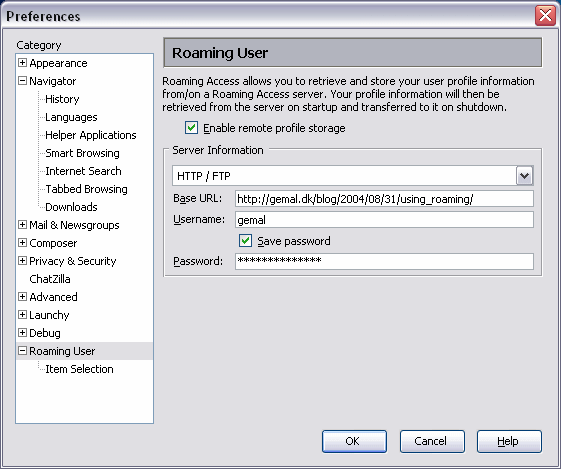 In the Roaming User preferences you setup where you're roaming files will be stored. You can choose between FTP/HTTP and File Copy.
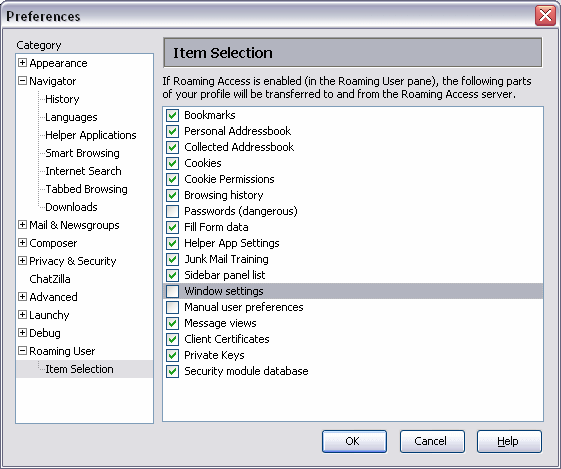
In the Roaming item selection you select which files you wish to roam. Some of the files can be quite large, so if you're on a slow network, you might want to consider which files to roam. Fx my Junk Mail Training file is 2.2MB.
When Mozilla is starting or shutting down the roaming transfer is activated. The files are being transfered to the location specified in the preferences.
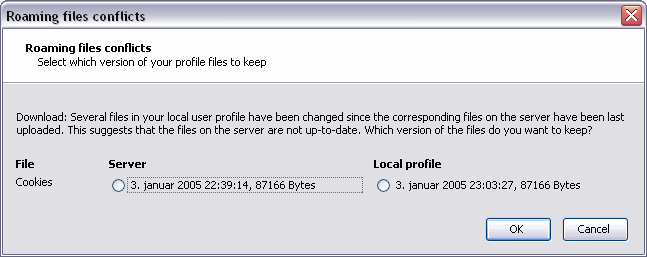
If there's any conflicts you're prompted to take actions. Conflicts can happen if you fx manually edits the profile files before doing the roaming.
History:
Roaming is not a new phenomenon with Mozilla/Netscape. Netscape 4.x also had roaming. It worked fairly good but I dont think a lot of people used it. You can see a screenshot of the Netscape 4.x roaming dialog here and here
More information:
If you need to know more about Roaming User there are a couple of places to get more info:
plan.txt
README.txt
bug 124029
So if you're up for it and think that you could provide some help making roaming a ever cooler and experience check for open bugs in bugzilla in the the Profile: Roaming component. You can see all of the open bugs here.
Mozilla Firefox and/or Mozilla Thunderbird:
So will Roaming User be available to Mozilla Firefox and/or Mozilla Thunderbird?
I have no idea, but it seems that there have been made some work. At least there's a firefox.xul file inside the sroaming.jar file which is shipped with Mozilla 1.x.
Mozilla Preferences Reference Manual
This manual is a reference for advanced users and system administrators who wish to customize Mozilla by editing the preferences files directly. This manual lists and describes all preferences available in Mozilla 1.4 suite.
New Beta of mozilla.org Website
There's a beta version of the new mozilla.org website available.
Check some of the pages out:
Products
Firefox
Thunderbird
And please note that Firefox is spelled Firefox. Now I've seen people spelling it "FireFox" and "Fire Fox". It's called Mozilla Firefox and Firefox for short.
View Source to become a developer option?
Asa Dotzler writes:
Are there any XUL application or extension hackers out there that could help us with a bugfix. We want to move the JavaScript Console and the View Source window into the developer pack with the DOM Inspector. Normal installs wouldn't have UI access points to these tools unless they did a custom install to get the developer tools.
Ohhh no! How is View Source a developer option? I just dont understand. View source is an essential browser feature. Please dont move it into a developer package.
I can just see it. A friend of mine are having problems with a page. "Please have a look at this page that doesn't render correct in Mozilla Firefox". I check it out by saying "Let me just look at the source of the page. Ups. Cant help you. You first have to download Mozila Firefox again and then do a custom install". Come on!
Read more in Asa's blog and in the bug report.
New Plugin Installer
When Mozilla or Mozilla Firefox encounters a page that uses a plugin that isn't installed you're presented with the "Plugin Downloader" dialog which is not very nice at all. Fx it refers to Netscape.com to find and download plugins. You can see a screenshot of the old dialog here.
But that's all over now. At least for Mozilla Firefox. A new Plugin Downloader has landed and the screenshots looks very nice. A big improvement.
You can see screenshots of the new Download Installer here: 1, 2, 3, 4, 5, 6, 7
More information in bug 253046 and bug 244125.
Netscape 7.2 released
Download the new Netscape 7.2 browser (built with Mozilla) to take advantage of the latest security and popup blocking features and enjoy the best from Netscape.com. It's free, Keeps your current bookmarks & browser settings, Easy to upgrade, Enhanced security, More powerful popup blocking, Plus Tabbed Browsing, which lets you have multiple Web sites open in one browser window. End desktop clutter!
It's based on Mozilla 1.7. If you're just looking for a cool and fast browser I still recommend to use Mozilla Firefox.
My first experience with Netscape 7.2 isn't that good. First it had to shutdown Mozilla to install. Ok but annoying. Then it uses the Mozilla profiles. So I had to create a profile called Netscape 7.2 so that running Netscape doesn't kill my current Mozilla profile. Why the heck didn't they use a seperate space for Netscape profile instead of using the Mozilla ones. I launched Netscape 7.2 and the first thing I got was a "File not found" with some XUL file (sidebar something).
The useragent for Netscape 7.2 is:
Mozilla/5.0 (Windows; U; Windows NT 5.1; en-US; rv:1.7.2) Gecko/20040804 Netscape/7.2 (ax)
Nice checkins
Some really nice checkins landed this week. Here are just some of them:
Rename Livemarks to Live Bookmarks
Live Bookmarks is a more descriptive and telling name than Livemarks.
Turn on the new RSS extenions and add it to the installer
Mozilla Thunderbird is now a RSS reader as well
Bookmarks fixes merged from aviary branch
All the cool bookmarks stuff is now available in trunk builds of Mozilla Firefox
Favicon handling merge from aviary branch
All the cool favicon stuff is now available in trunk builds of Mozilla Firefox
Cool checkin comment of the week: bug 227344
kungFuDeathGrip for mouse event
Some stuff that's not quite ready yet, but slowly coming along:
Allow bounce/redirect of mail messages
Bounce extension 0.0.3. It's REALLY development phase code. Only people who wants to help me with development should download and install.
Virtual folders
David is doing some great work for this feature. Virtual folders is a folder which doesn't physically exist, but shows the results of a search across other folders. Like Google Gmail.
Firefox extension install generator
If you need help updating or creating an extension for Firefox 0.9, you can use the Firefox install.rdf generator.
Mozilla Firefox på dansk
Dansk sprogpakke klar til Mozilla Firefox. En gruppe danske udviklere har frigivet en indtil videre uofficiel sprogpakke til Mozillas letvægtsbrowser Firefox. Sprogpakken skal installeres oven på en eksisterende version af Mozilla Firefox 0.9.x. Udviklerne arbejder på at lave en samlet dansk version af Firefox. Indtil videre ligger den danske sprogpakke på et midlertidigt dansk websted, men udviklerne forventer, at pakken snart bliver tilgængelig fra den officielle Mozilla-hjemmeside.
Getting Build ID from command line
Now that the new locale stuff has landed it's now impossible to find out the build ID of a Mozilla Firefox and Mozilla Thunderbird from the command line.
I used to look in the en-US.jar file for the locale/en-US/global/build.dtd file. That file contained the Build ID. But that file doesn't exist anymore.
With Mozilla 1.x it's no problem since you just look in the toolkit.jar file for the content/global/build.dtd file. That file contains the Build ID.
Perhaps it's about time to add a global file that contained the build ID, like I propose in bug 179052 .
But I've commented in bug 217217 about the missing option to detect the build ID. If you got a way around this let me know.
To branch or not to branch
I'm not sure I understand what's in the different branches:
Mozilla 1.x is Mozilla 1.x. Very easy, since there's only nightly builds or releases.
Mozilla Firefox is tricky. I'm seeing latest-0.9, latest-0.9.1 and latest-trunk. What's the difference between the 0.9 and 0.9.1? And what's in the one and not in the other?
Mozilla Thunderbird is also confusing. Here there's latest-0.7.1, latest-0.8 and latest-trunk. What the difference?
Is there a document describing the difference between those builds. I can see some here but not in regards to the difference directory.
Can someone explain?
Firefox and incorrectly HTTP handler
Firefox 0.9/0.9.1/0.9.2 for Windows incorrectly register themselves as the default handler for HTTP, HTTPS, FTP and GOPHER transactions, causing them to launch multiple windows or throw errors. This has been reported as bug 246078 and is also being discussed in a mozillaZine thread. This .REG file should fix this problem on a given installation after you have told Firefox to make itself the default browser.
Taming the Beast: The Solution to Mozilla's Hidden Marketing Problem
Let me start saying: I dont agree with all of the stuff he writes but he has some points. I've posted links to Andkon's article before and people reacted strongly.
When a user first goes to the main Firefox page (or gets redirected from a Firefox button), they are greated with a huge-ass logo and a huge-ass picture of a car, yes a car. Then, they might notice a bit of text that goes something like this: "Firefox 0.9 is the award winning preview of Mozilla's next generation browser." What's a preview and what's next generation? These aren't brillant catchwords that will lead the user to read on, but they are downright boring phrases that will make the user leave.
Read the essay Taming the Beast: The Solution to Mozilla's Hidden Marketing Problem
Taming the Beast: The Solution to Mozilla's Hidden Marketing Problem
Let me start saying: I dont agree with all of the stuff he writes but he has some points. I've posted links to Andkon's article before and people reacted strongly.
When a user first goes to the main Firefox page (or gets redirected from a Firefox button), they are greated with a huge-ass logo and a huge-ass picture of a car, yes a car. Then, they might notice a bit of text that goes something like this: "Firefox 0.9 is the award winning preview of Mozilla's next generation browser." What's a preview and what's next generation? These aren't brillant catchwords that will lead the user to read on, but they are downright boring phrases that will make the user leave.
Read the essay Taming the Beast: The Solution to Mozilla's Hidden Marketing Problem
SpellBound
SpellBound is a port of the spell checker user interface from Mozilla's Composer that enables spell checking in web forms (e.g. html textarea and html input elements - html input password elements are not checked by SpellBound). This allows you to spell check forms (e.g. a comment on a message board, etc.) before submitting them.
Extensions I use
Just a quick summary of the Extensions that I use for my Mozilla and Mozilla Firefox and Mozilla Thunderbird.
Launchy
Enables you to open links and mailto's with external applications like IE, Opera, Outlook, GetRight.
Works in: Mozilla and Mozilla Firefox and Mozilla Thunderbird
Linky
Increase your power to handle links. Open multiple, Open images, etc.
Works in: Mozilla and Mozilla Firefox and Mozilla Thunderbird
Mnenhy
Allows you to define a custom set of header in a mail to be shown.
Works in: Mozilla and Mozilla Firefox and Mozilla Thunderbird
Web Developer Extension
Adds a menu and a toolbar to the browser with various web developer tools. Fx view CSS.
Works in: Mozilla and Mozilla Firefox
Adblock
Adblock is a content filtering plug-in. It is both more robust and more precise than the built-in image blocker.
Works in: Mozilla and Mozilla Firefox
Popup Allow
Allows popup windows to be opened while the Caps Lock key or the Insert key is held down.
Works in: Mozilla and Mozilla Firefox
LastTab
CTRL-TAB to switch to recently selected tabs.
Works in: Mozilla Firefox
Plus two company internal extensions. I've developed two extensions for the company that I work for. One for their CMS system and one for thier ebusiness platform. Some true time savers. Mozilla Firefox rocks! Soon more people will realize.
Better Mozilla
Most people who switch to Mozilla or Mozilla's Firefox browser quickly notice that the browser is pretty bare. It contains exactly what you need to browse the Web -- no less and no more. And while there's a lot to be said for running a lean, clean program, sometimes you long for more features, a little extra functionality. Enter Extensions, little programs that you can add to Mozilla or Firefox to make the browser do what you want it to do. There are now close to a hundred extensions available for downloading. Most work perfectly; others are a bit buggy.
Building a Better Mozilla
I'm sad to see that they didn't mention either Linky or Launchy in the article. They mention ieview, but I still think that Launchy is much much better than ieview.
Last week, there were two separate reports of flaws in Microsoft Internet Explorer that could jeopardize your security. One flaw made it possible for pop-up windows to install programs on your machine that could steal banking records. Another flaw, in both Explorer and a Microsoft web server program, made it possible for a hacker to implant malicious code in an otherwise legitimate Web site that could, once again, steal your data.
Need Another Browser?
How Scrolling Works
Robert O'Callahan has written a little essay about how scrolling currently works in Mozilla. Lets just say that scrolling is rather complicated.
New Blogupdates
I've just launched a new version of Blogupdates.
Blogupdates lists Mozilla related blog entries sorted by date. So instead of having to visit all of the Mozilla related blogs you just come to this page and you can see which blogs has been updated.
The new version features amonst other a much better listing of the Mozilla related blogs.
Other improvements are:
- Instead of listing the blogs sorted by date, it's now sorted by the blog entries date. So all of the entries from the blogs are collected and then sorted by date. This makes the listing more "correct".
- Unicode support. Both Daniel Glazman blog and others feeds are now shown correct.
- Planet like listing.
- Image support. If you have an image in your feed the image is now shown. Check my RSS feed on how-to.
- Open/Close all entries. If you dont like the entries to be inline you can turn it off.
- Blog entries older than 1 week are not shown. This makes the list smaller.
- Smaller codebase. It makes it easier for me to maintain.
So why read Blogupdates and not planet.mozilla.org?
- Mozilla only related blogs listed. Planet.mozilla.org have all kind of non Mozilla related blogs included.
- News notification. You can see which entries are new since you last visited.
Technical stuff:
Blogupdates is coded in Perl. It uses some Perl Archive Network">CPAN modules fx XML::RSS, Unicode::String, HTML::Template, Date::Manip. It runs and rebuilds the page every 30 minutes.
XUL-Node - server-side XUL for Perl
XUL-Node is a rich user interface framework for server-based Perl applications. It includes a server, a UI framework, and a Javascript XUL client for the Firefox web browser. Perl applications run inside a POE server, and are displayed in a remote web browser. The goal is to provide Perl developers with the XUL/Javascript development model, but with two small differences: * Make it Perl friendly * Allow users to run the application on remote servers, so clients only require Firefox, while the Perl code runs on the server. XUL-Node works by splitting each widget into two: a server half, and a client half. The server half sends DOM manipulation commands, and the client half sends DOM events. A small Javascript client library takes care of the communications. The result is an application with a rich user interface, running in Firefox with no special security permissions, built in 100% pure Perl.
Mozilla Foundation Announces More Open, Secure, Scriptable Plugins
The Mozilla Foundation, in partnership with Apple, Macromedia, Opera and Sun Microsystems today announced a series of changes to web browser plugins that will allow web developers to offer richer web browsing experiences, helping to maintain innovation and standards on the Net. The new plugin technologies will be implemented in, among others, upcoming versions of the next generation Mozilla Firefox web browser and the Mozilla 1.x Internet suite and in plugins and browsers developed by the other companies that are supporting this initiative.
Plugins are small programs that web browsers use to display multimedia content that the browsers themselves don't know how to display, such as audio and video. Scriptability of plugins is essential for building an interactive user experience on web pages that use plugins. For example, a user shopping for clothing on a web site that takes advantage of the new plugin capabilities could mix and match different styles and colors for shirts and pants using an interactive Flash movie, and pricing and other information in an associated web page would be updated as a result.
Also read:
- Project Plugins
- Scripting Plugins in Mozilla
Netscape 7.2
Mozilla/5.0 (OS/2; U; Warp 4.5; de-AT; rv:1.7) Gecko/20040618 Netscape/7.2
Mozilla/5.0 (Windows; U; Windows NT 5.1; en-US; rv:1.7) Gecko/20040625 Netscape/7.2 (ax)
Mozilla/5.0 (Windows; U; Windows NT 5.1; es-ES; rv:1.7) Gecko/20040625 Netscape/7.2 (ax)
Mozilla/5.0 (Windows; U; Windows NT 5.0; en-US; rv:1.7) Gecko/20040616 Netscape/7.2 (Spidey)
So it's out there... but not yet on the FTP server
XUL: How do I open an URL?
Developing extensions to work in both Mozilla 1.x, Mozilla Firefox and Mozilla Thunderbird isn't easy. Sometimes it seems that instead of developing some common JavaScript functions that can be used in both Mozilla Firefox and Mozilla Thunderbird, which uses the same toolkit, new functions are developed.
So my simple questions is this:
How do I open a new window with an URL from within a XUL window?
My demands are:
- The context is XUL. We're not talking webpage JavaScript.
- The function has to work in both Mozilla 1.x, Mozilla Firefox and Mozilla Thunderbird.
- If an URL is opened from within Mozilla 1.x it has to use Mozilla 1.x for the URL not the default browser.
- It must open a new window, not reuse an existing one.
Mozilla Thunderbird seems to do something like this:
var messenger = Components.classes["@mozilla.org/messenger;1"].createInstance();

messenger = messenger.QueryInterface(Components.interfaces.nsIMessenger);

messenger.launchExternalURL(aURL);
In Mozilla Firefox you can do:
document.commandDispatcher.focusedWindow.open(aURL)
Sometimes it's also done like this:
window.opener.openURL(aURL)
In Mozilla 1.x it seems you can do both of the above. This is because Mozilla 1.x also has a "messenger" component.
document.commandDispatcher.focusedWindow.openURL(aURL)
But could someone please write a function that works in both Mozilla 1.x, Mozilla Firefox and Mozilla Thunderbird?
Why isn't there a standard function for stuff like this or have I missed it?
Fire Internet Explorer and Outlook Express With Mozilla Alternatives
With new security holes appearing every day and spy/ad-ware spreading rampantly, the combination of Internet Explorer and Outlook Express are becoming increasingly dangerous choices for safe web browsing and e-mail. Yet what is one to do if they can't or won't switch from Windows to another operating system? It's simple: bring the security and power of Open Source applications to Windows. The Mozilla Project's Firefox web browser and Thunderbird e-mail client do just that, and do it without sacrificing the easy-to-use, clean interface users demand. As associate editor Ed Hurst noted in his OpenCD review earlier this year, many of the Open Source community's best applications are available conveniently packaged for Windows, and the Mozilla Project's applications are no exception.
While just installing Firefox and Thunderbird is fairly simple, there are extra steps that are required to get your Windows-based Mozilla Firefox and Thunderbird combination to meet (and exceed) the functionality of the standard combination of Internet Explorer and Outlook Express. The following guide is a step-by-step walkthrough intended to take a user from a system without Mozilla all the way through the installation of both major software programs offered by the Mozilla Project.
Competitor to Explorer
The danish newspaper Urban, which is a free newspaper available at almost every corner in Copenhagen, has a nice feature today about Mozilla Firefox. The headline says "Competitor to Explorer". Mozilla Firefox is mentioned on the frontpage and has a nice two column article in the IT section.
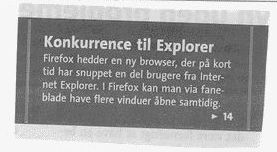
The article talkes about that IE has a new and very competent competitor. The new Mozilla Firefox 0.9 has in short time got a lot of users from IE. At first glace they look like each other but there's big difference under the hood. Tab browsning, pop-up blocker. The deal with Nokia is also mentioned.
For the danish audience read the full article.
CERT Recommends Mozilla, Firefox
CERT recommends that Explorer users consider other browsers that are not affected by the attack, such as Mozilla, Mozilla Firefox, Netscape and Opera. Mac, Linux and other non-Windows operating systems are immune from this attack. For people who continue to use the Internet Explorer, CERT and Microsoft recommend setting the browser's security settings to "high," but that can impair some browsing functions.
Cool checkins
Three very nice checkins yesterday:
Add a modifier box to the quick search bar
Screen shot of work in progress
Make link modifiers work consistently throughout Firefox
Reading through the bug it seems it make the following stuff:
Ctrl = new tab, selected
Shift = new window
Ctrl+Shift = new tab, in background
Alt = save
But you can checkout the patch yourself.
But most important a checkin was made with the following comment:
Fix a bug in EM compatibility checking code so that incompatible item details are shown. Before, a bad piece of control flow made sure that incompatible extension data was written into the datasource anyway, causing subsequent startup woes.
I really hope that takes care of the problems with Mozilla Firefox not starting!
Registry problems in Thunderbird
My Mozilla extensions Launchy uses the Windows registry to automatically detect applications. Some of the most difficult applications to detect are the Mozilla applications. Why? Because of the inconsistency in the use of the registry.
I just installed Mozilla Firefox 0.9 and Mozilla Thunderbird 0.7 on a fresh Windows and here is a screenshot of the Windows registry after:
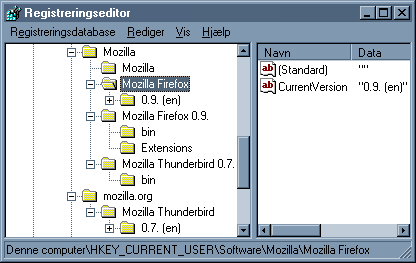
The problem is that Mozilla Thunderbird writes some of it's registry entries under "mozilla.org" and some under "Mozilla", while Mozilla Firefox writes all of it's registry entries under "Mozilla". I think Mozilla Firefox used to write under "mozilla.org" but that seems to have changed.
I've filed a bug to get this fixed. Basically this will cause problems for Launchy since it only looks one place for the applications either "Mozilla" or "mozilla.org".
RSS: The Next Generation
Syndicated summaries of web content are more popular than ever before, and the recent explosion of users has prompted some dramatic changes in the world of RSS software.
Read the article
But which RSS reader should you use? Why not Mozilla Thunderbird. David Bienvenu is adding RSS function so that Mozilla Thunderbird act as an RSS newsreader too. The first part of the patch just landed. Check out bug 225158 for more information.
It's got to get better!
I'm a Mozilla lover but also an Mozilla extension developer. And those two things doesn't always combine.
I've developed the Launchy and Linky extension and I'm trying to provide the Mozilla users the best experience. But it's not easy.
Here are some of the problems that I've experienced:
Wrong documentation
Ben Goodger has written some documentation on how to write Firefox/Thunderbird Extensions. The problem is that there are two versions of the document. So if you follow the guidelines in the document at http://www.bengoodger.com/software/mb/extensions/howto.html then you have to read the new document which is located here. Why isn't the old document removed? Why create this unnessesary confusen? I dont know. But now you know which document to read and which not to read.
em:maxVersion
In the install.rdf file you specify which applications your extensions work in. It's done by something like this:
<em:id>{ec8030f7-c20a-464f-9b0e-13a3a9e97384}</em:id>
<em:minVersion>0.7</em:minVersion>
<em:maxVersion>1.2</em:maxVersion>
Now my questions are: what should I write in maxVersion? 0.9 or 1.2 like in the documentation? And since there's nothing called 1.2 isn't that a bit weird?
Preferences
The biggest problem I had in my extensions with both Mozilla and Mozilla Firefox is the preferences. Each browser has it's own way of showing the preferences dialog for extensions.
Mozilla
In Mozilla you can add a preferences dialog via an overlay to preftree.xul. In your overlay document you can the have the following code to initialize the extension preference dialog onload="parent.initPanel('chrome://launchy/content/options.xul');. This will call a function called Startup in your JavaScript. Here you can do your stuff before the panel loads. Mozilla automaticlly handles all of the saving of prefs when the users closes the preferences as long as you remember to put your pref strings into a array called _elementIDs.
Mozilla Firefox 0.8
In Mozilla Firefox 0.8 it works a bit different. To add a preference dialog you add chrome:settingsURL to your contents.rdf file. You cant use the same file (options.xul) as in Mozilla, since JavaScript function initPanel isn't defined. So to fix this you can have another options.xul file. This file needs the following onload="PrefInit();" ondialogaccept="PrefSave();" which takes care of doing the initialization. Both PrefInit and PrefSave are functions you need to write your self.
Mozilla Firefox 0.9
In Mozilla Firefox 0.9 it again works a bit different. It seems that you need to to have onload="onLoad();" ondialogaccept="onOK();" which then again calles window.opener.top.initPanel(window.location.href, window); which then again calles a special function called Startup. The saving of the preferences is done by calling another special function window.opener.top.hPrefWindow.wsm.savePageData(window.location.href, window);
Arghhhh!
Giving up? This is the biggest problem with Mozilla. The lack of standards between versions and the lack of a examples by the people who implemented the frameworks.
10 different ways to do one thing
If you download some extensions you will see 10 different ways of starting the extensions and at least 20 ways to handling preferences. Some load their extensions using XBL, some just scripts inside their XUL files, some use extenal JavaScripts, some use addEventListener. What is the correct and fastest way to do it? I dont know! I've simply given up!
Hope
I would really really like the Ben Goodger or someone else official released a "standard" extension which contained everything. An extension that worked in both Mozilla and Mozilla Firefox. I can live with something that just works in Mozilla 1.7 and Mozilla Firefox 0.9. I would like to see loading and saving of preferences. Also how to overlay context menus is important since most extensions do that.
Call for an official Mozilla Sunbird theme
The Mozilla Sunbird lead developer Mostafah Hosseini has asked me to organize the quest for a new default theme for Mozilla Sunbird, the standalone calendar application. At the moment we are still using the old suite classic theme for Sunbird and we want something, which looks more modern and more appealing to users. For those of you who do not know anything about Mozilla Sunbird, information can be found under this link. We want to do ask the community because in our opinion there a lot of very talented themers out there and we believe Mozilla Sunbird to be a project where the community can actively participate.
Why You Should Dump Internet Explorer
Thanx to Chris Pirillo for this link:
The time has come to dump Internet Explorer. I know, I know - you may have heard the same thing before from those that think it's cool to hate Microsoft; but I'm not one of those guys. I'm actually an MCSE and I happen to like quite a few of Microsoft's products. Rather than lump me into the Microsoft-basher category, consider for a moment why you use the browser you use, and humor me by entertaining the notion - if even for a second - that switching to another might be worth your while.
Read the article
Mozilla Firefox 0.9 is out
The Mozilla Foundation today released Mozilla Firefox 0.9, and now begins its final push towards a 1.0 release of Firefox. New features in this release include a new default theme, a new browser migration tool, reworked theme and extension managers, a much smaller download size, a new help system, and many small bug fixes and speed tweaks.
- Release notes
- Support
- Press release
- Download: Windows - Mac OS X - Linux
Smartfox - Direct copy of Firefox
The SmartFox Internet Browser is a fast, safe and secure open source alternative to Microsoft's Internet Explorer. Based on 100% open source mozilla technology, SmartFox enhances your internet experience by providing advanced features such as pop-up blocking, internet acceleration, spyware protection, strengthened privacy, tabbed browsing and much more in one easy to use, intuitive user interface.
Sounds like Mozilla Firefox? If you think so, it's no surprise. SmartFox is a direct copy of Mozilla Firefox 0.8. This can be verified by checking out the source of SmartFox which is available here. The only changes made it to the naming and the images. No code change what so ever.
Thanx to Daniel Glazman for spotting this.
Firefox start problems
I've been having problem with starting Mozilla Firefox for quite some while now, and it's driving me crazy. It happens on two PCs so it's not something to do with a faulty installation etc.
When I launch Mozilla Firefox 0.8.0+ fx build ID 20040608 I never see the fox. I can only see Mozilla Firefox in the Tasklist but Mozilla Firefox never shows.
It's related to extensions, since if I delete the extensions directory in my profile Mozilla Firefox starts up fine.
I normally always download a new nightly build of Mozilla Firefox every morning using my 4getmoz script. This downloads the zip version of Mozilla Firefox and installs it.
Am I the only one having these problems?
Launchy 2.7.0 released
Launchy version 2.7.0 has been released.
The version is a quick fix for the very unsuccessfully 2.6.0 release when almost nothing worked. Dont ask me how this could happen!
What's new:
- Fixed general bustage
- Fixed WordPad detection
- Added Mozilla Firefox 0.9 installation support. New extensions API
- Fixed arguments in launchy.xml file
- Updated Servant Salamander support to 2.5 beta 5
- Fixed missing applications in options dialog
- NetTransport support added
- Better detection of JSLib
Launchy is an Mozilla, Mozilla Firefox, Mozilla Thunderbird extension and will enable you to open links and mailto's with external applications like Internet Explorer, Opera, Mozilla, Mozilla Firefox, Netscape, Outlook, BSPlayer, Windows Media Player and others. Launchy will auto detect all applications. For at full list of supported applications please read the Launchy page. See Screenshots.
Launchy version 2.7.0 is also available through update.mozilla.org. That means that you can update Launchy by using the new extension updater in Mozilla Firefox 0.9.
Proxies in Necko
Proxies are implemented transparently to necko users. This means that callers can just create an nsIChannel, not needing to worry about whether the channel will use a proxy or not.
Targeting 6/12 or 6/14 release date for 0.9
Ben Goodger writes:
We're targeting a 6/12 or 6/14 (earlier better) release date for 0.9. I don't see much point in holding onto this one for too long since it'll only eat into 1.0b development cycle time. It looks like EM etc mostly works. Please grab all the recent branch builds you can and find any grandma killing bugs!
Gecko developer wiki set up
Robert O'Callahan writes: Myk set up wiki space for Gecko developers:
http://wiki.mozilla.org/GeckoDev
I've already started putting stuff there. Please join in if you think it will be useful. I think it's a suitable place to put general documentation about the code (because that needs to be easily updateable by anyone who figures something out about the code). I think it's also a good place to plan Gecko work, including things like the "first bugs" page.
AOL to Release Netscape 7.2 Based on Mozilla 1.7
Not a big surprise but here's some press coverage.
AOL to release new version of Netscape
America Online said Thursday that it plans to release a new version of its Netscape Web browser this summer, though the effort does not appear to signal a return to major browser development work for the company. An AOL representative said that the new software will be based on Mozilla 1.7 code developed by Netscape's open-source offshoot. She described it as a relatively minor upgrade that will include a few security patches, but leave the interface mostly unchanged. "This is not a huge step forward," she said.
AOL to Release Netscape 7.2 Based on Mozilla 1.7
ZDNet's Evan Hansen reports that AOL will release Netscape Navigator 7.2 based on Mozilla 1.7 code this summer. The update comes a year after version 7.1 and after Microsoft stopped standalone development in Internet Explorer. eWEEK's Matt Hicks offers analysis of the new Netscape release, citing studies that say while Microsoft has a 93.9% browser market share and 87% of business users use IE, 25% still use Netscape and 11% use Opera -- the math works because people use multiple browsers. Hicks asks the question 'Is the Netscape Browser Being Reborn or Just Stabilized?' Hicks interviews several people in the know including a former Netscape engineer, an industry analyst, and Opera Software CEO Jon von Tetzchner."
Is the Netscape Browser Being Reborn or Just Stabilized?
Written off for dead about a year ago, the forefather of Web browsers, Netscape Navigator, is being resuscitated in the coming months with an updated version. But whether it will mark a revival of the browser, or simply some life support, remains to be seen. America Online Inc., which owns Netscape Communications Corp., is preparing a summer release of Netscape Navigator 7.2, an AOL spokeswoman confirmed with eWEEK.com.
Read the article
Blogupdates cleanup
I removed the following blogs from Blogupdates since they don't really blog about Mozilla:
- Marc Rust
- James "Kovu" Russell
- Zach Lipton
- Chris Gonyea
- Stuart "Pavlov" Parmenter
The following blogs has been removed since it's too long since their blogs has been updated:
- John Keiser
- Scott Granneman
- Christopher Aillon
Sorry guys.
In the future I also only accept RSS feeds that includes Mozilla related blog entries. Fx like mine.
Important checkins
There's been some interesting checkins into Mozilla the last couple of days. I'll list some of them here:
several libraries need to be linked with -R $ORIGIN
As part of the NSS 3.9 integration with Solaris 10, we need to add the above linker flags . This is so that the Solaris maintainers are happy; and helps NSS applications (linked with -R NSS_explicit_location) can correctly locate all .so's without LD_LIBRARY_PATH having to be set.
Roaming - 4.x-HTTP-compatible
In this case, the minimal work to get some roaming support, with some Netscape Communicator 4.x compatibility, running will be done. FYI, this should appear in 1.8 alpha2, but not in 1.7 final.
How to get Roaming working see this link
AOL previews new e-mail software
America Online has begun testing enhancements to its Internet service, including a beefed-up version of its AOL Communicator e-mail software that plays multimedia files. The product, called "Fanfare," is essentially an updated version of Communicator with new features such as media playback, a calendar and spyware protection. Fanfare is similar to Communicator but with more options on the navigation screen. For instance, a user can pull down a panel with Radio@AOL and its video player next to e-mail messages and instant-messaging "buddy" lists. While Fanfare pulls more features from the AOL proprietary client onto Communicator, the company said the enhancements do not signify any changes in priorities for AOL. "We're adapting to how customers are using our services," AOL spokeswoman Anne Bentley said Friday. "This is not instead of (the AOL proprietary client). This is another benefit for the AOL for Broadband subscriber." Like Communicator, Fanfare will come bundled with AOL's "classic" online service for broadband users. AOL for Broadband costs $14.95 a month and represents the company's attempt to sell its service to the growing number subscribers leaving AOL for high-speed Internet providers.
Read more
Launchy 2.5.0 released
Launchy version 2.5.0 has been released.
The two major things in this release is the support for adding your own applications and an options dialog.
What's new:
- Fixing Outlook Express support
- Netscape Composer support added
- Syn Text Editor support added
- WordPad support added
- Options dialog - Mozilla Firefox only
- Add skin support in install.js
- Added launchy.xml loading support
- Much much much more!
Launchy is an Mozilla, Mozilla Firefox, Mozilla Thunderbird extension and will enable you to open links and mailto's with external applications like Internet Explorer, Opera, Mozilla, Mozilla Firefox, Netscape, Outlook, BSPlayer, Windows Media Player and others. Launchy will auto detect all applications. For at full list of supported applications please read the Launchy page. See Screenshots.
And yes! Launchy works in nightly builds of Mozilla Firefox!
50% faster scripts on Linux
Noticed this checkin comment in todays bonsai:
Don't reset the notification timer on every parse start/stop. This speeds up flurries of little document.write calls a good bit.
From the bug's comment:
This should keep behavior on "normal" pages about the same, but keep us from thrashing the timers. It makes us about 50% faster on those testcases on Linux (so about 1.5-2 times slower than Opera).
Again this is what makes Mozilla such a great project and a worldclass browser. You see improvements all the times. It simple just keeps getting better, smaller and faster. Hopefully the world will realize this soon. But we have to tell them!
XUL Grand Coding Challenge 2004
 The XUL Grand Coding Challenge 2004 is over and here are some of the samples. To take part in and complete the XUL Grand Coding Challenge you needed to create two samples plus an optional bonus free-style sample with your XUL / XUI / XAML / XML-UI toolkit/player/parser/etc. of choice.
This sample was completed in Longhorn v4051 and setup as a project in Visual Studio "Whidbey" (PDC Release). More samples here XAML Counter Sample
Read more at xamlblogs.
Microsoft: Thunderbird need three-column view like Outlook 2003
In Omar Shahine's WebLog:
Thunderbird 0.6 is out. The best news is that they added support for IMAP IDLE. Sweet. I mentioned it on my blog a few months ago and the bug was voted high enough to get fixed. Thunderbird is my favorite mail client for non exchange mail as well as my favorite usenet reader. They also added a real windows installer this time. I only wish it had the three-column view like Outlook 2003. That view just rocks my world.
Getting a gecko
I get many weird mails but this one is one of the best:
hi. ive visited your site because i am interested in getting some gecko's. i would be very grateful if you could send me any information you think i would need about getting a gecko and purchasing a tank and other equipment for the gecko. thank you for your time.
So I send him this

Writing Firefox/Thunderbird Extensions
This document describes how to create extensions for Firefox 0.9 and newer, and Thunderbird 0.7 and newer.
The next generation of extensions for Mozilla Firefox and Mozilla Thunderbird is going to take a whole different approach than the current ones. Currently the extensions developers, like myself, have to provide an install script to install an extension. This will now change.
When you write extensions for Mozilla Firefox 0.9 and Mozilla Thunderbird 0.7 the build-in extension manager will take care of the installation. This is great news! I hope this will also get rid of the dreaded -239 error which I sometimes get when installing extensions.
Extensions are now made unique by using a GUID. It used to be just a name. It will also be possible to specify that a extension only works for a specific version of an application, fx Mozilla Firefox 0.9.5 or later.
All in all this will make the installation and management of extensions much more easier and consistent. There will be a central place where you manage your extensions (the extensions manager). From here you can also check for updates and disable extensions.
A nice new feature is to be able to start Mozilla Firefox without any extensions firefox.exe -no-extension
You can read much more about how to develop the next generation of extensions here or follow this thread.
I can promise the both Launchy and Linky will soon be available as Mozilla Firefox 0.9 extensions.
By the way: You can see the the theoretical DB table layout for the update.mozilla.org system.
Launchy 2.4.0 released
Launchy version 2.4.0 has been released.
The two major things in this release is the support of File Explorers for file:// links and Source Code editors. View source in your favorite editor.
What's new:
- Slim Browser support added
- Netscape Mail support
- FileZilla support added
- Absolute FTP support added
- Download Accelerator support added
- WackGet support added
- Offline Explorer Pro support added
- Windows Explorer support added
- Notepad support added
- UltraEdit support added
- Netscape Composer support added
- OpenOffice.org support added
- Much much much more!
Launchy is an Mozilla, Mozilla Firefox, Mozilla Thunderbird extension (Windows only) and will enable you to open links and mailto's with external applications like Internet Explorer, Opera, Mozilla, Mozilla Firefox, Netscape, Outlook, BSPlayer, Windows Media Player and others. Launchy will auto detect all applications. For at full list of supported applications please read the Launchy page. See Screenshots.
And yes! Launchy works in nightly builds of Mozilla Firefox!
Combating Avalon with a Realistic Mozilla Platform
I'm one of the guys to wrote "Creating Applications with Mozilla" for O'Reilly, and I have been very interested in the discussions lately about Mozilla's future as a web application platform. After thinking about it for a while, I have something to say, so here it is. It's nice to see Mozilla talking with GNOME on how to work together. One reason of wanting to talk to GNOME is Mono, and how Mono could fit into Mozilla and GNOME. Mono has the goal of cloning Avalon, so this correlates with Mozilla's future for web applications. However, I don't think Mozilla + GTK + Mono = Avalon clone is a good idea.
Firefox Wallpaper
If you like a cool Mozilla Firefox wallpaper here are some options:
- http://www.tt-digital.de/index.php?p=16
- http://www.tt-digital.de/index.php?p=9
- http://www.digitalmediaminute.com/archives/000624.html
- http://www.hicksdesign.co.uk/downloads/firefox/
- http://www.slunecnice.cz/product/Firefox-Wallpaper/
- http://www.deviantart.com/view/5183351/
- http://www.smithpaul.com/archives/2004/03/16/firefox_wallpaper.php
- http://www.neowin.net/forum/index.php?showtopic=143283
Mozilla Foredrag
Jeg har lige afholdt endnu et Mozilla foredrag. Denne gang var det hos Ingeniørforeningen i Danmark.
Læs meget mere om og hent produkterne her: Mozilla Firefox, Mozilla Thunderbird og Mozilla Application Suite. Download link til dem alle 3.
Hvis du vil se mine slides fra foredraget er de her i forskellige formatter:
 PDF format
 PowerPoint format
 OpenOffice format
I menuen til venstre finder du bla links til mine to extensions Launchy og Linky.
Hvis din organisation eller firma gerne vil høre om Mozilla og hvordan et open source projekt fungerer er i meget velkomne til at kontakte mig.
Gratis foredrag om Mozilla
Så holder jeg foredrag! Og der er GRATIS adgang!
Mozilla tager kampen op mod Internet Explorer
Mozilla er en open-source web browser. Open-source betyder at al kildekode er frit tilgængelig. Mozilla browseren har bl.a. dannet grundlag for Netscape 7 browseren. Vi ser på hvad Mozilla egentligt er for en. Hvordan er den opbygget, hvem laver hvad, og hvordan koordineres det hele? Alt lige fra C++ kode til organisationen. Henrik Gemal kalder sig Mozilla Evangelist og arbejder til dagligt hos TDC som udvikler af web-mail, web-news og foto og er i sin fritid med til at udvikle Mozilla projektet, bl.a. som kvalitetsansvarlig for installationsprogrammet.
Open source PR and Loading XML
IRC log: How open source projects can improve their PR
Saturday, NewsForge editor Robin "Roblimo" Miller hosted an IRC chat aimed at helping open source projects do better and more effective PR. This is the (lightly edited) log of that chat.
Loading XML into Gecko-based browsers
Mention client-side XML to a group of Web developers and the majority of them will think of Microsoft Internet Explorer and either MSXML2 or MSXML3. But when it comes to client-side XML support there is an alternate to MSXML, namely Gecko. Just because nobody is in your face touting the XML support features of Mozilla and Netscape doesn't mean that the support doesn't exist. In fact, Gecko supports XML, XSLT, XPath, XMLHTTP, SVG (Scalable Vector Graphics) and MathML. The only real lack in Gecko's XML support is how few people know about it, but I intend to remedy that with my big mouth.
getRegistryEntry is back
getRegistryEntry is back into Mozilla Firefox!
I first wrote about this around a month ago. winhooks, which had the getRegistryEntry function, had been replaced by the new shell service. The result was that my extension Launchy didn't work on nightly builds of Mozilla Firefox.
So I asked the Mozilla Community for help to reintroduce getRegistryEntry into Mozilla Firefox. And it didn't take that much time before a lot of people were sending in tips on how to implement it. I tried to make a patch but since I'm not a C++ coder I had problems. I then asked the community for C++ help.
Now someone provided a patch, that I then tried to get reviewed. This is the amazing about the Mozilla community. You ask for help for a pretty specific issue and someone is willing to spend time to help you. Big thanks goes out to the entire Mozilla community.
After spending some time trying to review I finally managed to get Ben to review it. Now all I needed was that for someone to check it in. This is not easy. I asked around but no one answered by checkin cried. I finally manage to get Bryner to do the checkin.
Since the patch that was checked in isn't perfect I've opened a new bug report on improving the getRegistryEntry function.
Al in all this means that Launchy will now work in nightly builds of Mozilla Firefox again!
Mozilla: Curiouser and Curiouser
I was surprised by the large number of postings that the report of my conversion to Mozilla Firefox invoked. I guess I should thank everyone, whether "for" or "against", for taking the time to comment. I am obliged to thank those who recommended that I experiment with Firefox's tabbed browsing. It isn't just a good idea, it's a brilliant idea. All I wanted to do was stop the damn pop-ups, which had been proliferating on the web like MyDoom. I didn't feel the need for a better browser, until I found myself using one. Now I even feel grateful. I can also tell the same story about Mozilla Thunderbird. I've converted. It is better than Outlook - for my purposes at least. It has all the features that matter, you can convert data (address book and mail) from Outlook in about 1 hour and it stops spam. (Not all of it so far, but most of it.)
Will Mozilla Fly?
It took me a whole five minutes to decide to ditch Internet Explorer and switch to Firefox. Why? The learning curve is about 5 minutes - at most. FireFox is simpler to use. Configuring it is easy and would probably be easy for just about any PC user. You are not faced with the typical Microsoft feature-bloat. Mozilla Firefox has a better layout and a larger web page area. It loads all your Internet Explorer 'favorites' when you install it on MS Windows and blocks pop-ups completely (there is an option to allow them on specific sites).
Will Mozilla Fly?
Netscape Communications 2.0
In an attempt to revitalize its mostly gutted Netscape division, America Online is seeking to hire product management and business development professionals. On Monday, Jeremy Liew, general manager of Netscape.com, posted a message on a jobs mailing list calling for candidates to apply to work for the organization, which played a key role in the development of the Web but has since faded from glory. "Netscape is aggressively hiring right now," Jeremy Liew said in the posting. "We are treating Netscape as a 'restart,' with a mandate and a budget to take Netscape in a dramatically different direction, although still focusing on its current businesses as the No. 2 Web browser and No. 3 general audience portal." Liew said the company had multiple positions in product management, with "experience in search, browsers, consumer-facing Web sites, consumer software, authentication/personalization, or Web publishing all valuable."
Mozilla Thunderbird design
Following on from the branding of Firefox, comes the new logo for Mozilla's email client, Thunderbird. When Stephen Desroches sketched out the orginal idea for Firefox back in December, he had in mind how this affects the other applications, and Thunderbird was sketched out too:

Mozilla Thunderbird design update
Like Mozilla Firefox, Mozilla Thunderbird is now in for a design update. It's about time if you ask me. This looks very cool. Now we have two cool programs with cool look and cool buttons.
The teaser looks like this:

XBL#
Just a quick follow up to my XUL# entry. There's also a XBL#. XBL# is a utility library for using XBL in .NET applications. XBL is a technology developed by the Mozilla development team. XBL is an XML binding language that allows you to add "logic" to a newly created XUL tags or modify the "logic" on an existing XUL tag. XBL# goals are to produce a library that: (1) allows you to parse XBL files into a format which is easily used by .NET applications, (2) allows you to "compile" and "run" XBL files, and (3) allows you to use .NET classes as XBL "logic".
XUL#
XUL# is a rendering library for XUL, written for the .NET environment. XUL#, is written in C#, and currently only renders XUL to the GTK+ and GNOME widget sets. But it provides an programmers' API to allow other widget sets as rendering targets. XUL# has been tested on Mono, but should work on Microsoft's .NET implementation and Portable.NET.
Firefox continues to surpass my expectations
Michelle Levesque, who has released an article titled Fundamental issues with open source software development, writes in the article For example, I believe that relatively few complaints listed here apply to the Open Source browser Firefox which continues to surpass my expectations.
Despite the growing success of the Open Source movement, most of the general public continues to feel that Open Source software is inaccessible to them. This paper discusses five fundamental problems with the current Open Source software development trend, explores why these issues are holding the movement back, and offers solutions that might help overcome these problems. The lack of focus on user interface design causes users to prefer proprietary software's more intuitive interface. Open Source software tends to lack the complete and accessible documentation that retains users. Developers focus on features in their software, rather than ensuring that they have a solid core. Open Source programmers also tend to program with themselves as an intended audience, rather than the general public. Lastly, there is a widely known stubbornness by Open Source programmers in refusing to learn from what lessons proprietary software has to offer. If Open Source software wishes to become widely used and embraced by the general public, all five of these issues will have to be overcome.
Read Fundamental issues with open source software development
Looking for C++ help
I'm not a C++ coder. So in my effort trying to reintroduce getRegistryEntry into Mozilla Firefox I could need some help. It should be pretty simple.
I need some help in adding a function to the nsWindowsShellService.cpp file.
I think I need something like this:
nsWindowsShellService::GetRegistryEntry(const char *aKeyName, const char *aValueName)
{
char buf[MAX_BUF];
DWORD len = sizeof buf;
DWORD result = ::RegQueryValueEx(aKeyName, aValueName, NULL, NULL, (LPBYTE)buf, &len);
return result;
}
But I'm not a C++ coder and this wont compile and I dont think it's doing what it's supposed to do.
You can see how it's implemented in Mozilla 1.x here. But we dont want it that way. Here's what ben said in his review of my first patch:
There's no need for a new file, nor a need to add back any of the old excessively complex code. No structs, no classes, no byzantine object structure, just some good ol' fashioned Windows C code. Simply add a method to nsIWindowsShellService called getRegistryEntry that takes a string key name and a value name, so you can call: var val = wss.getRegistryEntry("HKEY_CURRENT_USER\\blah\\blah\\blah\\", "val");
If you're up to it you can attach a patch to bug 237754 or contact me so we can work together on a patch.
A Look At Mozilla For Windows Users
This article is intended to introduce Mozilla software to those who are unfamiliar with it. Many non-Geeks (and some Geeks) are either afraid to try programs such as these or are so used to what they have that they don't see much point in switching. It is my hope that by the end of this article I may have changed a few minds, or, at least get a few people to give these programs a shot. We'll skip all the "about Mozilla" stuff and get straight into the software. The applications we'll be looking at is the Windows versions of Mozilla 1.7 beta, Firefox 0.8, and Thunderbird 0.5.
Read more
Talkback lookup now available
Asa Dotzler writes:
Thanks to Jay's hard work, we now have a publically available talkback look-up tool. The new tool is located at http://talkback-public.mozilla.org. From this page you can look up individual talkback reports . The reports contain the stack signature, product and build IDs, the time of the crash, the platform and OS, the code module, the user-entered URL and user comments, the trigger reason, trigger line number, and stack trace for the crash. The stack lines in the stack trace are each linked to a bugzilla query for existing bug reports with that class and function in the comments. This makes it easy to discover if your crasher is already reported. Just look up your talkback ID, click the top line of the stack trace and have a look at the resulting bug list to see if one of those reports matches your crasher. In addition to the individual incident ID look-ups, you can also view our talkback "smart analysis" reports from that same page. These reports give some aggregate information and include our current list of topcrashes. With the good news of this long-awaited triage tool comes some bad news that we lost a large number of previous crash reports because of some database problems we were having. So if you go to look up your incident from a week or two ago and don't get a report, that's the reason. Try crashing again and get a newer incident :-)
Launchy 2.3.0 released
Launchy version 2.3.0 has been released.
The two major things in this release is the support of FTP clients and Download clients. This means that the list of supported applications is now up to 37. Among these are GetRight, Mass Downloader, BitTorrent, FlashGet, UltraFXP, WS_FTP Pro. See Screenshots.
What's new:
- Avant Browser support added
- Crazy Browser support added
- Download clients support added
- FTP clients support added
- Much much much more!
Launchy is an Mozilla, Mozilla Firefox, Mozilla Thunderbird extension (Windows only) and will enable you to open links and mailto's with external applications like Internet Explorer, Opera, Mozilla, Mozilla Firefox, Netscape, Outlook, BSPlayer, Windows Media Player and others. Launchy will auto detect all applications. For at full list of supported applications please read the Launchy page.
Trying to get review
My extension Launchy doesn't work with the latest builds of Mozilla Firefox. I've written about this before. This is because the function I use to detect the installed applications, getRegistryEntry, was removed from Mozilla Firefox when Ben killed of winhooks.
Now I'm trying to reintroduce getRegistryEntry. I've made a patch that will reintroduce getRegistryEntry in Mozilla Firefox. Now I need to get it reviewed. This is not so easy as it sound.
First of all the review UI is really weird. Having to choose between "", "+", "-", "?" is just plain strange! Then you gotta find a Requestee. I looked around and found the main Mozilla Firefox developer Ben Goodger. So I entered his email as a Requestee. Then I waited.
How long you gotta wait for a review I dont know but after 2 days of no review and no reply I started think if this is the correct way of getting a review? I've heard that some developers dont read their bugmail so perhaps this was also true for requests. I dont know. But having made a patch and not getting any response is disappointing and discouraging. Am I too impatient?
So now I tried to change Requestee. I really hope that I get an response this time.
This is not the first time I've experienced this problem. Sadly enough. I some areas you get an response super fast. I'd like to give special thanks for David Bienvenu who is quite amazing with response time on review and super reviews.
Not getting any response to a contribution you made for Mozilla is really bad. I know that all contributers thinks that their patch is the most important patch in the world, but I like to get some kind of response. Just something like "Yeah I'm looking at it i 2 days".
I really hope the entire review process will get better and easier.
NSS database
Gervase Markham writes:
I took a task a few weeks ago to investigate the Sleepycat license to see if it was compatible with the MPL/LGPL and GPL in a way that would allow code released under it to be used by Mozilla. As far as I can see, I'm afraid it's not. The problematic section is the following: "Redistributions in any form must be accompanied by information on how to obtain complete source code for the DB software and any accompanying software that uses the DB software." If a distributor of Mozilla, e.g. (for simplicity) Netscape, is using code under this license, they would have to make available the source code for their entire product. This is far more than the MPL requires - the MPL is only a file-level copyleft. Therefore, I'm afraid, software under this license cannot be used in Mozilla. If this clause were modified, it might be possible - that would depend on the modification.
Mozilla Vision Thing
Via Mozillazine, a fascinating post by Brendan Eich, the father of Javascript and Mozilla's chief architect. This is fiesty stuff. Brendan basically lays out his view of how things are might play out, over the next five years, in the "battle" to control the application development and deployment platform of the future, the two main sides being Microsoft + Longhorn + XAML vs. "Open Source" + Mozilla (Gecko) + XUL. Mozilla are definately ahead of the field with XUL (see Introducing XUL) having something that "works" now. There's still some hurdles to overcome though. As a platform for deployment over the web, XUL still suffers from practical issues - a compromise between security concerns and ease of use has yet to be made and this is preventing, say, PHP coders from churning out XUL based apps the way we can churn out HTML. Neil Deakin summarizes these problems nicely here.
Read more
What next for GNOME's user interface?
XUL is the user interface language used in the Mozilla project. There are other implementations, but Mozilla is the only realistic game in town. XUL was around doing what XAML does before XAML ever existed. So why the heck aren't we using it? Problems include:
- XUL has a steep learning curve. Docs have been slow to come, especially at the beginning.
- Dealing with Mozilla is painful. Very painful. Experience with embedding Mozilla in programs like Epiphany shows it to be a moving target, and it's difficult to get bugs fixed back in the core. Up until now the Mozilla project had very little resource devoted to embedding uses.
- Mozilla XUL is not native UI. This is the big stinker with cross platform UI. It just won't look as nice or interoperate as well as programs written in the native UI toolkit.
Mozilla and the potential for interaction
I am a firm believer that web applications need to be tuned to the platform and context that they are being developed for. A website selling inflatable sheep needs to be accessible in all browsers and for all platforms; it is a public resource and should handle the different platforms that the public use. With regards to custom applications for specific clients/environments however, we can focus on a single browser platform; this is common within intranet application development. This is where Mozilla is pushing the potential for Mozilla dependent web applications with its XML User Interface Language (XUL) framework. The Mozilla project is proving to be capable of not only creating a strong and impressive suite of applications, but is also using the combined intellect of the development community to harness the potential for not only Mozilla based development, but development in general.
Read the article
Microsoft-IIS is unreliable
A funny comment went in the Mozilla source code with bug 238654:
// and should be ignored. This is a comma-separated list of server
// names, with no spaces before or after the commas. If the server
// name you want to add here contains a comma, use a period instead.
pref("network.http.content-location.bogus-servers", "Microsoft-IIS/4.0, Microsoft-IIS/5.0, Microsoft-IIS/6.0, Oracle9iAS/9.0.2, Oracle9iAS (1.0.2.2.1)");
MozNGW - Cross Platform Client for GroupWise
Whilst we've always been a fan of the GroupWise server components for their speed, reliability and security. The nicest thing we can think of to say about the GroupWise 32bit Windows Client is it's "the fat kid that fell out of the ugly tree, and hit every branch on the way down". It is an unfortunate fact, that the biggest reason end users migrate (read downgrade) to Microsoft Exchange is because of the GroupWise 32 Bit client. Mozilla for GroupWise is designed to rectify that.
Read more
Milestone plan updates
Asa Dotzler writes:
It's been just about a year since we cut the 1.4 branch. In addition to the normal Mozilla application suite milestone release, Firefox and Thunderbird will be doing releases off of this branch -- including Firefox 1.0 (!) and there are also major vendors planning releases to coincide with with Mozilla 1.7. All of this lines up well for making 1.7 our next long-lived branch. To make these releases successful, we need to focus on stability and data integrity bugs. To give ourselves the time to make further improvements to our stability, drivers are making some changes to the milestone plan.
Rough Schedule
We're going to delay branching 1 week (to April 9). We'll be scheduling three release candidates from the 1.7 branch, each 2 weeks apart, with room for more if needed (first on or around April 14, second on April 28th, and final on April 12th). This means moving the 1.7 final release date out 1 month from mid-April to mid-May.
Details
Delaying the branching for 1.7 by about a week will give us some more time to gather and respond to TalkBack data, helping to identify and fix crash bugs on the trunk where we have most of our QA and testing resources. The QA community has been working to get the crash buglist cleaned up as much as possible. To make 1.7 the most stable release ever, we'll be looking for engineering help to knock off as many of the reproducible, high-profile crashers as QA and TalkBack resources can identify. Shortly after branching (days) we will do the first of a series of 1.7 pre-releases to validate the much of stability work that's been underway since 1.7 beta (we've already knocked off a significant number of the 1.7 beta topcrashers). Because we tend to have somewhat fewer QA and testing resources on branches, we'll be doing these release candidates to keep the download, bug reporting, and Talkback volume high. Previous long-lived branches have had three of these release candidates and that seems like a reasonable approach for this branch.
Google and Mozilla to merge
Just in!: According to press releases by Google and Mozilla the two companies are going to merge. The merger will create a strong competitor for Microsoft Internet Explorer. The first result of the merger will be a Google themed Mozilla browser. Google will also distribute Mozilla from their pages, making the Mozilla browser the most accessible in the world.
The press releases also promised that the browser, currently known as Mozilla Firefox, will get a new name. A name in more harmony with the Google brands. Moozgle or perhaps Googzilla could be the result.
Read the press releases
AOL: New Mozilla-based Netscape 7.x coming shocker
It's rarely that a company statement raises eyebrows. But this one will do: America Online confirmed to the INQUIRER that it is working on an updated release of the Netscape browser to replace the aging version 7.1 -which was released in mid-2003. They also promise that this Netscape update will use the latest Mozilla engine as its core. Not too long ago, I wrote an article titled "AOL may release a Netscape branded IE-launcher", where I screamed against the possibility of the company's marketing robots turning the Netscape browser product into an empty shell that would in turn launch Internet Explorer under the hood.
Read more on the stupid move of the year
Mozilla Firefox, dit alternativ til Internet Explorer
 Denne artikel vil omhandle de generelle forskelle mellem Mozilla Firefox og Internet Explorer, samt vise nogle funktioner i Firefox som vil gøre dig hurtigere på nettet og give dig en bedre internetsurfoplevelse
Læs artiklen
Så hvis du ikke allerede kører Mozilla Firefox så kan du læse her hvorfor du skal til at gøre det.
Extension Manager on it's way
Ben Goodger, lead developer of Mozilla Firefox, is slowing checking in the groundwork for the Extension Manager.
This package manager will allow selective enabling and disabling plugins and mozilla add-ons. The manager will also allow for uninstall of specific plug-in and add-on packages.
The Extension Manager isn't currently hooked up to anything so you cant see it in action yet but you can see some stuff about it here and here.
New drafts of CA certificate policy proposals
Frank Hecker writes in netscape.public.mozilla.crypto:
As promised in my previous message I managed to find some spare time and do a revised draft of the CA certificate policy and related documents; in particular we have the core policy proposal the proposed details of the policy and how it would be implemented and (for good measure) an HTML version of the metapolicy I posted earlier.
Read the entire posting
Fuck Mozilla
Inspired by the Linux kernel swear counts I did a quick search of the words in the Mozilla source code.
fuck in 23 files
shit in 45 files
crap in 259 files
bastard in 10 files
Some of the occurences are ok, since they are located in the en-US dictionary.
By the way:
peace in 35 files
love in 14 files
A word is counted if it appears in any context, even if part of another word.
Mozilla and Windows Registry
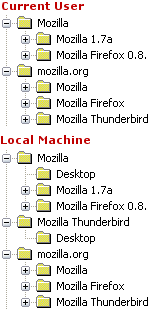 The usage of the Windows Registry in Mozilla is quite strange. I dont think I figured out how it works.
On the image to the right are listed the Mozilla entries that are present under HKEY_CURRENT_USER\Software and HKEY_LOCAL_MACHINE\Software.
It seems that there's some inconsistencies:
- Why is there a "Mozilla Thunderbird" object at the same level as "Mozilla"?
- Why is it called "Mozilla 1.7a" when it's called "Mozilla Firefox 0.8."?
- Why is it Mozilla "Mozilla Firefox 0.8." and not "Mozilla Firefox 0.8.1"?
- Why is the "Desktop" object under "Mozilla" and not under "Mozilla 1.7a"?
Having such inconsistencies might seems like small bugs but it makes it harder for external programs etc to fx detect Mozilla and to work with Mozilla.
winhooks doesn't work in Mozilla Firefox
Using the latest nightly Mozilla Firefox build my Launchy extension doesn't work anymore! Launchy uses the function getRegistryEntry to scan the Windows registry for supported applications.
In Mozilla Firefox 0.8 and earlier this piece of code used to work:
var reg = winhooks.getRegistryEntry(bla bla bla....)
In Mozilla Firefox 0.8.0+ it doesn't work anymore. In Mozilla 1.x it works fine.
I was told it's because that winhooks has been replaced by @mozilla.org/browser/shell-service;1 but that doesn't provide the getRegistryEntry function.
It seems that Mozilla Firefox 0.8.0+ has got it's own nsWindowsHooks.cpp file where GetRegistryEntry is a function in. The IDL file for this says that getRegistryEntry interface nsIWindowsRegistry : nsISupports what ever that means.
In any case GetRegistryEntry doesn't seems to be available under Mozilla Firefox 0.8.0+. If you have any clue on how to fix this please let me know or submit your findings to this bug report.
How to secure your emails with GnuPG and Enigmail
With the GNU Privacy Guard (GnuPG) and a good mail client software like Mozilla (web+email) or Mozilla Thunderbird (just email), you can have really secure email conversations, using excellent and free software. Plain emails have indeed two big problems: they are neither authenticated (you can pretend you are anybody when you send a mail, which is used by spammers and viruses), nor encrypted (anybody on the path your email takes, from you to your correspondent, can read it). With GnuPG-powered email signature and encryption, you can be sure the messages are from the person they claim to be, and be sure only the ones you want will have access to your emails!
Read the Enigmail how-to
Be sure to use the latest version of Enigmail. Version 0.83.5 version works with Mozilla 1.6, 1.7a, and Thunderbird 0.5. In addition, new binaries are available for the latest nightly builds of Mozilla 1.7b and Thunderbird 0.6a.
Download Enigmail
Kerberos for authentication and authorization
Preliminary support for the SPNEGO protocol (Microsoft's Negotiate protocol) via the GSSAPI library has been added to Mozilla. This means that only UNIX-like operating systems (including Linux and OSX) are supported. A SSPI-based solution is needed for WIN32. Only HTTP authentication is currently supported. Mail protocols will follow.
- More information in the bug report
- Read about GSSAPI
String guide update
Darin Fisher writes:
This is a notice that I have updated the XPCOM string guide document to reflect the changes made in bug 231995 for the upcoming Mozilla 1.7.
Alternative Web browsers include valuable bonuses
According to OneStat, a Dutch company that monitors global browser usage, almost 95 percent of all Web surfers use Internet Explorer. The remaining 5 percent of users is spread among several other browsers. Surprisingly, Netscape isn't one of them. OneStat said that the former browser behemoth doesn't have enough market share to make the list. The better-known alternative browsers are Mozilla, Opera and Safari. All three offer features not found in Internet Explorer. For example, they have built-in pop-up blockers and search utilities. Those features are not offered by Internet Explorer but can be added with the free Google Toolbar.
Read the article
Firefox browser easy, fun, fast, safe, free
No longer compelled by competition to innovate, IE's development cycle is now linked to that of Windows. And because Microsoft updates its operating system less frequently than Bruce Springsteen releases new CDs, updated versions of IE are rare things indeed. This doesn't mean, of course, that rigor mortis has set in for the Web browsing genre. If you want fresh and exciting signs of life, take a look at a free, simple and powerful Web browser called Firefox.
Bayesian filters
Bayesian filters are behind Mozillas highly effective anti spam filter. Now some Mozilla developers are talking about using bayesian filters for other features than spam. Fx mail filtering. Instead of having to create a filter to sort all your work related mails into the Work folder let Mozilla decide which mails should be moved. The more mails you move manually the smarter Mozilla gets.
Check out the bug report and read more about the proposed usage.
There's even a $500 bounty to the one that implements this feature. At Mark Shuttleworth it's described as "Thunderbird Message Filing Intelligence":
As an optional extra to the Quick Filing described above, I would like to see Bayesian learning for message filing. For example, I generally have a folder for correspondence with a person or a company, or a project. When I press the filing hotkey described under Quick Access above, it would be great if Mozilla Thunderbird automatically pre-populated the dropdown listbox of folders with its best guess as to where I want that message filed. It could use the sender, the subject and the body, and learn from previous filing decisions. Bayesian filtering of junk mail has worked really well for me in Mozilla, so I would hope that after using it for a while, it would be making fairly good guesses as to where I want to file a given message.
Is Mozilla free? and Marketing
How "free" is Mozilla?
Unlike other software that is billed as 'free', our software has no hidden costs
Read the article
Mozilla the Marketing Nightmare
Mozilla's new website is a superficial mask that fails to address the problems of the new idea of marketing towards the masses2. The presentation is simply a means to achieving the organization's purpose, not merely an end unto itself. However, from a casual glance at the page, no definitive purpose is given explicitly or implicitly. Only a vague statement about "maintaining choice and innovation" is found. While Mozilla should be focusing on web standards, only a small fraction of the Internet cares. Mozilla should promote how its browser and email client are better than Microsoft's products since that's where all the would-be converts are.
Read the article
Spam, Rhino and stats
Purge Unwanted Spam the 18th-Century Way
Use Bayesian filtering to reduce the amount of junk e-mail in your in-box, read PowerPoint files without installing massive PowerPoint software. And both Mozilla 1.4 and Netscape 7.1 mail programs come with their own integrated Bayesian antispam settings.
JavaScript: Beyond the Browser
The JavaScript technology implemented in the Netscape web browser is available as an open-source toolkit from Mozilla and is called Rhino. Using Rhino you can embed the JavaScript language as part of your custom application and build in hooks to allow your application to be scripted.
W3Schools Browser Statistics
Current trend is that Internet Explorer 6 is growing fast. IE 5 and 6 counts for more than 80%. Mozilla stats up from 8.5% in January 2004 to 9.0% February 2004.
Next Generation Mail Clients Reviewed
Next Generation Mail Clients Reviewed
Reviewed mail clients:
- Evolution 1.5.2 (unstable)
- KMail 1.6 (part of KDE 3.2)
- Opera 7.50 (preview 2)
- Mozilla 1.6 / Thunderbird 0.5
- Microsoft Outlook 2002 SP-1 (part of Microsoft Office XP)
Discuss Next Generation Mail Clients Reviewed at SlashDot.
Spoiler added
There has been added support for a small funky feature in Mozilla Mail. The news "spoiler" feature. The feature is explained at NewsReaders.com:
When reading groups like rec.arts.sf.written and alt.tv.buffy-v-slayer, people frequently don't want to have their enjoyment of works they haven't seen/read yet "spoiled" by finding out what is going to happen in advance. To help them avoid it, posters are encouraged to insert the "spoiler char" (aka form-feed, 0x0C, control-L) -- when newsreaders encounter this character they take various steps to prevent the reader from seeing the rest of the message.
Read more in bug 11080.
Klag på dansk
Så er vi kommet endnu et skridt på vejen til at også alle danske websites kan komme til at overholde de gældende internet standarder og ikke kun udvikle efter Internet Explorer.
Når du møder et dansk site der ikke virker i Mozilla, kan du nu tage udgangspunkt i et standard brev. Dette standard brev fungere som en skabelon for et teknisk brev som sendes til sites webmaster eller udviklere. Du kan se skabelonen her.
Brevene er også tilgængelige på andre sprog.
Du kan læse her hvad du som almindelige bruger gør når du møder et site der ikke virker i Mozilla.
Mozilla developer docs
The Mozilla Links newletter writes:
In the last few weeks, two Mozilla developer events have taken place. The Mozilla Developers Meeting in Europe 4.0 took place at the FOSDEM 2004 open source conference in Brussels, while the more recent Mozilla Developer Day was held at the Mozilla Foundation's offices in Mountain View, California. Several presentations were given at these events and the slides from some of them are now available online.
- Layout debugging / triaging
- Application development in Mozilla
- The Mozilla Foundation
- Nvu, a web authoring system built on Gecko
Mozilla Links is a bi-weekly electronic newsletter published by the Mozilla Links Newsletter project.
Mozilla Futures
Brendan Eich's roadmap slides from Mozilla Developer Day event held February 27th, 2004, at Mozilla Foundation headquarters, Mountain View, CA.
Type n, ->, down-arrow, or space to advance a slide. Type p, <-, or up-arrow to go back one slide. Type t to go the the first (title) slide.
Really really interesting read!
Proposal: Mozilla Outreach
Mission: to identify ways of gaining new contributors. The Mozilla Project is a victim of its own success. We are gaining a lot of users, but out of these users we are not gaining new help. The Mozilla Project is a community project, and for it to sustain itself we must have fresh help from new contributors in development, QA, documentation, tech evangelism, and various other departments. We should approach the problem in manageable steps, and the first step I propose is International Outreach.
Debug and Test in Chineses
To the Chineses viewers: My Using Mozilla in testing and debugging web sites article is now available in Simplified Chineses. The link to the article is at the top of the page. The article is also available in French by the way.
Firefox/Thunderbird build instructions updated
I've updated my build instructions for build Mozilla Firefox/Thunderbird and Sunbird. It's now even easier to get your own Mozilla.
So read Build Mozilla Thunderbird and/or Mozilla Firefox and/or Mozilla Sunbird in 14 easy steps!
Mozilla tree structure
Christian Biesinger writes:
I've written a document about the structure of the Mozilla source tree, i.e. describing the purpose of the directories. It's currently located at http://stud4.tuwien.ac.at/~e0225227/tree_structure.txt but I would like to check this into the Mozilla source tree (in mozilla/).
Blogupdates Beta
The current view of Blogupdates isn't very good. At least it could be improved. So I tried to make it better.
Check out the beta version of Blogupdates.
These are the improvements:
- Hide stuff that's older than 1 month
- Dont use dynamic divs to show entries
- Show entires inline
- Keep all the cool features, like autoshow new entries since you last visited
- Support of blog brand image. For this to work you need the <image> stuff in your RSS feed. Check my Mozilla RSS v2.0 feed for example.
You like it or hate it? Please provide some feedback so I know what to change and what to keep.
Firefox 1.0 and Thunderbird installer
Ben Goodger, main developer of Mozilla Firefox, writes:
Firefox 1.0 likely to be based off the 1.7 branch
Mozilla Firefox version 0.9 and 1.0 will most likely be based upon the 1.7 trunk to prevent and oustanding bugs or glitched. This is because we don't want to take our chances with 1.8a and wait for the dust to settle at ship time in mid year to see if 1.8 is any good.
Read the posting!
Scott MacGregor has just checked in a first attempt at a Thunderbird installer. It's not being built yet, but it will be coming. Stay tuned. It's Windows only. In the mean time you might use 4getmoz, which can download nightly builds of Mozilla Thunderbird.
A Microsoft look at Thunderbird
Omar Shahine, who pretty much designed all the IMAP support in Entourage, talks about IMAP, Thunderbird, and mail clients.
Omar Shahine's main features for an IMAP client are:
- Support for IDLE. This is about to come to Mozilla.
- Store Sent mail & Drafts in the Server Sent Items & Drafts folder
- Support for Format-Flowed. This is already supported in Mozilla.
Read the blog entry. It's very interesting.
New automated regression test framework
Robert O'Callahan writes in bug 230697:
I have been developing a new regression test framework, primarily for layout, but since it's end-to-end it also tests HTTP, Gfx/Widget, parser, content, views, etc. It's inspired by Hixie's test engine for Opera. It's fairly straightforward and requires only very minor changes to the Mozilla codebase. Basically we set up a special local Web server that feeds Mozilla a XUL app to drive the tests and a set of testcases. The XUL app loads each testcase and then signals the server (by requesting a magic URL) that the testcase is loaded. The server then takes a screenshot of the Mozilla window and replies to the URL request, causing Mozilla to move to the next testcase. The result is a set of PNGs, one per testcase. Regression testing consists of building a baseline set of PNGs and then rerunning the tests with a modified Mozilla, and comparing the PNGs.
That just damn cool! Read much more about in bug 230697. There's even a demo showing what it looks like when you do a diff on two images.
Launchy 1.8.0 released
Launchy version 1.8.0 has been released. Perhaps it should be called 2.0.0 since it's almost a complete rewrite.
What's new:
- Now also works in Mozilla Thunderbird
- Big rewrite. Smaller, faster and more flexible
- Fixed missing parameters when sending mail using Mozilla Thunderbird
- iTunes support added
- Lotus Notes support added
Launchy is an Mozilla, Mozilla Firefox, Mozilla Thunderbird extension (Windows only) and will enable you to open links and mailto's with external applications like Internet Explorer, Opera, Mozilla, Mozilla Firefox, Netscape, Outlook, BSPlayer, Windows Media Player and others. Launchy will auto detect all applications. For at full list of supported applications please read the Launchy page.
Gecko stats updated
I've updated my Gecko Browser Statistics for gemal.dk to include December and January.
And it's interesting. In January 2004 30% of all hits was made by Gecko based browsers. Compared to December 2003 where 25% of all hits were made by Gecko based browsers. A very nice 5% increase.
If you look on the numbers for January 2004 by Release Version you'll see that 42% of all Gecko hits was made with version 1.5. That's around 220.000 hits. Please notice that Mozilla Firebird 0.7 also had Release Version 1.5. If you look by Gecko by Vendor / Version you'll see that Firebird/0.7 stands for 25% while Mozilla/1.5 stands for 15%. My site is still a Windows site, since 76% of all visitors are running Windows.
If you like numbers Gecko Browser Statistics is the page for you.
4getmoz version 2.1.0
I just released version 2.1.0 of 4getmoz which is a Mozilla, Mozilla Firefox and Mozilla Thunderbird download script for 4NT users. The 4getmoz script provides all 4NT users with an easy and fast way to download and install the nightly build of both Mozilla, Mozilla Firefox and Mozilla Thunderbird.
What's new:
- added Mozilla Thunderbird support
- big rewrite
- now installs in full product name directory fx C:\Program Files\mozilla.org\nightly\Mozilla Firefox
- cygwin build support
- defaults to tinderbox builds
Restoring your IMAP mail
A couple of people have asked me after my Backup your IMAP mail article, on how to restore the IMAP mail.
Since Mozilla stores the IMAP mail, and all other mail for the matter, in a plain text file, you can just copy the mail to the IMAP server. This might require admin rights on the IMAP server. I'm not sure if it can be done for all IMAP servers.
An easier way is to use Mozilla Thunderbird. Start it with the same profile as you do IMAP backup with. Now create an identical new IMAP account but dont choose any offline properties. Now you can copy from the backup mail account to the new one. If you lost some folders on the IMAP server, first recreate the folder. Then mark all the mails in the backup account and say Copy to and select your imap account. This way all of the mails from your backup account will be copied over to the IMAP server.
New shell icons
Different shell icons to identify each associated file type has just been checked in. Very nice. For more information turn to bug 99380 and Jez's Mozilla Icon Compendium.
Backup your IMAP mail
Having all your mail on an IMAP server is great. This way you can always access it. No matter if you're at home or at work. But what about backup? If the IMAP crashes, you're lost! I have all my mail on an IMAP server, so I decided it was time to take a backup. This is my solution. I'm using Mozilla Thunderbird.
Before launching Mozilla Thunderbird make sure you have the Offline Extension installed. This normally done when you install Thunderbitrd.
First create a new profile in Mozilla Thunderbird. This can be done by running the Mozilla Thunderbird Profile Manager. From the command line run thunderbird.exe -ProfileManager. I called the profile IMAP Backup.
Now create your IMAP account. After this go into the Options via Tools -> Options.... Go to the Extensions tab and hit Install new Extionsion. Select the offline.xpi file you just downloaded. After the install restart Mozilla Thunderbird.
Now go into Account Settings via Tools -> Account Settings and select Offline & Disk Space. Check both checkboxes and press the Select folders for offline use.... Here you select all the folders you wish to backup. I selected all folders except the Junk folder where Mozilla put all the mails that's detected by Mozilla's spam filter. Now press Ok and Ok again to return to the main mail screen.
Now press the blue Offline icon the the lower right corner of Mozilla Thunderbird. Press the Download button and all of your mails will now download. This may take a while. When it's done you can exit Mozilla Thunderbird.
Your mail is now located in your profile directory. Here's how to find it. It's inside the IMAPMail directory.
If you like to zip up all of the mail files you have to zip those files that doesn't have an extension. The .msf files are just summary files and can safely be deleted.
And you're all done. Backup before you need to back up.
Update: Be sure to read Restoring your IMAP mail
Extension manager coming
Just seen a checkin by Ben Goodger, who is the main developer on Mozilla Firefox. The checkin had the following comment extension manager stub. So the Extension Manager which is scheduled for Mozilla Firefox 0.9 is slowing coming along.
Maintaining extensions has always been a pain. Upgrading extensions, checking for updates, etc was up to the developers of the extensions. Now it's gonna be build into Mozilla Firefox. Great news.
Reflow reasons/types
I'm thinking of trying to simplify the reflow reason/type mechanisms by replacing the current ones with:
- Full
- Resize
- Descendant (for reflow reason only)
This is something that I think would be easier to translate into a dirty bits system (which I've been thinking more about), along the lines of what I've mentioned earlier. Descendant is the equivalent of the old Incremental, and Full is the equivalent of the old StyleChange. The initial/full distinction is bogus and I remember seeing it break in some cases where we move children into a new parent (e.g., {ib} or :first-line) and the new parent translates a style change reflow to an initial reflow and breaks the style change on the kids. We have NS_FRAME_FIRST_REFLOW if we need it. I'm planning to just try this and see what happens (if I have time sometime soon).
Mozilla string changes
Darin Fisher writes:
The Mozilla string code will be undergoing extensive revision following the release of Mozilla 1.7 alpha. The changes will be mostly transparent, having very little affect on the string API. This change will be made first thing during the 1.7 beta cycle.
The work can being tracked here.
For the full message please read the netscape.public.mozilla.seamonkey newsgroup.
Mozilla Europe!
The Mozilla Foundation and European Mozilla contributors today announced the launch of the www.mozilla-europe.org web site and the Mozilla Europe non-profit organization to promote, develop and help deploy Mozilla products in Europe. These products include the award-winning Mozilla 1.6 web browser.
The www.mozilla-europe.org web site is launched simultaneously in four languages (English, French, German and Spanish), underlining the added value that Mozilla Europe brings to the Mozilla project by leveraging Europe's Mozilla volunteers and their expertise in localization. Other translations will follow soon, starting with Dutch, Italian and Slovak.
This is great great news! Perhaps there will be a Danish version of the site soon?
OpenOffice 680 m24 Snapshot
If you cant wait for OpenOffice 2.0 you can get one of the developer builds. The most current developer release is 680 m24. See the release notes. You can also get a list of all the developers builds.
Remember that these builds are for developers. There are no guarantees. Snapshots will be released every two weeks.
This release will install as OpenOffice.org 680, and comes with ugly hacked splash screen to make clear, that this is an iterims build between 1.1 and 2.0.
- Download OpenOffice 680_m24
- OpenOffice.org for Developers
- OpenOffice.org 2.0 timetable
- OpenOffice.org 2.0 Product Concept
Firefox at the blogs
If you're interested in why the blogging world has to say about the Mozilla Firefox version 0.8 release head over to Asa's blog.
In his firebird gets blogged entry, there's loads of Firefox feedback from blogland.
Here's just a few of the quotes:
"For now I think I'm done with Internet Explorer", "Firefox is better than Internet Explorer. Don't argue, you know it's true", "Fastest browser I've ever used", "I can't say it enough times. Dump IE and use Firefox."
Test build of Thunderbird with new spam filter available
As earlier reported, Mozilla developers are updating the techniques for identifying spam. This will make the spam filter even better.
Technical this involves improving the tokenizer plus a new probability algorithm. More information in bug 230093.
Now Scott MacGregor has made an test build available (win32 only) with the new spam filter. It's recommended that you re-train with a clean training.dat before judging the effectivness of the new stuff.
Download the Mozilla Thunderbird test build
Remember: This is a test build! Read more about how to change the probability threshhold for determining if a message is junk or not.
Update: Read more about this release
Damn Save in Mozilla Mail
Just composed a long mail and wanted to be sure that Mozilla didn't crash when doing so (I'm running nightly builds, so Mozilla sometimes crashes), so I first pressed File -> Save. Then I realized that I needed some addresses from a different profile so I closed the mail. Mozilla correctly asked me if it should save the mail as a draft. Yes please. I exited Mozilla and start the different profile and got the information I needed, exited and started my own profile again. I then looked at my IMAP draft folder. EMPTY! Looked in all the draft folders for all my accounts. EMPTY. Did a text search in the profile directory and the %TEMP directory and came up with nothing!
Now my questions are:
- Where is my Draft?
- What the #%&%# does the File -> Save do?
- How do you share an addressbook across two profiles?
Perhaps it's bug 98576 IMAP: 'Save as Draft' doesn't save the message. (if URI contains a space) that I experienced. Why this isn't a blocker I dont know!
Mozilla Read for the weekend
Some of the Mozilla stuff that I found interesting during this weekend. Hope you enjoy:
- Cookies Preferences in Mozilla
- Introducing the Mozilla Visual Identity Team
- Mozilla Firefox 1.0 Roadmap
- What to expect from Mozilla Firefox 1.0
- Flash XPI for Linux Users
- Using Lotus Notes to develop XUL Applications
- Two for the Road: Oracle and Mozilla
Launchy 1.7.0 released
Launchy version 1.7.0 has been released.
What's new:
- Mozilla Firefox support added
- MyIE2 support added
- Eudora support added
- Fix problem where Outlook Express wouldn't be detected
- Fixed strict JavaScript warnings
Launchy is an Mozilla extension (Windows only) and will enable you to open links and mailto's with external applications like Internet Explorer, Opera, Mozilla, Mozilla Firefox, Netscape, Outlook, BSPlayer, Windows Media Player and others. Launchy will auto detect all applications. For at full list of supported applications please read the Launchy page.
Megen aktivitet i dansk browser nyhedsgruppe
Jacob Riis kommer med en interresant observering:
Der er stor aktivitet i den danske browser nyhedsgruppe. I den seneste måned er der så godt som hver dag tråde i gang med Mozilla. Der er virkeligt sket en stigning i antallet af Mozilla relaterede tråde.
Det er jo super dejligt at se! Måske Danmark kan blive et af de lande hvor Mozilla kommer op på en god markedsandel. Hvem ved?
Check nyhedsgruppen dk.edb.internet.software.browser. Hvis du er TDC kunde har du adgang til nyhedsgruppen via news.tele.dk serveren. Læs mere om opsætning af nyhedsgrupper.
Salgargumenterne jeg bruger når jeg skal foreslå Mozilla Mail eller Mozilla Thunderbird er først og fremmest sikkerheden. Hvis du vil undgå virus, spyware, etc og ikke gider opgradere din Windows en gang om ugen så er Mozilla Mail noget til dig. Desuden det fantastiske anti spam filter. Filteret lærer undervejs og er utroligt effektivt. Tager 99.9% af de spam mails der slipper igennem mit server side spam filter. Hverudover er searchbaren super. Hvordan levede jeg uden den?
Mht. til browseren, enten Mozilla eller Mozilla Firefox, er blokkeringen af popup vinduer altid et godt salgsargument. Herudover et google søgning meget nem at komme til. Find as you Type søgning sparer dig for mange CTRL+F tryk. Den måde bookmarks virker på er også langt bedre end i IE. IE's dårligst funktion, udover sikkerheden, er efter min mening Favoritter.
Jeg har allerede installeret Mozilla på min fars PCs og svingersmors PCer. Derved undgår jeg at de får virus og at jeg skal bruge et par timer på at fjerne virus og opgradere Windows.
Så hvis du ikke allerede bruger Mozilla, så er det bare at komme igang!
Proposal for certificate policy
Frank Hecker writes in the netscape.public.mozilla.crypto newsgroup:
As noted in prior discussions, the Mozilla Foundation and mozilla.org staff are considering adopting a formal policy regarding selection of new CA certificates for inclusion in the default certificate database distributed with Mozilla, Firefox, Thunderbird, etc. They have asked me to take the lead on attempting to create such a policy. As with prior policies I've been involved with (e.g., the policy for handling reports of Mozilla security vulnerabilities) my preferred approach is to try and develop this policy through a process of discussions in public forums and with parties affected by the policy (e.g., Mozilla developers and new CAs).
Check out the two Proposals:
- Mozilla Certificate Policy
- Mozilla Certificate FAQ
Multiple Identity Support in Mozilla Thunderbird
Mozilla Thunderbird 0.5 introduces a new feature, supporting multiple identities for an account. This is a powerful feature for users who have multiple email addresses that end up in the same mail account.
This way you dont have to create those dummy newsgroup or mail accounts just to get another identity.
Currently there's no UI for this feature so you have to manually edit the prefs.js file, which is located in your profile directory. Here's how to find your profile directory.
Read much more about Multiple Identity Support in Mozilla Thunderbird 0.5
I'm not sure if this is also supported in Mozilla Application Suite. Does anybody know?
Better Spam filtering coming
The anti spam filter in Mozilla is amazing. But it seems that it's about to become even better. Mozilla developers will try to Update Junk mail filtering to use latest Bayesian techniques from spambayes.sf.net
The current anti spam filter is based upon the Bayesian Junk filtering. It uses the original Paul Graham technique for classifying messages. Bayesian classification as described in Paul Graham's A Plan for Spam. Using Bayesian filtering requires that you first train the mailer by showing it a bunch of mail that is junk, and a bunch of mail that is not. Then, you let it autoclassify new mail for you, and you continue to correct it as it makes mistakes.
Promote Mozilla Firefox
Finally it's possible. You can now promote Mozilla Firefox using some official buttons and logos. Get Mozilla Firefox - The Browser, Reloaded!
See them all af the official Mozilla Firefox ads page
Fx:


Mozilla Firebird is now Mozilla Firefox
Mozilla Firefox 0.8 Released!
The latest release of Mozilla's next generation browser preview is now available! Get it!
Mozilla's next generation browser has changed names (again). Mozilla Firebird becomes Mozilla Firefox. For more information, read the Press Release

Auth, Sessions and Certificates
Clear HTTP Auth
This extension simply allows a user to clear any HTTP authentication data currently stored by the browser.
Session Saver
Remembers loaded tabs and their history items when Firebird is manually closed, then restores the tabs and history items when next started.
What CA certificates to include in Mozilla?
There's a big discussion going on at bug 215243 and in the netscape.public.mozilla.crypto newsgroup about which root CA certificates to include into the Mozilla browser and what criterias should be used. Really interesting since I've already filed a bug about including TDC OCES CA into Mozilla.
Launchy 1.6.0 released
Launchy version 1.6.0 has been released.
What's new:
- Now Launchy also works on links in Mozilla Mail and Mozilla Thunderbird
Launchy is an Mozilla extension and will enable you to open links and mailto's with external applications like Internet Explorer, Opera, Mozilla, Mozilla Firebird, Netscape, Outlook, BSPlayer, Windows Media Player and others. Launchy will auto detect all applications.
Launchy released
Launchy version 1.5.0 has been released.
Launchy is an Mozilla extension and will enable you to open links and mailto's with external applications like Internet Explorer, Opera, Mozilla, Mozilla Firebird, Netscape, Outlook, BSPlayer, Windows Media Player and others. Launchy will auto detect all applications.
Wanna open a link with Winamp? Just right click and say "Open link with Winamp". Wanna send en email to the selected mailto link using Outlook? Just right click and say "Send email using Outlook". I think you get the picture.
It's great for testing and also for using external mail and media applications. Launchy is a Windows only extension!
POSIX.1 API Availability in NSS
This table indicates which of the POSIX.1 functions in MacOS X, Linux, Microsoft Visual C++, and NSPR 4.3.
Read the article
Autodetect correct MIME type from text/plain content
One of the problems that many Mozilla users experince it that content on the internet are served with the wrong content type. The results in fx WMV files not launched in Windows Media Player but instead shown as text in the browser window. This is due to the server sending the wrong content type to the browser so it thinks and treats, correctly, the content as plain text.
It's not a Mozilla problem but a server side problem.
But in Mozilla Firebird version 0.8 this will change. Mozilla Firebird will get a lot smarter about situations like this. Mozilla Firebird is gonna get autodection of binary content.
You can see all of the coding details in bug 220807. But basiclly what is being done is that Mozilla downloads a small part of the file and then tries to determine if the content is binary. If it is then Mozilla tries to find an helper application based on the extension of the file, to launch.
Give the best for Christmas
On the right track
Mozilla was probably the best browser of the year.
Polish Campaign Encourages Giving Mozilla CDs for Christmas
From Browser to Platform: Mozilla Rises
Converting my coworkers to Mozilla
At work, TDC, we use a home grown CMS system to manage all the pages at tdc.dk and tdconline.dk. The system has grown to become quite complected. Most of the people using the CMS are using Internet Explorer since it's the browser thats being delivered and supported by the internal IT department.
So I decide to change that. Convincing people to use Mozilla Firebird instead of Internet Explorer isn't easy since people are so used to Internet Explorer and the way it works. Most of the developers are using Mozilla Firebird tough.
But most of the people don't really care about open source, security, etc. So talking about tabbed browsing don't really convert any of them into using Mozilla Firebird. Popup blocking can convince some people but since they are working mostly on internal system it doesn't really count.
So I needed something that could convince them to use Mozilla Firebird. So I decided to develop an Mozilla Firebird extension to the CMS system. I'm also the developer of Linky so I had most of the framework available.
After a couple of tweak to the CMS system, we now have an Mozilla Firebird extension that enables people to right click on all of the pages on tdc.dk and tdconline.dk and edit the articles inside the CMS system. It also enables people to right click on all the images and edit the images in the CMS system.
Sounds simple? It is. But this will "save loads of hours" as one of the new Mozilla Firebird user was telling me. Now people are emailing me wanting to run this Morezilla or whatever it was called!
Missing accomplished: Some Internet Explorer users converted!
For the technical people
The extension is enables an extra context menu for the domains tdc.dk and tdconline.dk. The context menu provides different options. The extension basically looks at the source of the page, using document.commandDispatcher.focusedWindow.document.documentElement.innerHTML and looks for predefined tags imbedded inside HTML comments. The extension is also aware where on the page the user right clicks. So if the right click happens on an image gContextMenu.onImage or a background image gContextMenu.hasBGImage the context menu changes.
Since some of the pages are actually many articles put together it could be cool if it was possible to edit each or the articles. I implemented this by determining the node that the user right clicked on gContextMenu.target and the walking 5 divs up using the parentNode until I find the predefined tag.
Proposal to Separate Chrome Registry Interfaces into gecko and non-gecko portions
Benjamin Smedberg writes:
I have written up a proposal to separate the interfaces of the chrome registry into smaller pieces, some of which are defined/used by gecko and some of which are not. It also contains a system to pass uninstallation information back and forth between the chrome registry and xpinstall. Please take a look at http://bdsmedberg.no-ip.org/chrome/
Misc Mozilla News
Realities About Users
Mozilla Firebird is a browser project built on some theories about UI design which its developers hold. This document is a catalog of some of those, presented in a way that talks about how our target audience interact with software.
Read the article
Javascript escape()/unescape() NO LONGER suitable for URI manipulation
Jungshik writes:
This is to announce that escape()/unescape() was changed recently to make them compliant to ECMA 262 (ECMAscript edition 3). It's fixed in bug 44272. As a result, escape() and unescape() MUST NOT be used for URI manipulation any more. For URI tweaking, you have to use encodeURI(), encodeURIComponent(), decodeURIComponent(), and decodeURI(), instead. In bug 225695, I've been working on a tree-wide sweep to replace escape()/unescape() for the URI manipulation with en/decodeURI(Component). I'm making this announcement to make sure that no one checks in new patches that use escape()/unescape() the old-fashioned way (non-standard way). For details, refer to two bugs mentioned above and the following documents ECMA 262 and MSDN
Missing carat
I'm having problems seeing the cursor at http://gemal.dk/test/mozbug.html. Click in the text input field and a cursor should be seen. But I dont see one.
in build 20030916-04 (plain Mozilla) it works
in build 20030917-04 (plain Mozilla) it doesn't work
it also works in Mozilla Firebird 0.7 but not in nightly Mozilla Firebird builds.
I've tried to see what changed between those dates but I'm not 100% what might be cauing the problem.
Can anybody verify that it's the attachment in bug 69355 that's causing the problem?
Small Screen Rendering XPI
Disruptive Innovations is happy to offer you this extension to the Mozilla Application Suite allowing to check if a web site renders well on a cellphone's screen. This addon installs a new menu entry "Small Screen Rendering" in the View menu. Selecting it toggles on/off the Small Screen Rendering mode. This does not work with pages using framesets.
Read and install
NSPR 4.4.1 has been released
NSPR 4.4.1 has been released. Please see the NSPR 4.4.1 release notes at http://mozilla.org/projects/nspr/release-notes/nspr441.html
for the changes in NSPR 4.4.1.
Netscape Portable Runtime (NSPR) provides a platform-neutral API for system level and libc like functions. The API is used in the Mozilla client, many of Netscape/AOL/iPlanet's and other software offerings.
Mozilla Overlays: A New Way to Combine XML Documents
What do you do if XML information is split across several documents? The Mozilla platform has a neat solution to this problem. Documents written in Mozilla's XUL dialect of XML can be merged automatically into a single, final document using a system called overlays. Nigel McFarlane describes the overlay system in this article.
Read the article
Mozilla Mug
 I just recieved my second Mozilla Mug from the Mozilla Activism CafeShop at CafePress. The first one was broken when I recieved it so I complained and got an email a few hours later saying they would send me a new mug and no need to send the old one back. Otherwise it would have been a real expensive mug. So thanx for the great service CafePress!
XUL, From XP to Longhorn and IE
An Introductory Tour of Mozilla's XUL
Developing web applications, but fed up with bending HTML? Too busy to learn .NET? Be cool, use XUL (pronounced "zool").
"Longhorn": Huge Jump From XP
Internet Explorer has a slimmer look now, which reminded us a bit of Apple's Safari. Also like Safari, the version of IE included with the Longhorn preview offers pop-up blocking and a download manager - both firsts for IE. (The tabbed browsing that distinguishes Safari and Mozilla, among other browsers, remains absent, however.)
File structure and branding problems
Just a quick look at the different file structures and file name for the Mozilla.org products:
MozillaFirebird-win32.zip
Has all files located under a directory called: MozillaFirebird
So the exe file is MozillaFirebird\MozillaFirebird.exe
Comment: This is a nice naming. No problems here. Branding and naming is good!
thunderbird-win32.zip
Has all files located under a directory called: thunderbird
So the exe file is thunderbird\thunderbird.exe
Comment: Directory and EXE file should be called MozillaThunderbird! Inconsistent with Mozilla Firebird. Bad!
mozilla-win32-talkback.zip
Has all files located under a directory called: bin
So the exe file is bin\mozilla.exe
Comment: Directory and EXE file should be called MozillaSuite or perhaps just Mozilla! Inconsistent with Mozilla Firebird/Thunderbird. Bad!
mozilla-win32-svg-GDI-mathml.zip
Has all files located under a directory called: bin
So the exe file is bin\mozilla.exe
Comment: Same problem as in mozilla-win32-talkback.zip
mozilla-i586-pc-msvc.zip
Has all files located under a directory called: mozilla
So the exe file is mozilla\mozilla.exe
Comment: Why the directory suddenly is called mozilla I dont know. It should use the same name as in mozilla-win32-talkback.zip
Bugs:
A couple of related bugs:
- File structure problem. thunderbird should be MozillaThunderbird
- rename "bin" dir in zipfile to "mozilla"
Cookie theft vulnerability in Safari
It seems like that Safari i vulnerable to a cookie theft:
it appears that Apple's Safari is vulnerable to the old Mozilla/IE cookie theft vulnerability outlined by Marc Slemko Marc posted a nice demo so that you can verify the vulnerability.
Read more
Roaming moving forward
Pete and Ben are moving forward with the roaming support for Mozilla. Roaming is the ability to have your browser and mail setup files located on a remote server so that you can move around without having to setup your browser and mail client again and again.
For more info check out bug 124029
New Mozilla.org website
 The new mozilla.org website has gone live. It's soo much better than the previous one. I never really knew where to point "normal" users to when I told them to use Mozilla. But that's over now. Great job.
I just have one problem which I also reported.
Why does the logo, shown here to the right have that vertical line? A logo should be a logo. That's it!
Once again spam at news.mozilla.org
Once again the newsgroups at news.mozilla.org has been filled with spam mails. The last time it happend was a week ago. Damn damn damn. Hate spam in newsgroups.
Comparator
I use both IE and Mozilla Firebird for browsing. I like to check if my site/web apps I develop looks good and works as intended in both of these browsers. So I built application which has both IE and Mozilla embedded in it. Now I can check out how any site looks in both browsers instantly. The screenshot show Yahoo rendered by both IE (on top) and Mozilla (below).
Read the blog entry
Mozilla going to the White House, K-Meleon, etc
Mozilla going to the White House?
Computers at Campaign HQ of US Presidential Hopeful Wesley Clark Run Mozilla. Read the blog entry.
K-Meleon 0.8
K-Meleon is a lite Web browser based on Gecko. It's fast, has a minimal interface, and it is fully standards-compliant. K-Meleon 0.8 is based on the Mozilla 1.5 codebase. Release notes. Download.
Why Mozilla Matters
Mozilla has some tricks up its sleeve -- such as the DOM Level 2 Traversal and Range API, which Mozilla supports but IE does not. This API enables live interaction with fragments of XML documents.
Read the article
Mozilla Firebird Installer
Mozilla Firebird now has an installer which makes the installation on Windows much easier.
Download the Mozilla Firebird Installer
See all the dialogs from the installer:
CVS Change Policy (Toolkit, Firebird)
The Browser partition consisting of the directories mozilla/toolkit, mozilla/browser and mozilla/chrome, will be opened on 11/10 to anybody with Seamonkey CVS write access.
The current checkin policy is described here
1.5% speedup on page load
Cool cool checkin:
inline nsIContent document and parent getters
I got about a 1.5% speedup on page load by inlining GetDocument and GetParent on nsIContent. To deal with GenericDOMDataNode overloading the low two bits of the parent pointer, I just always mask those in GetParent(). I don't believe that's going to slow anything down since a single AND instruction is still cheaper than a virtual function call. I also inline an overloaded GetParent() in the subclasses that don't use those bits for anything, so that they don't pay a penalty.
Mozilla just gets faster and faster! I loove open source. Internet Explorer has not really evolved for too many years.
netscape.public.mozilla newsgroups spammed!
This morning when I started my Mozilla Mail I noticed that the news.mozilla.org groups had a lot of new messages in all of my subscribed newsgroups. Around 80-90 new messages.
And it turnes out that once again someone spammed the newsgroups! I'm so tired of these newsgroups spams. Properly like anyone else.
Perhaps this is the incident that could pave the way so that the newsgroups at news.mozilla.org no longer are open for the public, just like that. So that you have to subscribe to them.
I've filed a bug long time ago just about this.
1.6a and XAML
Mozilla previews next version of Internet software
Never one to rest on its laurels, the Mozilla Organisation has released a preview of the next version of its eponymous Internet software suite, less than a month since it finished the last. The latest release incorporates half a dozen or so new features including: 'one of the most requested Mozilla Mail features' - optional separate Recipient and Sender columns in thread pane; support for Navigator windows to be layered or anchored 'always in front' or 'always in back' and much more.
Included in Microsoft Longhorn, the next version of Windows will be XAML which is nothing more than another monopoly-styled move to pull the carpet from under Mozilla's open XUL, which is already partially supported in Safari 1.1.
Read more about Longhorn
Checkins, Checkins and even more checkins
The tree is open for 1.6b. This means that a huge amount of checkins are happening just right now. Making Mozilla better and faster.
Some of the interesting stuff that got FIXED:
- Authentication Plugins
Mozilla should implement an interface for writing plugins to add new forms of
authentication to mozilla.
- Subscribe option for IMAP accounts
- IMAP ACL user name comparison case-insensitive
- Print Preview to view source
- modernize nsILocale
and the list goes on and on.
Thanx thanx to David Bienvenu who's work in Mozilla Mail is truely amazing! See his checkins the last week.
Nvu is coming!
 A complete Web Authoring System for Linux Desktop users to rival programs like FrontPage and Dreamweaver. Nvu makes managing a web site a snap. Now anyone can create web pages and manage a website with no technical expertise or knowledge of HTML.
Daniel Glazman is the lead developer and maintainer for the Nvu project. Daniel has been the chief architect for Mozilla Composer.
- Read all about it
- Screenshots
- FAQ
Michael Robertson from Lindows writes:
Today Lindows.com is announcing that we're backing a new initiative to close this major hole that we have personally experienced. With money, engineers and specifications, we're kicking off Nvu (pronounced N-view). This product will bring to Linux a solid WYSIWYG HTML editor which does have the web publishing abilities of products like FrontPage. We're leveraging some of the code base and engineers from the open source Mozilla Composer effort to create a new product that will give Linux desktop users a high-quality HTML publishing tool. We're looking for other developers to help in this initiative and you can find more information at www.nvu.com. Watch for a great product from this team shortly which will benefit all Linux users!
Screenshot:

Mozilla to get money from MSfreePC?
MSfreePC will, for a limited time, pay 10% of each claim processed on the MSfreePC.com site to a host of open source projects. Consumers can select the organization they would like to see benefit from the donation by using MSfreePC's "Instant Settlement Wizard," the quick four-minute claims tool. Claimants can choose to donate to Mozilla, an open source Internet browser project or OpenOffice.org, an office suite that offers word processing and other productivity applications. Also on the list to receive contributions are the GNOME project, KDE, and Debian.
Mozilla Firebird - Compare Features
Compare your current browser to Mozilla Firebird.
Categories like:
- Smart Form Fill
- Integrated Search Bar
- Password Manager
- Free from Ad and Spyware
- Tab Browsing
Mozilla, still in trouble
Then it struck me; where is the brand? That logo really sucks big time and those birds could be more clearly defined and I don't have a clue who Mozilla is. Mozzila is no longer a behind the scenes open source developer for AOL/Time/Warner. They're now a company in there own right and have to show the world who they are. They have no real identity because the one they had no longer applies. Their nerdy geeky image will just not do when held up to the light in full view of their new customers. They will want to know who they are dealing with because to them it's an unknown company with products they never heard of.
Read more of the blog entry
Mozilla poll at eWEEK
Just saw that eWEEK had a poll:
With a new Mozilla released, is the browser war back?
Currently the result is:
59.62% - I'm giving Mozilla a second chance
18.38% - I'm sticking with Internet Explorer
22.00% - The browser war?
Thunderbird 0.3: The Eagle has landed
I finally shifted to Mozilla Thunderbird on both Linux and Windows with the 0.3 release. Thunderbird 0.3 is a major improvement in performance v/s the earlier kludged versions where writing a large email gave you sudden flashbacks of teletypes. I was using Outlook (on Windows) and Evolution (on Linux). Thunderbird isn't equal yet in terms of sheer speed but this is why I shifted.
Read more
Branding Mozilla: Towards Mozilla 2.0
I've written some recommendations for the branding and visual identity of the Mozilla Foundation's project and product line. I argue that the Mozilla Project should adopt a simple, strong, consistent visual identity for the Mozilla products including consistent icons across applications that mesh with the host operating system. Read Branding Mozilla: Towards Mozilla 2.0 and let us know what you think."
Red Hat 9 i386 RPMS
Red Hat 9 i386 RPMS are now available at mozilla.org. Thanx to Chris Blizzard.
Check it out.
Drastic changes to the Bugzilla
We are currently planning drastic changes to the Bugzilla product and component organisation. This will affect your components. Please review the current draft proposal and send comments to Hixie as soon as possible. Thanks!
THE PROBLEMS THIS PROPOSAL SOLVES: Bugzilla no longer really maps to the products that are being developed, which will make it harder to keep track of where bugs should go. Assignees are regularly changing, causing bugs to become lost in space and time.
Read the proposal here.
HelixPlayer MS1
The Helix Player is the Helix Community's open source media player for consumers. The release includes a GTK based player and a mozilla plugin. We are still early into the implementation and hope that this release will spur usage and participation.
New Checkins
A couple of very nice checkins has landed:
- Regexp performance degraded from 4.7
- deCOMtaminate nsIDocument
- Merge 3 nsIPrincipal implementations into one
- Bring back site icons (favicons) in personal toolbar
- IMAP connection seem unreliable over wan connection
Thread problem soon to be fixed
Darin Fisher is asking for review and superreview for bug 222588.
The bug's about "Mozilla creates too many threads and seems to never terminate them".
Mozilla just gets better and better. Way cool!
mozilla-starter
Mozilla-starter is a wrapper both for Mozilla and Firebird. If the browser is running, it uses the -remote flag of Mozilla. Thereby it can open the document in an existing window, a new window or in a new tab. If the browser is not running, mozilla-starter starts it. Mozilla-starter is ideal for opening URLs by applications (e.g. a MUA). Mozilla-starter runs on all POSIX systems Perl and Mozilla run on.
Ask the Computer Guy
Q: Can you explain the difference between the Netscape and Outlook Express e-mail programs in terms of virus susceptibility?
A: Outlook Express is much more vulnerable. So I recommend that you use any other e-mail client: Mozilla, Netscape, Eudora or even AOL.
Read the article
OSU enlists in Mozilla's battle
In the case of the so-called browser wars, Oregon State University has jumped into the ongoing struggle against software giant Microsoft's continued dominance of the browser market. The university recently installed a server to deliver the latest version of a rival browser called Mozilla, which currently boasts around 1 percent of Internet users. OSU network engineer Scott Kveton said, so far, people are flocking to the new server to download the latest version of Mozilla, an alternative browser to Microsoft's.
Time to ditch Windows IE?
Bad memories of Netscape version 4.x from the AOL days and before, have been laid to rest! Mozilla Firebird officially rocks! Many people probably do not realize that Opera is not the only alternative to windows Internet Explorer. Heck, many people probably don't realize, as they contemplate yet another IE security hole in the news, that even Opera itself is available as an alternative.
Read the article
Create Web applets with Mozilla and XML
Mozilla's simple and flexible XUL saves time when building Java-less applets
To go beyond simple HTML, historically the only options have been to use Java or plug-ins. Now, you have a new way -- write and display applications natively in XML. The Mozilla platform provides such a mechanism. In this article, Nigel McFarlane introduces XUL (the XML User-interface Language). XUL is set of GUI widgets with extensive cross-platform support that are designed for building GUI elements for applications that have traditional, non-HTML GUIs.
ECC code landing
Once again Sun is landing some NSS code. This time it's code that extends the ECC implementation from NSS 3.8.
The new features of this code include:
- support for optimized curve-specific implementations
- optimized integer and floating point code for commonly-used named curves
- supported for creating, importing, and exporting EC keys and certs
- server-side support for ECDH-RSA, ECDH-DSA and ECDHE-ECDSA key exchange
- new scripts to automate testing of ECC support
- ECC support in command-line tools (certutil, pk12util, tstclnt, selfserv)
Read the posting. The original ECC enhancement bug.
NewsForge readers' top 10 application categories
Browsers form our third most popular group. Readers named 7 different browsers and among them they garnered 73 votes. Mozilla was far and away the most popular, and to add insult to injury to its competition, Mozilla Firebird came in second. Opera took third.
Read the story
Mozilla 1.5 News Coverage
Mozilla 1.5 really got some news going on!
- Mozilla 1.5 - Not Just for Geeks Anymore
- Mozilla 1.5 Boosts Usability
- With update, Mozilla introduces fees
- Mozilla Foundation shifts focus with new browser
- Mozilla adds spell checker, phone support for Net suite
Stats, Request Queue and Website
Mozilla.org statistics
Some numbers about the active checkers-in, useful bugs, useful patches, etc.
All numbers on the page represent the work done by Mozilla contributors other than Netscape.
Current Request Queue
Who has requested approval, review, superreview, etc on patches in Bugzilla. This is frightening long. Perhaps there should be some focus on getting some of the patches checked in or marked obsolete!
Mozilla.org redesign
The new site exists to further the Mozilla brand, and make it ridiculously easy to get the latest Mozilla software. Support the foundation with a donation of time or money if you can. Support the site by making sure it's well-linked. Support the cause by spreading the word.
Read all about the mozilla.org redesign and the fight against that company from Redmond.
Mozilla 1.5 and Mozilla Firebird 0.7 released
 It's time to update!
Mozilla 1.5 has been released! Better, faster and just greater!
Get it at mozilla.org
Mozilla Firebird 0.7 has been released. Smaller, faster and super great.
Get it at mozilla.org
Mozilla Thunderbird 0.3 has been released.
Get it at mozilla.org
Mozilla Firebird Help One-Year Anniversary
Once upon a time on a dreary October day in 2002, Phoenix Help was born, having little sections such as a baby FAQ, a small Tips & Tricks section, and a wee Keyboard Shortcut list. Phoenix Help grew amazing fast, however, and soon because popular all over the web community and linked to from many other sites. Today, the site is the biggest, baddest end-user resource for support, FAQs, themes, and extensions for the Mozilla Firebird browser.
Read the blog entry or go to Mozilla Firebird at texturizer.net
Off-screen rendering
Peter Amstutz writes:
I have some preliminary code for new gfx and widget components that
implement off-screen rendering into a memory buffer. You can see it in action at http://interreality.org/software/crystalzilla/. I'm seeking to submit this code into the main codebase, so I guess that means I need someone to download it, play with it, and review it for submission?
Consulting and end user focus
MozillaConsulting.com writes:
Whether you need to add new technology to the core Mozilla engine or need custom enhancements for your Mozilla-based application, we provide Mozilla experts in virtually every area.
It consist of Kevin McCluskey, Rod Spears, Chris Karnaze, Peter Lubczynski and John Keiser.
Mozilla Charts an Independent Course
Mozilla, the open source Web browser project recently freed from its corporate creator, wants to become more than a techie's tool. It wants to become part of a regular user's online surfing.
Mozilla news? Keep up to date with Google news.
AOL Communicator for Mac OSX
AOL Communicator for Mac OS X released
America Online today launched AOL Communicator for Mac OS X, a stand-alone, advanced communications application for AOL members that brings together enhanced e-mail, instant messaging and a full-featured address book into one integrated suite. AOL Communicator can consolidate e-mail from multiple AOL Screen Names--as well as POP and IMAP accounts--into a single application; it can be used alongside AOL internet services. Other functions include spam filtering, email management, a full-featured address book, and integrated AOL IM functions.
More more and more.
To my best knowledge AOL Communicator is based on the Mozilla source code.
Why Mozilla matters
The truth is, I never use IE any more. On Windows, Mac OS, and Linux, my weapon of choice is Mozilla Firebird. In fact, both IE and Mozilla can do more sophisticated things than many people realize. My Weblog has a search feature, for example, that works by pulling XML content into the browser, querying it locally using XPath, and dynamically updating a rich results display. But while IE and Mozilla can both perform this magic, Mozilla has some other tricks up its sleeve. One I've been exploring lately is the DOM Level 2 Traversal and Range API, which Mozilla supports but IE doesn't.
Read Why Mozilla matters
Mozilla Firebird will be released early next week
Jesse Ruderman blogs:
New features since 0.6.1:
- Advanced preferences panel
- Download/helper apps preferences panel
- Cookie whitelisting (through the new Cookie Exceptions window)
- New password manager
- Web panels (like Mozilla's sidebar panels)
- Alternate stylesheet support (through a status bar button)
- Close other tabs (tab context menu)
- Domain is shown for image blocking (image context menu)
- Send Page, Send Link, Send Image (various context menus)
Mozilla wins again!
Linux Journal Announces Winners of Ninth Annual Readers' Choice Awards:
Favorite Web Browser: MOZILLA
Favorite E-mail Client: EVOLUTION
Cookies backend moving into necko
Darin writes:
FYI, the cookies backend (from mozilla/extensions/cookie/) is moving into netwerk/cookie/ today. This means that you no longer need to build the cookies extension unless your embedding app utilizes mozilla's permissions system (cookie blocking, image blocking, etc.). If your application does not need to use cookies, then you may want to add pref("network.cookie.enable", false); to your all.js file.
Please see bug 210561 for more details.
A week of Windows
Robin Miller writes:
We see dozens of 'Migrating from Windows to Linux' stories that talk about features Windows users miss when they switch, but we rarely see articles about moving from Linux to Windows, and what kind of pain that can cause.
he also talks about Mozilla:
One program that does come with Windows XP Pro is a Web browser called 'Microsoft Internet Explorer.' I have heard that over 90% of all Web-connected people in the world use this browser, but I find this hard to believe. It doesn't have the tabbed browser feature that makes work-related research (and pleasure reading) such a pleasure in Mozilla, Opera, and other modern browsers.
and sums it all up:
Any Windows user who goes on using Explorer after he or she learns that Mozilla is available is a masochist who should seek immediate psychiatric help -- in my non-medical opinion, anyway.
Mozilla Mail is also mentioned:
Unless you have a tiny penis and/or breasts, want to look at lots of porn, need a new mortgage to finance Viagra purchases, and love to help Nigerians (and others) con you out of your hard-earned, you should get rid of Outlook or Outlook Express NOW and get a sensible email program, hopefully one like Mozilla that has easy-to-configure spam filtering built in.
A day in Bugzilla
The last couple of days I've been going through loads of bugs in the mail & news component part of Bugzilla. The buglist is just never gonna stop growing, which is both a good and a bad thing.
A good thing since it means that people are using Mozilla and also using Bugzilla.
A bad thing since a lot of bugs are just simple to vague or simply lack information to reproduce them. Stuff like "I sometimes crash when sending email."
Well for new users of both Mozilla and Bugzilla I can understand why such bugs are filled. I think I even filled such bugs myself. Sometimes you just have no clue why Mozilla crashes.
So here I try to provide you with some good advice on how to make better bug reports.
How to make better bug reports:
- try to reproduce the problem with a fresh/clean profile
- make a mail protocol log and see if you can see any obvious bugs/problems
- search Bugzilla and see if a similar bug has been reported
- download the newest nightly build and see if the problem is still there
- provide good and detailed information on how to reproduce
- provide testcases etc like the source of the mail
- try to debug the problem yourself
- if you can build Mozilla Thunderbird yourself you can insert log comments and try to find the problem yourself
How to debug a problem yourself:
With all this in mind I like to take your through a session on how I tried to track down a bug without having access to building Mozilla myself.
The steps involves being able to sending mails from a command line, using LXR and DOM Inspector.
I was going through all the Windows bugs related to Attachments in the Mail & News component trying to find duplicates and old bugs that where no longer relevant. I then stumbled over the bug 151031 - gifs embedded in mail don't display and thought "perhaps I could try to find out why".
The bug was about some GIF images in a HTML mail that wasn't being displayed. A pretty common problem if you ask me. Normally the cause of problems like this is due to mailclients (like Outlook Express) sendings the wrong headers.
The reporter had already attached the source of the mail so resending it to myself was easy. I pasted the source of the mail into a file and then used sendmail to send it to myself like this:
with blabla@blabla.bla being my mailaddress.
First I verified that the images didn't display using the latest nightly build of Mozilla Mail. And sure no images. Next I tried using Outlook Express. All the images display nicely, so something was wrong or just different in Mozilla Mail.
I also verified that I could save the images from within Mozilla and later view them in the browser. This helped me verify that the images wasn't corrupt. So far so good or bad.
The reporter of the bug states himself that the use of Content-Base and/or Content-Location could be the source of the problem, so I started to play with these values.
The attached mail looked had headers like this:
Content-Location: "http://www.brunz.org/~waf/media/gallery/"
So I tried removing the quotes from the URLs to see if that made any difference:
Content-Location: http://www.brunz.org/~waf/media/gallery/
I send the mail again and this time the images was displayed just fine! So it had something to do with having quotes in the URLs. So I had to narrow it down if it was a problem in Content-Base and/or Content-Location. So I sent two more mails. One with quotes in Content-Base and one with quotes in Content-Location. And it turnes out that the problem was with Content-Base.
So an mail with the following header would fail to display the images:
Content-Location: http://www.brunz.org/~waf/media/gallery/
When Mozilla has to display a mail it parsed the mail and then builds up some internal HTML to display the mail. So perhaps there where a problem with the internal HTML. Now I had a clue on why to start searching. I searched LXR for Content-Base.
I found that Content-Base was defined as HEADER_CONTENT_BASE in nsMailHeaders.h
I then search for HEADER_CONTENT_BASE found that the Content-Base is retrieved from:
http://lxr.mozilla.org/mozilla/source/mailnews/mime/src/mimethtm.cpp#113
and then a <BASE tag is inserted into the internal HTML at:
http://lxr.mozilla.org/mozilla/source/mailnews/mime/src/mimethtm.cpp#132
but the quotes from the Content-Base should be removed at:
http://lxr.mozilla.org/mozilla/source/mailnews/mime/src/mimethtm.cpp#136
So that didn't help much. I needed to be able to see the entire internal HTML. But how?
DOM inspector to the rescue. Via the DOM inspector I was able to inspect the mail window while viewing the mail. This is done like this:
- Select the mail your like to inspect
- Start the DOM Inspector via Tools -> Web Devlopment -> DOM Inspector
- Inspect the mail windows via File -> Inspect a Window -> your mail window
- Go to #document -> window -> hbox -> vbox (messengerBox) -> vbox (messagesBox) -> vbox (messagepanebox) -> browser -> #document -> HTML
- Right-click on HTML and select "Copy XML"
- Now you have the internal HTML on the clipboard
So by doing the above for both the mail that worked and the mail that didn't I was able to see the difference.
The interesting part of the internal HTML for the one that worked was:
src="imap://bla@blablabla.bla:143/fetch%3EUID%3E.BLA.bla%3E11978? part=1.2&filename=pic01.jpg"/>
The internal HTML for the one that didn't work was:
src="cid:part1.09040402.02020908@routescience.com"/>
Why the imap:// didn't get inserted in the second mail with the quotes I haven't figured out yet.
This has been a small lession in how to debug a bug and how to help the developers so that they can spend lesser time in debugging problems and more time with coding.
If the above have helped the developer of the specific bug I have no clue about and it's not really the issue. The lession learned is the better bug reports your provide the better the chance you have for the bug to be fixed.
Mozilla Firebird Installer
An official Mozilla Firebird Installer is gettting closer by a big checkin by Ben Goodger. The installer is like the Mozilla Installer build on the XPI install engine.
The checkin comment is "Firebird Installer Component XPI Install Scripts, default installer wizard ini files, and installer configuration script."
There's already an unofficial installer around using NSIS.
Mozile: What You See is What You Edit
Today, developers compose most of the Web in stand-alone web editing applications or in simple text editors. Modern browsers render, but they don't allow users to edit what they see. There is no fundamental reason for this gulf between editing and viewing. After all, the Web is about interaction, not dumb page flipping, so you should be able to hit "edit" in your favorite browser and manipulate content as easily as you view it, WYSIWYG style. Mozile, which stands for Mozilla Inline Editor, is a new Mozilla plug-in for in-browser editing. This article provides an overview of Mozile and what in-browser editing means today.
vCard support!
With this checkin vCard support is now once again in Mozilla. At least bug 14373.
I'm not 100% sure what this checkin adds, but there are of course still a lot of vCard bugs to be fixed. Currently 26 bugs.
There's also a vCard project at vcard.mozdev.org. But that's about exporting and importing Address Book contacts in the vCard format.
Mozilla Firebird Optimization Guide
Read the guide for optimizing the Mozilla Firebird browser. The guide includes, creating a profile configuration file, enabling pipelining, adding Mozilla Firebird to the registry and enabling fast rendering.
Read the guide
Mozilla Firebird Review
8Bit Joystick.com reviews Mozilla Firebird and comes to the same conclusion as everybody else:
What you get is a damn fast and peppy browser that has all the pop up blocking, advanced HTML rendering, tabbed interface and stability goodies that you get with Mozilla Classic but in a light bite size form with the taste of lime!
So if you are a still a lame Internet Explorer user get some reasons why you should switch to Mozilla Firebird.
Bugzilla and IMAP
I use IMAP for all my mails and love it. Mozilla is a very pretty good IMAP client, so I frequently scan through all of the IMAP bugs in Bugzilla trying to resolved some of the very old ones and duping some of the more common ones.
So if you file a IMAP bug please take the following steps before filling the bug:
- Search to see if the bug is already there
- Make a IMAP Protocol Logs
- Write a detailed bug report
Here are some statistics about the IMAP bugs:
- Unconfirmed: 121
- New: 244
- Assigned: 24
- Reopened: 10
- Resolved: 365
- Verified: 560
- Total: 1327
Checkins and Releases
A couple of nice checkins:
- Allow SMTP over SSL
- Fix failure to authenticate when copying message to sent folder
- Make biff not fire when junk mail arrives
- Webclient 2.0
Releases:
- Mozilla 1.5 RC2
- Mozilla Firebird 0.7 RC
- Mozilla Thunderbird 0.3 RC2
Instructions for moving profiles with IMAP and POP3 mail accounts
Grace Bush posted these instructions in bug 22689:
- Instructions for moving profiles with IMAP mail accounts
- Instructions for moving profiles with POP mail accounts
Learning obstacles in XPFE/layout
Nigel McFarlane presents us with:
A solid view of some of the obstacles that newbies face in layout/XPFE when learning Mozilla technology
Read the entire posting!
Mozilla Profile Backup
Mozilla Backup is a utility for creating backup of Mozilla profiles. It allows you to backup mail, favorites, contacts, etc. It works under Windows 98 or higher.
Read more and download
Currently only Mozilla Suite is supported. Future plans is to add support for Netscape 6 & 7, Mozilla Firebird and Mozilla Thunderbird.
How downloads work
Christian Biesinger writes:
Some time ago, I've drawn a diagram for myself, describing how downloads work... I now decided to draw it in dia, and made it available online. This describes the basic process that happens when Mozilla encounters files it cannot handle. (This is not the code for "Save link target as", etc) It's not very detailed, but it should give an overview.
- as PNG
- as DIA
Interface Design Notes
The ongoing deCOMtamination work means we are reformatting many interfaces. The following guidelines may be useful to help create efficient, easy-to-use interfaces.
Read the article
Build Mozilla with VC++ .NET 2003
Doron writes:
The latest VC++ from Microsoft, 2003 edition, doesn't build mozilla out of the box. Hixie posted some patches in bugzilla, and I finally got the trunk to build with it.
Read the entire posting or get the patches.
Bumping mingw build requirements
Christopher Seawood writes:
Due to the changes in bug 219327 & bug 203292, w32api 2.4 and windres 2.14.90 (from binutils 2.14.90) will be required to build using gcc on win32.
You can get the tools from mingw.org
If you plan to build Mozilla yourself you should read Build Mozilla Thunderbird and/or Mozilla Firebird on Microsoft Windows.
Cleaning up layout
L. David Baron, master of the layout engine in Mozilla, writes:
Here are a bunch of related things that I'd like to fix in Layout:
Line breaking
Implement the UAX #14 algorithm for line breaking
Storing the results of line breaking and text measurement
Each text frame ought to store an array of
the possible break points in it, and the measurement to reach each one.
Refactoring reflow
I want to split Reflow() into GetMinWidth(), GetPrefWidth(), and
Layout().
Dirty bits
Our current system for meeting the above requirements is quite
complicated.
Frame construction
Something along the lines of CSS3's 'display-role' and 'display-model'
Read the whole posting
Mozilla 1.5 RC 1
Mozilla 1.5 Release Candidate 1 has been released.
Native Widgets and Stuff
People frequently ask why Mozilla implements its own widget set rather than just using the widget set available on whatever platform it's running on. This document is an attempt to explain why.
Read the article (site seems down so I link to Google cached version)
Komodo Breathes New Fire into IDE
ActiveState Komodo is the professional integrated development environment (IDE) for open source languages, providing a powerful workspace for editing, debugging and testing your applications. Komodo supports Perl, PHP, Python, Tcl, XSLT, and numerous other languages, and runs on Linux and Microsoft Windows.
Read the article about Komodo.
- Edit and modify currently loaded stylesheets
- Mozilla, mozilla, mozilla!
Mozilla for Windows has IP6 support
The Internet Protocol Version 6 Mozilla bug 175340 has been fixed. This means that Mozilla on Windows now supports IPv6.
If you're on Windows 2000/XP/2003 you can activate IPv6 by opening a command prompt and type ipv6 install. Remove it by typing ipv6 uninstall.
To get IPv6 working you need to install the Advanced Networking Pack
Read more about the IPv6 support on Windows at Microsoft site.
nsDnsService rewrite lands
The rewrite of the DNS service has landed! Great work Darin Fisher and others.
There are some really interesting stuff to read in the bug report.
Checkins, checkins and more checkins
The trunk is now open for 1.6 development and the checkins just keep coming. A couple of really really nice ones:
- Paste without Formatting
- Add reload to View Page Source
- Search in subscribe should only begin after user stops typing
- nsEventListenerManager::HandleEvent cleanup
- GIF decoder cleanup
- All the checkins the last 24 hours
Isn't it nice to use a browser that just keeps on getting improved? Internet Explorer is a nice browser too, but there hasn't been any real development for the last year or so. Only security fixes!
With Mozilla you get improvements all the time. Now we just need to tell the "normal" user that.
Mozilla Preferences Reference Manual
This manual is a reference for advanced users and system administrators who wish to customize Mozilla by editing the preferences files directly. This manual lists and describes all preferences available in Mozilla 1.4 suite.
Read the manual.
Adobe SVG Viewer and Mozilla
The new Adobe SVG Viewer version 6.0 pre-alpha (Build 38363) seems to work fine with Mozilla. At least the SVG images in BrowserSpy are shown.
The installer doesn't find mozilla, so you need to copy over the NPSVG6.DLL and NPSVG6.ZIP files from C:\Program Files\Common Files\Adobe\SVG Viewer 6.0\Plugins\ to your Mozilla plug-in directory.
We should add autodetect of the Adobe SVG Viewer plug-in to Mozilla like we have with the Java plug-in. The relevant bug is bug 145263.
Sun Java 1.4.2 and Mozilla and Mozilla Firebird
The integration of Java in Mozilla could be greatly improved. I upgraded to version 1.4.2_01 of the Sun Java JRE. After doing so, I just couldn't get Java working. I tried evrything. Uninstall. Reinstall. Cleanup. Everything. Nothing showed up at the Java page on BrowserSpy.
All that Mozilla told me was that I needed the Java plug-in. Weird since the Java plug-in showed up at both about plug-ins and the plug-in page at BrowserSpy. It could be nice if Mozilla could inform me a little better about the actual problem. Not even NSPR logging of the plug-in module told me anything new.
But I finally found the solution on one of MozillaZine's forums:
You have to apply the following registry patch:
[HKEY_LOCAL_MACHINE\SOFTWARE\mozilla.org\Mozilla]
"CurrentVersion"="1.0"
Or you can just click here to download the registry fix.
Mozilla Firebird Build Instructions for Windows
Nilson Cain writes:
Building Mozilla is not a trivial task. There are many ways to build and also many ways to fail. The following page entails the method that I have developed for building Mozilla. Read the tutorial.
The tutorial should be read after following the steps mentioned in my own article
Build Mozilla Thunderbird and/or Mozilla Firebird on Microsoft Windows
The official document on Building Mozilla on the Microsoft Windows platform is not very good. It's a shame. Sometimes too much time is put into the Mozilla code and too little into documentation and PR.
Compile Mozilla with GCC 3.4
Bug 218551 (Mozilla does not compile with GCC 3.4 cvs build) has now been fixed. Loads of files has been changed and Mozilla will now compile using GCC version 3.4.
Linky in Mozilla Links newsletter
Linky is features as the first link in the first edition of the Mozilla Links newsletter.
It's listed under the BETTER MOZILLA section:
Linky will increase your power to handle links. It will let you open or download all or selected links, image links and even web addresses found in the text in separate or different tabs or windows. You will just need to right click any link or web address, select the Linky menu item and choose the desired action. You can even specify what option you want to see available in the Linky menu through its preferences. You can get this a very small download (about 30KB) and learn more about it here:
http://gemal.dk/mozilla/linky.html
Mozilla's New Focus: The End User
Mozilla in the news:
The Mozilla Foundation this week launched a beta of the latest version of its open-source browser and applications suite, the first release since the project separated from America Online Inc.'s Netscape Communications subsidiary. "The 1.5 timeframe will be a significant marker for us not so much in the improvements from 1.4 but in the general approach, packaging and how we approach our releases and the customer," Mozilla President Mitchell Baker said.
Read the entire article Mozilla's New Focus: The End User
Mozilla.org, an open-source group that supports the continuing development of the Mozilla browser, released its Version 1.5 beta on Wednesday with a host of new features, including a built-in e-mail spell checker, improvements in its ChatZilla, Internet Relay Chat client, and increased performance, stability, standards support and Web compatibility, according to the group. Both browsers (Mozilla and Opera continue to lag far behind Microsoft Internet Explorer in popularity, though they apparently have core groups of devoted users.
Read the entire article Opera, Mozilla update their Web browsers
Mozilla Evangelism
 If you care about a free and open web which is not controlled by a few, then get involved with Mozilla Tech Evangelism and help make the web safe for standards-based browsers such as Mozilla and the other browsers based upon Gecko.
- Buttons, banners, etc
- Main project page
- Mozilla Firebird/Thunderbird Logos. They are SO cool!
MozillaZine 5 years
 MozillaZine is 5 years! September 1st 1998-2003.
Mozilla Links Newsletter
If you haven't already signed up for the Mozilla Links Newsletter then do it now!
Subscribe by sending a blank email to newsletter-request@mozilla.org with 'subscribe' in the subject line. Issue one will be sent out on Tuesday 2nd September.
MIME Types and Venkman
How do Mozilla get the MIME type of a uri?
For HTTP URIs, as well as for Mail Attachments, Mozilla usually gets a mime type sent from the server, and uses it. Contrary to IE, Mozilla will not sniff the type of the document, not even for application/octet-stream or text/plain documents. There is one exception: for images loaded via <img src>, Mozilla's image library will do content sniffing (never extension sniffing) to find out the real type of the image.
Read the article How Mozilla determines MIME Types
Debugging JavaScript
If you've ever written some JavaScript, and had a bug in it, and gone to great lengths of finding out why it didn't work, you've probably used some of the traditional debugging "tools" that have been available to JavaScript programmers. An unholy mix of alert boxes or maybe document.write plus judiciously inserted debugging code, and tons of out commented code.
Nordic Open Source
This website provides information to the consumer to aid in understanding, finding and using Open Source products.
Visit the Nordic Open Source website
Mozilla is listed but Mozilla Firebird and Mozilla Thunderbird are not yet listed. But if you send them a comment they might add them.
You can also use the Mozilla forum.
Linky version 2.0.0 is out
Linky is a Mozilla and Mozilla Firebird extension to the context menu that provide you with the following; Opens all links in a selection in new tabs or windows, Finds and opens links in plain text in a new tab or window, Opens all links on page in new tabs or windows, Download all links, etc.
Read more about Linky or install it right away!
What's new?
- Added Download Links option. Download all links on the current page. Disabled by default.
- Added Validate Links option. Validate all links on the current page. Disabled by default.
- Added Unescape option to context menu in the Select Links dialog. Cool p0rn feature I'm told...?
- Added Match Text option to context menu in the Select Links dialog.
- Added Dont Match Text option to context menu in the Select Links dialog.
- Added Copy Links to Clipboard option to context menu in the Select Links dialog.
- The Select Links dialog pref is now per default set to 0 meaning always show.
Check out the screenshots.
Report bugs
Spengler - Mozilla Web Service Inspector
Spengler allows you to inspect a web service based on its WSDL file, displaying it in several human readable forms. It also allows you to create sample testcases that allow testing of the web service from Mozilla.
Read about the old unoptmized version here.
Blocking Advertisement
Advertisements on websites are annoying, often breaking up text and flashing to get your attention. To stop about 99% of the ads on the internet from even showing, add the following code to your userContent.css file
Find out how you block almost all ads here at least if you use Mozilla or Mozilla Firebird.
Roaming
 Roaming is the ability to keep bookmarks/cookies/history/etc in a central repository. So you can bring your environment with you, or recover your settings on a new computer.
Netscape 4.x supported roaming but not in a very good way. Mozilla never supported roaming. But this is about to change. Some mozilla fans have for a long time worked on adding roaming support to Mozilla. It's a big task. Ben Bucksch is doing a GREAT job!
Read more about the development:
- ZillaVilla.com "A House for Mozilla"
- Bugzilla Bug 124029 Roaming - 4.x-HTTP-compatible
- Roaming related bugs
New fast Bugzilla server
There's a new and much faster bugzilla server around:
http://mecha.mozilla.org/webtools/bugzilla/
It's running Bugzilla version 2.17.1
Enter a bug (guided format)
Find a bug
What is bugzilla?
Bugzilla is one example of a class of programs called "Defect Tracking Systems", or, more commonly, "Bug-Tracking Systems".
Read more here and here.
Bugs and Efficeon
A couple of interesting bugs:
- Add "Windows Media Player" ActiveX support to Mozilla (Netscape 7.1 has it)
- spam/junk filter: add a "headers-only" mode
- move quote reply pref (reply below/above) to account settings
- XP_UNIX DNS lookups are serialized
 Transmeta Brands "Astro" CPU As Efficeon
As its name implies, the Efficeon is designed to conjure up images of low-power computers, saving users power through the "code-morphing" technology Transmeta popularized.. "It's efficient by nature, with low heat capabilities," said Mike DeNeffe, director of marketing for Transmeta, of the chip. "(The brand name) really speaks to where we're taking the product."
Read more here and here and at Transmeta.
Performance win for DHTML and possibly other areas
Just trying to catch up on some of the nice stuff thats going on in the Mozilla project:
David Bradley writes:
Bug 213813 contains a patch that has been reported to significantly increase DHTML performance. You can read the details in the patch. The patch should speed up any case where JavaScript makes repeated calls to relatively inexpensive native methods on objects. Especially complex objects with many methods and/or interfaces. The patch isn't final yet. Some research needs to be done to see what the optimal cache settings are. If anyone can try out the patch and report back, it would be much appreciated. A link to the modified release version XPConnect dll for Windows is available in bug 212831 for Windows users that might want to try this out without having to rebuild things.
AOL Unleashes Final Communicator
America Online has publicly released the final version of AOL Communicator, its new unified client featuring e-mail, an address book, and real time communications. Although Communicator compliments AOL 9 and AOL for Broadband, its underpinnings are drawn from another source - the Gecko browsing engine and XUL user interface language found in Mozilla.
A nice checkin:
Add additional headers to every msg
Some news from MozillaZine:
- Experimental Mozilla Sunbird Build Released for Windows
- Mozilla Foundation Reaches Agreement with E-FLO to Begin Offering Mozilla CDs
- Mozilla Named Best Anti-Spam Software in German Computer Magazine
and much more at MozillaZine.
Interesting bug:
Intelligent mail classification
Webclient 2.0 Status
Ed Burns writes:
I've finally been able to free up some time to work on Webclient for
the 2.0 release. My main goal in this release is to make all the existing features really work correctly with mozilla 1.4. My secondary goal is to make as many features as possible work with Internet Explorer.
My first task is to re-design the integration layer between mozilla
and java. The existing code was written three years ago and much of
mozilla has changed. I'm deeply indebted to the webclient community for
keeping webclient running as it is.
The webclient project aims to provide the premier browser-neutral Java API that enables generic web browsing capability. This capability includes, but is not limited to: web content rendering, navigation, a history mechanism, and progress notification. The actual capabilities implemented depend on the underlying browser implementation.
Mozilla Activism
 Support the Mozilla Activism
All profits made through this CafeShop will be donated to various Mozilla-based projects.
ryan writes:
shameless self-promotion
okay, so time for a little shameless self-promotion. i was doing my regular reading of local news sites like the cnn and news.com's of the world. nothing really much going on, but then i cruised over to the mozillazine to check what they had going on. they had an interesting story about a group of polish tech workers that created signs to post all over their northern polish town.the town is going to be holding a computer expo and conference. i thought this would be a great idea to start a cafepress shop to help bring money to the different mozilla projects. i call it mozilla activism. every profit that i make through this shop will be donated to various mozilla projects. considering i don't have much money myself, and i want to see mozilla kick internet explorer's ass, please check out mozilla activism and pick up a shirt, hat or thong and help kick big brother's ass.
Use Windows Media Player 9 in Mozilla
With this registry fix you can now use the Windows Media Player 9 control. Either cut of the following text and save it into a
wmp9.reg file and run it
[HKEY_LOCAL_MACHINE\SOFTWARE\Microsoft\MediaPlayer\ShimInclusionList\mozilla.exe]
[HKEY_LOCAL_MACHINE\SOFTWARE\Microsoft\MediaPlayer\ShimInclusionList\MozillaFirebird.exe]
Or you can just click here to download the registry fix
It's already logged as a bug in bugzilla. See bug 193883.
Helix Player Mozilla Plug-In Design
 The Mozilla plug-in has one rather complicated feature that necessitates a complicated player management scheme. Each instance of the plug-in can be configured to share a player (or conversely, different players.) This allows a user to design a complex interface where each plug-in instance presents a different portion of the player UI but they are all linked to the same player and media presentation.
Helix Player Mozilla Plug-In Design (draft)
Helix Player Project
The Helix Player is the Helix Community's open source media player for consumers. It will have a rich and usable graphical interface and support all of the types of media currently offered by our Helix DNA Client.

Blogupdates sidebar
Blogupdates, which is my page that lists Mozilla related blogs and their last modification date is now available as a sidebar. Sidebar are currently supported by all Gecko based browsers such as Mozilla and Netscape 6/7. Konqueror also has support for sidebars.
You can see your current sidebars via the View -> Show/Hide -> Sidebar or just hit F9.
Gecko based browsers
Click this button to add the sidebar:

Opera users
Add Blogupdates sidebar to Opera
Internet Explorer users
Get a real browser like Mozilla.
Read more about sidebars:
- at netscape.com
- at devedge.netscape.com
Ten Ways To Make Windows XP Run Better and Faster
Langa Letter: Ten Ways To Make Windows XP Run Better
Fred Langa offers tips on how to optimize Windows XP for your own work style so you don't have to live with its default settings.
Also read the discussion area associated with the article.
Mozilla News:
Mozilla will Challenge Internet Explorer
Microsoft's recent decision to only provide enhancements to Internet Explorer via Windows upgrades could leave an opening for alternative browsers.
The mozdev spellchecker is now being build by default.
Nice IMAP checkins
Mozilla sometimes doesn't display Sent Items folder with correct headers
This fixes the icons for sent/drafts/templates for imap servers that have their
special folders under the INBOX.
And also some IMAP code cleanup:
- Remove unused nsIMsgFolder methods.
- use XPIDL for nsImapMiscellaneousSink and nsImapExtensionSink
Big Thanx to David Bienvenu, who did a great job on the IMAP code!
Remember that you're always more than welcome to help fix more IMAP bugs. To get started read this document.
Mozilla and stuff
Mozilla Firebird Hottest Pick in UK 'Linux Format' Magazine
Overall, Firebird is a great browser, jam-packed with goodies and ready for even more through extensions. It's fast, attractive, easy-to-use and mostly reliable, and it's guaranteed a prosperous future. Give it a test run - you might just replace Mozilla for good.
DevEdge RSS-News Ticker Toolbar
Loading RSS news from DevEdge, C|Net, and NYT via XMLHTTPRequest
Microsoft reveals 'critical' flaw
Could allow malicious users to run code of their choice
CSS The Road to Enlightenment
There is clearly a need for CSS to be taken seriously by graphic artists
Bloggers plan round-the-clock charity drive
This weekend, 500 of them will dedicate a day of blogging to serve a higher cause, collecting pledges and raising funds for a variety of philanthropic organizations.
Bookmarks has problems
Read the exellent blog entry about why the current bookmark system in Mozilla is wrong and why users cant understand it.
I've been thinking a lot about the bookmarks lately, some of the problems with the current system, and what I would do to improve things. The following is a summary of a few of those ideas. I don't know if anyone "important" enough to actually make such changes reads this blog, but I'm hoping to get people thinking about it, and maybe get a discussion going elsewhere.
Read The Bookmarks.
New directory structure and build system
The problem:
The mozilla project has produced a set of stable top-level libraries that are used by many outside projects, and its is time for its directory structure and build system to evolve to match this reality. In particular, the Gecko Runtime Engine (GRE) is being embedded in multiple projects but it is still inexplicably necessary to build SeaMonkey (its main embedder) to get the GRE.
The solution:
We propose to create a set of top-level directories that represent first-order libraries (like gre). /mozilla becomes a sort of hosting directory, and the top-level libraries each have their own make systems (most of which would use our current autoconf build system) instead of having a top-level make that makes multiple libraries at once.
Read the entire proposal. Also read the blog entry.
I 100% agree with this. Fx this will cut down on the space needed to build fx Mozilla Firebird. Currently it's around 3.7GB!
Unfortunately the drivers said "it's not worth the effort."... Damn!
Spellchecker in Mozilla
The MozDev spellchecker has been checked into Mozilla. But it hasn't been turned on yet.
Read more in bug 56301.
Windows Media Player detection in Mozilla/Netscape
Windows Media Player in Mozilla/Netscape
Mozilla and Netscape 7.1 has the ability to load the Microsoft Windows Media Player as an ActiveX control, and thus developers can now build multimedia experiences that script the Windows Media Player in Netscape 7.1, just as they do in Internet Explorer. Mozilla and Netscape 7.1 will work with both the Windows Media Player 6.4 ActiveX control as well as versions 7 through 9. This article explains how to embed the Windows Media Player ActiveX control in web pages to support Mozilla Netscape 7.1, how to control the Windows Media Player ActiveX control using JavaScript and provides working examples. This article deals uniquely with Mozilla and Netscape 7.1 running on the Windows operating system.
Read this article and other great articles on DevEdge.
DHTML demos
Check out these IBM Browser Productivity Components:
- Spreadsheet
- DocEditor
- Presentation
Correction:I wrote that the demos where done in XUL, they are not. It's plain old DHTML. Sorry about that. They are still impressive.
Try the demos!
XUL
Even though that the demos aren't done in XUL, XUL is still very cool. XUL stands for XML User Interface Language. This is the cross platform language that the UI in Mozilla is written in. Designing UI with XML and JavaScript is cool and very easy!
Read more about XUL here:
- Introducing XUL - The 'Net's Biggest Secret
- The Joy of XUL
- XUL specification
- Open XUL Alliance
Screenshots of the DHTML demos:
Click on the images for a larger version of them.
IBM DHTML Spreadsheet
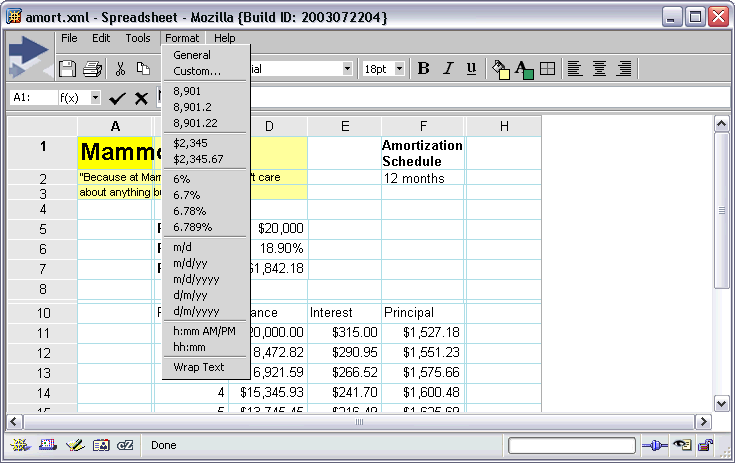
IBM DHTML Presentation

IBM DHTML Document
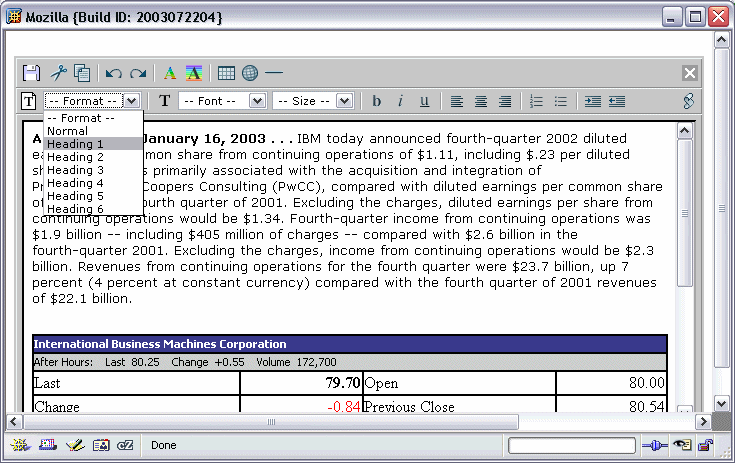
Why UW choose Mozilla
In the fall quarter of 2002, University of Washington Computing & Communications discontinued its support for Netscape browsers in favor of the Mozilla browser.
Why? Here are some of their reasons:
- Block pop-up ads
- Tabbed browsing
- Faster web pages
- Support for multiple platforms
- Support for web standards
Googzilla
Upon the demise of Netscape
So, a Google browser, based on Mozilla. An easily-justified commitment to cross-platform support and outstanding user experience, based on Google's history of honoring those tenets and the Mozilla organization's inherent preference for them. Culturally, hiring the core members of the Mozilla dev team would be an extraordinarily easy fit. And, frankly, it'd probably require little more development resources, bandwidth, or staffing than the Pyra acquisition did.
If that happend it could be really really cool and could mean that difference Mozilla needs to get the message to the browser people. You dont need to stick with IE. There's a much better browser out there.
Futher reading:
- The Google Browser
Lotus Notes Domino 6.5 with Mozilla support
Lotus Puts Final Touches On Notes Domino 6.5
Notes 6.5 is the point upgrade to the version 6.0 upgrade released at Lotusphere last January. Channel partners are anxiously awaiting some of Notes 6.5's new features and additional stability, such as enhanced antispam and e-mail management capabilities, support for the Mozilla browser and more tightly integrated instant-messaging features.
Revolution etc
 The Revolution Will Be Bitmapped
- Read the article
Use a Better Browser
Microsoft's Internet Explorer may currently have the largest market share, but it has been stagnating for a while. By using a better browser your experience will be better. Plus, you will help to foster a competitive environment in which browser technology can continue to innovate and make everyone's web experience more pleasant and exciting.
Mozilla is alive and well
The end of Netscape does not mean the end of Mozilla!
After the Netscape browser team was dissolved yesterday, there's some confusion about the future of Mozilla.
The Mozilla Foundation will now be the place that coordinates all Mozilla development. Work will continue as usual. Nothing changed there. We're still working on the best browser available!
So work on Mozilla continues. But we could always use hacker/artists/etc to improve Mozilla. Sign up here.
Some more good news. AOL has agreed to transfer the Mozilla trademark and other intellectual property to the new Mozilla Foundation. Perhaps this means the comeback of the Lizard in the splash screen.
There's also a change of strategy coming. The Mozilla Foundation plans to target end-users directly! This is great news.
You can read more at MozillaZine.
Build Mozilla Thunderbird and/or Mozilla Firebird on Microsoft Windows
I'm a Mozilla fan! And being able to build Mozilla Thunderbird and/or Mozilla Firebird on my Windows XP machine sounded cool. I didn't have Microsoft Visual C++ so I needed to build without any tools from Microsoft, aside from Windows XP of couse.
So here we go: Build Mozilla Thunderbird and/or Mozilla Firebird in 14 easy steps!
Mozilla Sunbird
 Another bird has landed! Mozilla Sunbird aka Mozilla Calendar aka Calendar stand alone application.
The logo to the right is the current Mozilla Sunbird logo. Perhaps it's just a temporary logo. Who knows...?
Sarissa XML-JavaScript library
Sarissa XML-JavaScript library version 0.9b3 released
Sarissa is a JavaScript library that provides a cross-browser interface to DOM extensions, XSLT, XMLHTTP and XPath functionality for IE and Mozilla (or Moz-based) browsers. Free under the GPL. This version fixes some stuff that where broken for Mozilla 1.4.
Mozilla Stuff
How to configure Mozilla's and Netscape 7.1's privacy and security features
Mozilla and Netscape 7.1 are in my opinion very secure browsers, even in their "out of the box" state. Still, with the right settings, you can make it even better at preserving your privacy and security while you are surfing the net. This tutorial will show you how.
Evangel(Mozilla) THE REBIRTH
As many know, the EvangelMoz project had a slight skirmish with the Mozilla Project a while back, regarding if it should be marketing towards end users. It is apparent this is behind us, and we should move forward as one group, advocating open source software, standards compliancy, and inter-platform consistency.
Anya - using Mozilla as a server to render pages
Stuart Parmenter is slowly pushing his new project Anja onto mozilla.org:
Anya is the code name for a project using Mozilla as a server to render pages. It also consists of a thin client that talks to the server to browse the web.
Download the source code.
Mozilla is on the loose
Finally! AOL has cut Mozilla loose. Mozilla is not dead. Netscape is.
This way Mozilla can be made by and for the Internet users. Mozilla is no longer bound to weird decisions made by AOL.
I'm really looking forward to this. It's gonna be a hard way, but it's the right decision. Having two versions of the same browser, Netscape and Mozilla, always confused people. Now we, the Mozilla community, can focus on getting people to know and use the greatest browser available.
The newly created Mozilla Foundation will serve as the home for the Mozilla community.
Enough talk, let's code! Long live Mozilla!
The Mozilla Foundation
The Mozilla Foundation is a new non-profit organization that will serve as the home for mozilla.org. As before, mozilla.org will coordinate and encourage the development and testing of Mozilla code. The Mozilla Foundation will also promote the distribution and adoption of our flagship applications based on that code. AOL, IBM, Sun Microsystems, Red Hat, and other companies will continue to support Mozilla through the Foundation.
Mozilla Foundation
Read more:
- press release
- website
I really like this paragraph:
Now that the Mozilla Foundation has been launched, we believe the time is ripe to move aggressively toward new distribution channels, new end-user markets, and better incorporation of developer-driven innovations from the whole Mozilla community.
Mozilla to load faster in Linux 2.6
According to Mr Linux himself Linus Torvalds, Mozilla is gonna load faster by improving the read-ahead heuristics for page faulting in the executable images.
Source: Torvalds on OSDL, 2.6, and the future
Experimental build of Mozilla for Windows with the new DNS code here. Read more about the DNS rewrite.
Recent changes to Mozilla Thunderbird here. It might soon be my standard mailclient. I'm currently use Mozilla Mail.
Improvements in DHTML performance are underway.
Jalama Alpha Release - XUL + Java + Mozilla WebClient for Win/Linux/MacOSX
Matthew Brooke from National Center for Ecological Analysis and Synthesis writes:
The Jalama project is pleased to announce its first developer-review release (0.1alpha1), which uses the Jalama framework (written in Java) to provide the "back-end" functionality for a simple XUL wizard, embedded in a Java frame using Mozilla WebClient. The wizard guides the user through the steps necessary to create a simple EML document (compliant with the EML 2.0.0 schema)
Read the whole post.
Downloading Mozilla Is Hard
Mozilla really needs an PR department! I'm telling a lot of people to use Mozilla. Then I say "just go to mozilla.org and download Mozilla". Then people go to mozilla.org and sadly.. 7 out of 10 give up. They just cant find out how to get Mozilla.
- Downloading Mozilla Is Hard
- Pain at Mozilla.org
So if people want Mozilla Firebird use this site!
Read of the day
You like reading, rite? So here we go:
RealNetworks Adds SMIL Code to Helix
RealNetworks added the code for SMIL to its open-source Helix Community, a move that allows the creation of multimedia presentations that integrate streaming audio and video with images and text...
The Fine Art of Password Protection
Passwords are both the universal language for network navigation and the weakest link in network security, as fraught with peril as they are essential. Experts say that because they are so closely linked to the ever-fallible human element, passwords cause the most headaches of anysecurity mechanism...
Corbis photo-theft crackdown hits Amazon
Corbis, which licenses thousands of images each week to the largest publishers, advertisers, entertainment companies and graphic designers around the world, has aggressively pursued companies that violate its intellectual-property rights, with sometimes surprising results. In its latest case, Corbis last week sued Amazon.com and 15 of its partners...
Spammers' fake sites dupe consumers
Customers of Best Buy, EarthLink and America Online are among recent targets of so-called phisher sites - bogus Web sites that fish for personal data such as credit card and Social Security numbers from unsuspecting consumers...
Pogo Linux, MySQL Team on Open-source Appliance
Pogo Linux, a Redmond, Wash.-based maker of hardware for the open-source operating system Linux, will make the DataWare 2600 Server, which will be loaded with MySQL's popular database...
Support for Real Time Black Lists in Mozilla Mail
 Mozilla Mail has made some excellent strides in the fight against unwanted mail (SPAM). Particularly with regards to the Bayesian junk mail controls. This technique is extremely effective when the user trains the junk algorithms with postive and negative data. We would like to push the SPAM work even further by adding support for real time black lists to Mozilla Thunderbird Mail. RBLs work a differently than the bayesian junk controls. An RBL is a list of 'known' SMTP servers notorious for sending SPAM. When the user receives a message, we can look at the IP address of the originating SMTP server, and look it up in a black list. One of the advantages of RBLs is that they don't require any work from the user. There is no training involved. In addition, the lists are 'live' and evolve over time as more sites are identified as senders of SPAM.
Read the Support for Real Time Black Lists spec.
Mozilla Related Blogs got dynamic
My Mozilla Related Blogs just got a bit smarter. You can now see the title for the last two entries for each blog.
Mozilla Related Blogs lists Mozilla related blogs and their last modification date. This way you dont have to visit all of the to find out if anything has been updated.
Build Mozilla Thunderbird on Microsoft Windows
 Build Mozilla Thunderbird in 14 easy steps! I've written
 Help wanted - Python hacker
 Gerv <gerv at mozilla dot org> writes:
A while back I posted, asking for help with the relicensing scripts. As you all probably know, we are moving towards a triple GPL/LGPL/MPL license for Mozilla and, having obtained most of the permissions we need, we have to change the actual licenses on the code.
Unfortunately, the efforts begun as a result of that original posting have come to nothing, and I'm afraid I must ask for help again.
I really need someone who knows Python, to take over and bring to completion the 95%-there code which was originally written in bug 98089. Rewriting the code from scratch is probably too much work, and unnecessary.
If anyone is able to help, please contact me. Ideally, it would be a single person who is willing to commit to seeing this through. The amount of work involved is probably not massive, for someone who knows the language.
Many thanks, Gerv <gerv at mozilla dot org>
So if you're a python hack contact him!
SpywareInfo also recommends Mozilla
 Spyware Weekly Newsletter is recommending Mozilla to it's recipients. SpywareInfo is the spyware and hijackware removal specialists.
They write:
For those of you that have never used Mozilla and are still using that Microsoft browser that comes bundled with every copy of Windows, you really are missing out. The tabbed interface by itself makes it worth switching. I can't imagine why Microsoft hasn't put tabs on Internet Explorer already and the lack of them is why I finally stopped using it altogether.
And continues:
Mozilla is also completely immune to the exploits that script kiddies use to install browser hijackers into Internet Explorer.
Mozilla IPv6 support in WinXP underways
 Darin writes:
I am trying to make Mozilla support IPv6 under WinXP. This is really just a matter of calling getaddrinfo. However, I also need to take care to always create a socket of the right family (i.e., that matching the results of getaddrinfo). This is no problem for sockets created by necko; however, since necko can alternatively use nsISocketProvider::NewSocket to create sockets, there is a problem. That method unfortunately does not allow me to pass information about the socket family down to the socket provider. This impacts SSL, SOCKS, and other nsISocketProvider implementations. Indeed, there's no reason why nsISocketProvider must even create a socket (on some platforms, in some cases). Fortunately, nsISocketProvider is not a frozen interface, so most likely I will just rev it to add the address family as a new parameter. I'm a little bit concerned about breaking compatibility with existing apps (though I don't know of any that actually use this interface), so I'm just sending this email out more or less as a warning... if you happen to know of any apps that might break, please let me know.
So if you know of any apps write him at < darin at netscape dot com >
Browser Wars II
 Microsoft may have unwittingly started a revolt against its Internet Explorer (IE) browser by discontinuing it as a standalone product and blurring the future of the current version, IE 6. Earlier this month, Microsoft admitted it would not release any new versions of IE as a standalone browser. Instead, the software giant said that the next version of IE will be an integrated part of the Windows operating system. The move has led to unrest among companies that rely on their customers to access services over the Internet and led some analysts to conclude that IE's virtual monopoly and status as the de-facto browser standard is about to come to an end.
Microsoft may be scoring own goal with IE plans
Mozilla 1.4 released!. Read the Release notes.
Netscape 7.1 is also released! Read much more about it at DevEdege.
Netscape 7.1
Netscape 7.1 has been released!
The Netscape pages hasn't ben updated yet!
UPDATE:
The link doesn't work anymore! But Netscape 7.1 is coming out soon.
Create Mozilla Profile without .slt directory
 Whenever you create a new profile with Mozilla an extra subdirectory (blablabla.slt) is added. This is for security reasons. This way hackers can't take advantage of a predefined location for a Mozilla profile. For more information see bug 56002.
Anyways... Sometimes it's a pain having these .slt subdirectories added. Network administrator or when you try to sync two profiles on different PC's.
So here's the solution:
Using a Command Prompt you can easily create a new profile without adding the .slt directory. This is done using the -CreateProfile command argument. But first a bit of magic!
Let's say you want to create a profile called gemal in the directory c:\private\mail\. The full path to the profile will be c:\private\mail\gemal\
First and very important you have to create a file called prefs.js in the profile direcotory. So create the file c:\private\mail\gemal\prefs.js
Just add a few blank lines to the file. It doesn't matter what you write. It will soon be overwritten.
Now create the profile using:
mozilla.exe -CreateProfile "gemal c:\private\mail"
Complete DOS Command Prompt code
mkdir "c:\private\mail\gemal"

echo 1 > "c:\private\mail\gemal\prefs.js"

mozilla.exe -CreateProfile "gemal c:\private\mail"
Now launch Mozilla! Voila!
Checkins...
 Being part of the Mozilla project is really cool. There's a constant improvement in the application! Internet Explorer is a great browser too, but it havn't really improved much lately. The Internet Explorer team seem to be figting security breaches, etc. Mozilla on the other hand, build on a secure foundation, keep improving the browser. Making it faster, smaller and cooler!
Here are some of the checkins to Mozilla made this morning:
- leaking GDIs when table cell contains an image
- Freetype code leaks all over
- XBL needs better URLs and line numbers Fixes stuff like this: "chrome://bar.xml#whatever (getter)"
- nsImageLoadingContent shouldn't malloc as much
- Spring cleaning of unused XPCOM code
- Cookie leak regression
You can always see all of the checkins from the last 24 hours here!
Mozilla 1.4 RC3 and Netscape
 Mozilla 1.4 is about to have its third release candidate.
More info at adot's notblog
Will a New Netscape.com debut with Netscape 7.1?
Read more over at MozillaNews.org
And from the more weird department:
- Mysterious Net traffic spurs code hunt
Software releases:
- SecureCRT 4.0.7
- QuickTime 6.3
- Adobe Reader 6.0
- jv16 PowerTools 1.4 RC2
Better Java Plugin integration
 Just checked into Mozilla is better integration of Mozilla and Java Plug-in. You can read all about the Browser side Java integration proposal.
A screenshot is also available here.
And for those how like code, here's the patch.
Webclient on MacOS X
John Harris writes:
As I mentioned in earlier emails to this group, a few of the developers on the Jalama Project have been working on porting the webclient 1.3 to the MAC OS X and though we are not completely done we are at a point where the software is usable and satisfies the needs of embedding our xul application within a java canvas.
We have the webclient running with the CAMINO_0_7_RELEASE mozilla release with full rendering and navigation functionality but need another week to tie up some loose-ends before contributing our changes to the webclient project.
We started the port by populating our CVS repository with the webclient 1.3 code, modified it to compile with the Gtk windowing API and then added native rendering via the Cocoa NSView widget. In the process we did make small modifications to the webclient architecture and in places rewrote existing C++ code in Objective-C inorder to communicate directly with the Cocoa widgets. Currently we are looking into integrating the Objective-C code that we have introduced more tightly into the existing webclient code to terminate any redundancies.
Cookie rewrite #3
Rewrite part 3 of the Mozilla's cookie code has just landed. The cookie code really needed a rewrite and the fix has landed in 3 phases. This is the final one!
Improvements are:
- better memory efficiency of the base cookie storage class
- merge cookie files
- COMify it
- etc etc ... read the complete patch
IE for Mac is gonna die. Long live Mozilla!
 Microsoft Cancels Development of Internet Explorer for Mac:
Microsoft: No new versions of IE for Mac
The Mac OS version of IE has not received a major update since early 2000.
Yet another reason go get Mozilla. The best browser around! Download here.
And earlier this week:
Internet Explorer 6 Service Pack 1 to be Final Standalone Version
Blogupdates
 Mozilla Related Blogs with last update dates are now available here.
The page lists Mozilla related blogs and their last modification date. This way you dont have to visit all of the blogs to find out if anything has been updated. Just visit the blogupdates page.
It's updated every hour!
Linky beta tester needed
The next version of Linky will include a Download links option. I already have it working! You select some links and select Download links and the links are download to a directory of you choice.
But for this to work in the way best I could need some beta testers.
So if you're running Mozilla or Mozilla Firebird and would like to help me test out the next version of Linky please use my feedback form to sign up.
I could really need some MacOS and Linux testers. Windows users are of course also very welcome.
Linky is a Mozilla and Mozilla Firebird extension to the context menu that provide you with the following; Opens all links in a selection in new tabs or windows, Finds and opens links in plain text in a new tab or window, Opens all links on page in new tabs or windows, etc.
Mozilla 1.3 Named Best Web Browser
 Mozilla 1.3 won the Best Web Browser award in PC World magazine's 21st Annual World Class Awards!
Mozilla won in the Staying Connected category.
The browser wars may be over, but browser innovation isn't. For five years, the open-source community has hacked away on Mozilla, a free program that is now stable, speedy, standards-compliant, and full of useful features. Unlike Internet Explorer, Mozilla blocks pop-ups with a built-in tool, manages cookies and passwords site-by-site, and includes both an IRC chat client and a powerful mail reader with intelligent spam filtering. You can surf multiple sites in one tabbed browser window (as you can in Opera, another alternative Web browser we like).
Download Mozilla:
Mozilla 1.3.1
Mozilla 1.4 Release Candidate 1
Ximian, Gecko and OpenOffice.org
Been reading this interesting interview:
Interview with Ximian's Nat Friedman
9. Do you have any plans to move to the Gecko HTML rendering engine for Evolution or are you going to continue to improve and maintain gtkhtml?
Nat Friedman: When we started developing Evolution, Gecko was incomplete and way too big, and especially ill-suited for editing HTML, which we needed for the mail composer. That is why we needed to write our own HTML widget.
Gecko has matured a lot since then, but of course so has GtkHTML (it uses Pango now, and can edit tables and so on). I think there is still a need for a lightweight HTML widget that does all the things you need for mail, but we'd certainly accept patches to use Gecko in Evolution. It would be nice not to have to maintain an HTML widget, but right now that doesn't seem plausible. Maybe someday.
8. What changes have you made to OpenOffice.org when compared to its vanilla version?
Nat Friedman: We've done about six months of heavy development on OOo, all focused on improving consistency across the desktop and compatibility with Microsoft documents.
We don't _want_ to have any delta against the upstream OOo tree, so we're going to be working to get all of those changes upstream now that this release is done.
Linky version 1.7.1 released!
- Linky menuitem moved up before properties to avoid conflict with normal Windows context menu. The last menuitem on a Windows context menu is always properties.
- Better installation. Will check for dupe jar file in personal chrome folder and global chrome folder to avoid double Linky menuitem.
- Added more sorting options in Select Links dialog. Select links by text input.
- Added MPL 1.1/GPL 2.0/LGPL 2.1 license stuff.
- Size of Select Links window is now being remembered.
- Fixed one last use of old preference. All Linky preferences are called extensions.linky.
- If you're getting install error -239 it's not Linky's fault but bug 109044
If you find any bugs or have any enhancements feel free to file bugs.
4getmoz - new version released!
Linky version 1.7.0 released!
Linky version 1.7.0 has been released! Linky 1.7.0 has Mozilla Firebird improvements and better installation.
What's new?
- Mozilla Firebird options support
- Preferences use cleanup
- Better installation. Will detect old version of Linky and offer install into the same folder
- Optional validation support. Hidden preference "extensions.linky.developer" has to be true for menuitem to appear
- Sorting options in Select Links dialog. Right-click on the links and a context menu appears
- Translators wanted. If you would like to translate Linky into something else than English and Danish you're more than welcome to contact me
Jazilla
Jazilla Milestone 1 has been released. Jazilla is a Java implementation of Mozilla.
As written on mozillazine.org:
 The Jazilla project aims to rewrite Mozilla in Java. It started shortly after the release of the Netscape Communicator 5.0 source code in 1998 but development petered out in 2000.
It was revived by Mathew McBride last year has been completely rewritten to follow a more Mozilla-like architecture (Jazilla Classic was closer to the old Netscape Communicator).
Screenshot
Click on the image to see larger image
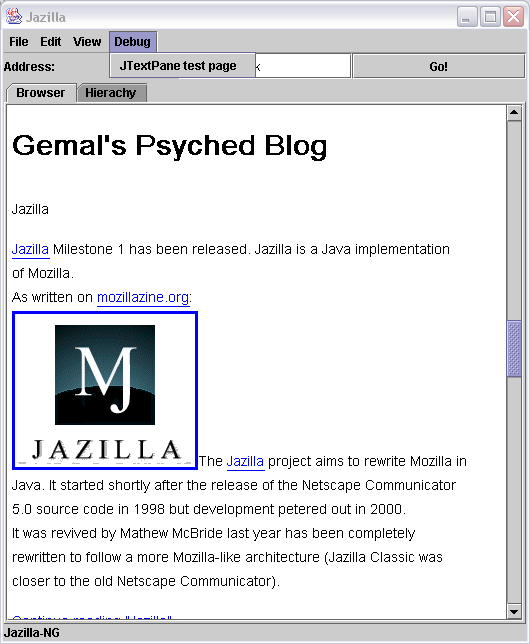
Download
Jazilla is currently only available in compressed bzip2 format:
Bugzilla Stats
Some Bugzilla stats are now available. And I like it! I'm number one!
I've reported 2.493 bugs and my bug/karma is 0.96 whatever that means.
Linky version 1.6.0 released
Linky version 1.6.0 has been released. It has some small improvements and features Danish (da-DK) locale support.
Linky is a very simple Mozilla extension that adds usefull links and images options to the context menu. Like open all links in new tabs, etc.
What's new:
- Danish (da-DK) locale support
- Configurable image file types. Defaults to "jpg|jpeg|gif|png|bmp". Currently no GUI for this pref.
- Wording cleanup
- Linky now also works in Mail. Right-click in the body of a message and Linky is there!
- Much better "Find text links" support
- Tried to do Mozilla Firebird settings support but gave up. Dont really see a way to have one pref panel file that works in both Mozilla and Mozilla Firebird since the pref windows differ.
- More robust open tab function
- Even more configurable install script. Now handles locales. Everybody can use the install.js script in their Mozilla Extensions.
- New pref names. Now uses "extensions.". The old pref "linky.showopen" is now called "extensions.linky.showopen".
What Array Class Do I Use?
Now there's even more good Mozilla developer information. The array documentation including almost-complete documentation for nsIArray and nsCOMArray has been updated.
Guide to array classes in Mozilla
Gecko now at 32%
The lastest Gecko Browser Statistics for gemal.dk is showing that the Gecko Percentage is now at 32% for April 2003.
You can view the Gecko stats at your own website by using the script here.
Mozilla string classes
If you're a Mozilla developer Guide to the Mozilla string classes is a must read. It has just been updated.
The guide will attempt to document the plethora of string classes, and hopefully provide an answer to the age old question, "what string class should I use here?"
Gecko Browser Statistics
Gecko Browser Statistics for gemal.dk is now available.
You can also download a script that generates the Gecko statistics so you can see the stats for your own site. Download it here.
The hit rate of Gecko based browsers at gemal.dk is now 15%.
Gecko is the rendering engine inside web browser such as Mozilla and Netscape. A rendering engine is the core piece of software inside the browser that turns HTML code into a readable Web page.
Gecko features amazing support for open web standards and existing web content, is built from the ground up with security in mind, and is available on more than a dozen platforms - it is the clear choice for internet enabled applications. It's robust, full featured, secure and cross platform.
Mozilla Update
- Everything you need to know about Mozilla Branding
Mozilla.org's branding strategy. When to use "Mozilla Application Suite" and "Mozilla Thunderbird" and "Mozilla Firebird".
- Why Use Mozilla?
Almost all the reasons are listed here...
- The Amazing Netscape Fish Cam
View the large fish tank at Netscape. A true classic!
- Styling the Amazing Netscape Fish Cam Page
How to bring the old layer styled fishcam up to date with current web standards.
Featured at GnomeWARE

My Mozilla article is featured in the Lockergnome Webmaster Weekly.
Lockergnome (pronounced lah-ker-nohm) is Chris Pirillo and his digital gang who distribute personality-driven tech newsletters.
Recipe for building Phoenix/Firebird on OpenBSD
A short recipe for building Phoenix/Firebird on OpenBSD
Mozilla checkins:
- Memory cache should be based on amount of physical RAM: This should speed up Mozilla since it allows the cache to use a lot more memory than previously.
- CRAM-MD5 authentication
crypto.signText
New version of SecClab has been released. Secclab is a XPCOM Component that implements some PKI functions.
This new version implements form-signing in Netscape 7.0, 7.01 and 7.02, Mozilla 1.0.1, Mozilla >=1.1 and Phoenix.
Sun Java Plugin status and update
The following was posted to the OJI newsgroup:
Sun's Java Plugin team and Browser Java team have investigated a lot of bugs which related to Java, and focus on OJI/Liveconnect 's stability and performance.
We have blueprint of redesign and the solution is to achieve the following three goals:
1. XPCOM independent:
The new interface between OJI and JPI should be XPCOM independent. The main purpose of doing this is to break the dependencies with constantly changing Mozilla XPCOM APIs.
2. JNI Free:
The interface between OJI and JPI will hide JNIEnv from browser side. Exposing JNIEnv interface to browser has at least two shortcomings:
1) JNIEnv interface is a low level interface to JVM functionality. Exposing a low level interface to the browser makes the browser to call into JVM randomly. This can cause a lot of subtle bugs.
2) It causes a lot of overheads especially for out-of-proc implementation.
3. Gecko Plug-in API based:
Gecko Plug-in API has been adopted by different Netscape Plug-in vendors for a long time. It is a stable C style API. Although it may not be complete, the C style interface is a durable solution for cross platform binary compatiblity.
If we can achieve these three goals, we can run java/liveconnect on browser more stabile and efficient.
Soultion on browser side:
Create a new module works as OJI/Liveconnect 's function, this module will:
1. Hide XPCOM, only provide C-style functions for JPI
2. Implement liveconnect function by using the APIs that JPI provides (don't use JNI)
3. Backward compatibility, use different modules (select between OJI/Liveconnect and New module on runtime) according to different version JPI.
Welcome to push our OJI/Liveconnect Redesign again!
You can read the posting here
Mozilla Document Loading
The purpose of this document is to describe, from a very high-level viewpoint, the start of the document loading process. We start with the request to load a particular link in a particular window, and proceed up to the point at which the data stream is dispatched to the proper handler. The final goal is to find the correct stream listener to pump the data into when necko calls OnDataAvailable (e.g., we may find the HTML parser as the stream listener to give the data to).
Read the article: Document Loading: From Load Start to Finding a Handler
Mozilla Names
The new name for the Mozilla based stand alone web browser Phoenix is Firebird
The new name for the Mozilla based stand alone email client Minotaur is Thunderbird
I'd really hoped for just Mozilla Navigator and Mozilla Mail which would be soo much easier! Mozilla doesn't seem to think PR.
"You have to download Firebird and/or Minotaur....
I just doesn't sound right.
"You have to download Mozilla Mail...
would be soo much better. Everybody would know what you were refering to.
Update:
The components are gonna be called:
- the Mozilla Firebird browser
- the Mozilla Thunderbird email client
Netscape DevEdge
Made it onto Netscape DevEdge! Read the article
Linky version 1.5.0 has been released!
Install it here.
Linky 1.5.0 is a complete rewrite with many new features:
- Select links Dialog
- Preferences panel
- Dupe URL detecter (will remove all dupes URL's)
- Option to install into Personal Chrome folder
And all the cool features from the last version:
- Opens all links in a selection in new tabs or windows
- Finds and opens link in plain text in a new tab or window
- Opens all links on page in new tabs or windows
- Open all links that appears to be linking to an image in new tabs or
windows
- Shows all links that appears to be linking to an image in one new tab
or window
- Open all links that appears to be linking to an image in one new tab
or window
Screenshots here
Tested and works with Mozilla and Phoenix!
Slashdot
My article made it to Slashdot.
Also remember to check out my Mozilla and Phoenix extension Linky. Linky is a very simple addon that makes it possible to open links and pictures in tabs or windows via the context menu.
If you would like a rich-text editor in your web application, you should read the Rich-Text Editing in Mozilla article.
Mozilla 1.3 introduces Midas, an implementation of Microsoft Internet Explorer's designMode feature. The version of Midas in Mozilla 1.3 supports the designMode feature which turns HTML documents into rich-text editors.
Using Mozilla in testing and debugging web sites
My latest article is Using Mozilla in testing and debugging web sites where I describe some very cool features in Mozilla which will enable you to quickly find and debug errors in your web site and web applications.
For example the JavaScript Console, Cookie Manager, View Selection Source, JavaScript Debugger, HTTP Headers, etc...
So go ahead and read it!
IE Security and Mozilla
Unpatched IE security holes
There are currently 14 unpatched vulnerabilities.
101 things that the Mozilla browser can do that IE cannot
101 things that one can do with the Mozilla browser component (version 1.2) that one cannot do with IE (version 6.0).
Cross-Browser Rich Text Editor
IE5+/Mozilla 1.3+ for all rich-text features to function properly.
Mozilla 1.4 Alpha Released - Release notes
What's new:
- Mozilla 1.4 contains about 1000 new bugfixes, including changes to improve performance, stability, web site compatability, standards support, and usability.
- Mozilla's bookmarks have been overhauled. Bookmarks now include a root level folder, the ability to have two differently named bookmarks pointing at the same location, site icons in the Bookmark Manager and Bookmarks Sidebar, and separators now have support for labels.
- Composer now supports click and drag dynamic image and table resizing. If an image is selected or if the caret is placed inside a table, eight resizing handles appear and allow to resize the image/table with a simple click/drag/release. In the case of an image, the resizing is done real-time and a semi-opaque shadow of the image at its target size is shown during resizing. A tooltip shows in real-time the target size in pixels, and the relative change in pixels too.
- Mozilla now has smooth scrolling. It is disabled by default. To enable it, use about:config to add the boolean preference general.smoothScroll with a value of true. To disable smooth scrolling, set the value of the pref to false.
- Mail now has junk-mail context menu items, a "delete junk mail" menu item and many other usability improvements for junk-mail controls.
- Pop-up blocking has been streamlined to improve usability.
- XPInstall and theme install for Mac OS X has been restored.
Mozilla 1.3 på dansk
Den danske oversættelse af browseren Mozilla 1.3 er givet fri søndag med en række nye funktioner.
Mozilla er en Open Source-browser, der består af en Navigator-browser og et post- og nyhedsgruppe-program.
Mozilla har også en række fikse funktioner eksempelvis spamfilter og Composer - et program, der sætter en i stand til let af lave sine egne hjemmesider.
Herudover giver programmet muligheder som adgangskodehåndtering, pop-upvindue-håndtering, JavaScript-fejlfinding.
Mozilla news...
Interesting read:
Internet Protocols in the Windows Registry - a Mozilla perspective
History:
Five Years Ago Today: Netscape Source Code Released
Development:
The first fully compiled Minotaur binary is now available on Mozilla's FTP servers. Minotaur is a redesign of the Mozilla mail component.
Branches
Some of the larger changes in Mozilla are done in branches. This way it can be developed and tested before it makes it's way into the main trunk.
Some of the interesting branches are:
- Keep GIFs at original 8 bit or optimized. This will reduce footprint.
- Major architectural changes in bookmarks code. Fixes loads of bookmark bugs.
- Loading images from content rather than layout. Could shave of 200-250ms of total page load.
- Smooth scrolling. Like we know it from Internet Explorer.
View all of the Mozilla branches.
How to keep two Mozilla profiles in sync
I love Mozilla and use it both at home and at work. So I have my bookmarks, newsgroups, cookie permissions, address book, etc on two different PCs. So adding an bookmark at work means that you cant see it home and reading a newsgroup posting at home means that it is unread at work. This is very annoying!
Thats why I decided to get some kind of synchronization going. I wanted to be able to keep the two Mozilla profiles, the one at home and the one at work, in sync.
Read the entire article in HTML here or get it in some of the other format:


Mozilla præsentation
Jeg har lige afholdt endnu et Mozilla foredrag. Denne gang var det hos Ingeniørhøjskolen i Århus. Næste gang er det på Syddansk Universitet i Sønderborg.
Hvis du vil se mine slides fra foredraget er de her i forskellige formatter:
PDF format
PowerPoint format
OpenOffice format
Hvis din organisation eller firma gerne vil høre om Mozilla og hvordan et open source projekt fungerer er i meget velkomne til at kontakte mig.
JavaScript strict warnings
The Mozilla browser introduce a new feature for debugging efforts: JavaScript strict warnings. These are messages from the JavaScript engine inside the browser about some very common minor mistakes in JavaScript. These mistakes, unlike errors, do not stop execution of the webpage. But they do slow it down a bit, and they're very easily fixed.
Fx:
var test=1;
var test=2;
will produce:
redeclaration of var test
Read much more about Tackling JavaScript strict warnings
The UI in Mozilla, XUL, also have a lot of JavaScript strict warnings.
Mozilla Development
Some important things going on with the development of Mozilla:
There will be a carpool tomorrow Thursday 3/20. This is for landing NSS 3.8 on the Mozilla trunk. You can follow this in this tracking bug.
Mike Potter from OEone writes about Mozilla Calendar:
"As many of you will have noticed, there hasn't been a lot of work done on the calendar lately (by myself or Mostafa.) The reason for this is that OEone has decided to pause development of its HomeBase DESKTOP product, which was based on Mozilla. We were helping to develop the calendar because it would advance our own calendar in that product. Now that we aren't developing DESKTOP Mostafa and I have been given other tasks, mostly related to our web version of HomeBase (HomeBase ANYWHERE) (http://homebase.oeone.com).
So, the question is where does that leave the Mozilla calendar? That is a question that I can't answer right now. I will continue to maintain the project, and work on it when I can. However, there will not be as much work done on it as there has in the past. We will continue to fix crucial bugs that prevent the calendar from not working, but I think its unreasonable to expect new feature development on it in the short term.
Of course, we are always welcoming bug fixes and new features from other developers, as Eric has done recently. As well, the students in Charleston are working on their projects, and some of that code will be integrated into the main development tree. So, there will be still be progress in the project, however it will not be at a rate that you saw earlier in this year."
Thunderbird is coming
Mozilla Hall of Fame
Mozilla Hall of Fame lists some of the vendors that use the Mozilla platform, the Mozilla browser, the source code, or Mozilla development tools to create applications and other products.
Notable checkins:
- The CSS parser has been cleaned up a bit.
- Many XUL documents are invalid XML
- Excessive inlining in string libs
- Investigate LRU-SP eviction policy for memory cache
Installer bugs
I'm the QA (Quality Assurance) on the Mozilla Windows Installer.
Download: Version 1.3 - Nightly build
So here's some bug numbers for the installer (all OS):
2350 : Total
1993 : Verified
304 : Open bugs
27 : Unconfirmed
53 : Resolved
206 : The ones I've reported
12 : Has patch
All in all the good installer people, mainly Sean Su, Curt Patrick, Dan Veditz, has fixed more than 730+ bugs! Way to go! Amazing work.
But we still have some bugs where we could use some help. So if you code C++ and would like to get involved contact Sean Su. You could fix bug 193925 or start with bug 183448... it's all up to you!
Soon: Bugzilla Etiquette
Gerv writes:
Shortly, we will be putting the following document up as part of bugzilla.mozilla.org:
http://www.mozilla.org.uk/temp/etiquette.html
It is intended to be a resource the community can point to, in order to gently correct those who violate the hitherto-unwritten rules of using Bugzilla. The overall purpose is to help make Bugzilla a more pleasant environment for all.
Checkin of today
Interesting checkin of today is the fix for bug 189528. This fix reduces the amount of memory used when Mozilla decompresses a jar file. There used to be 5 copies of the jar file in memory. This will speed up things and produce a small footprint. Go go Mozilla!
Custom Keywords
Custom Keywords in Mozilla Rocks!
When I want to search at IMDB I just write "imdb the ring". This is soo cool!
Greatness
Mozilla 1.3 has been released!
Download:
- Windows
- Mac OS X
- Linux
What's new:
- Mozilla Mail has junk-mail classification
- Newsgroup filters
- Image auto sizing
- Dynamically profile switch
- Find as you type
- Fixes for performance, standards compliance and site compatibility
Mozilla is an open-source web browser and toolkit, designed for standards compliance, performance and portability.
Major architectural changes in bookmarks code
Slowly landing, currently on a branch, is meta bug 196756. It's about major architectural changes in the bookmarks code. It's scheduled to hit Mozilla trunk around early 1.4b.
The branch name is BOOKMARKS_20030310_BRANCH.
Check of the checkins to the branch.
AOL Communicator
AOL has released "AOL Communicator preview release". It's an e-mail client build on the Mozilla codebase. It has Mail, Addressbook, AIM and ICQ support.
Check out the Flash demonstration or some screen shots.
Code Rush
This is an old timer but a good one. Brought it a year ago, but it's still worth watching:
 Code Rush takes a dramatic, inside look at living and working in Silicon Valley. The one-hour documentary follows bright and quirky Netscape Communications engineers as they pursue a revolutionary venture to save their company. Through the program's verite style,viewers see human and technological dramas unfold in the collision between science, engineering, code and commerce.
The program presents Netscape's radical effort to rewrite the rules of software development by giving away the recipe for its browser in exchange for integrating improvements created by outside unpaid software developers.
Checkin of the day
Move Netscape's P3P to Mozilla. The P3P code has been moved from Netscape to Mozilla's codebase. This means that the nightly builds of Mozilla will now have P3P. Hurra for privacy!
P3P is emerging as an industry standard providing a simple, automated way for users to gain more control over the use of personal information on Web sites they visit.
More info about P3P at:
- Platform for Privacy Preferences (P3P) Project
BTW: gemal.dk is a P3P compliant site and is listed in W3C's Web Sites using P3P
4getmoz version 1.7.4
I just released version 1.7.4 of 4getmoz which is a Mozilla and Phoenix download script for 4NT users. The 4getmoz script provides all 4NT users with an easy and fast way to download and install the nightly build of both Mozilla and Phoenix.
What's new:
- spelling
- adding save plugins folder option. Use saveplug as parameter
- minor bug fixes
Build Mozilla on Windows using GCC
A lof of work is being done to be able to make Mozilla build on win32 using GCC. Read more about is in bug 134113
Upcoming improvements: Cookie rewrite
Mozilla just keeps getting better and better. To quote from bug 195908:
Objectives
to begin improving/optimizing/sanitizing the code, in preparation for merging
everything into nsCookieService. This is the last patch that'll have the files
separate, hopefully. Made things a whole lot more readable, created a new
prefobserver (ditched the old callback system), fixed cookies to be written out
in order (bug 188850), optimized some codepaths and refactored things...
Flash Player 6,0,79,0
If you have the Flash Plug-in installed it's time to update. Version 6,0,79,0 has just been released.
Download it
What's new:
Macromedia Flash Player 6 Update, Version 6.0r79
Windows, Macintosh Classic, Mac OS X, and Linux
In an effort to keep our customers up to date with the most recent features, functionality and bug fixes, we have issued a new version of the player: Macromedia Flash Player 6.0r79. With these improvements, customers will be able to take advantage of reliable playback of audio and video streams via Macromedia Flash Communication Server MX and security enhancements. Macromedia recommends that all users upgrade to the latest version of Macromedia Flash Player. This update is version 6.0r79.
Cumulative Security Patch
Macromedia is committed to protecting its customers in relation to security and privacy. This is a long-term effort for Macromedia across all products. Recently, Macromedia became aware of a potential security issue with sandbox integrity. A new version of Macromedia Flash Player fixes this issue and other security issues to protect our users from content that tries to execute malicious code on the users machine. Macromedia is categorizing this as an important update and recommends users immediately update to the newest player. For more information please visit: www.macromedia.com/security/.
Macromedia Flash Communication Server MX Enhancements
* Audio synchronization with video has been significantly improved for live streams with Macromedia Flash Communication Server. The video images should also display more smoothly in live mode.
* The management of audio delay (latency) for live streams is significantly improved. Users should hear fewer gaps in live audio and in most cases the audio delay should be much lower. Note that for good audio performance, it is very important that the microphone and gain level are configured properly so the player can detect silence intervals.
* There is a new property, liveDelay, available on the NetStream object when in live mode. This property gives an approximation of how much delay is in the audio stream as a result of varying network delays. The property is read only and is represented in seconds.
* Synchronization of audio, video and data messages during playback in a buffered stream is much more precise. Also, the stream time property will now increase smoothly, whereas it used to increase in steps as the messages arrived at the player.
Time Zone Fix
Fixed invalid daylight savings time offset in the southern hemisphere.
Nested Masks with Device Text
Fixed rendering bug with device text and nested masks. This issue was only present on Windows XP.
Screen Reader Crash
The Windows Tablet PC Operating System ships with the Screen Reader Speak Text on by default. This system along with others that rely on a screen reader were experiencing a crash on certain web sites. This issue has been resolved.
Debug Mozilla Mail
You have been running Mozilla Mail for some time and have begun filling bugs in bugzilla. But to file better bugs it's always a good thing to provide some debug info. Here's how to do this:
Debug Mail:
IMAP, POP, NNTP, SMTP Protocol Logs
My settings:
NSPR_LOG_FILE=C:\Temp\mozilla.log
NSPR_LOG_MODULES=IMAP:5,POP3:5,NNTP:5,SMTP:5
Internet Explorer just doesn't care about security!
Summary
This is my experience of a bug that I thought was a Mozilla bug but it turned out that Internet Explorer just doesn't care about security.Story
It all started when we, TDC Internet, just got a new SSL Server Certificate from a Certification Authority (CA) called certifkat.dk.We installed the certificate on the server and suddenly Mozilla couldn't view anything on the site or even connect to the site. All you got when trying to view a web page on the server was Error -8102. Unable to go to site.
Then I tried using Internet Explorer and everything worked fine. Could Mozilla be wrong? Perhaps the certificate was in a format that Mozilla didn't support?
I tried using the official Mozilla releases instead of my nightly build, but I still got the same error.
I did some searching in Bugzilla and on Google and found that error -8102 was "Certificate key usage inadequate for attempted operation.". So perhaps the certificate contained a key, whatever that was, that only Internet Explorer knew about.
So I filed a bug in Bugzilla so that a Mozilla developer and all other Bugzilla users could help me in finding the solution to the problem. I also used IRC to get more information.
And the Mozilla Community is amazing. People quickly came up with SSL stack traces and debug information.
Conclusion
The problem lies in the certificate issued by the Certification Authority. The certificate uses an extension that indicates what the certificate can be used for. The CA accidentally hadn't set the SSL server extension so the certificate was not valid as a SSL server certificate.Internet Explorer does not check this and just assumes that it's a valid SSL server certificate. Mozilla on the other hand checks this and correctly refuses to go to the site. The error message in Mozilla is not the best but that's it also being worked on. So it turns out that Internet Explorer just don't care about security. Mozilla cares about security and therefore checks the certificate to see if it is valid to be a SSL server certificate. Another win for Mozilla!
References
Bug 193991My original bug report which later became a duplicate of bug 142280
Bug 143280
A bug report which describes the same problem that I had. It's marked wontfix since the problem isn't a Mozilla bug.
Cool "soon" feature in Mozilla
Add option to automatically unzip .zip files when they are saved as attachments is one of the cool features that perhaps soon is going to be included in Mozilla. It has a working patch.
JRE (Java Runtime Environment) version 1.4.1_02
Java 2 Runtime Environment version 1.4.1_02 has been released.
So if you dont have Java in your Mozilla this is the one you have to install.
Mozilla Checkins
Important/interesting checkins today:
- navigator.mimeTypes object does not include helper apps (but includes plugins)
- Add support for Elliptic Curve Cryptography to NSS & SSL
Law of Software Envelopment
Every program attempts to expand until it can read mail. Those programs which cannot so expand are replaced by ones which can.
Another cool Mozilla feature is about to be checked in:
XUL extensions in your profile directory
about:buildconfig
If you run a nightly build of Mozilla you can now check and see which build options was used to build your Mozilla.
Type about:buildconfig in the Location and hit enter.
Follow Mozilla Development
If you're interested in the development of Mozilla and want to know how the opensource project is coming along here are some of the best resources:
- Daily CVS Checkins at Mozilla.org
- Bug fixing overview
- Links to bugs referenced in cvs checkins to the Mozilla trunk
- Bugs reported today
- Mozilla Patch Landing Tool
- Mozilla Roles and Responsibilities
JavaScript in Mac Browsers
How well do Mac browsers handle JavaScript?. Mozilla rocks!
Mozilla 1.2.1 executed every script, though it had one minor bug in the DHTML test. Its ability to import XML files makes it unique on the platform.
The following browsers, all running on Mac OS 10.2.1 were tested:
- Explorer 5.2
- iCab Preview 2.8.2
- Mozilla 1.2.1
- OmniWeb 4.1
- Opera 6.0
- Safari 1.0 beta (v60)
New splash screen for Mozilla
A new splash screen is going into Mozilla. For more info see bug 194291.
Depressing Mozilla stats
Some stats from the browser market:
1. Microsoft IE 6.0 = 60.2.6%
2. Microsoft IE 5.5 = 16.8%
3. Microsoft IE 5.0 = 16.4%
4. Mozilla 1 = 1.2%
5. Netscape Navigator 4.0 = 1.0%
6. Microsoft IE 4.0 = 0.9%
7. Opera 6.0 = 0.7%
On Google Zeitgeist Mozilla based browsers are now also showed.
Gecko, Mozilla, Netscape overview
Learn which versions of Mozilla the various browsers are based on.
You can also get the old old old Netscape products.
You can also view your own Gecko version.
Internet Explorer 7.0 will be based on Gecko!
He, he, he...
Internet Explorer 7.0 will be based on Gecko!
Microsoft Corporation (Nasdaq: MSFT) announced yesterday that the next release of Internet Explorer will use Gecko as its rendering engine.
"We have discussed this for a few months and decided that our current engine, based on NCSA Mosaic, cannot be improved anymore. It's standards-compliance also sucks. (...) We observed some other browser projects and realized that Mozilla.org's Gecko engine and Safari's KHTML are simply better. However, KHTML is not ported to Windows at the moment, so we decided to choose Gecko" - anonymous Microsoft employee told CNet.
"Our next Internet Explorer 7.0 will be simply the browser from Mozilla.org, but with the MSIE theme from themes.mozdev.org and some plugins, such as ActiveX and .NET libraries runtime environment. There will be no new releases of FrontPage Express and Microsoft Outlook, since Mozilla's Composer and Mail&News will be integrated with the new Gecko-based MSIE 7.0. We believe this will make browsing the Internet even better than it was with our previous releases of MSIE. Also, some Microsoft employees have already worked on Mozilla earlier - e.g. by submitting bugs to Bugzilla" - said Steve Ballmer.
Asa Dotzler from Mozilla.org: "This is the real end of so-called browser wars.
We decided that it's better to co-operate than fight".
Netscape Communications Corporation (Nasdaq: NSCP) CEO's didn't comment on that.
Cool Mozilla stuff
If you're a web developer you have to be running Mozilla. But with these addons Mozilla is even cooler:
- LiveHTTPHeaders
- Linky
Netscape 7.02
Netscape 7.02 released. Read the Release Notes for much more info.
What's new:
- Enhanced security
- Improved stability
- New Macromedia Flash 6 r65 plugin for Windows
- New Java 1.4.0_03 plugin for Windows
I still prefer Mozilla as my browser.
Machine learning to autocomplete in Mozilla
You have all used the autocomplete feature in Mozilla.
You type "www.m" in the url bar and Mozilla shows you a list of urls that match. In other words, Mozilla "autocompleted" the url for you. If the url you want is in the dropdown list, you can select it and avoid typing out the whole url manually.
Unfortunately, the autocomplete list is often totally useless. A more "intelligent" Mozilla would recognize what you are doing, and act to help you.
Now you can help!
Read about the project
Read this Bugzilla bug for more background on this project.
The lizard is free once again
The best browser just got better! Mozilla 1.3b is out. Mozilla 1.3b Release Notes
What's new:
- Image auto sizing
- Junk-mail classification
- Dynamically switch profiles
- about:config is now editable
- Many bug fixes
Rich text editing control in Mozilla
Mozilla IMAP just got better
One of the problem I've got in Mozilla was that I kept getting "Folder does not exist" when using IMAP. This was due to the namespace pref getting corrupted. This has just been fixed.
Webshot
How does your site look in Mozilla under Linux? Here's your chance to see without installing Linux or Mozilla.
An introduction to XPCOM
Read about XPCOM over at IBM DeveloperWorks:
XPCOM is a lightweight cross platform COM work-alike. It provides interfaces, factories, reference counting, QueryInterface based 'casting', auto pointers, and various other useful stuff. It is the foundation for modularity in Mozilla.
Part 1: An introduction to XPCOM
Part 2: XPCOM component basics
Part 3: Setting up XPCOM
Part 4: Component development
Part 5: The grand finale
Why Mozilla Calendar just dont do it
It's a sad day, but I had to replace Mozilla Calendar with Microsoft Outlook or should I say LookOut!
Mozilla Calendar problems:
- Missing print calendar option
- Missing Microsoft Exchange integration
- Nokia PC Suite (for my 7650) can only sync with Microsoft Outlook
- UI. Mozilla Calendar is made for engineers, Outlook for users
- Integration with Address Book, like birthdays etc
Still using Mozilla as my primary browser and mail application. Mozilla still rocks!
Show Organization in msg pane
If you like to be able to see the "Organization" header in the message pane of Mozilla you can add the following pref to your prefs.js file:
user_pref("mailnews.headers.showOrganization", true);
To show the UserAgent add this:
user_pref("mailnews.headers.showUserAgent", true);
Remember to completly exit Mozilla before editing your prefs.js file.
Mozilla Customization
If you want to move your Mozilla profile, check out this page. I'm currently doing a webinterface for those scripts. Stay tuned!